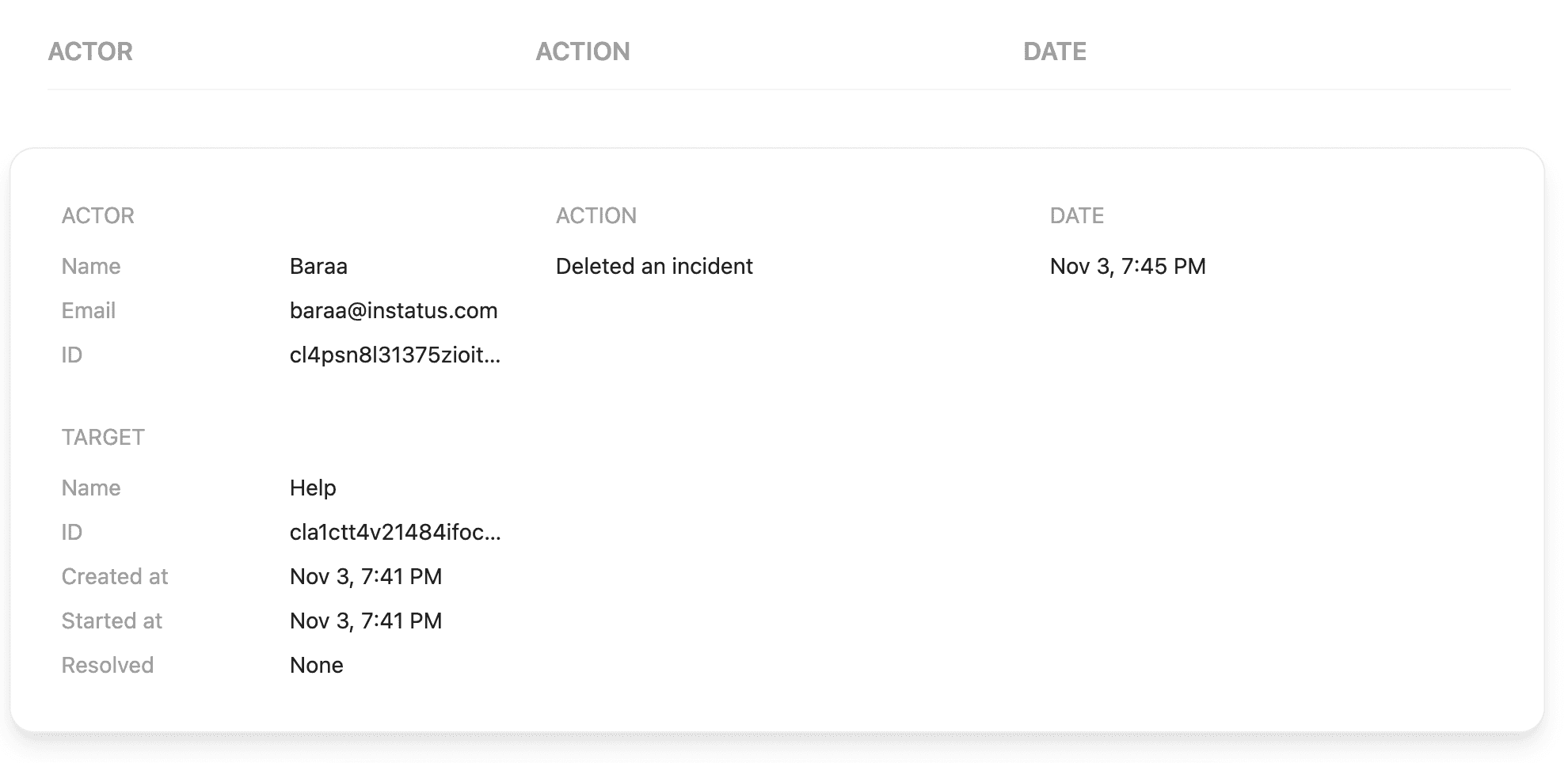
Activity Log
Company administrators can use activity logs to keep track of all changes made to their team, status pages, and issue activity (incidents, maintenances, templates, etc.).
Overview
Instatus automatically records team-related events and status page modifications. Incidents, maintenances, templates, subscriptions, and the status page updates (display, notifications, and credentials changes). They are extremely useful when you need to quickly troubleshoot an issue or get a complete report of important events.
Activity Displays
Currently, Instatus supports two display modes for activities:
-
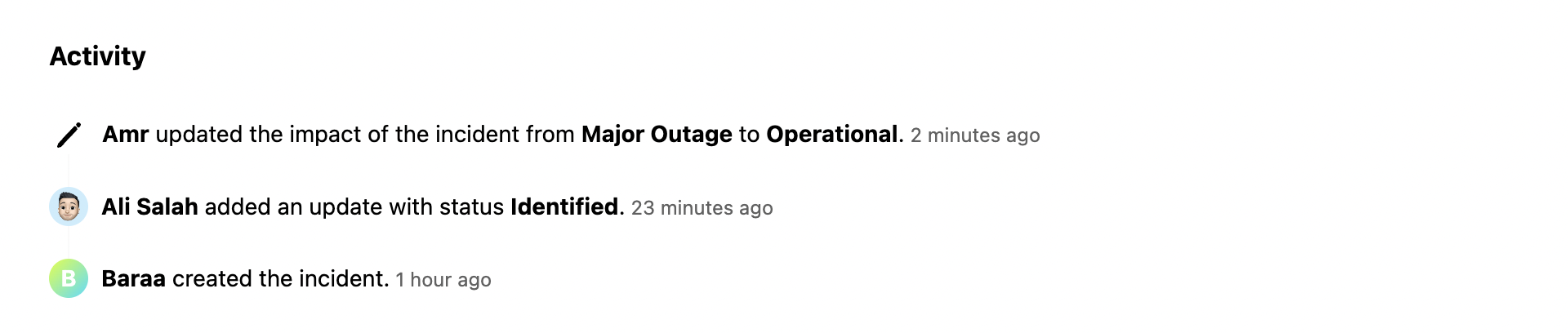
Per-issue Activity
This display mode is available to all users, regardless of whether they have a paid or free plan, and their permission level. This log, which can be located at the bottom of the issue page, provides basic information about the changes that occur to a specific issue. This is currently only supported for incidents, maintenances, and templates.
-
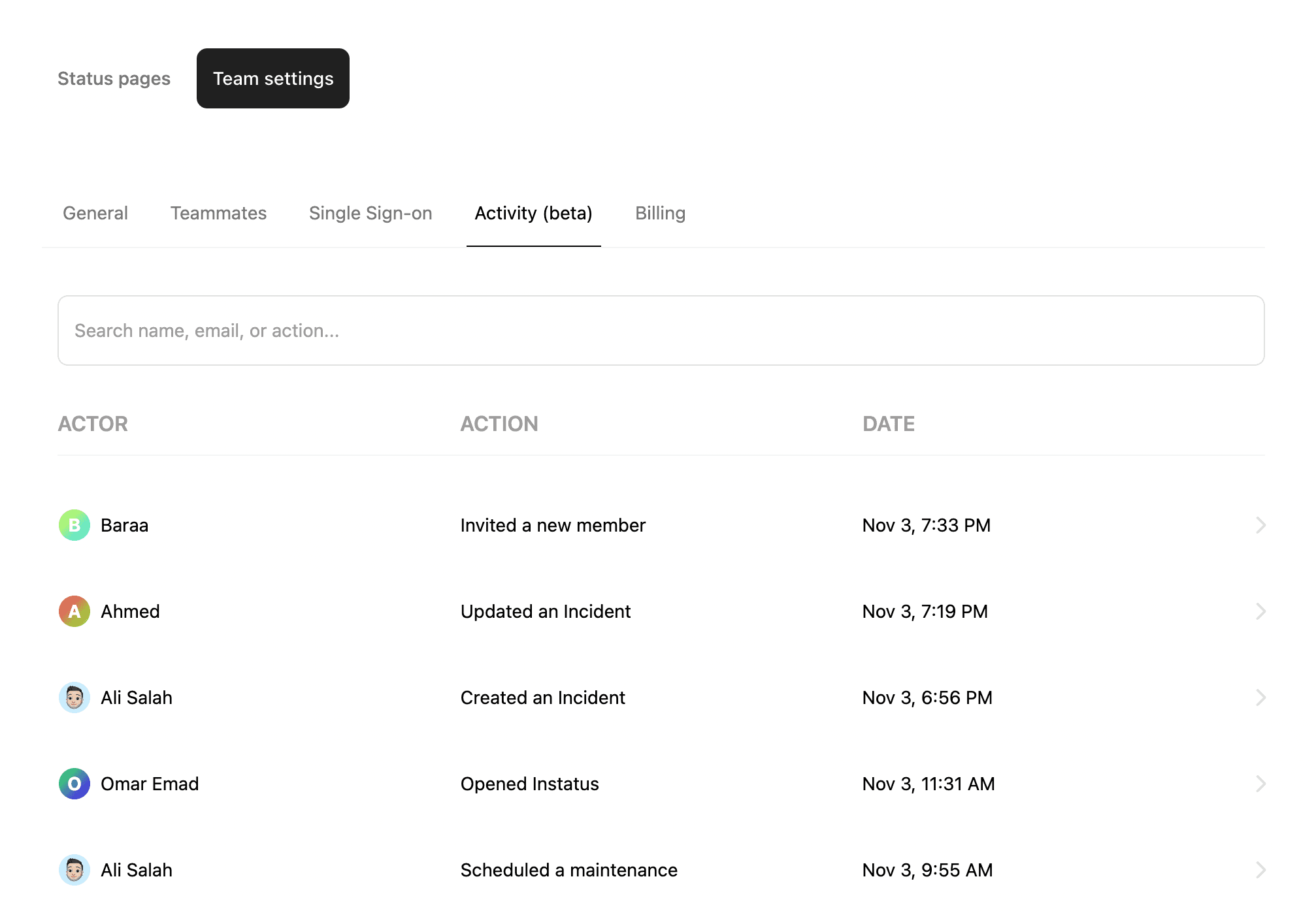
Admin Display
Business plan subscribers can access the admin display. Due to the sensitive information, only team admins have access to it. The admin display can be found by opening the workspace menu in the sidebar and choosing Activity.