Freshping + Instatus
- Go to Instatus, under Integrations, select Freshping
- Select the templates to use when creating and resolving automated incidents
- Copy your page's webhook URL
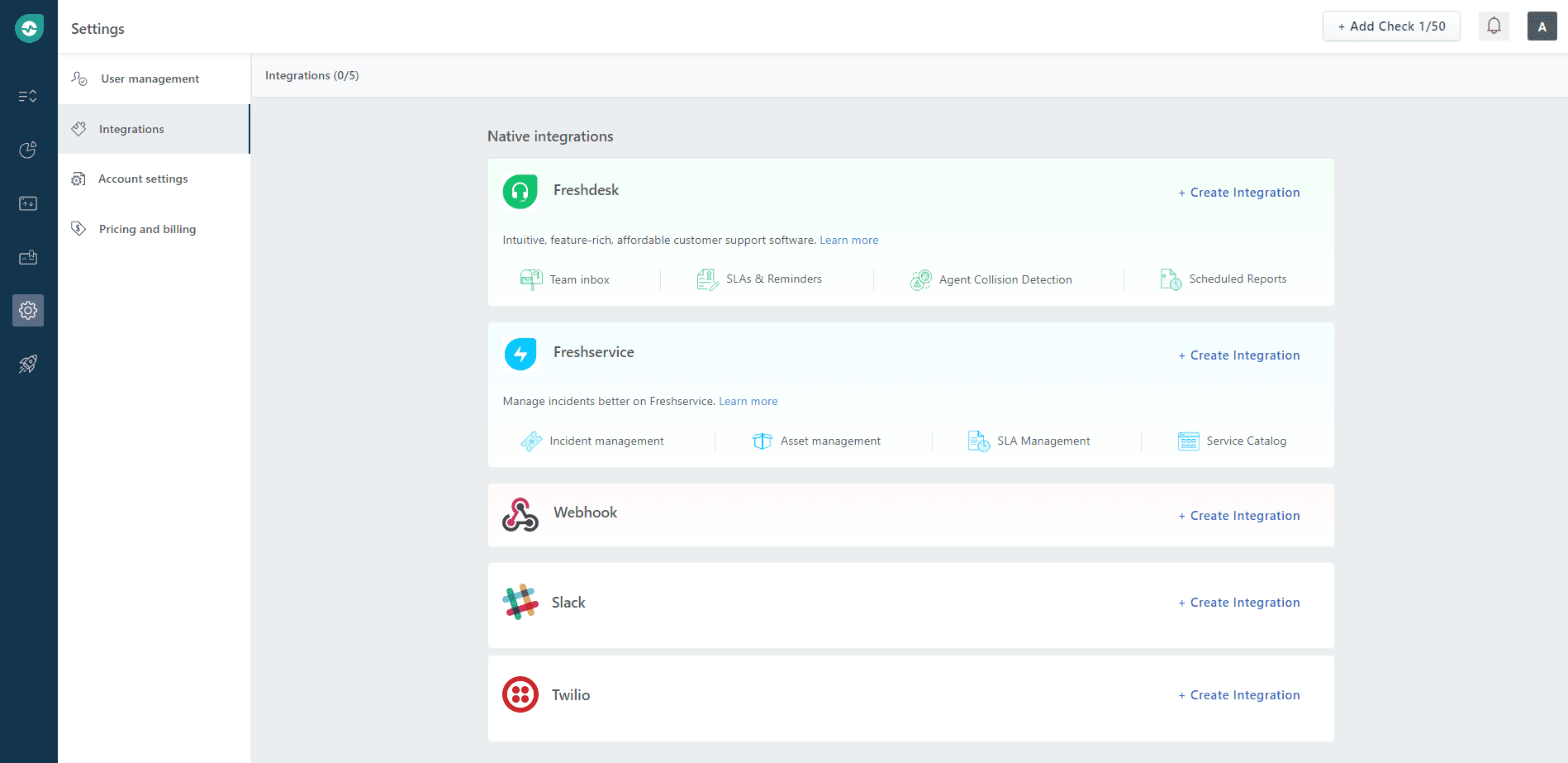
- Open your Freshping dashboard. Click on Settings → Integrations, then in the Webhook section click on Create Integration
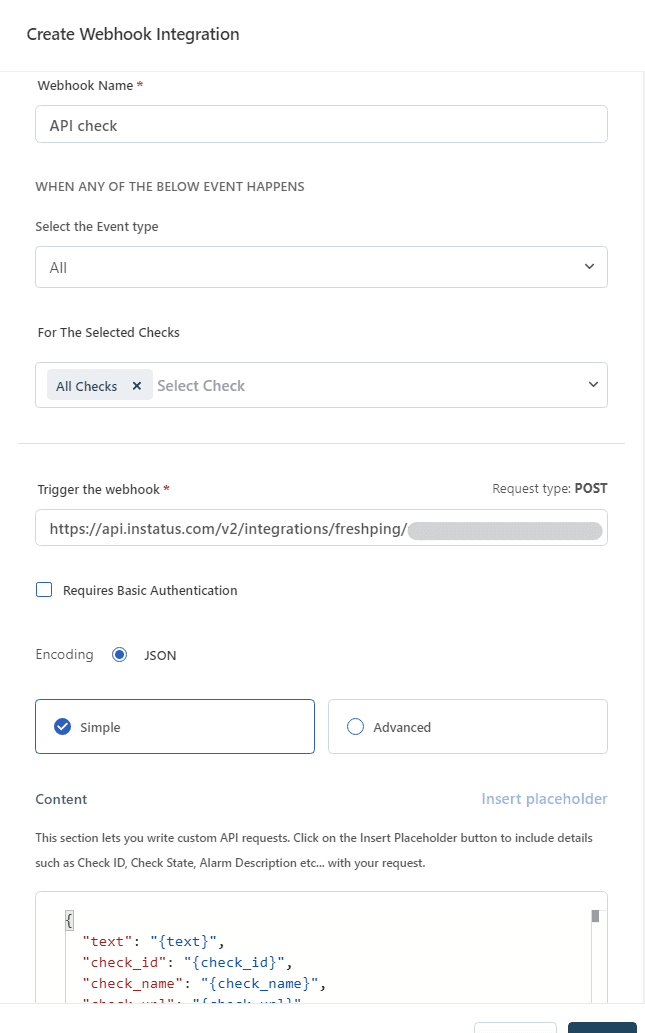
- Enter a name for your Webhook, select Up/Down event type, select the checks that you want notify this webhook, paste your Webhook URL, then click save..
We're done! 👏