Site24x7 + Instatus
- Go to Instatus, under Integrations, select Site24x7
- Select the templates to use when creating and resolving automated incidents
- Copy your page's webhook URL
- Open your Site24x7 dashboard. Click on Admin, then Third-Party integrations
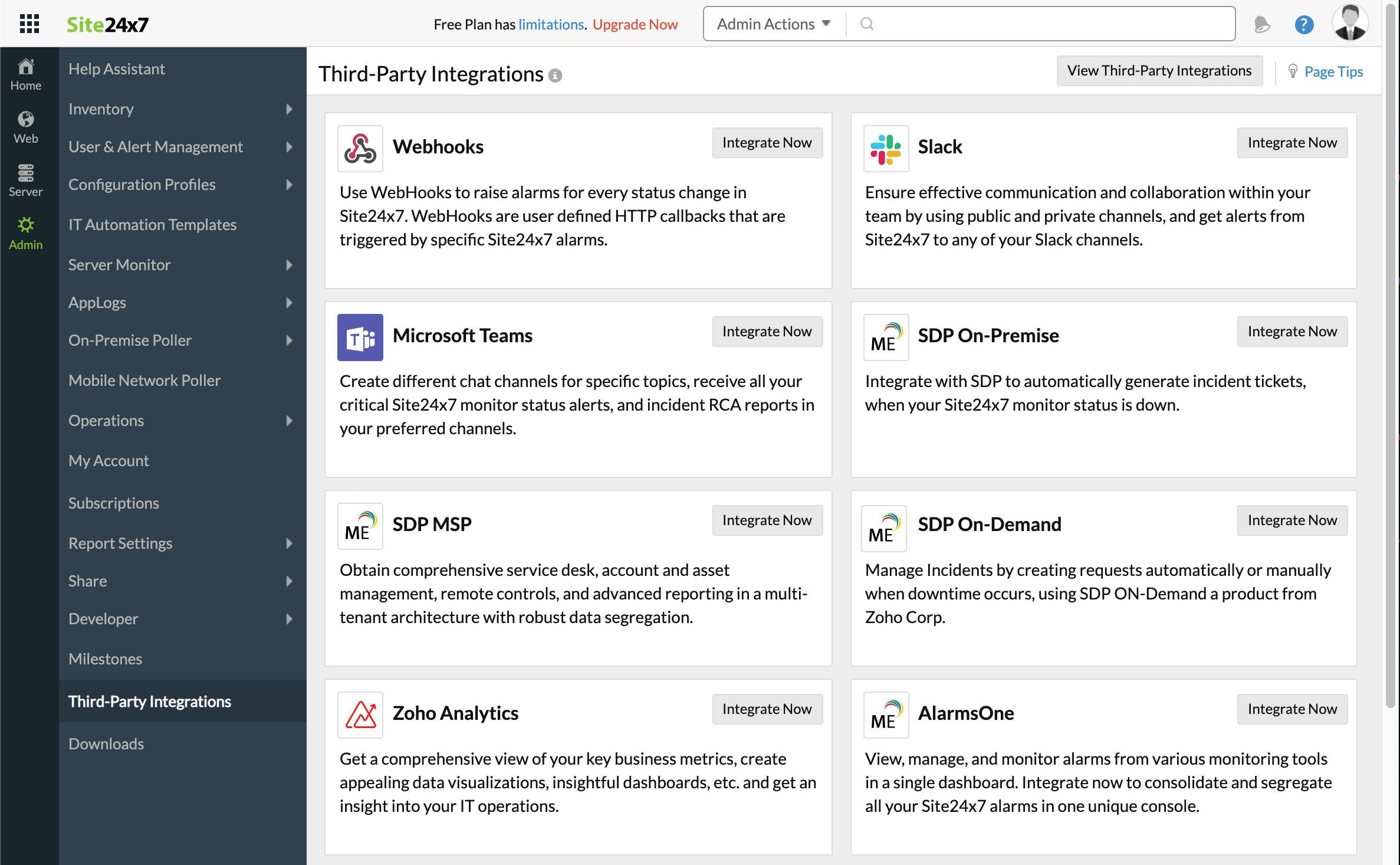
- Click Add Third-Party Integration, then click Webhooks (Integrate Now).
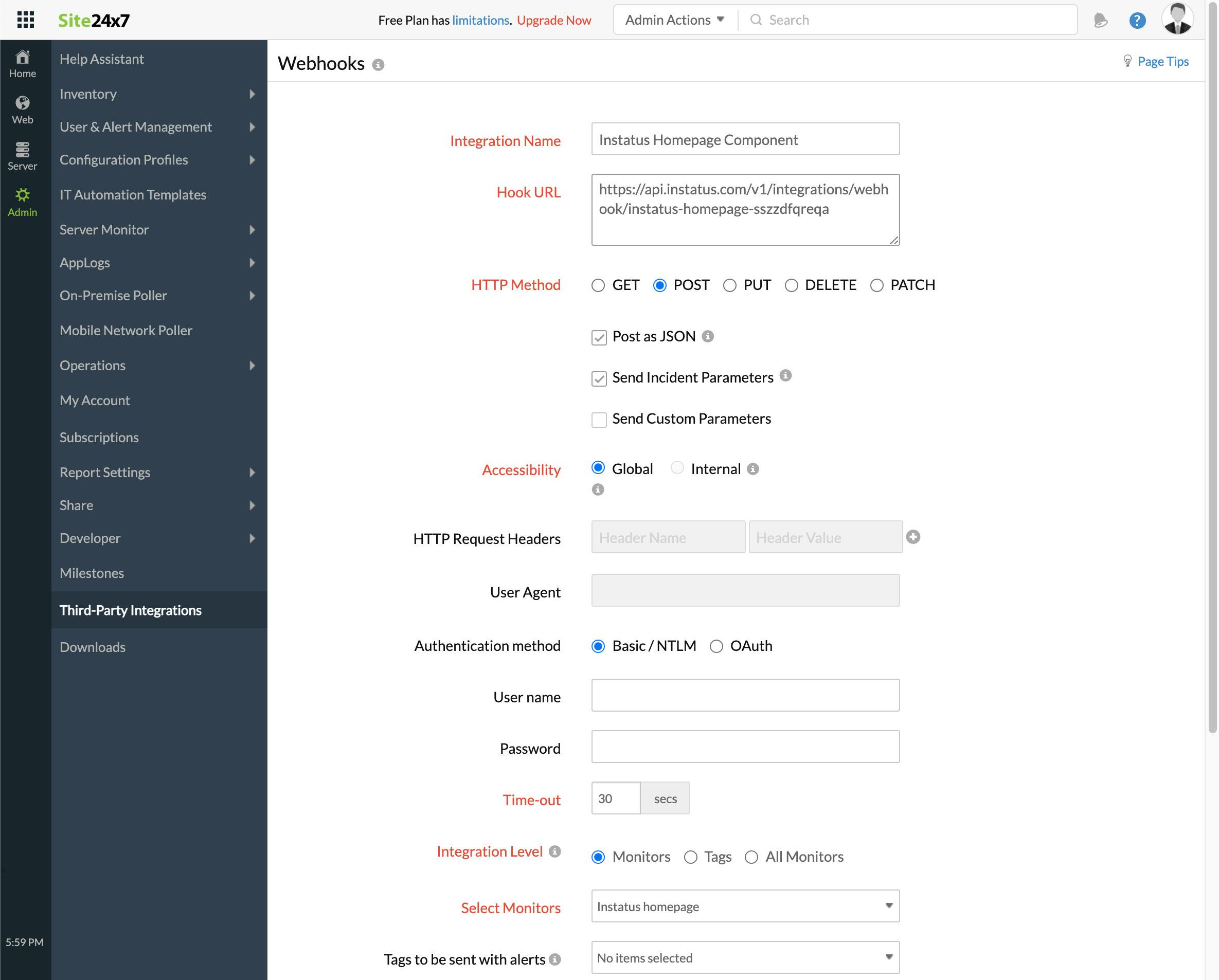
- Fill the form
- Add any integration name
- The webhook URL you copied earlier
- HTTP method
POST - Make sure these checkboxes are selected:
- Post as JSON and Send Incident Parameters
- Integration level: select the monitor corresponding to this component
- For trigger incidents when my monitor is Critical or in Trouble, select yes or no as desired
- Click save!
We're done! 🎉