Manage your teammates
Add your teammates
Login to your Instatus at instatus.com/login then choose your status page.
Open the workspace menu in the sidebar, choose Team members, then click the Invite team members button:
Add your teammate's email, pick their role and group, then click Invite user.
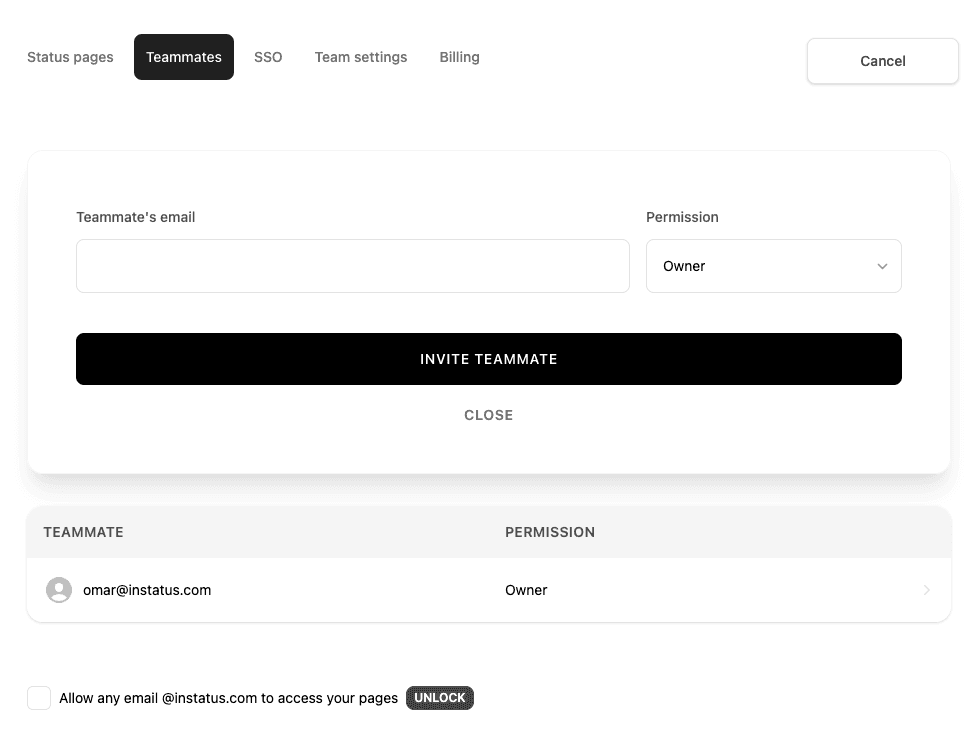
Our teammate roles:
- Owner: Full access
- Member: Nearly full access, except high-level team and billing settings.
- Editor: Can add, update and delete status page content.
- Read only: Can view your private status pages.
Your teammate is now added! 👩💻👨🏻💻👩🏼💻👨🏽💻👩🏾💻👨🏿💻
Remove your teammate
Go to team
Choose a teammate, and click on remove.
Your teammate is now removed 😿