Upgrade your status page
Upgrade from the workspace menu → Billing. The Pro plan adds a custom domain, private pages and unlimited teammates and subscribers; the Business plan adds SAML SSO, select-audience pages and yearly invoicing.
FreeMost featuresProCustom domain, private pages, unlimited teammatesBusinessSAML SSO, select-audience pages, yearly invoicingWhere to findWorkspace menu → BillingFull comparisoninstatus.com/pricing
How do I upgrade my plan?
-
Login to your Instatus at instatus.com/login then choose your status page.
-
Open the workspace menu in the sidebar, then choose Billing.
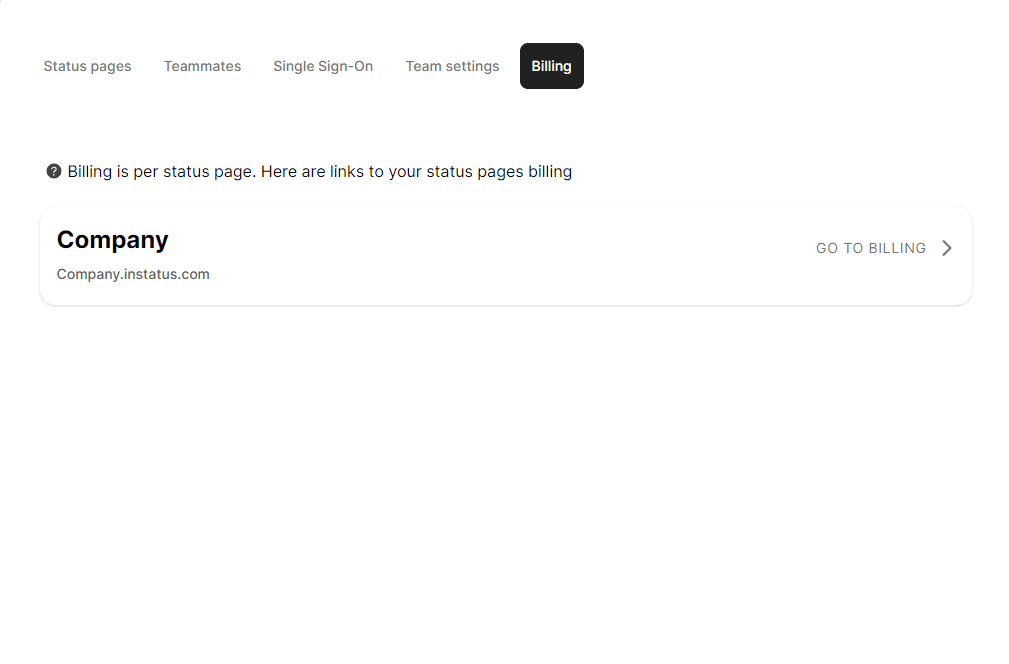
- The billing page opens on your current plan and the plans you can move to.
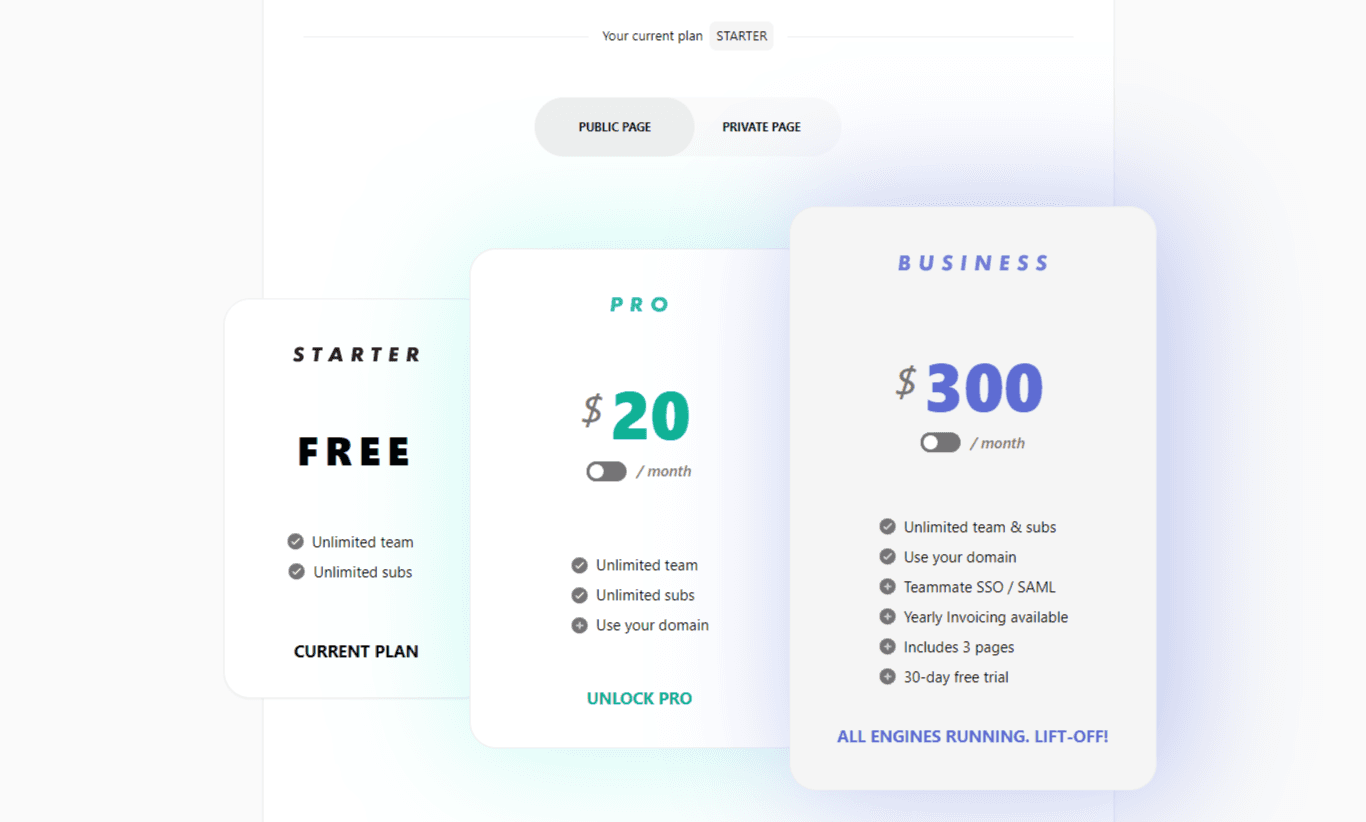
- Compare the plans and pick the one you need.
The Pro plan unlocks features like a custom domain, unlimited teammates and subscribers, and private pages. The Business plan adds SAML SSO, select-audience pages, and yearly invoicing.
See the full feature comparison on our pricing page.
Congrats! Now your status page has been upgraded 🥳