Escalation policies
Escalation policies make sure an incident never goes unhandled. If the first responder doesn't acknowledge an incident in time, the policy escalates it to the next person or team.
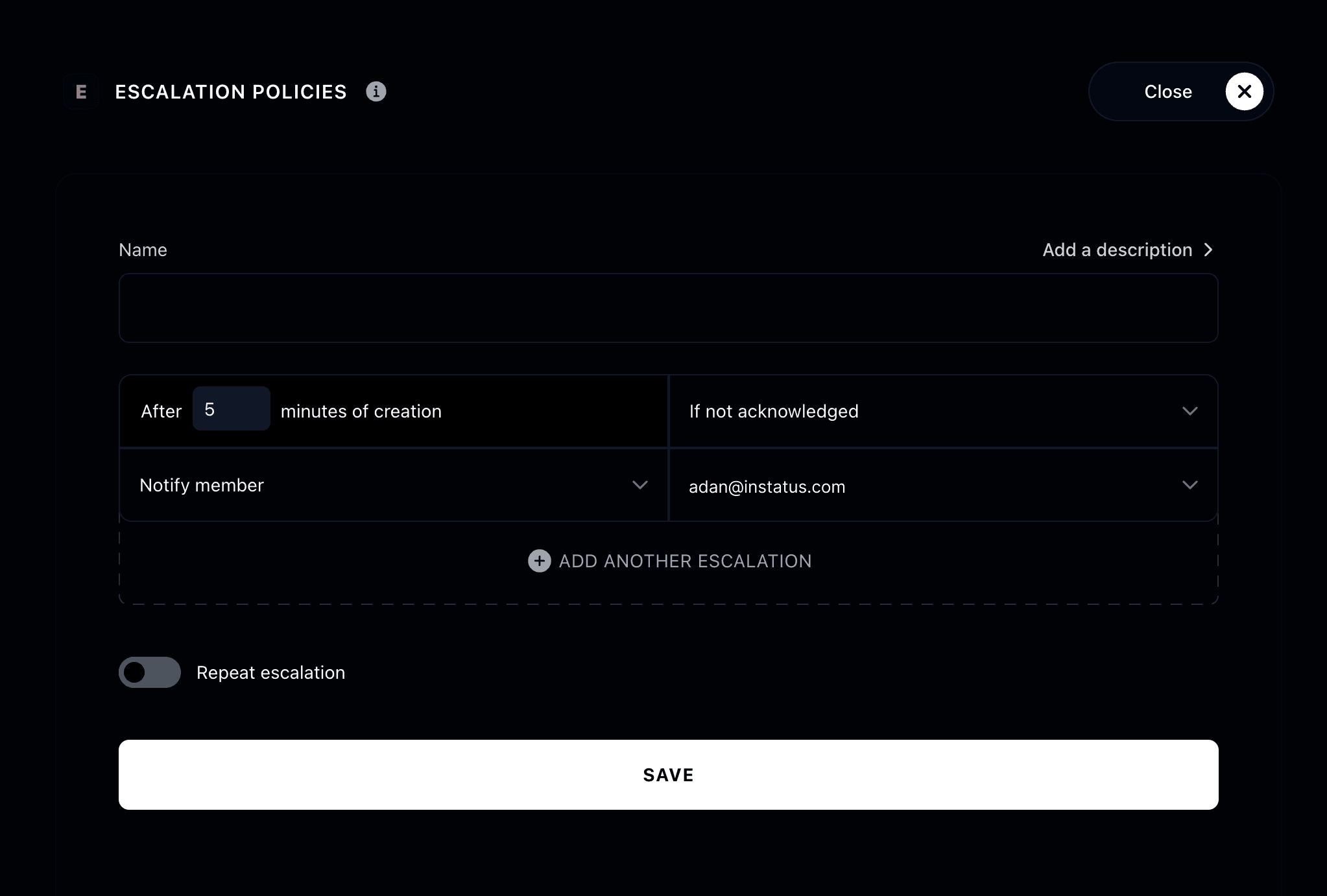
Add a policy
Go to On-call, open the Escalation tab, and click Add policy. Then give your policy a name and build its escalation rules.
Each rule says who to notify and when:
- When: how many minutes after the incident is created the rule fires. Rules must be ordered by time, earliest to latest.
- Who: a specific member, a group, the current on-call user in a schedule, the next on-call user, or all members of an on-call schedule.
Rules after the first one fire only if the incident still isn't acknowledged, so each step escalates further.
Repeat the escalation
You can repeat the whole escalation if nobody acknowledges the incident:
- Choose how many times to repeat, and how many minutes to wait between repeats.
- Optionally auto-resolve the incident once all repeats are completed.
Link it to a routing rule
An escalation policy won't be triggered until it's linked to a routing rule. Create a routing rule that targets your policy so triggered incidents actually reach it.
Your escalation policy is ready 🚨