⌘ K
LoginStart free
  • Get started
  • Monitoring
    • Website
    • API
    • Cron
    • Ping
    • TCP & UDP
    • DNS
    • Alerts
  • Incident response
    • Incidents
    • Maintenance
    • Templates
    • General notices
    • On-call
  • Status page
    • Public page
    • Private page
    • Select-audience
    • Components
    • Notices
    • Customize
    • Multi-language
    • Widgets
    • Custom domain
    • Subscribers
    • Metrics
    • Notifications
      • Email
      • SMS
      • Webhook
      • X
      • Slack
      • Microsoft Teams
      • Discord
      • Google Chat
      • RSS & Atom
      • API
  • Team
    • Upgrade
    • Single Sign-On
    • Activity Log
    • Delete account
  • Integrations
    • Webhook
    • Email
    • Better Uptime
    • Checkly
    • Datadog
    • Freshping
    • Grafana
    • HetrixTools
    • Jira
    • Zendesk
    • New Relic
    • PagerDuty
    • Pingdom
    • Prometheus
    • Runscope
    • Site24x7
    • StatusCake
    • Uptime Robot
    • Dynatrace
    • Metrics
      • Datadog
      • Pingdom
      • New Relic
  • API
    • Monitors
    • Incidents
    • Incident updates
    • Status pages
    • Workspaces
    • Components
    • Teammates
    • Maintenances
    • Maintenance updates
    • Templates
    • General notices
    • Subscribers
    • Metrics
    • User profile
    • Public data
    • Private pages
    • Audience Groups
    • Routing Rules
    • Escalation Policies
    • On-call Schedules

Pingdom + Instatus

  1. Go to Instatus, under Integrations, select Pingdom
  2. Select the templates to use when creating and resolving automated incidents
  3. Copy your page's webhook URL
  4. Open your Pingdom dashboard. Click on Settings → Integrations
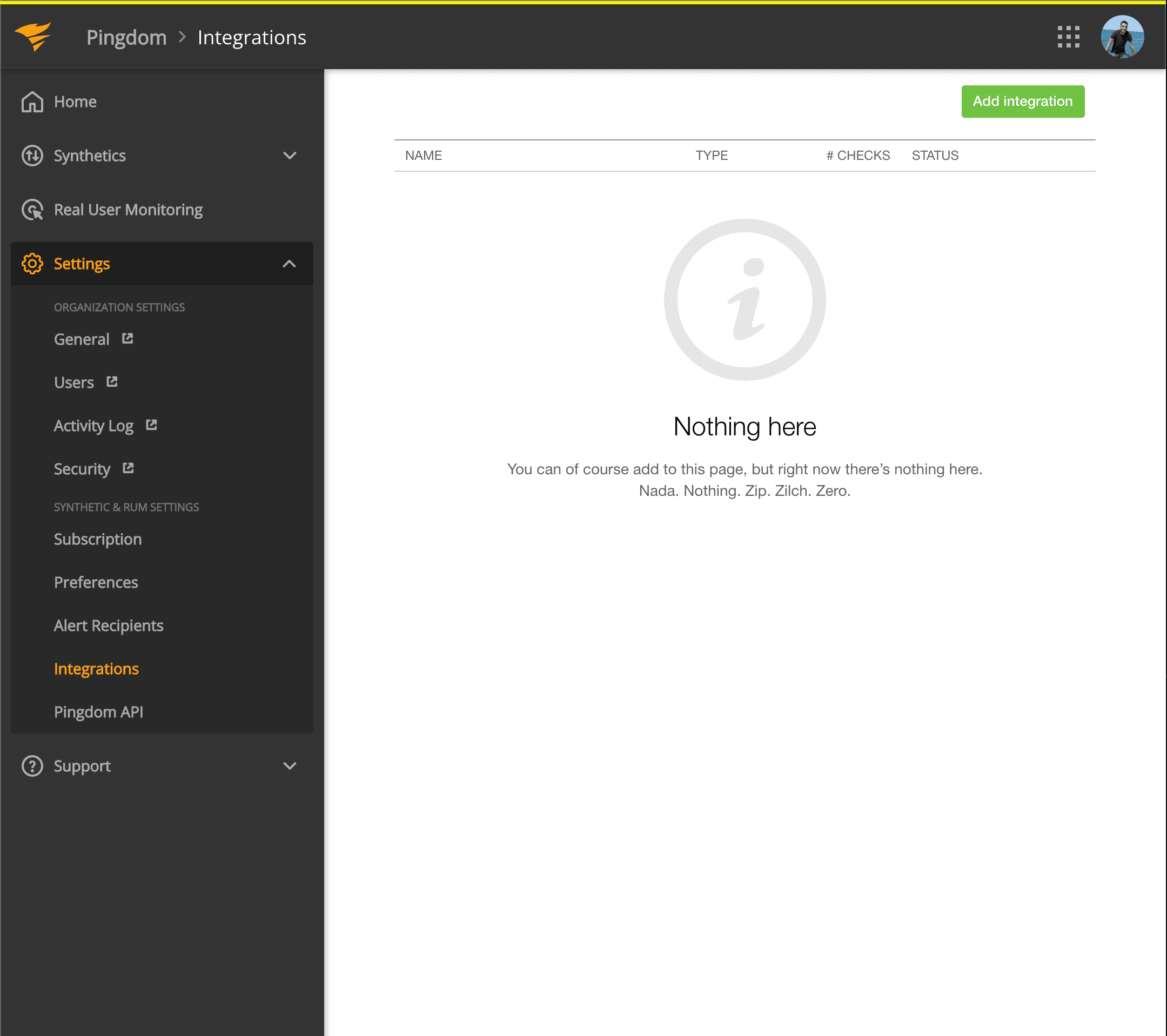
Pingdom dashboard
  1. Click Add integration button with Type: Webhook
  2. Add a name and the webhook URL of the component you just copied
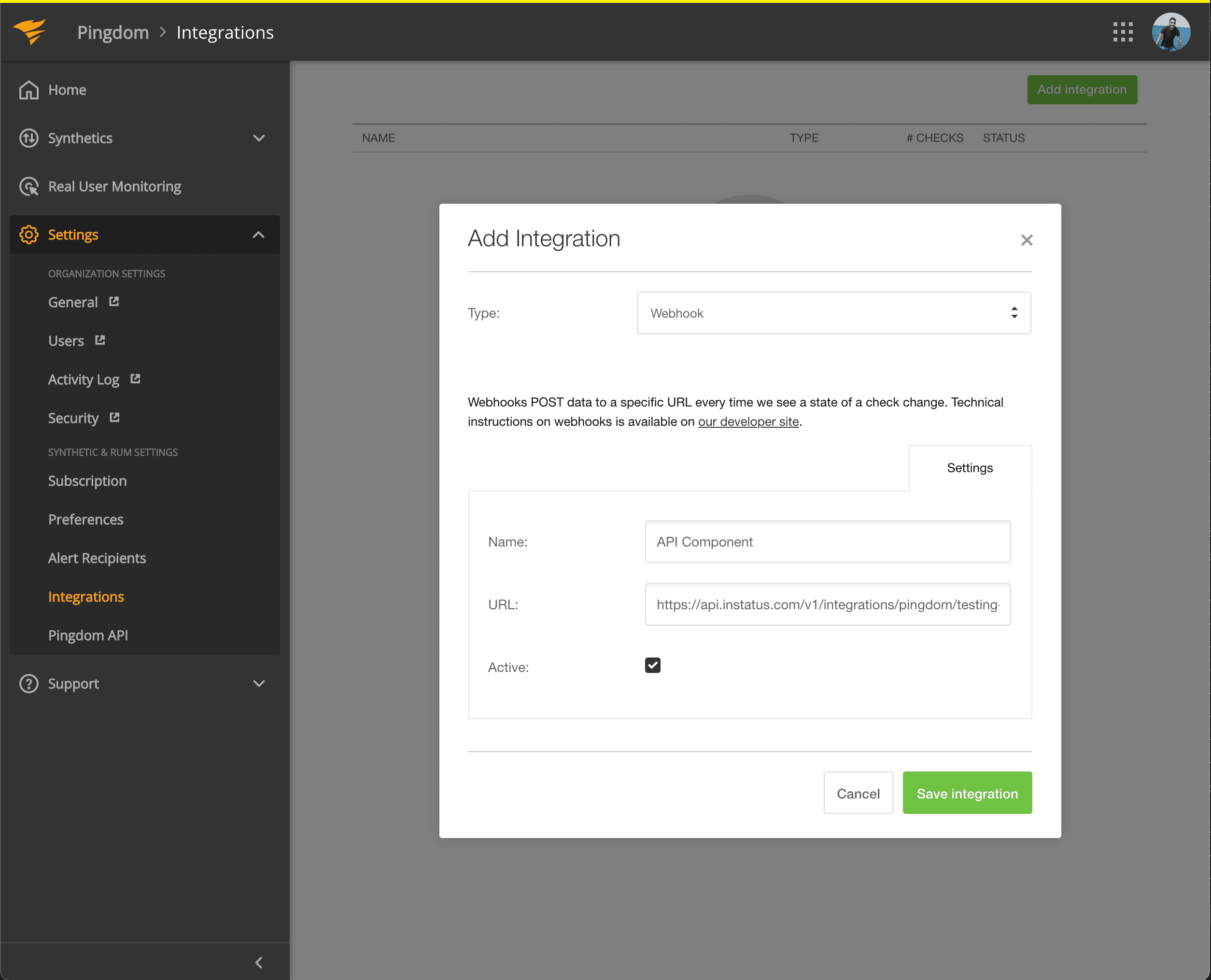
Add webhook to integrations
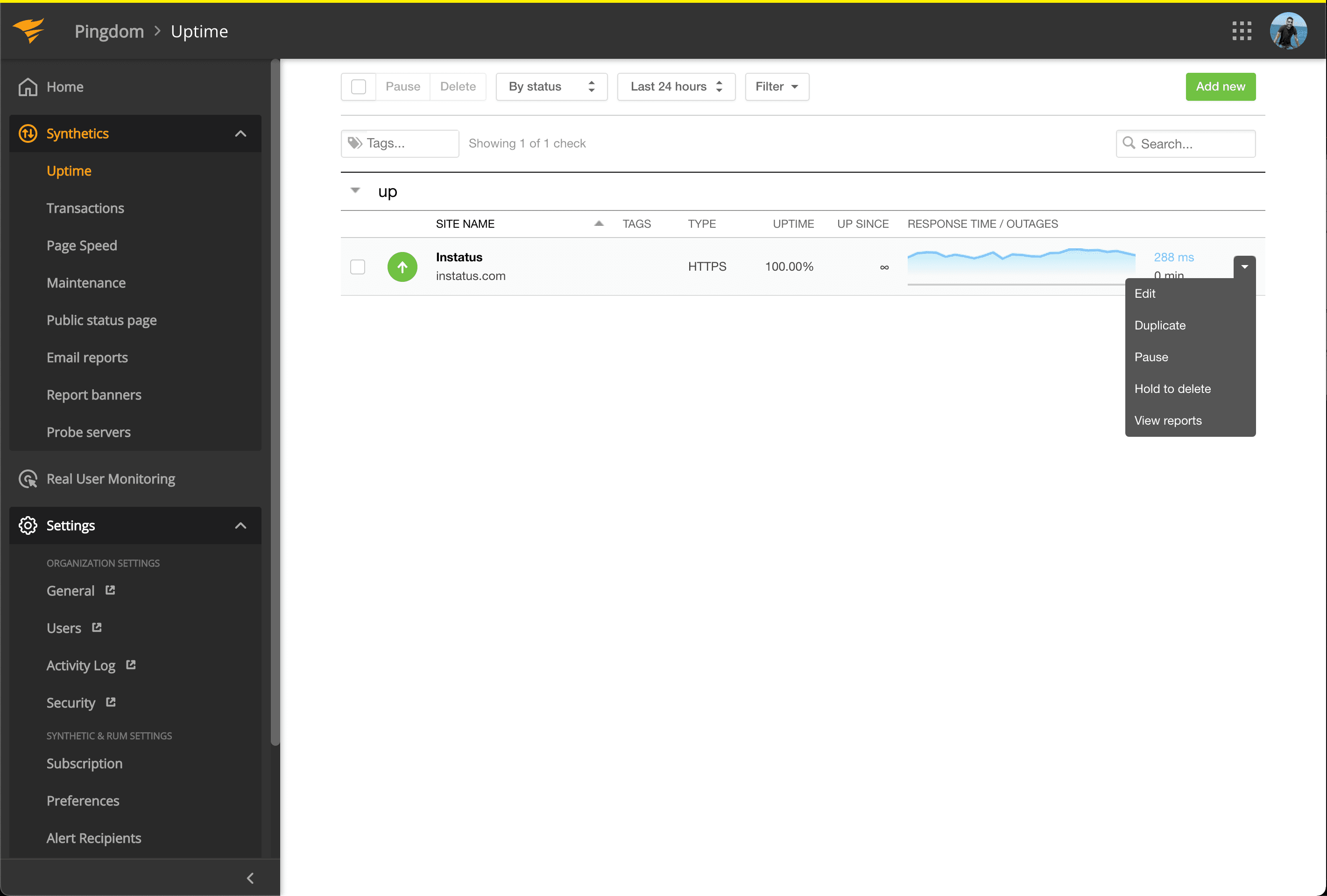
  1. Go to Synthetics → Uptime
Pingdom uptime
  1. Edit the Uptime check that's related to the component you want to get automated.

  2. Under Connect Integrations, check the integration you just created, and click modify check!
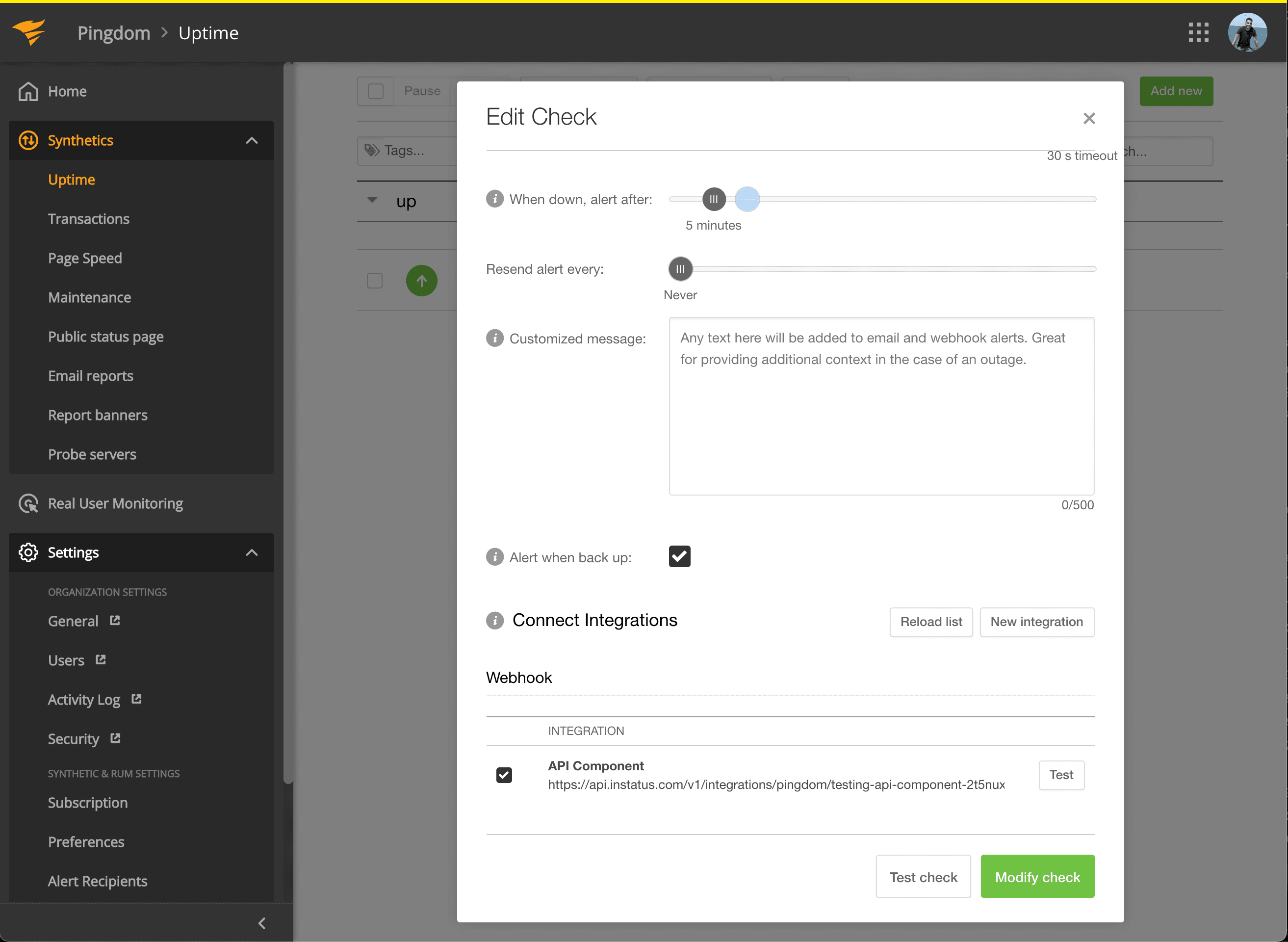
Update uptime check
We're done! 🍪

Quick Help

Learn More

Help & API
Pricing

Updates

Changelog
Blog

Follow Us

All systems operational

© Instatus, Inc
Policies