⌘ K
LoginStart free
  • Get started
  • Monitoring
    • Website
    • API
    • Cron
    • Ping
    • TCP & UDP
    • DNS
    • Alerts
    • Mobile app
  • Incident response
    • Incidents
    • Maintenance
    • Templates
    • General notices
    • On-call
    • Escalation policies
    • Routing rules
    • Slack
  • Status page
    • Public page
    • Private page
    • Select audience
    • Components
    • Third party components
    • Notices
    • Customize
    • Multi-language
    • Widgets
    • Custom domain
    • Subscribers
    • Metrics
    • Notifications
      • Email
      • SMS
      • Webhook
      • X
      • Slack
      • Microsoft Teams
      • Discord
      • Google Chat
      • RSS & Atom
      • API
  • Team
    • Upgrade
    • Single Sign-On
    • Activity Log
    • Delete account
  • Integrations
    • Webhook
    • Email
    • Better Uptime
    • Checkly
    • Datadog
    • Freshping
    • Grafana
    • HetrixTools
    • Jira
    • Zendesk
    • New Relic
    • PagerDuty
    • Pingdom
    • Prometheus
    • Runscope
    • Site24x7
    • StatusCake
    • Uptime Robot
    • Updown.io
    • Dynatrace
    • Google Cloud Monitoring
    • Metrics
      • Datadog
      • Pingdom
      • New Relic
      • Prometheus
  • API
    • Monitors
    • Incidents
    • Incident updates
    • Status pages
    • Workspaces
    • Components
    • Teammates
    • Maintenances
    • Maintenance updates
    • Templates
    • General notices
    • Subscribers
    • Metrics
    • User profile
    • Outages
    • Public data
    • Private pages
    • Monitoring integrations
    • Audience Groups
    • Routing Rules
    • Escalation Policies
    • On-call Schedules

Add an Instatus Intercom widget

  1. Add Instatus to your Messenger

Click on Add an App button and select Instatus from the list of your apps.
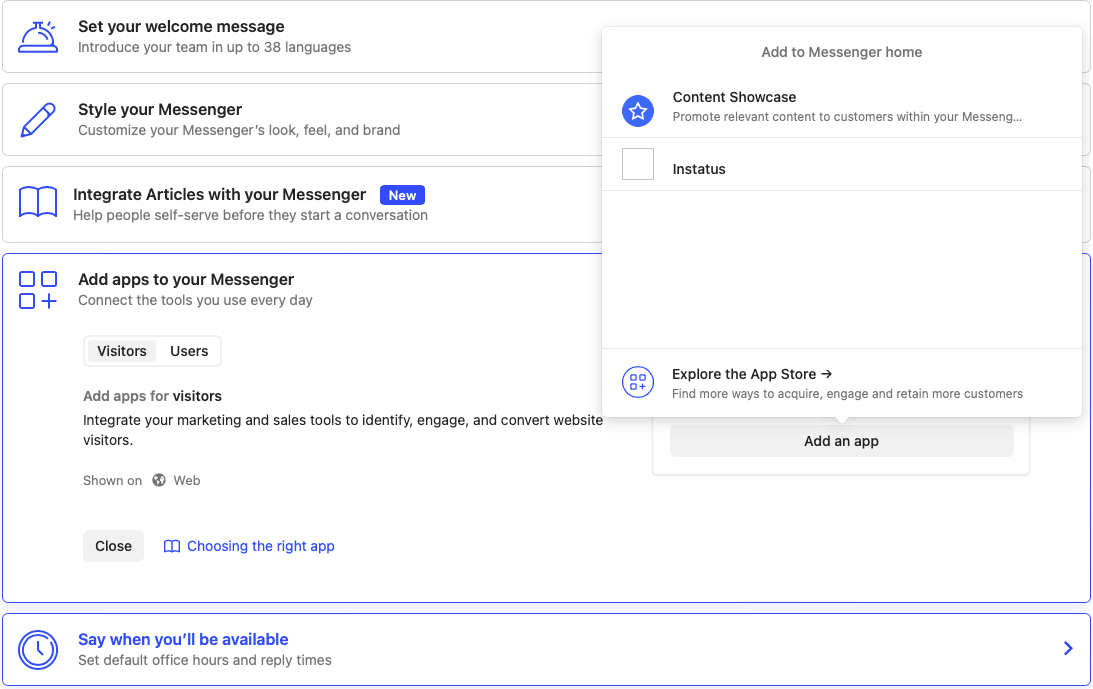
  1. Choose the status page you wish to be used in the widget.
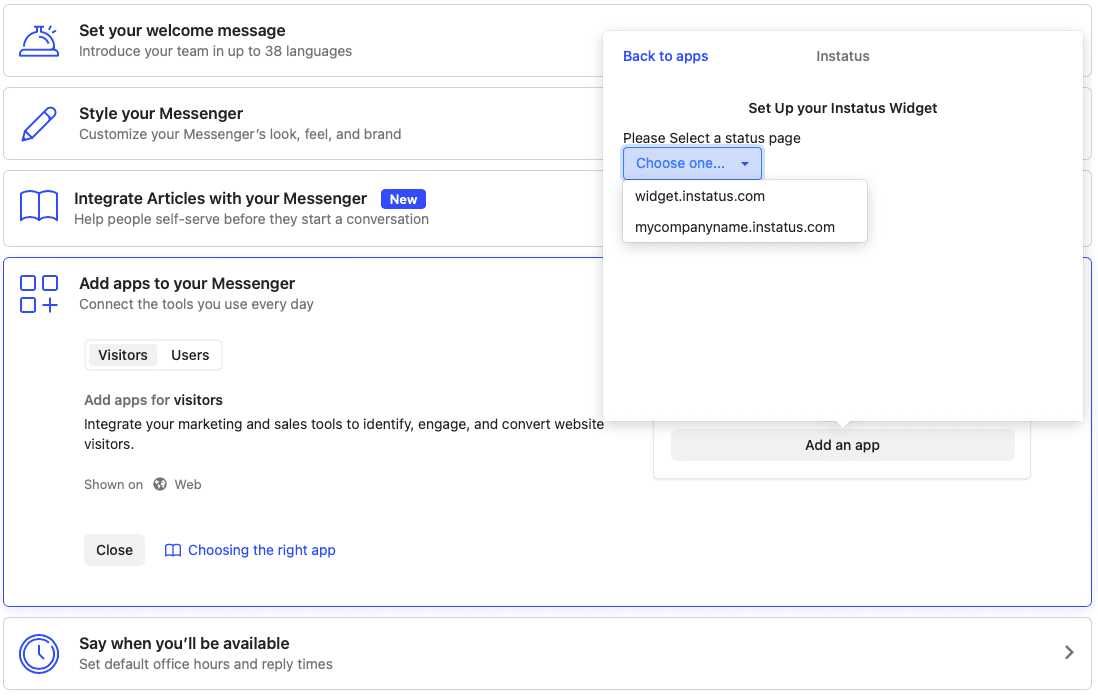
  1. Click submit
You're done 🚀

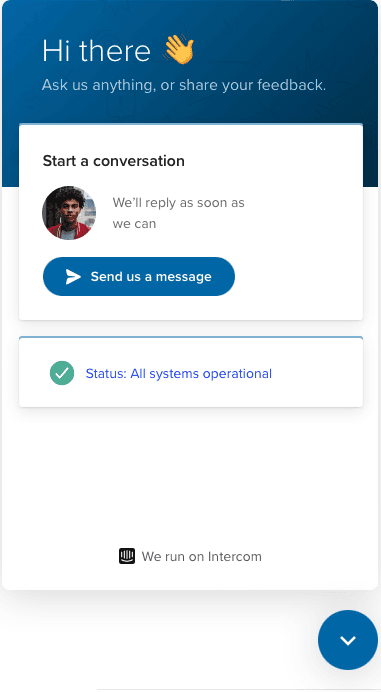
Now your users can view your status, incidents & maintenances, directly in your intercom messenger ✨
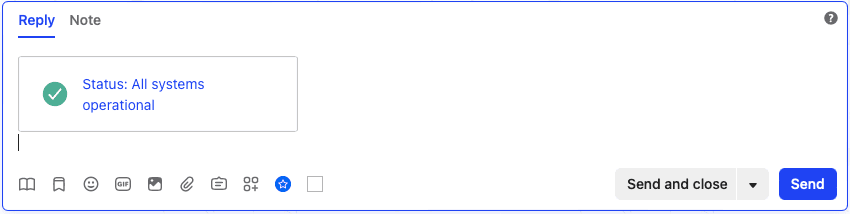
You can also share Status in Conversations:
Next up
Manage your status page subscribersLearn how to manage status page subscribers.

Quick Help

Learn More

Help & API
Pricing

Updates

Changelog
Blog

Follow Us

All systems operational

© Instatus, Inc
Policies