Freshping + Instatus
- 前往 Instatus,在「整合」中選擇 Freshping
- 選擇自動建立與解決事件時要使用的範本
- 複製你頁面的 webhook URL
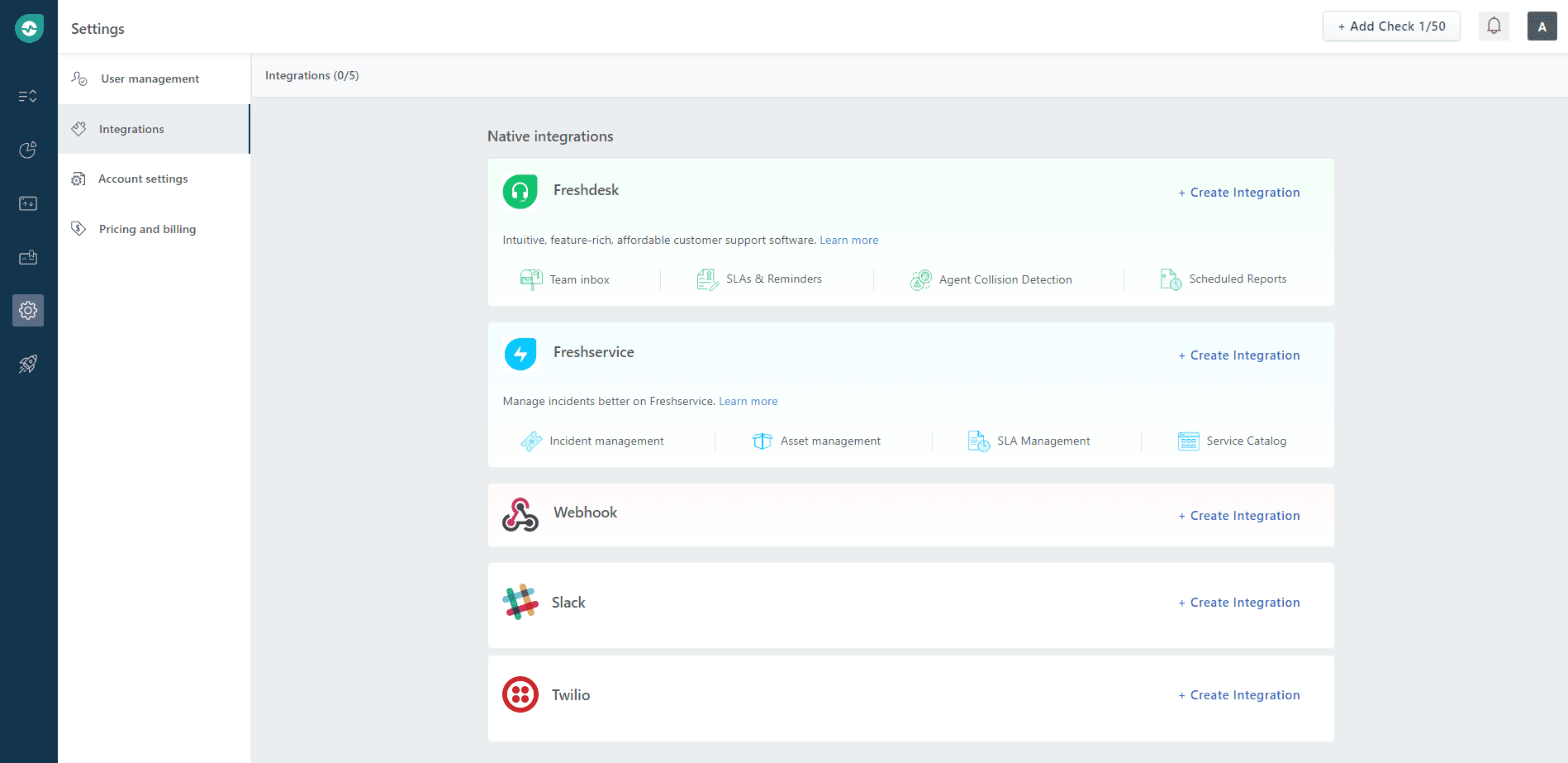
- 開啟你的 Freshping 儀表板,點擊 Settings → Integrations,然後在 Webhook 區塊點擊 Create Integration
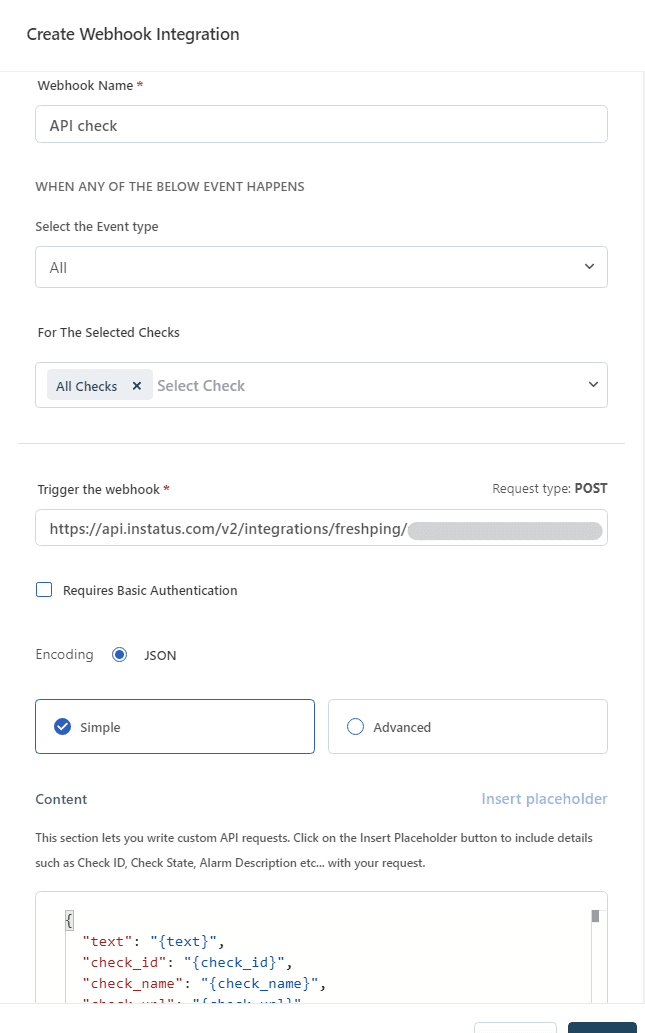
- 為 Webhook 命名,選擇 Up/Down 事件類型,勾選要通知這個 webhook 的檢查項目,貼上你的 Webhook URL,然後點擊 save。
完成了!👏