Uptime Robot + Instatus
- Vai su Instatus, nella sezione Integrazioni scegli Uptime Robot
- Scegli i modelli da usare per creare e risolvere gli incidenti automatici
- Copia l'URL webhook della tua pagina
- Apri la dashboard di Uptime Robot. Clicca su My settings nella navigazione.
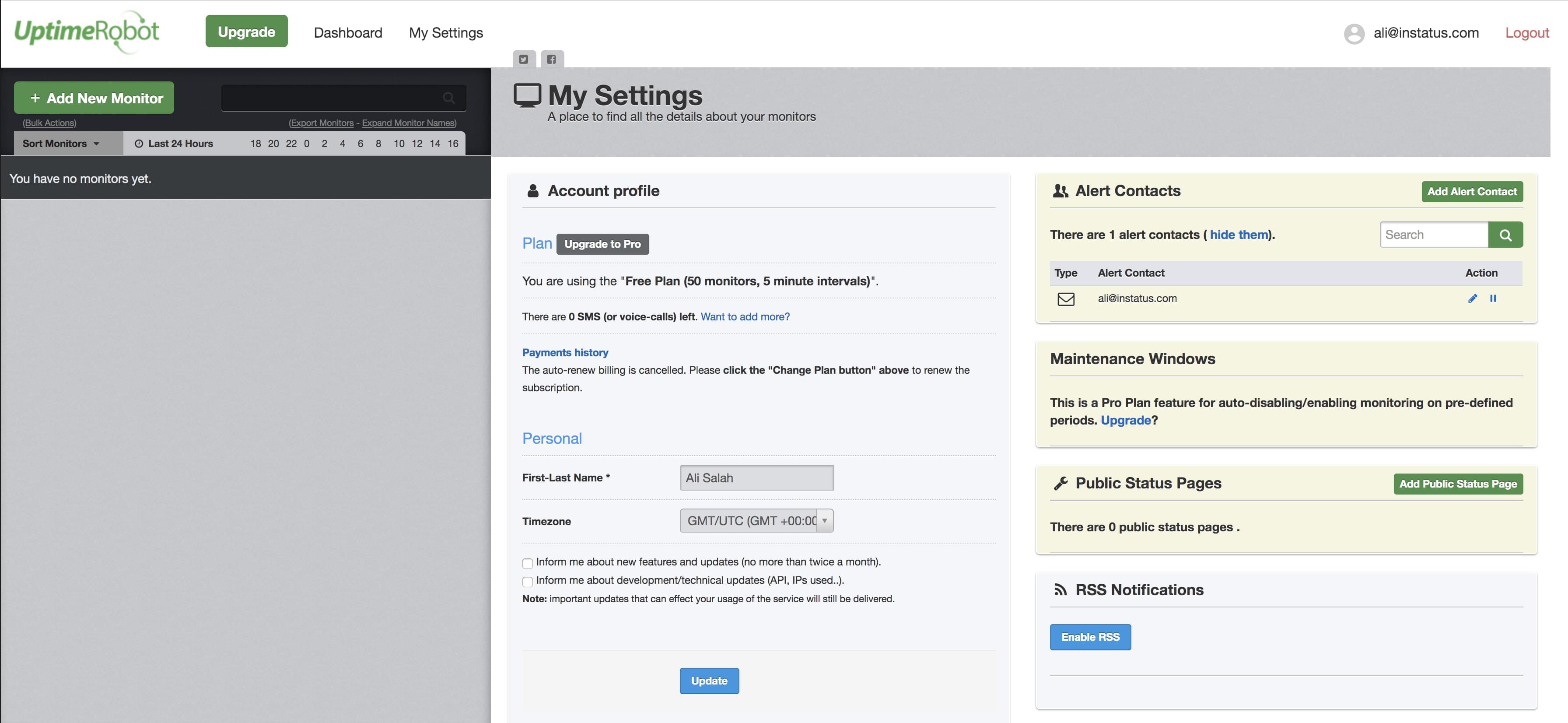
- Clicca su Add Alert Contact.
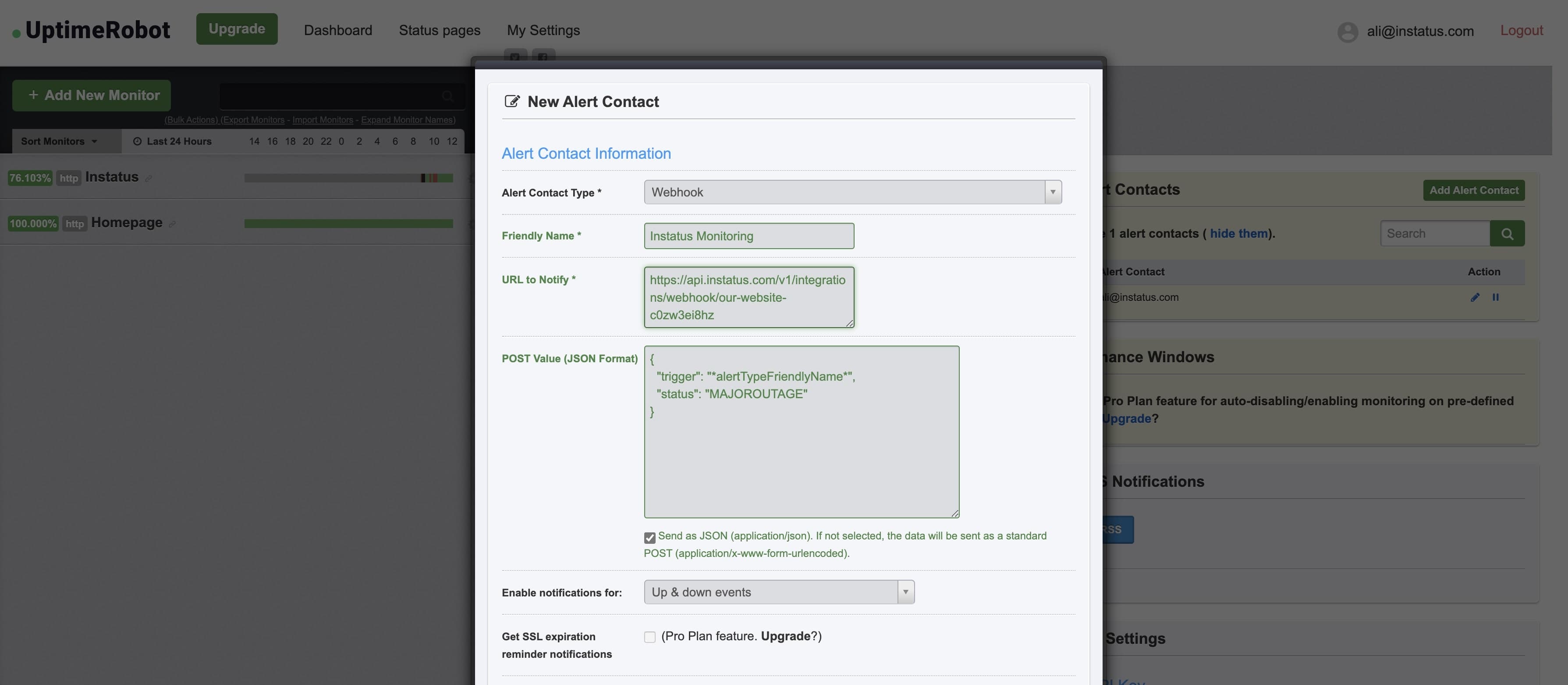
- Scegli come tipo di contatto per gli avvisi "Webhook" e aggiungi l'URL webhook che hai copiato.
- Aggiungi questo valore POST:
{"trigger": "*alertTypeFriendlyName*","status": "MAJOROUTAGE"}
status è un campo facoltativo
- Assicurati di spuntare Send as JSON
Fatto! 👌