Webhook 通知
添加 webhook 订阅者
在 instatus.com/login 登录 Instatus,然后选择你的状态页。
进入订阅者,再进入 Webhook。
点击 Add webhook subscriber,
会出现一个新表单,你可以填写:
- Webhook URL
- 电子邮箱地址
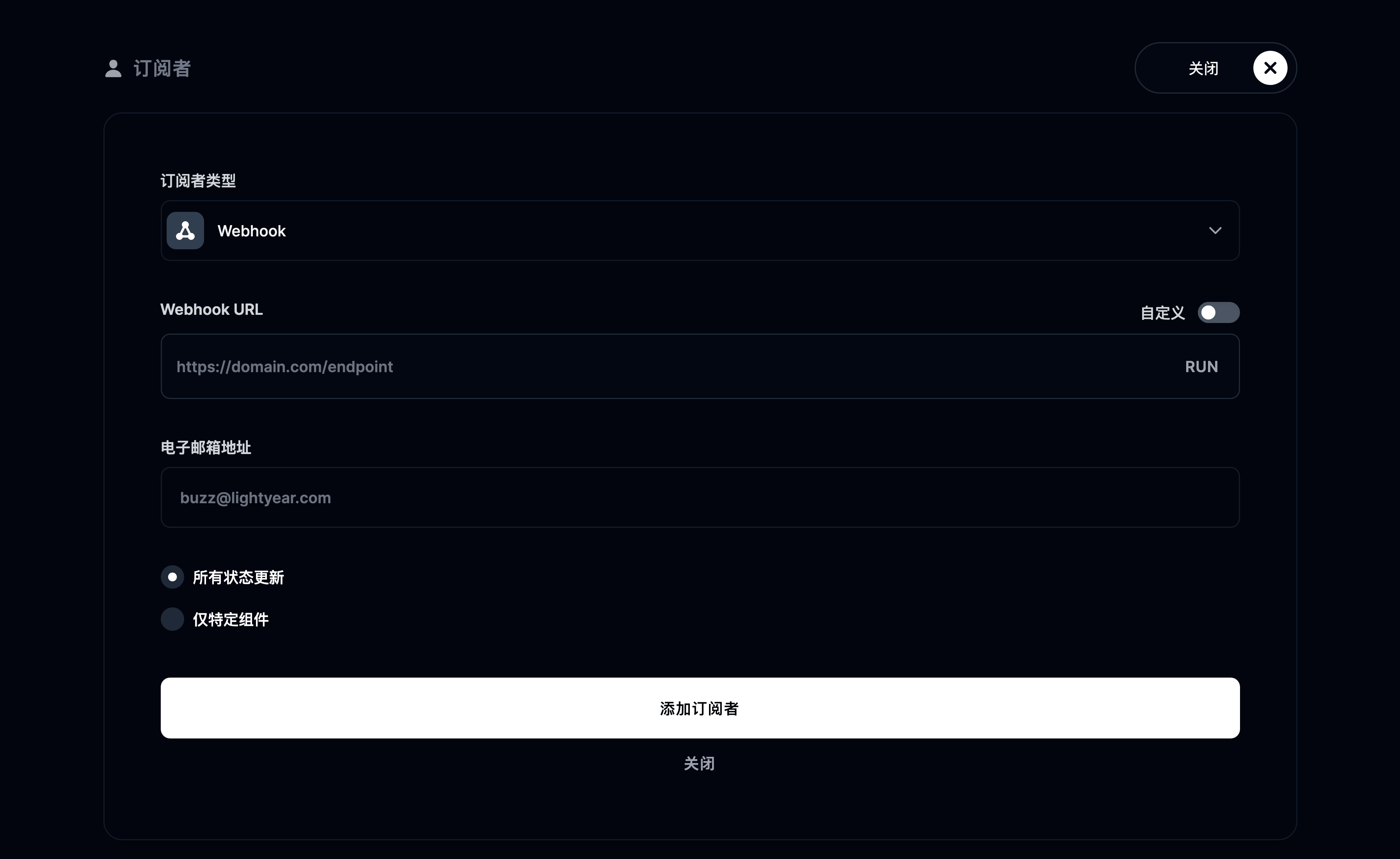
我们会按这个格式向你的 URL 发送请求, 当该 URL 出现问题时,我们会向你指定的邮箱发送邮件。
点击 webhook 订阅者并在表单中输入名称,即可为它命名;你也可以点击取消订阅来删除该订阅者。
Webhook 负载校验
强烈建议在 webhook 端点中校验负载。
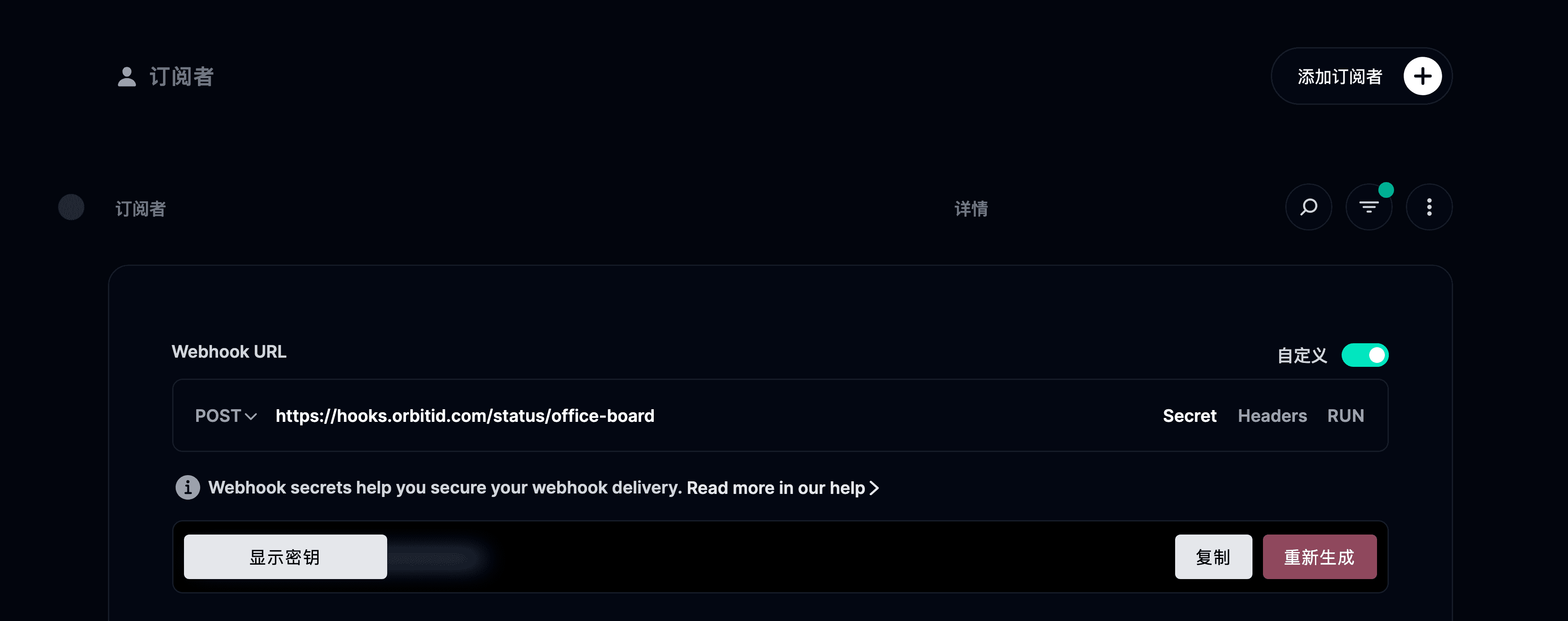
我们用一个密钥对 webhook 负载签名,并把签名放在名为 x-instatus-webhook-signature 的请求头中。这个签名让你可以验证该 webhook 确实来自 Instatus。
校验 Webhook 的步骤
- 从控制台获取你的 Webhook Secret(在编辑或创建 webhook 时可以看到,也可以在那里自定义它)。
-
在你的服务器上创建一个接收该 webhook 的新端点。
-
把收到的签名与服务器生成的签名进行比较来校验。
-
如果签名一致,就处理这个 webhook。
代码示例
import crypto from 'crypto'import express from 'express'const app = express()app.use(express.json())const WEBHOOK_SECRET = 'your-webhook-secret'function isVerifiedPayload(payload, signature, secret) {const hmac = crypto.createHmac('sha256', secret)const digest = hmac.update(JSON.stringify(payload)).digest('hex')return crypto.timingSafeEqual(Buffer.from(digest), Buffer.from(signature))}app.post('/endpoint/to/webhook', (req, res) => {const payload = req.bodyconst signature = req.header('x-instatus-webhook-signature')if (!signature) {return res.status(400).send('Signature missing')}if (!isVerifiedPayload(payload, signature, WEBHOOK_SECRET)) {return res.status(401).send('Invalid signature')}// Process the valid webhookres.status(200).send('Webhook received')})app.listen(3000, () => console.log('Server running on port 3000'))
为什么校验很重要
- 确保真实性:保证该 webhook 确实来自我们的平台。
- 防止篡改:能发现负载被改动过。
- 提升安全性:防范重放攻击和未授权访问。