
We Reviewed 6 incident.io Alternatives for Better Incident Management (2026)
Quick Summary
This article reviews the top incident.io alternatives, including Instatus, PagerDuty, and Rootly, comparing features, pricing, and what each tool does best. Understanding your options helps teams choose the right incident management setup for their workflow. Use the breakdowns below to compare each option. For more on incident management, uptime monitoring, and status pages, explore the Instatus blog.
Is There a Better incident.io Alternative for Your Team?
incident.io is a widely used and well-regarded platform. But "well-regarded" does not always mean it is the right fit for every team.
Per-user pricing scales quickly once you add on-call. A 20-person engineering team on the Team plan with on-call scheduling can reach around $620 per month, before factoring in a separate monitoring tool or additional status pages. For teams that do not rely entirely on Slack, some of incident.io's value may also be reduced.
This Instatus article reviews six alternatives to help you choose what fits your team if you are evaluating whether there is a better incident.io alternative for your workflow.
Why Listen to Us?
At Instatus, we work closely with SaaS teams, DevOps engineers, and developers managing uptime and incident communication every day, supporting over 1,000 teams in improving reliability workflows. Our experience with real incident toolchains gives us a grounded view of where tools perform well and where costs or gaps can quietly add up. That is the perspective we use in this review.
What Is incident.io?
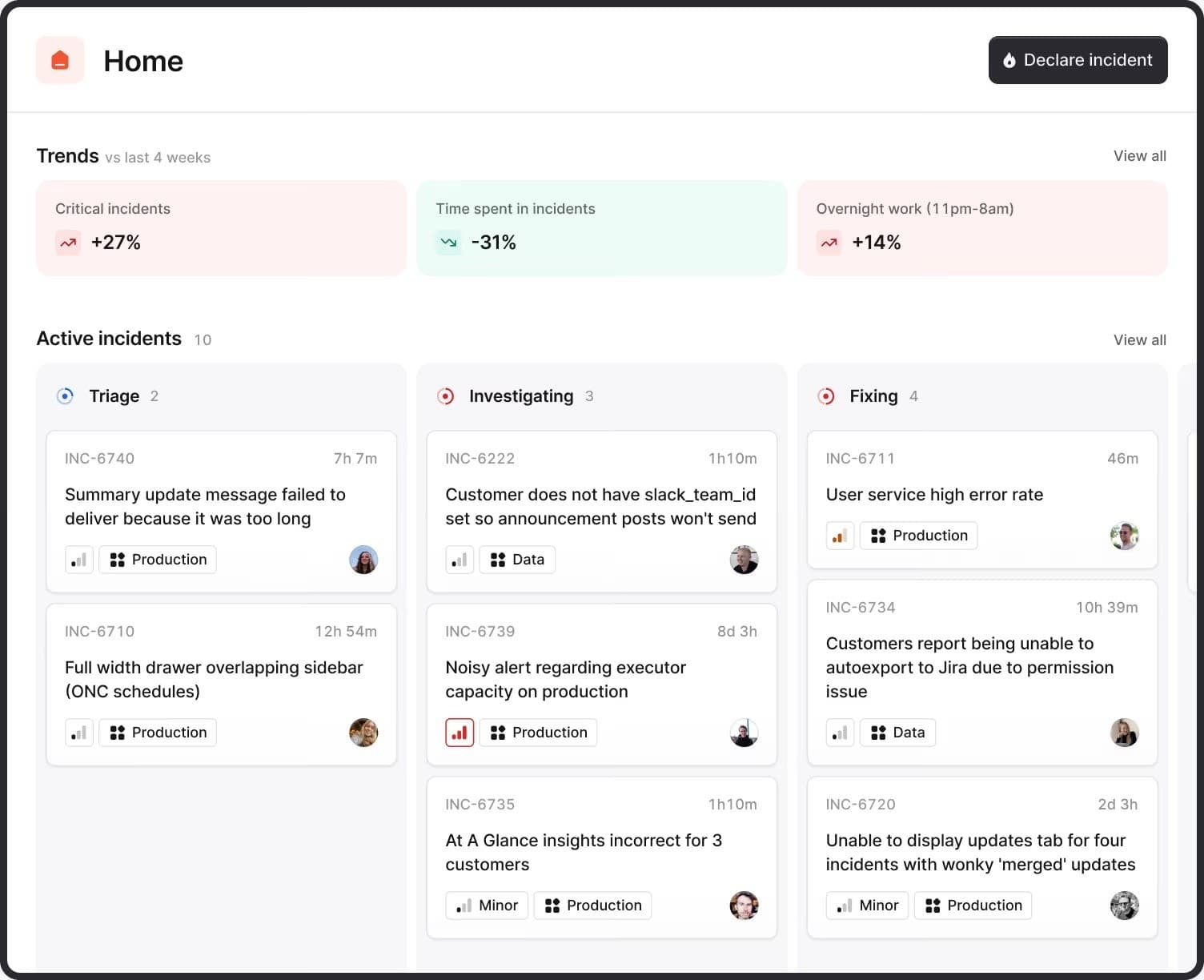
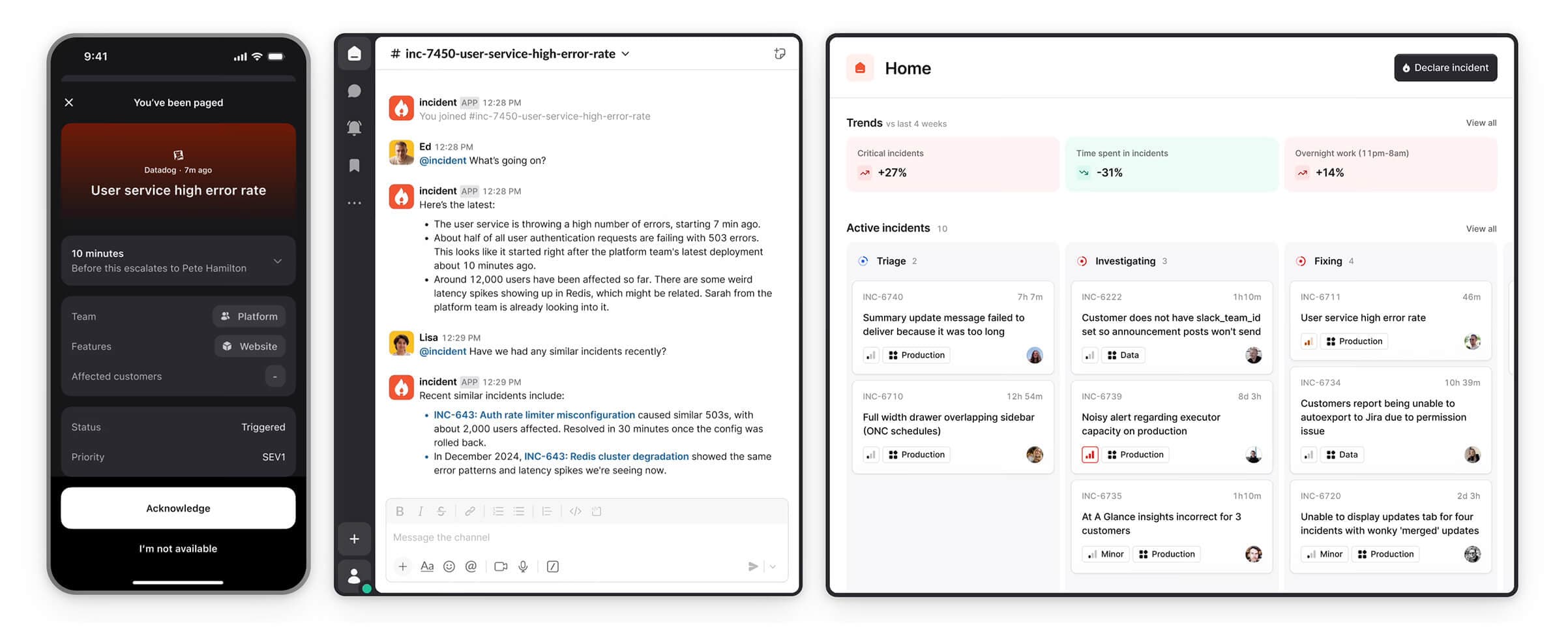
incident.io is a chat-native incident management platform built to run inside Slack and Microsoft Teams. It supports the full incident lifecycle, from alert routing and on-call scheduling through to post-incident reviews, without requiring teams to leave their communication tool.
However, for some teams, this setup may not fully align with their workflow. Here are some reasons teams explore alternatives:
- Per-user pricing scales quickly. At $19-25 per user per month for incident response, plus $12-20 per user for on-call, a 30-person team typically reaches $930–1,350 per month.
- No built-in monitoring. incident.io handles response after an issue is flagged. Detecting issues still requires a separate monitoring tool.
- Status page limits. Only one public status page is included on Team and Pro plans. Unlimited pages require Enterprise.
- Slack dependency. Teams not using Slack or Microsoft Teams may not fully benefit from the platform's core workflow.
Top 6 incident.io Alternatives for Your Team
Before diving into each tool, here is a snapshot comparison to help you quickly compare them:
| Tool | Key Features | Pricing | Best For |
|---|---|---|---|
| Instatus | Native uptime monitoring, Slack and Microsoft Teams incident response, branded status pages, multi-channel alerts, multi-language support | Free plan. Pro from $20/month. Business from $300/month. Enterprise custom. | SaaS, DevOps, and developer teams that want monitoring, status pages, and incident communication in one predictable, flat-rate platform |
| PagerDuty | Intelligent alert routing, on-call scheduling, automated workflows, 700+ integrations, AIOps | Free up to 5 users. Professional from $25/user/month. Business from $49/user/month. Enterprise custom. | Large enterprises needing mature on-call management and a wide integration ecosystem |
| Rootly | Slack-native incident workflows, automated runbooks, AI-assisted postmortems, on-call scheduling, status pages | Essentials from $20/user/month. Enterprise custom. | Mid-to-large teams wanting deep workflow automation and runbook-driven incident response |
| FireHydrant | Service catalog, runbook automation, status pages, AI incident summaries, Slack and Teams support | Free trial available. Platform Pro at $9,600/year (up to 20 responders). Enterprise custom. | Teams with complex service architectures that need structured runbooks and flat annual pricing |
| Zenduty | ZenAI alert routing, on-call schedules, multi-channel notifications, 150+ integrations, postmortems | Free up to 5 users. Starter ~$6/user/month. Professional ~$16/user/month. Enterprise custom. | Budget-conscious DevOps and SRE teams needing solid on-call management without enterprise costs |
| Squadcast | On-call scheduling, alert routing, SLO tracking, post-incident reports, SolarWinds integration | Free up to 5 users. Pro from $20/user/month. Premium from $29/user/month. Enterprise custom. | Teams wanting strong on-call features and reliability workflows at a competitive per-user price |
1. Instatus
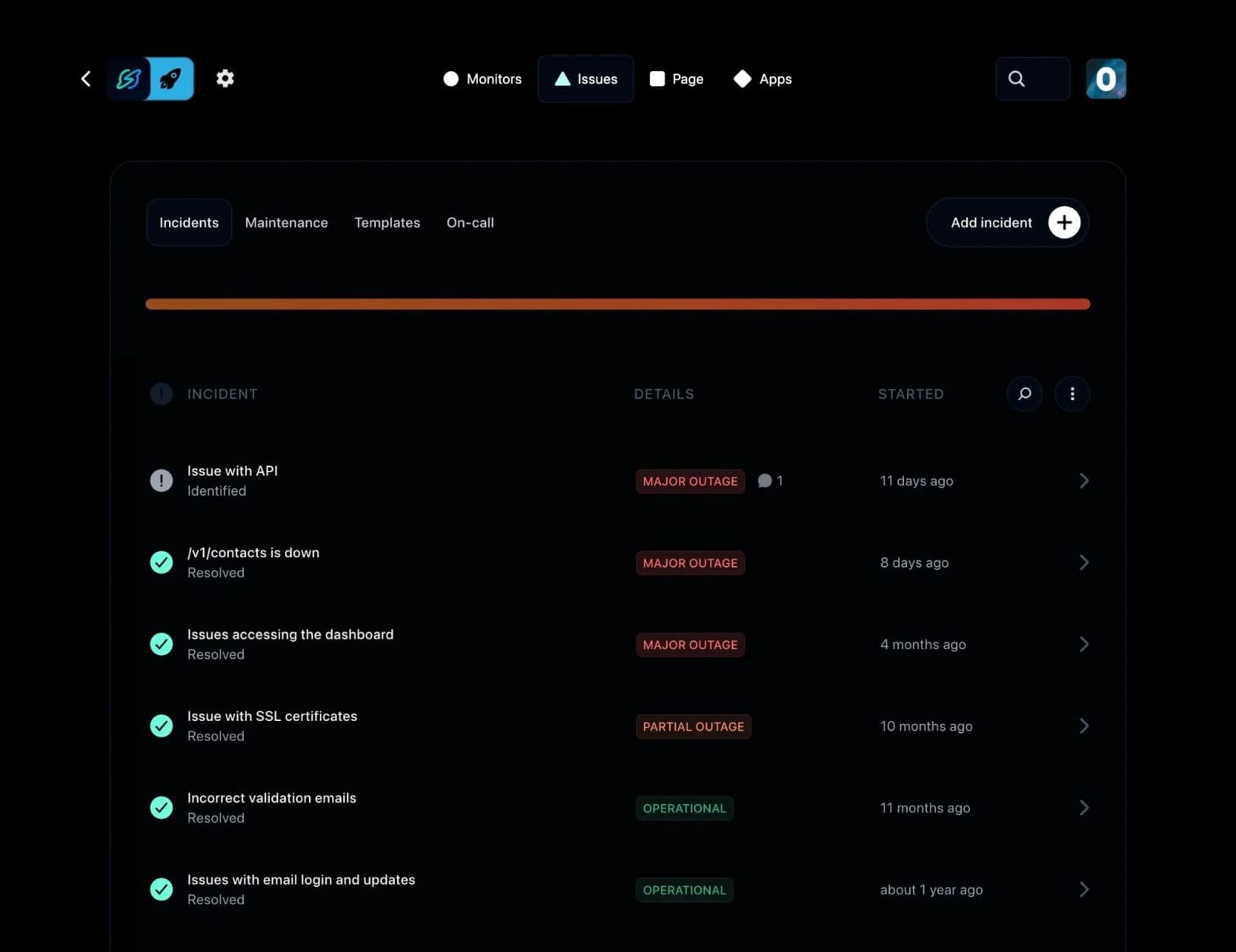
Instatus is an uptime monitoring and status page platform that also handles incident communication. It gives teams a single place to detect issues, manage incidents, and keep customers informed, without stitching together separate tools.
Where incident.io requires a separate monitoring tool, charges per seat for on-call, and limits status pages on lower tiers, Instatus addresses all three in a single platform. Native uptime monitoring is included on every plan, on-call scheduling is covered by the flat monthly rate, and status pages, public, private, or audience-specific, are available without upgrading to Enterprise. It also supports Slack and Microsoft Teams incident response, so teams can manage incidents without leaving their communication tool.
Setup is fast. Most teams have their first status page and monitors running within minutes.
Key Features
- Native Uptime Monitoring: Monitor websites, APIs, SSL certificates, DNS, TCP, ping, and keywords with 30-second checks from global locations. You catch issues before your customers do, without needing a separate monitoring tool.
- Slack & Microsoft Teams-Based Incident Response: Manage incidents directly from Slack or Microsoft Teams. Create on-call calendars, set escalation and routing rules, add comments, and collaborate on resolution without leaving your team's main communication hub.
- Branded Status Pages: Publish public or private status pages with custom colors, logos, and domains. Show real-time service health, incident timelines, and historical uptime in a way that helps keep customers informed and increases confidence in your service.
- Multi-Channel Alerts: Get notified via email, SMS, Slack, Discord, and Microsoft Teams when issues occur. Route the right alerts to the right people at the right time.
- Multi-Language Support: Status pages in 21 languages mean your international users can read incident updates in their own language, a feature most competitors skip entirely.
- Monitoring Integrations: Already using Datadog, Pingdom, or Site24x7? Connect them to Instatus so everything flows into one view.
Pricing
Instatus uses flat monthly pricing, no per-seat charges:
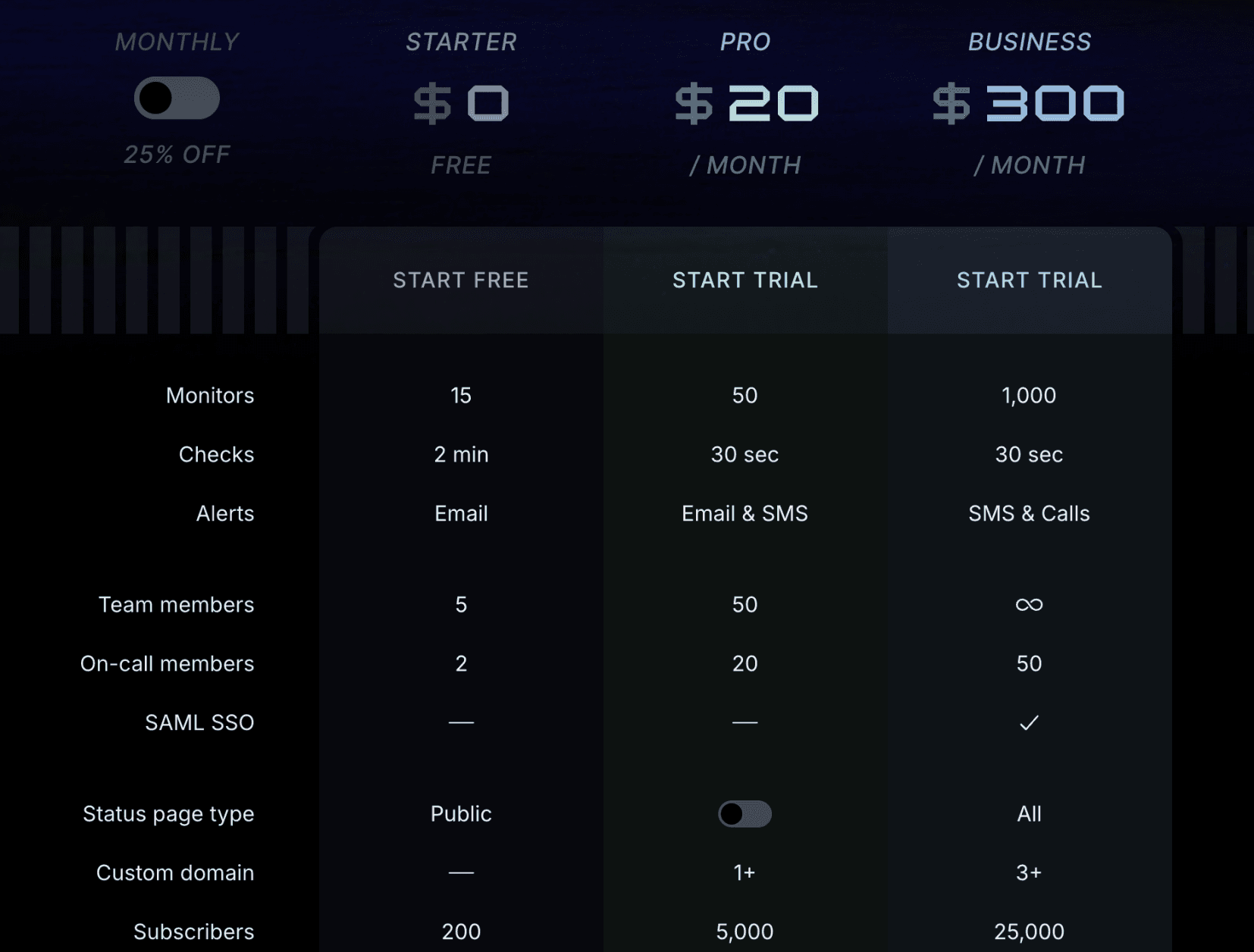
- Starter (Free): 15 monitors, 2-minute check intervals, email alerts, up to 5 team members, 1 public status page, 200 subscribers.
- Pro ($20/month): 50 monitors with 30-second checks, email and SMS alerts, up to 50 team members.
- Business ($300/month): Up to 1,000 monitors, phone alerts, SAML SSO, all status page types, 25,000 subscribers, up to 50 on-call members.
- Enterprise (Custom): Tailored for complex environments with custom limits and enterprise-grade features.
Pros
- Flat-rate pricing that does not grow as your team grows
- Native uptime monitoring included, no separate tool required
- Teams and Slack incident response
- Beautiful, fast status pages that stay up during outages
- Easy setup, generous free tier
Cons
- Monitoring depth is best suited for typical SaaS and DevOps environments rather than highly complex infrastructure setups.
- SAML SSO is available on the Business tier

2. PagerDuty
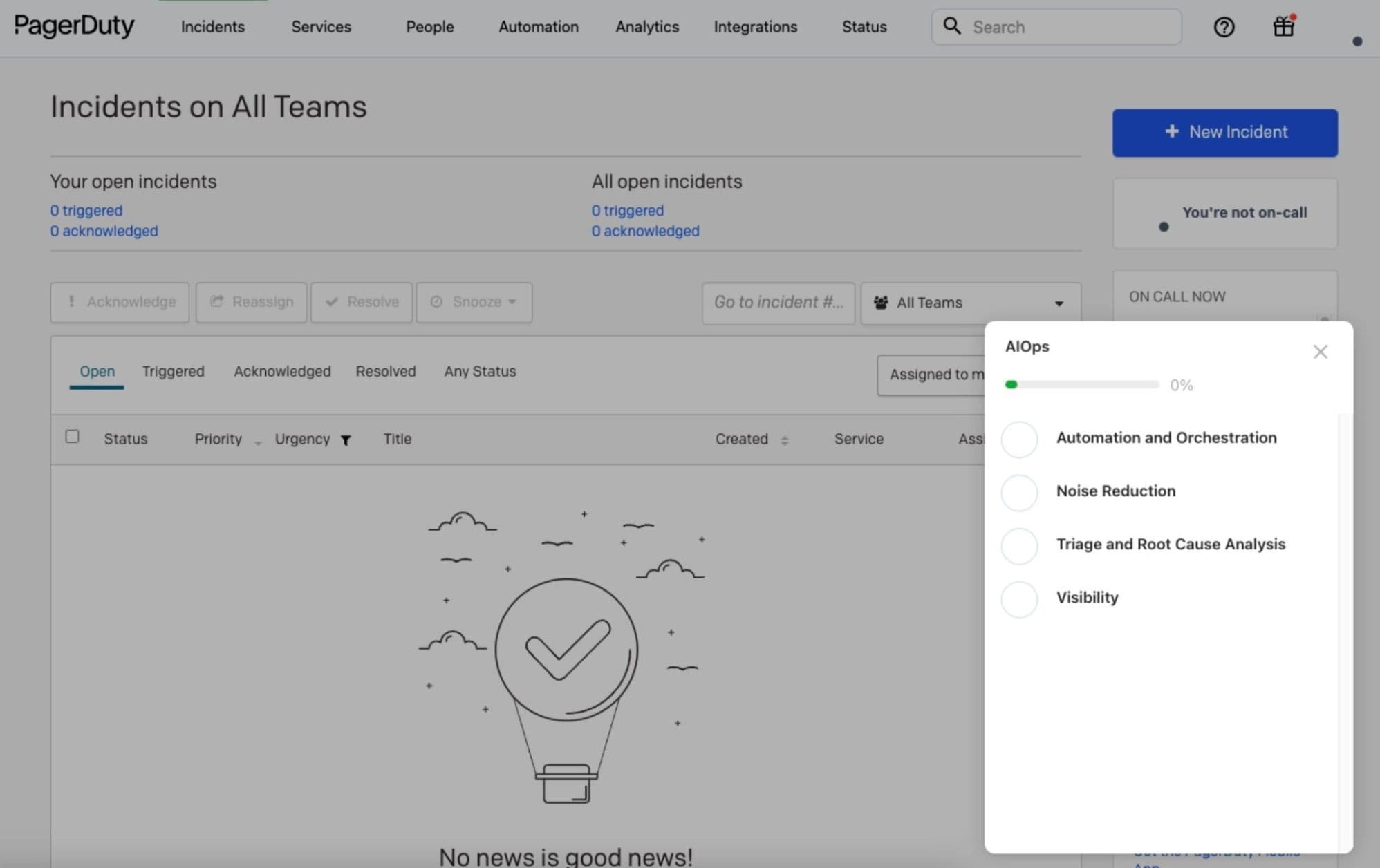
PagerDuty is a widely used incident management and on-call alerting platform. It offers a large integration ecosystem with over 700 pre-built connectors across monitoring tools, ticketing systems, and cloud providers.
For large enterprises running complex, multi-team infrastructure, PagerDuty's depth in on-call scheduling, escalation policies, and AIOps-driven noise reduction is hard to match. However, that depth also adds cost and complexity, which leads some teams to explore alternatives. You can explore this list of PagerDuty alternatives to find the right fit.
Key Features
- Intelligent Alert Routing: Machine learning helps filter and group alerts, reducing noise and routing the right signal to the right responder.
- Advanced On-Call Scheduling: Complex multi-team rotations, overrides, escalation policies, and holiday management all in one place.
- Automated Incident Orchestration: Trigger remediation workflows automatically to accelerate resolution without waiting for manual action.
- AIOps and Analytics: AI-powered event correlation, pattern recognition, and MTTR tracking across all teams.
- 700+ Integrations: Connects with a wide range of monitoring, observability, and ticketing tools.
Pricing
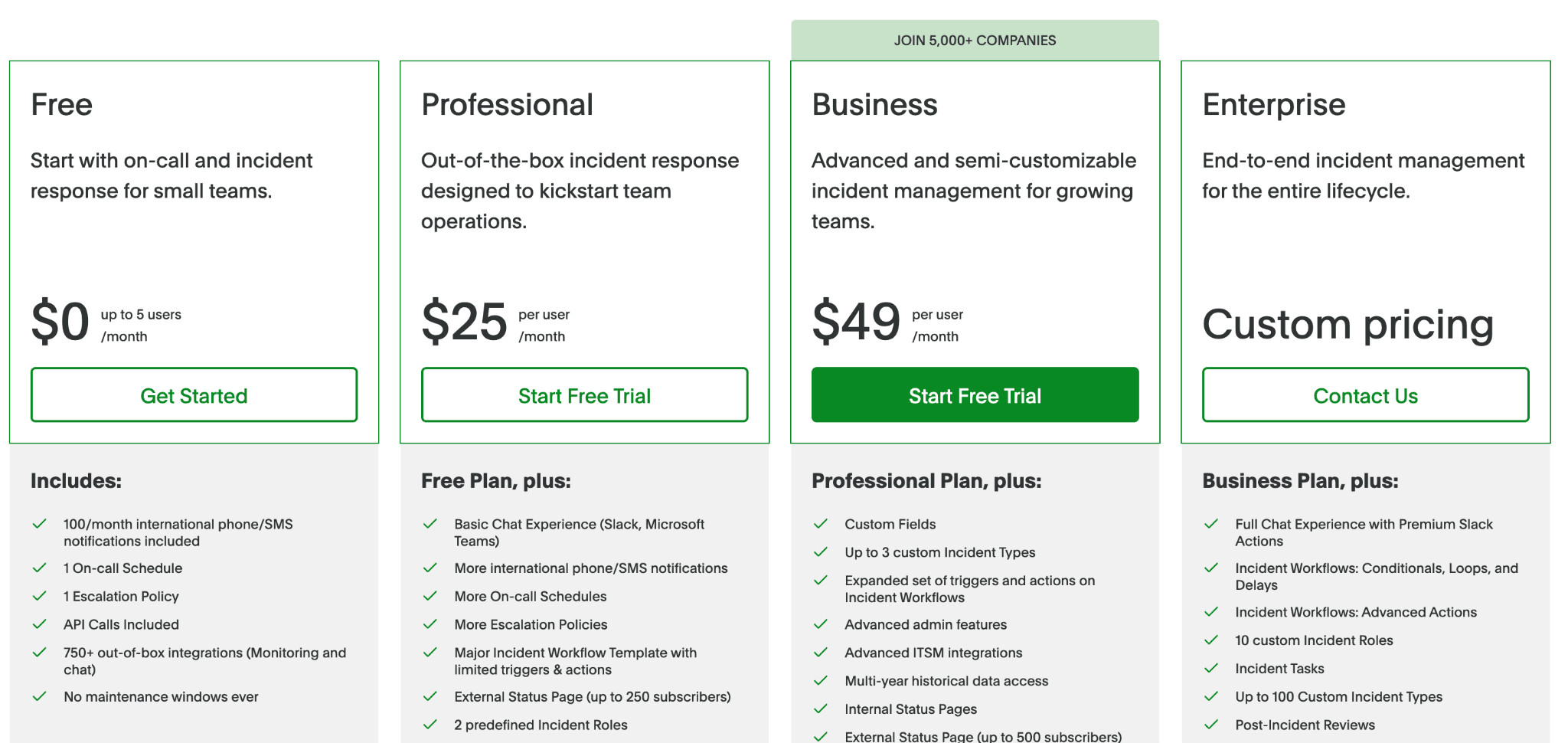
- Free: Up to 5 users. Includes 1 on-call schedule, 1 escalation policy, and 100 international phone/SMS notifications per month.
- Professional (~$25/user/month): On-call, escalations, SSO, unlimited API calls.
- Business (~$49/user/month): Automation workflows, status pages, advanced analytics.
- Enterprise (Custom): Full AIOps, custom RBAC, dedicated support.
Note: features like AIOps, status pages, and advanced automation are priced as add-ons, not included in the base plans. For a 25-person team on Business needing those features, annual costs can exceed $30,000.
Pros
- Large integration ecosystem
- Enterprise-grade reliability and compliance features
- One of the longest-established on-call management platforms
Cons
- Essential features are often gated behind higher tiers or add-ons
- UI feels dated compared to newer Slack-native tools
- No native monitoring, requires separate integration tools
3. Rootly
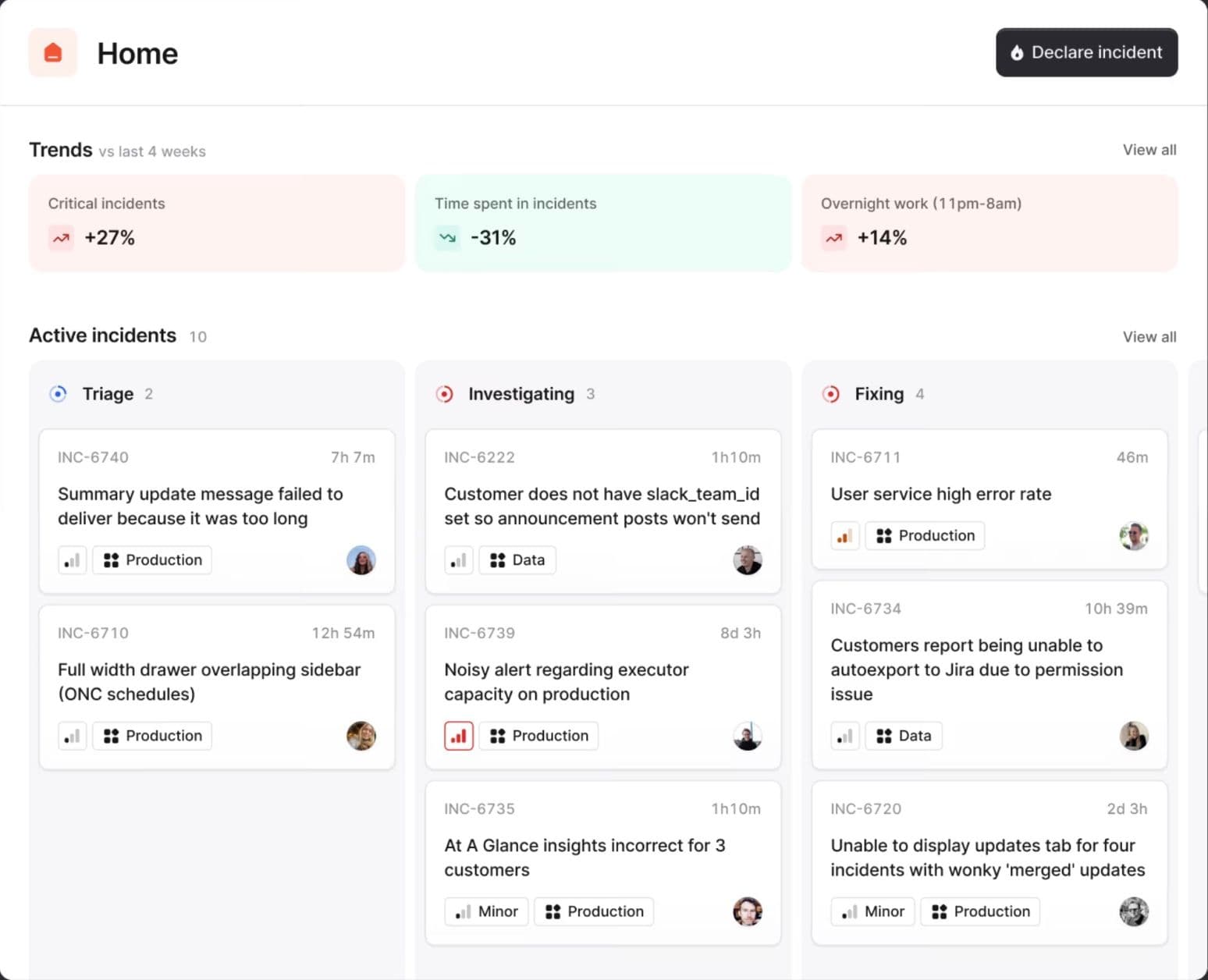
Rootly is a Slack-native incident management platform built for SRE and platform engineering teams that want advanced workflow automation. Like incident.io, it manages incidents directly inside Slack, but it differs in how much teams can customize the response process.
Where incident.io follows a more opinionated flow, Rootly lets teams build multi-step conditional workflows with branching logic that matches how their team handles incidents. AI-assisted postmortems and built-in runbooks help reduce manual work after an incident is resolved.
Key Features
- Automated Runbooks: Attach runbooks to specific alert types or services so responders get guided, step-by-step actions the moment an incident is declared.
- Slack-Native Workflows: Create incident channels, assign roles, and manage escalations without leaving Slack. Microsoft Teams is also supported.
- AI-Assisted Postmortems: Rootly drafts structured retrospectives automatically from incident data, reducing post-incident documentation time.
- On-Call Scheduling: Rotations, escalation policies, overrides, and schedule coverage across plans.
- Built-In Status Pages: Publish public and internal status pages as part of the platform, not as a paid add-on.
Pricing
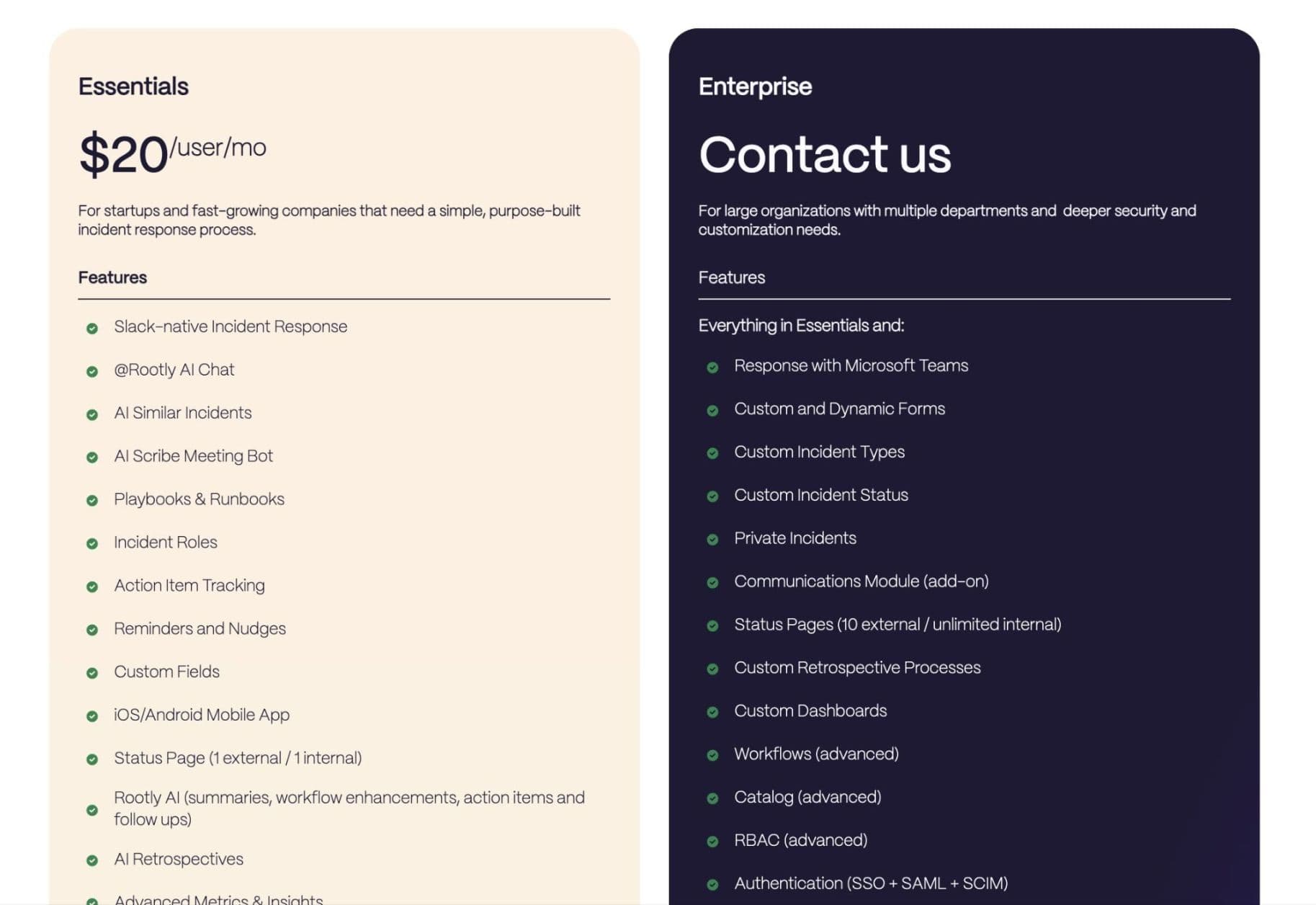
- Essentials (from $20/user/month): Core incident management, Slack workflows, AI-assisted runbooks, 70+ integrations, 14-day trial available.
- Enterprise (Custom): Advanced security, unlimited status pages, custom workflows, and priority support.
- Startup Program: Discounted pricing for eligible early-stage companies.
Note: On-call scheduling costs an additional $20/user/month on the Essentials tier.
Pros
- Flexible workflow automation that matches complex incident processes
- Strong Slack integration that covers the full incident lifecycle
- AI-assisted postmortems reduce post-incident documentation time
Cons
- Per-user pricing with on-call add-on can become expensive at scale
- Less suited for teams not using Slack as a primary communication tool
- Smaller integration ecosystem than PagerDuty
4. FireHydrant
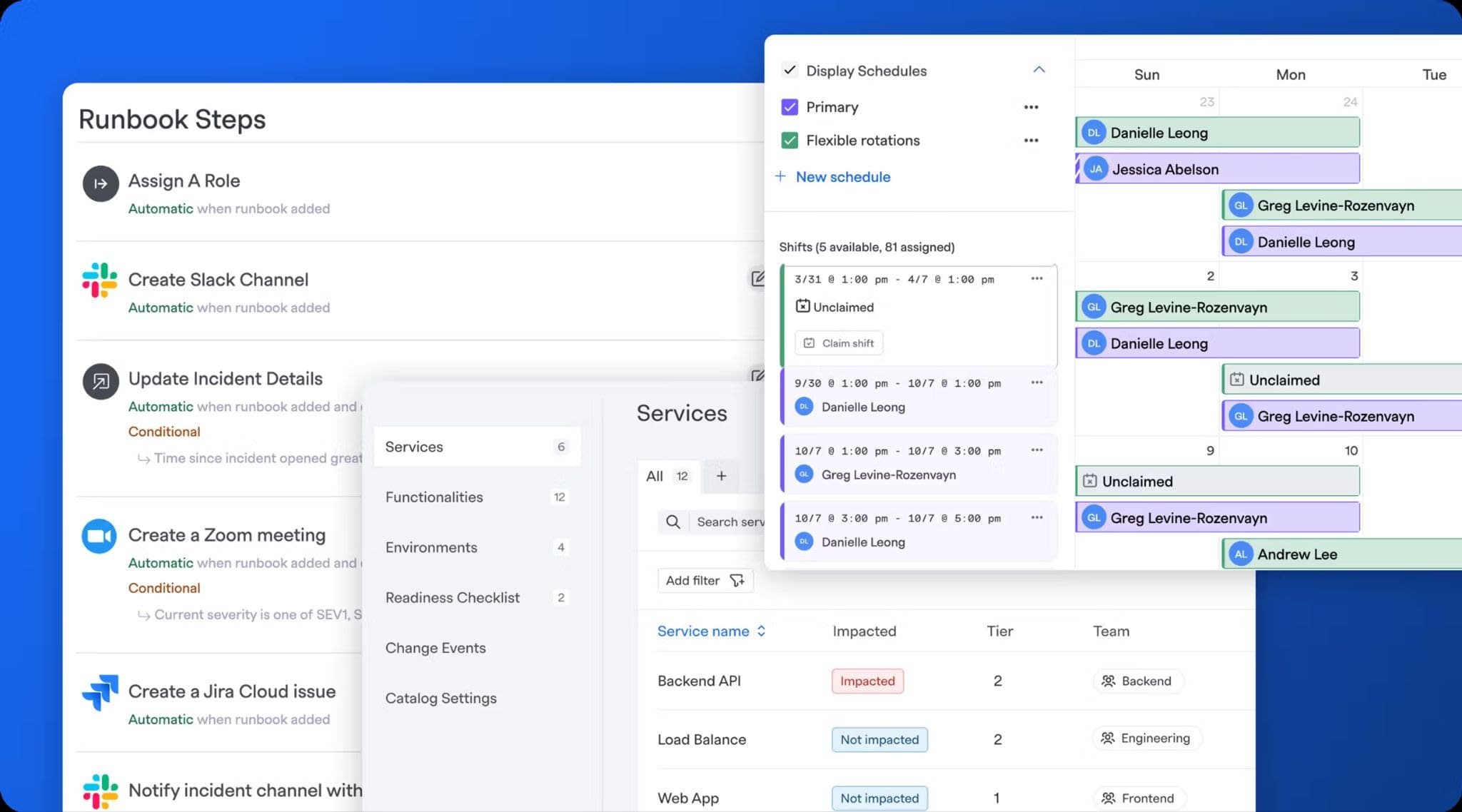
FireHydrant takes a structured, service-catalog-first approach to incident management. It offers a complete platform for mapping services, attaching runbooks, and orchestrating responses through automated playbooks, with Slack and Microsoft Teams integration layered on top.
It is particularly well-suited for teams managing complex microservice architectures where identifying affected services and applying the right runbooks is a key part of incident response.
Key Features
- Service Catalog: Map your services, ownership, dependencies, and SLOs so incident context is always available when something breaks.
- Runbook Automation: Visual playbook builders automate repetitive incident tasks like creating channels, assigning responders, and gathering context during incidents.
- AI Incident Summaries: Automatically capture and summarize incident timelines to reduce the effort required for post-incident documentation.
- Built-In Status Pages: Publish public status pages directly from the platform on paid plans.
- Slack and Microsoft Teams Support: Manage incidents in your chat tool of choice; FireHydrant isn't locked to one platform.
Pricing
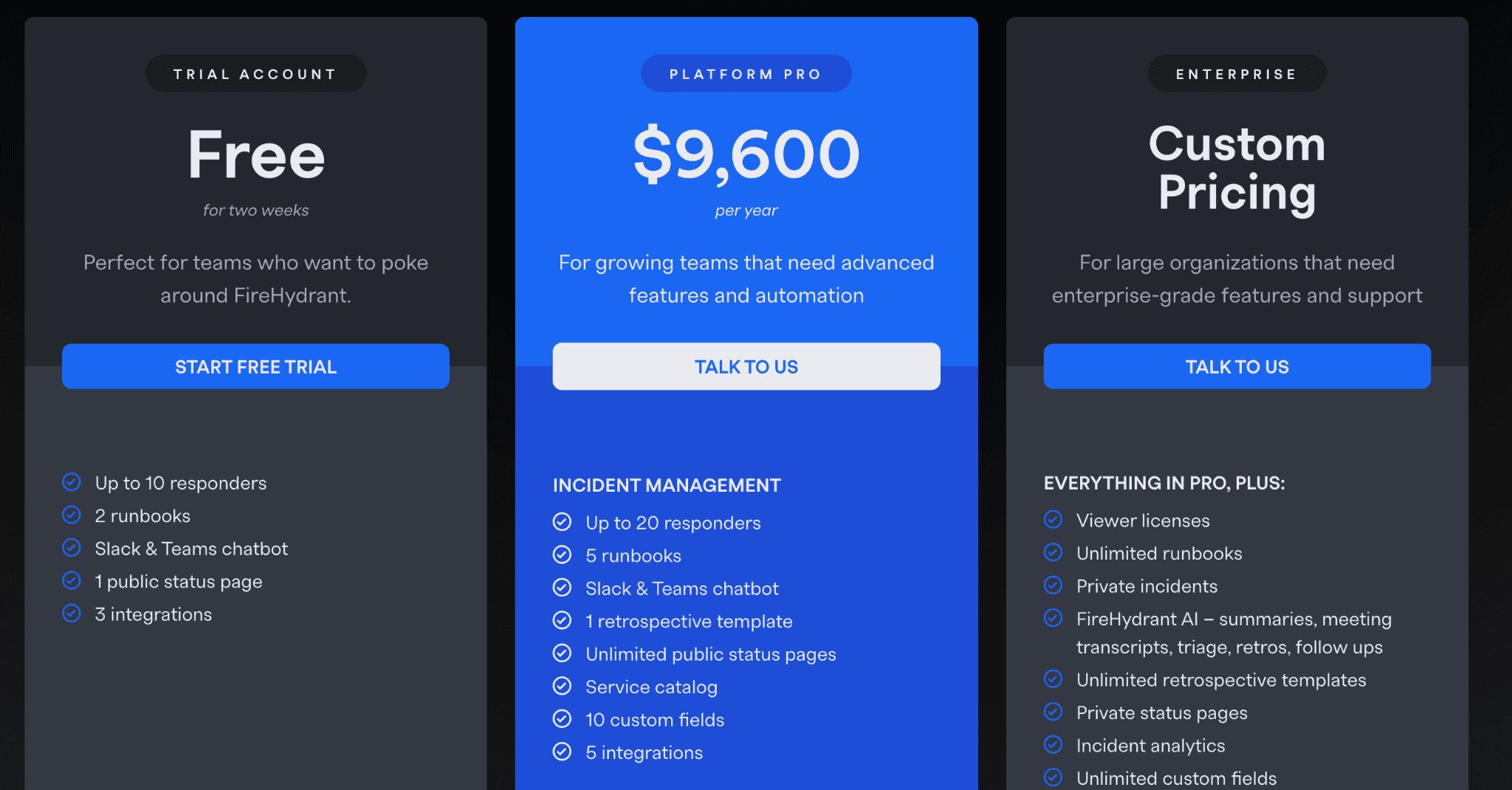
FireHydrant uses flat annual pricing rather than per-seat monthly billing:
- Free Trial: Two weeks, unlimited incidents, and Slack/Teams integration.
- Platform Pro ($9,600/year): Up to 20 responders, 5 runbooks, integrations, status pages, on-call, SSO.
- Enterprise (Custom): Unlimited runbooks, private incidents, AI summaries, audit logs, SLAs, and premium support.
Pros
- Flat annual pricing is easier to forecast than per-seat monthly models
- Service catalog gives incident responders immediate context on what's affected
- Strong runbook automation reduces cognitive load during incidents
Cons
- No native uptime monitoring
- Annual pricing model requires upfront commitment
- Setup complexity is higher than simpler tools, requiring more configuration before value
5. Xurrent IMR (formerly Zenduty)
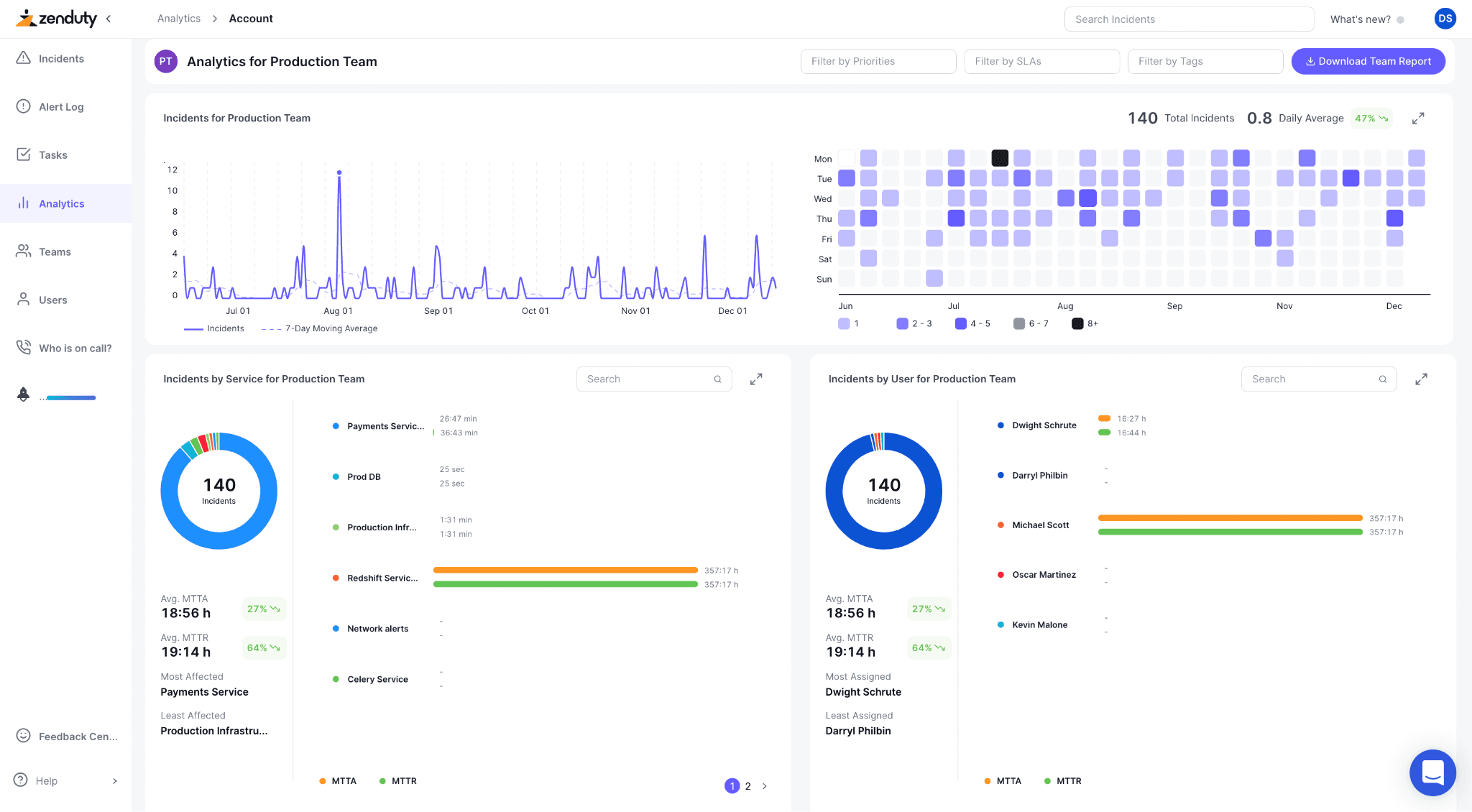
Xurrent IMR (formerly Zenduty) is a cost-effective incident management and on-call platform designed for DevOps and SRE teams that need solid alerting and scheduling without enterprise-level costs. With over 150 integrations and competitive pricing, it is positioned as an alternative for teams that feel priced out of tools like PagerDuty or incident.io but do not want to sacrifice capability.
The platform covers alert routing, escalation, on-call scheduling, and postmortems, including AI-assisted retrospectives, at a price point that makes it accessible for smaller and mid-sized teams.
Key Features
- Alert Routing: Intelligently routes alerts to the right responders based on rules and historical data, reducing noise and alert fatigue.
- On-Call Scheduling and Escalations: Flexible rotations, shadow scheduling, holiday calendars, and automated escalation policies so the right person is always reachable.
- Multi-Channel Notifications: Alerts via email, SMS, voice calls, mobile push, Slack, and Microsoft Teams.
- 150+ Integrations: Connects with Datadog, New Relic, PagerDuty, Slack, and many major monitoring and ticketing tools.
- AI-Assisted Postmortems: Generate structured retrospectives automatically from incident data. Custom postmortem fields and templates are available.
Pricing
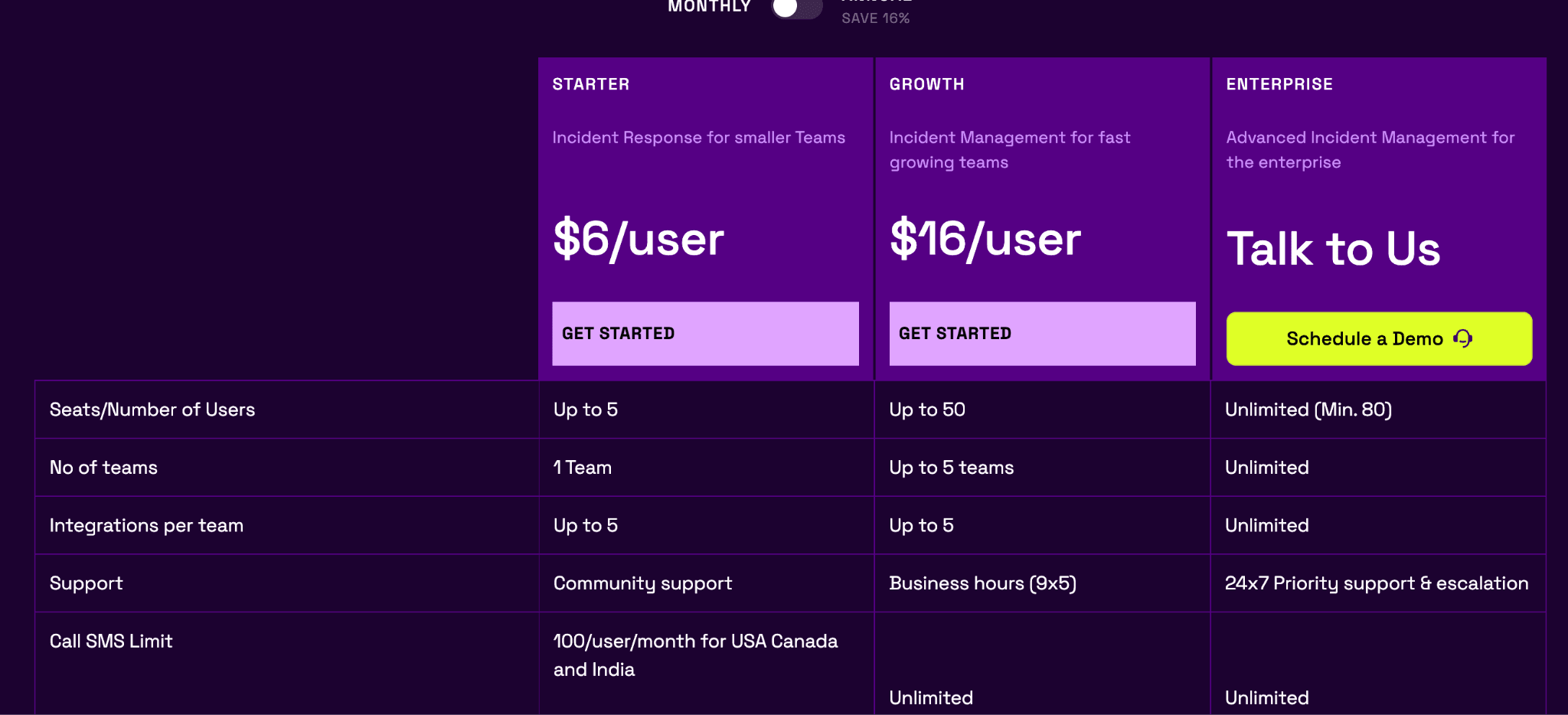
- Free: Up to 5 users, core on-call and alerting.
- Starter (~$6/user/month): Core features for small teams.
- Growth (~$16/user/month): Full feature set for growing teams.
- Enterprise (Custom): Priority support, dedicated account manager, advanced compliance.
Pros
- Excellent on-call scheduling with flexible escalation policies
- 150+ integrations cover most existing toolchains
- AI-generated postmortems and SLA policy support
Cons
- No built-in status page in starter plan, requires a separate tool for customer-facing communication
- Per-user pricing can still add up at larger team sizes
- Less polished UI compared to other platforms like incident.io or Rootly
6. Squadcast
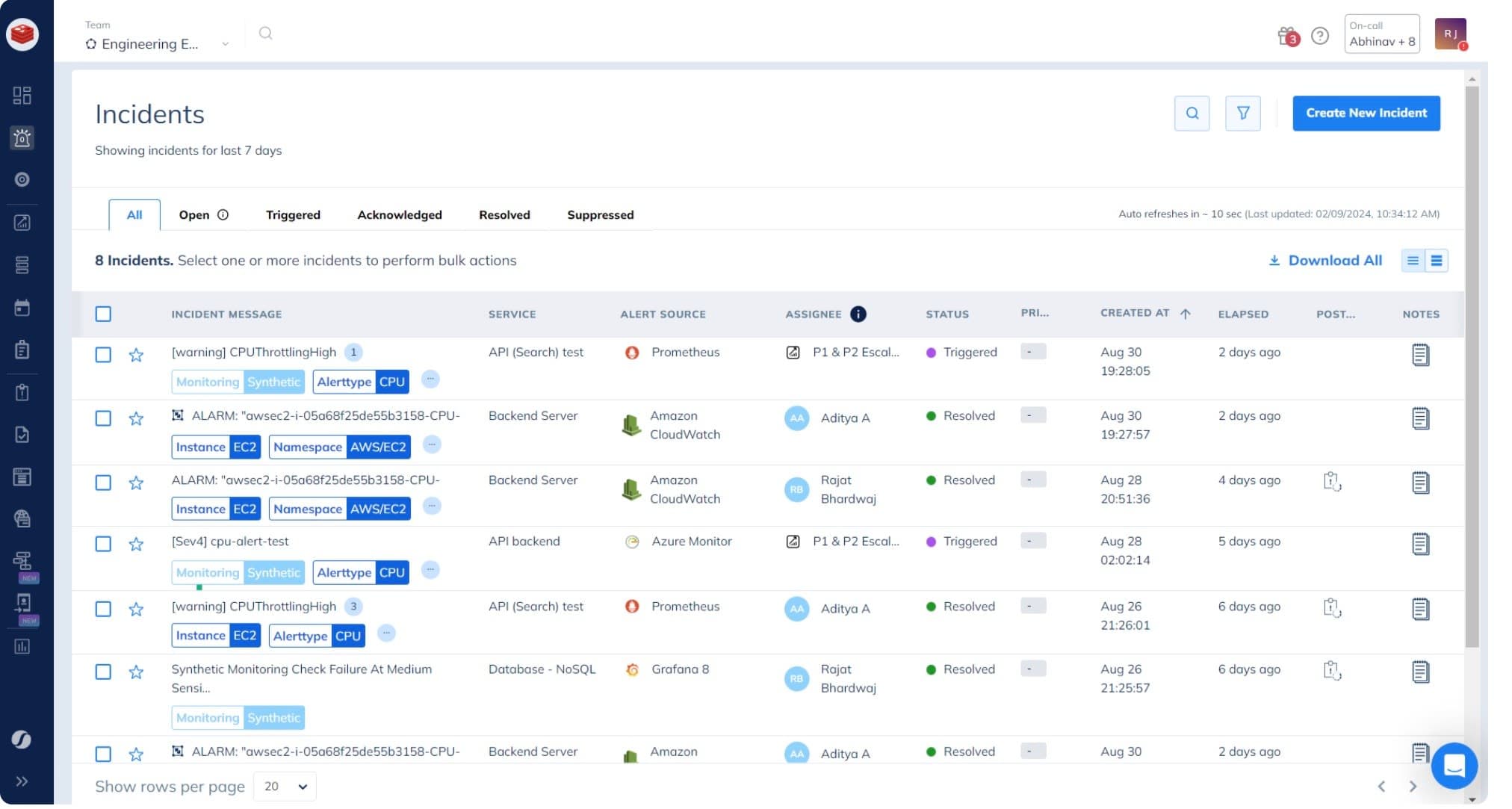
Squadcast is an incident management platform that combines on-call scheduling, alert routing, and reliability workflows in one place. It is part of the SolarWinds ecosystem and integrates with observability tools, making it useful for teams already using those systems.
Squadcast stands out for its SLO tracking and reliability workflows, which extend beyond basic alerting and help teams measure and improve service reliability over time.
Key Features
- Unified On-Call and Incident Workflows: Combines alert routing, on-call scheduling, and incident response in a single platform, reducing tool switching.
- Alert Routing: Routes alerts to the right people based on escalation policies and rotation schedules, with support for multi-channel notifications.
- SLO Tracking: Define and track service level objectives so teams can measure reliability against real targets.
- Post-Incident Reports: Automated incident timelines and retrospectives help teams learn from outages.
- Integrations: Connects with observability and incident management tools to fit into existing DevOps stacks.
Pricing
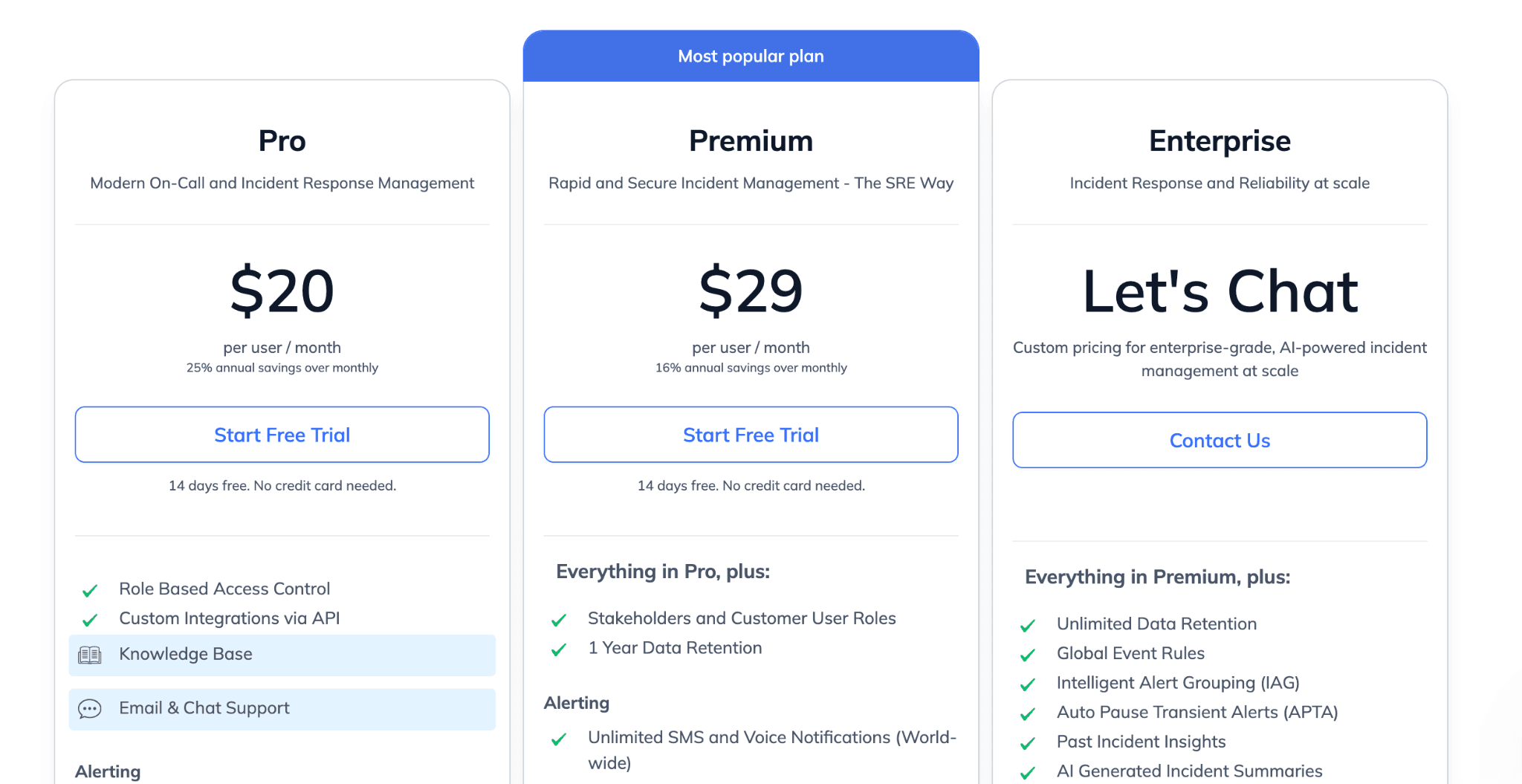
- Free: Up to 5 users, basic on-call and incident management.
- Pro ($20/user/month billed annually): Unlimited users, more services, and alert notifications.
- Premium ($29/user/month): Advanced features including custom roles and stakeholder inclusion.
- Enterprise (custom): Unlimited alerts, global event rules, priority support.
Pros
- SLO tracking is built in, not an add-on
- Strong on-call scheduling and escalation features
- Good fit for teams already using observability tools
Cons
- Less Slack-native than incident.io or Rootly
- No native status page for customer-facing communication
- Less suitable for teams looking for a lightweight standalone incident tool
Choose the Best incident.io Alternative: Instatus
The right incident management tool depends on whether you need a single system for monitoring, incident communication, and status pages, or separate tools for each function. Many incident.io setups still rely on multiple tools for full coverage.
If the gaps that lead teams away from incident.io; monitoring costs, per-seat on-call pricing, and status page limits are the same gaps your team is hitting, Instatus addresses all three in one platform at a flat monthly rate. Native uptime monitoring, Slack and Microsoft Teams incident response, and public or private status pages are included without per-seat fees.
Start with Instatus today for free, no credit card required, and create your first status page in minutes so teams can manage incidents and customer updates without separate tools.

Get ready for downtime
Monitor your services
Fix incidents with your team
Share your status with customers