
incident.io Pricing (2026): Real Costs, Plans & On-Call Pricing Explained
Quick Summary
This guide breaks down incident.io pricing, including real costs with on-call, plan limits, and how pricing scales as teams grow. It also compares how Instatus offers a simpler flat-rate model with built-in uptime monitoring. For more on incident management tools and status pages, explore the Instatus blog.
Is incident.io Pricing Straightforward?
When you see the pricing page, it is easy to assume that is what you will pay. With incident.io, the base price changes once on-call scheduling is added, which most production teams need.
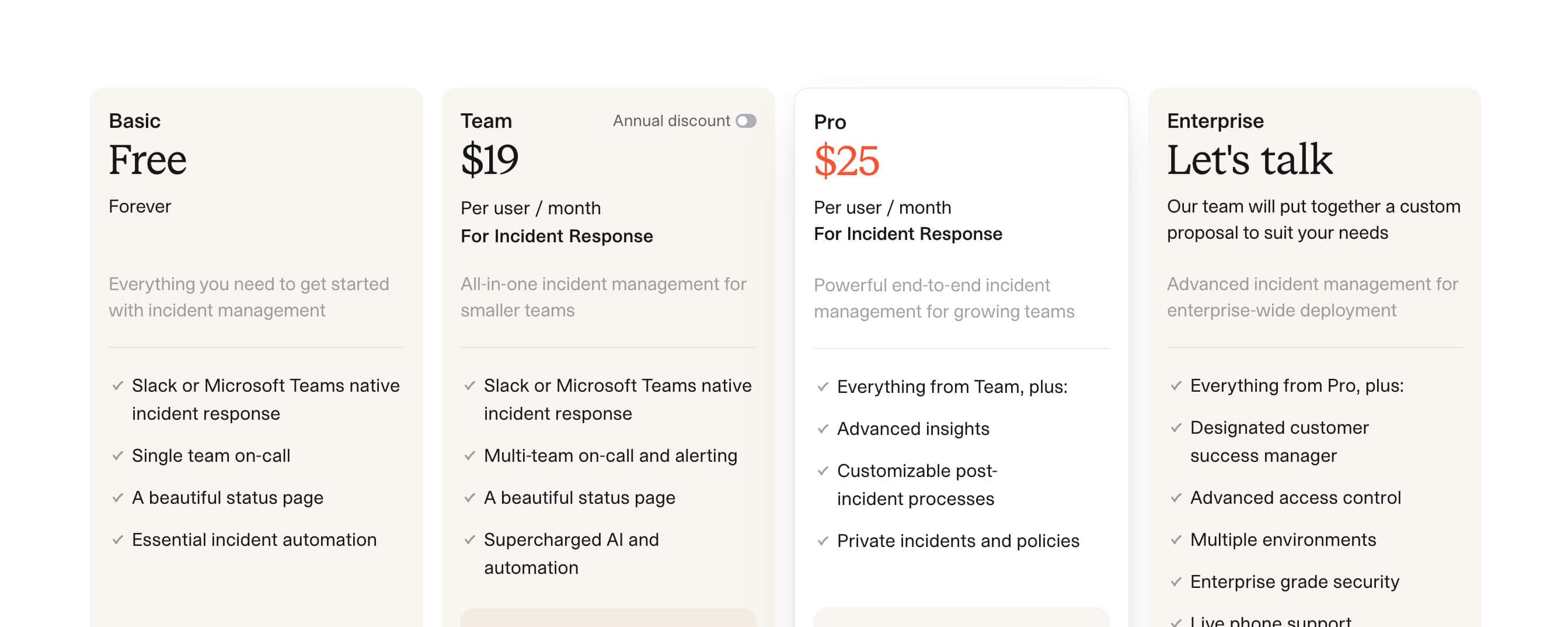
It starts at $19 per user per month on the Team plan and rises to $31 with on-call, increasing further as team size and rotations grow. Costs depend on usage and features.
This Instatus guide breaks down incident.io pricing plans, on-call add-ons, and limits so you can see what each tier includes and how costs scale.
Why Listen to Us?
At Instatus, we work with SaaS teams, DevOps engineers, and developers across 10,000+ status pages globally who manage uptime and incidents. We have seen how pricing can scale when tools rely on per-user models and paid add-ons, especially in on-call workflows. This guide is meant to give a clear view of incident.io pricing so you can evaluate what fits your team.
What is incident.io?
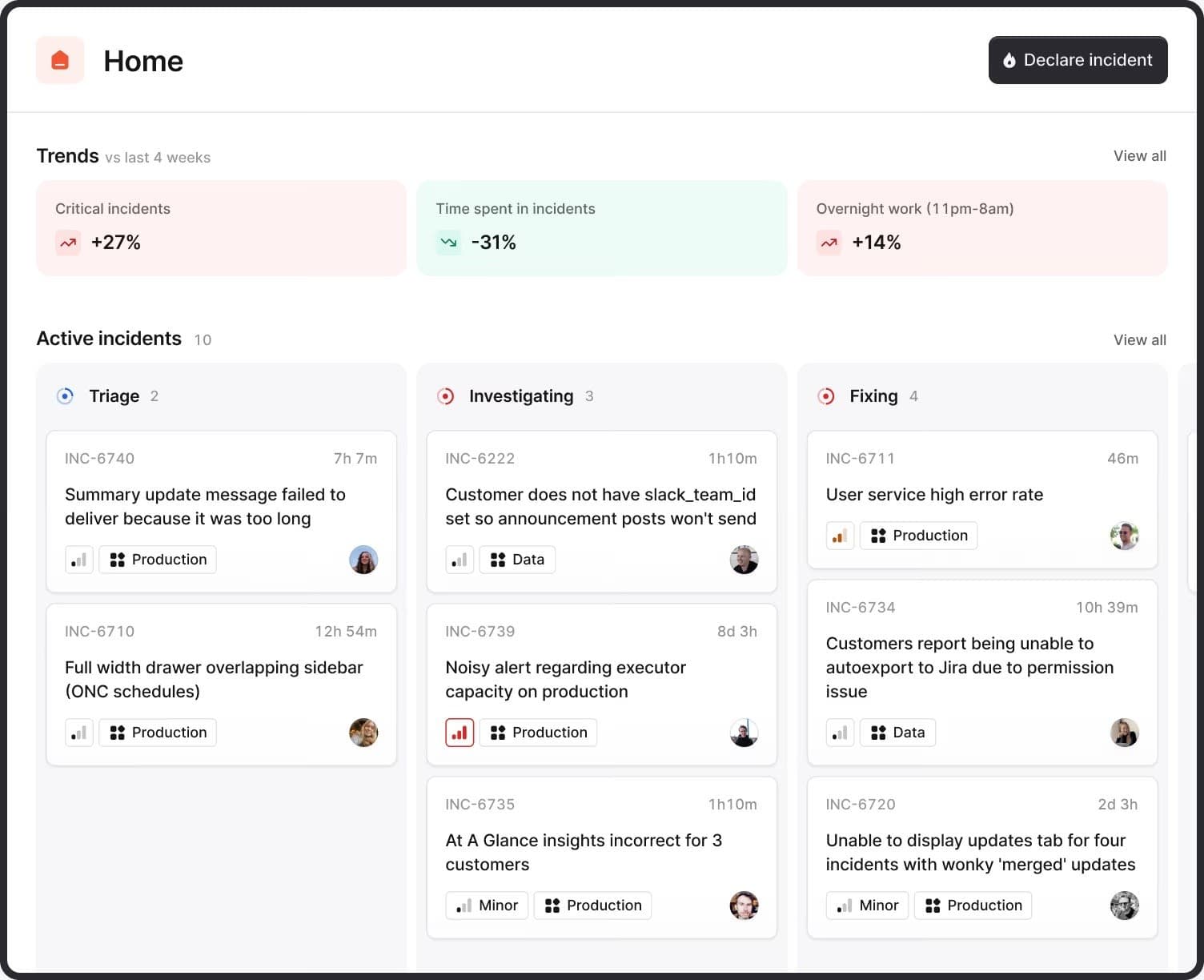
incident.io is a chat-native incident management platform that runs inside Slack and Microsoft Teams. It helps teams declare incidents, assign roles, coordinate responses, and manage updates directly in chat.
It supports alert routing, on-call scheduling, live coordination, AI-generated updates, post-incident reports, and status pages. It does not include uptime monitoring, so teams typically rely on a separate tool to detect issues before incidents are triggered. For teams managing costs carefully, that additional monitoring tool means an additional invoice, and additional complexity in an already fragmented toolchain.
incident.io Pricing Structure
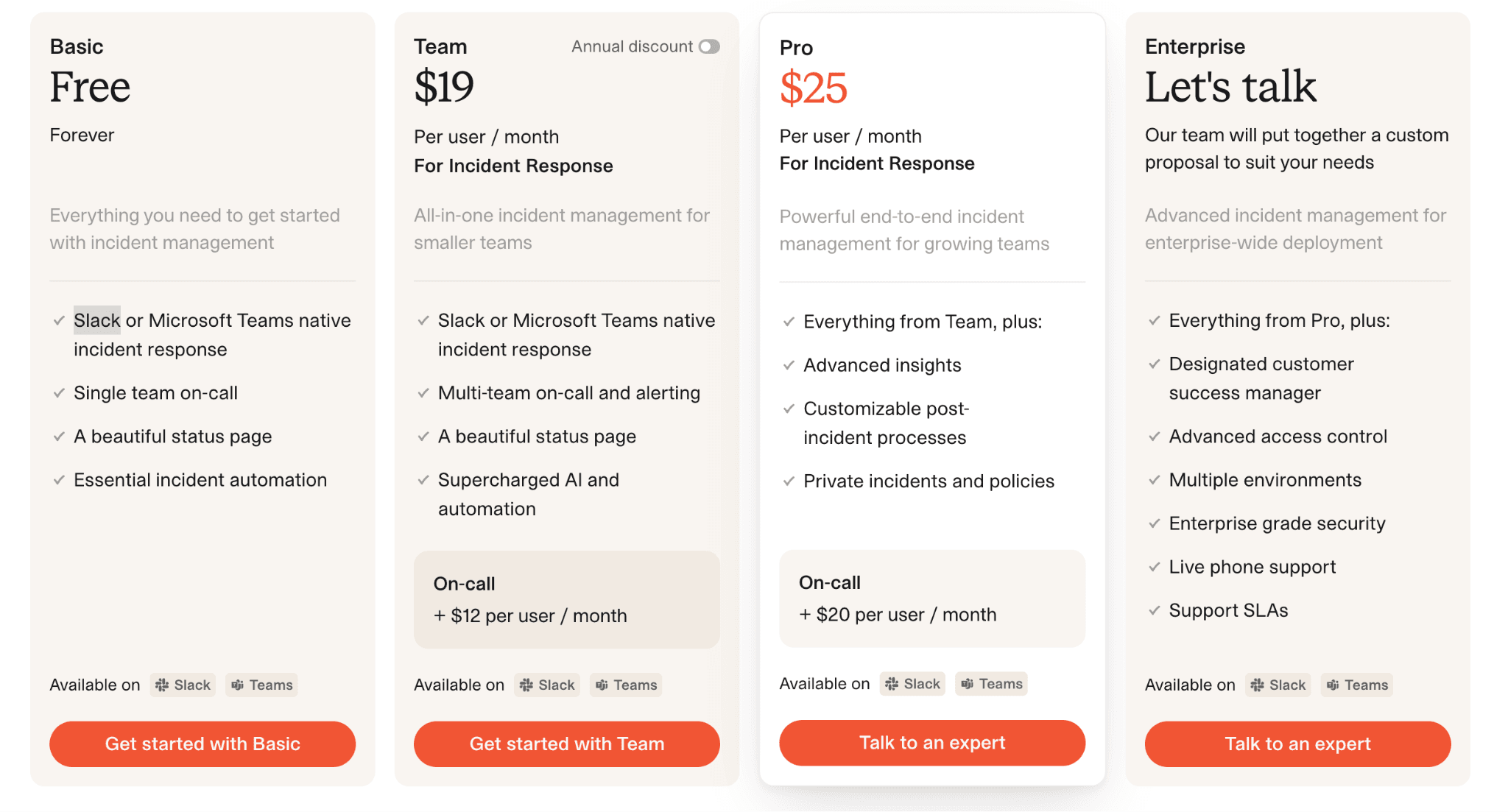
incident.io uses per-user monthly pricing with an optional on-call add-on. Here's how the plans break down:
| Plan | Base Price (Monthly) | Base Price (Annual) | On-Call Add-On | Effective Total (with On-Call) |
|---|---|---|---|---|
| Basic | Free | Free | Not included | Free |
| Team | $19/user/month | $15/user/month | +$12/user/month (monthly) or $10/user/month (annual) | $31/user/month (monthly) or $25/user/month (annual) |
| Pro | $25/user/month | — | +$20/user/month | ~$45/user/month |
| Enterprise | Custom | Custom | Custom | Custom |
1. Basic Plan
For small teams testing incident management.
- Slack/Teams response, 1 on-call team, 1 status page, basic automation, limited integrations and workflows.
- No API, no private incidents, basic insights only.
2. Team Plan ($19/user/month)
For small engineering teams.
- Multi-team on-call, AI features, unlimited integrations, 2 on-call schedules, 3 fields/workflows.
- Add-on: +$12/user/month (monthly) or +$10/user/month (annual) for on-call.
- No internal pages or advanced dashboards.
3. Pro Plan ($25/user/month)
For growing teams.
- Everything in Team plus private incidents, advanced dashboards, AI post-mortems, and SAML.
- On-call is also available as an add-on at +$20/user/month.
- Limited to 1 public + 1 internal status page.
4. Enterprise (Custom)
For large organizations.
- Everything in Pro plus unlimited status pages, RBAC, SCIM, Slack Enterprise Grid, SLA support, and dedicated CSM.
Pros and Cons
Based on user reviews on G2 and Capterra:
Pros
- Strong Slack integration for declaring and managing incidents directly within your chat tool, helping teams coordinate during outages
- AI features on Team and above meaningfully reduce the cognitive load of writing updates and post-mortems
- Post-incident review workflows help teams document and review incidents after they close
Cons
- Per-user pricing increases with larger on-call rotations
- No built-in monitoring, so a separate tool is required to detect issues before incident.io handles incident response. Teams typically pay $20–$300/month for a separate monitoring tool on top of incident.io's per-user costs, which adds up quickly for small and mid-sized teams.
- Status pages are limited on lower tiers. Team includes 1 public status page; Pro adds 1 internal page, while unlimited pages are available only on Enterprise. For teams running multiple products or services, hitting that limit means either upgrading to Enterprise or managing a separate status page tool, both of which add cost.
Best incident.io Alternative: Instatus
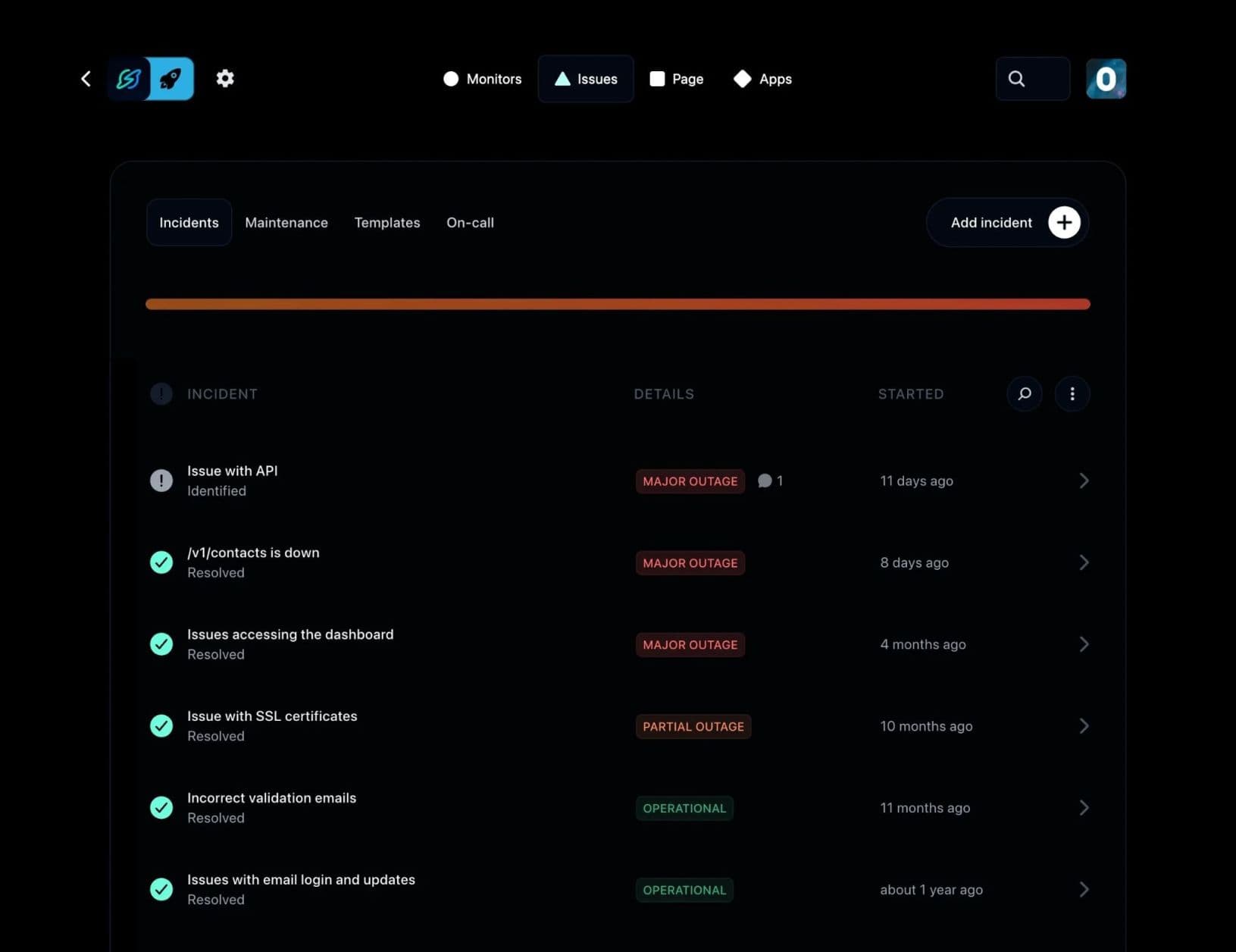
If the three gaps above, monitoring, per-seat on-call costs, and status page limits, are concerns for your team, Instatus addresses all three in a single platform at a flat monthly rate.
Instatus combines uptime monitoring, incident communication, and status pages in one platform with flat pricing that does not scale per user.
It includes 30-second uptime checks on paid plans, branded status pages, and Slack-based incident management, with Microsoft Teams support as well.
Key Features
- Native Uptime Monitoring: Track websites, APIs, SSL, DNS, TCP, ping, and keywords with 30-second global checks to detect issues early without extra tools.
- Slack-Based & Microsoft Teams Incident Response: Manage incidents, on-call schedules, escalations, and collaboration directly inside Slack or Teams without switching tools.
- Status Pages: Publish public or private status pages with custom colors, logos, and domains. Show real-time service health, incident timelines, and historical uptime, all on a page that reflects your brand.
- Multi-Language Support: Instatus supports status pages in 21 languages, allowing users to view incident updates in their preferred language.
- Monitoring Integrations: Integrate tools like Datadog, Pingdom, or Site24x7 with Instatus to centralize monitoring data in one view, reducing the need to switch between dashboards.
- Alerts and Notifications: Get notified via email, SMS, Slack, Discord, and Microsoft Teams when issues occur. Route the right alerts to the right people.
- Incident Management: On-call calendars, escalation policies, and team collaboration tools are included for managing incidents across teams.
Pricing
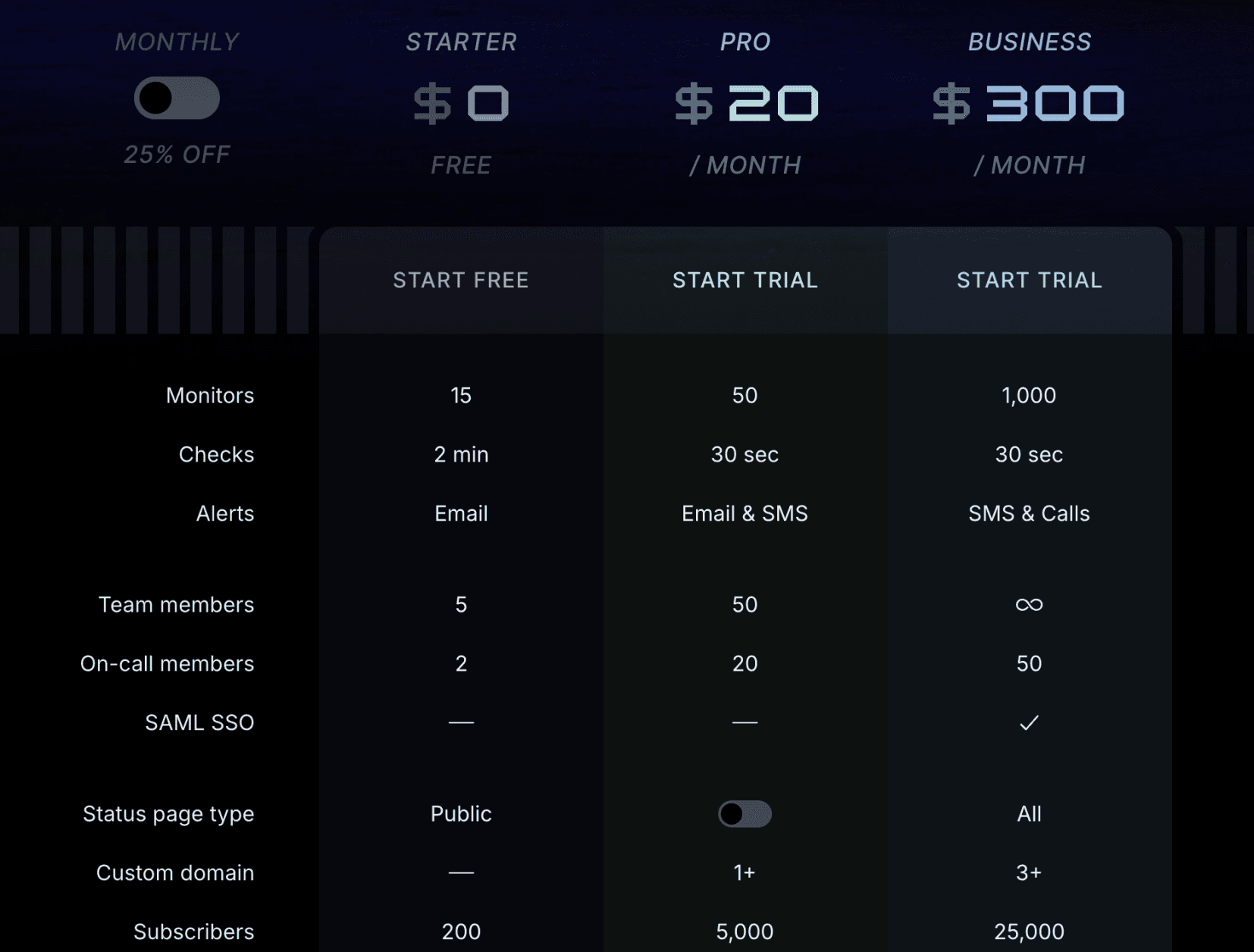
Instatus uses flat monthly pricing with no per-seat fees:
- Starter (Free): 15 monitors, 2-minute check intervals, email alerts, up to 5 team members, 1 public status page, 200 subscribers.
- Pro ($20/month): 50 monitors with 30-second checks, email and SMS alerts, up to 50 team members.
- Business ($300/month): Up to 1,000 monitors, phone alerts, SAML SSO, all status page types, 25,000 subscribers, up to 50 on-call members.
- Enterprise (Custom): Tailored for complex environments with custom limits and enterprise-grade features.
Pros
- Built-in incident management is included across plans
- Flat-rate pricing means costs remain predictable when you add engineers to your on-call rotation
- Native uptime monitoring reduces the need for a separate tool to detect problems
- Slack-based & Microsoft Teams incident response keeps your response workflows inside your communication tool
- Status pages that display real-time service status and remain accessible during outages
Cons
- Monitoring depth is not as granular as dedicated monitoring-only tools for complex infrastructure environments
- SAML SSO requires the Business tier

Why Choose Instatus?
incident.io is a chat-native incident management tool for teams using Slack or Microsoft Teams, with structured workflows and per-user pricing that increases with on-call usage and scale.
Instatus combines monitoring, incident management, and status pages in one platform with flat pricing that does not scale per user. It includes uptime monitoring, Slack/Teams alerts, and customer-facing status pages.
Key difference: incident.io scales with usage and users, while Instatus offers more predictable all-in-one pricing with built-in monitoring and communication tools.
Manage Incidents Effectively with Instatus
Instatus includes native uptime monitoring, Slack and Microsoft Teams-based incident response, and customizable status pages, all on flat-rate pricing that does not scale per user as your team grows.
Looking to streamline incident management? Start with Instatus for free today.

Get ready for downtime
Monitor your services
Fix incidents with your team
Share your status with customers