

How to Build an Incident Response Playbook for Faster Management

Quick Summary
This guide explains how to build an incident response playbook that helps SaaS and DevOps teams handle outages with clear steps, defined roles, and structured workflows. It shows why playbooks reduce downtime and improve communication, outlines key actions to implement, and for more information, explore our blog to strengthen your incident management process.
When Systems Break, A Playbook Makes All The Difference
Incidents happen. Servers go down. APIs fail. And your users notice them all.
In fact, over 90% of midsize and large enterprises lose more than $300,000 for every hour of downtime, according to ITIC's 2024 global survey of 1,000+ organizations.
An incident response playbook can help teams react fast with clear steps to detect, fix, and recover from issues before they grow bigger.
In this Instatus guide, we walk through how to build an incident response playbook that works in real situations.
Why Listen to Us?
At Instatus, we help SaaS and DevOps teams monitor services, manage incidents, and share real-time updates through customizable status pages.
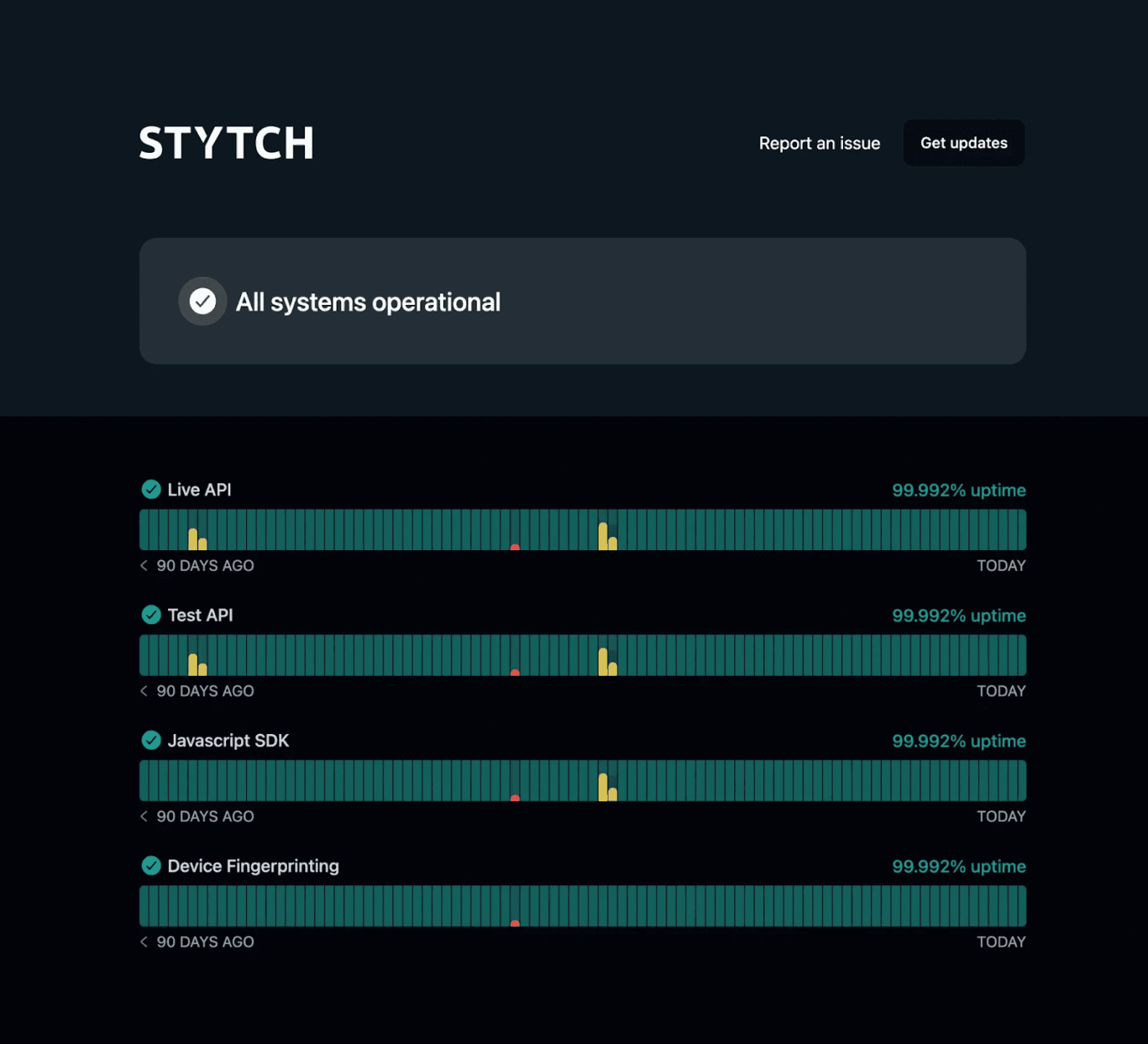
For instance, Stytch used Instatus to run a fast, reliable status page that builds user confidence during outages while giving their team a simple way to communicate incidents.
What Is an Incident Response Playbook?
An incident response playbook is a practical, scenario-focused guide that outlines how a team should handle specific system incidents, including clear steps for detection, response, and recovery. Unlike high-level policies, it focuses on actionable steps, helping teams act quickly and consistently.
For SaaS, DevOps, and developer teams, the playbook removes guesswork by specifying who responds, what actions to take, and how to communicate during operational issues like outages or performance problems, as well as security incidents such as breaches or suspected compromises.
Most playbooks include detection steps, escalation paths, troubleshooting or containment actions, and communication templates. This structured approach ensures responders follow repeatable steps, restore services efficiently, and minimize impact without improvising.
Why Is an Incident Response Playbook Important?
- Faster response during incidents: Clear steps remove guesswork. Teams know exactly what to do, which reduces delays and speeds up investigation and recovery.
- Less confusion for teams: A playbook defines roles, responsibilities, and escalation paths. Everyone understands their task during an outage or security event.
- Reduced damage and downtime: A structured response helps contain issues quickly and limit operational or financial impact.
- Better communication with stakeholders: Clear processes help teams share updates internally and externally, which keeps users informed during incidents.
- Continuous improvement after incidents: Teams can review what happened and refine the playbook, preparing better for future incidents.
How to Build an Incident Response Playbook
1. Define What Counts as an Incident
Start by defining what your team considers an incident so responders can act confidently. Generally, an incident is any event that disrupts service or reduces quality and requires a coordinated response. This can include outages, performance degradation, or other user-impacting issues. Clear scoping ensures the right workflow applies, such as service degradation versus a suspected security breach.
Focus first on user impact: internal alerts matter, but issues that affect customer experience are typically the ones that require fastest action. Examples include failed logins, APIs returning errors, or core features becoming unavailable.
Next, document how you classify incident severity so responders understand urgency and expectations. Many teams use numeric tiers (like SEV-1, SEV-2, SEV-3) to signal impact, but definitions should be tailored to your service level objectives — there's no single universal standard. For a deeper look at severity classification, see our guide on the incident severity matrix.
Your framework should clearly define:
- Severity Levels (e.g., SEV-1: critical outage; SEV-2: major degradation; SEV-3: limited impact)
- User Impact Signals, such as failed logins or unavailable services
- Escalation Triggers that activate responders
- Response Expectations like acknowledgment and update timelines
Write definitions in plain language so engineers can identify incident types in seconds and act without hesitation. Regularly revisit these definitions as your systems and traffic evolve.
2. Identify Incident Types and Prioritize Risks
Next, map the types of incidents your systems actually encounter. Your playbook should reflect real operational scenarios, not generic failures, so teams can quickly identify issues and activate the correct response workflow without hesitation. Mature DevOps teams often create separate playbooks for common scenarios, since an API outage requires a different approach than a compromised API key or a cloud provider disruption.
Begin by reviewing past incidents, system vulnerabilities, logs, monitoring alerts, and post-incident reviews to identify patterns that guide your categories. Common incident types include:
- Service Outages: API downtime or failed deployments
- Performance Issues: latency spikes or slow database queries
- Security Events: leaked credentials or unauthorized access
- Infrastructure Failures: DNS, networking, or cloud outages
- Dependency Failures: when third-party services break core features
Keep classifications practical, and prioritize incidents by user impact, ensuring critical problems are addressed first while less urgent issues wait.
3. Assign Roles and Responsibilities for Response
Clear roles make incident response faster and calmer. When something breaks, responders shouldn't ask, "Who is leading this?" The playbook should answer that instantly. For a detailed breakdown of each role, see our guide on incident management roles and responsibilities.
Most mature incident frameworks rely on a small set of roles that guide coordination and technical work. Each role has a clear responsibility during the incident lifecycle.
At the center is the incident commander. This person directs the response, sets priorities, and coordinates teams. They focus on decision-making while engineers investigate and fix the issue.
Supporting roles keep the response organized and moving.
Your playbook should typically define roles like:
- Technical Lead diagnosing the issue and guiding engineering fixes
- Communications Lead sharing updates with stakeholders and customers
- Operations Lead coordinating technical responders and mitigation work
- Incident Scribe documenting actions, timelines, and decisions
Keep the structure lightweight. Large response groups slow decision-making and create confusion.
Assign backups for each role. Incidents often happen outside working hours, and leadership must still be clear.
Communication ownership matters just as much as technical leadership. Someone must publish updates while engineers focus on recovery. In that case, choose Instatus to post incident updates quickly. Our tool lets you quickly create, update, and manage incidents on your status page, showing investigation, progress, and resolution updates so your users stay informed throughout an outage.
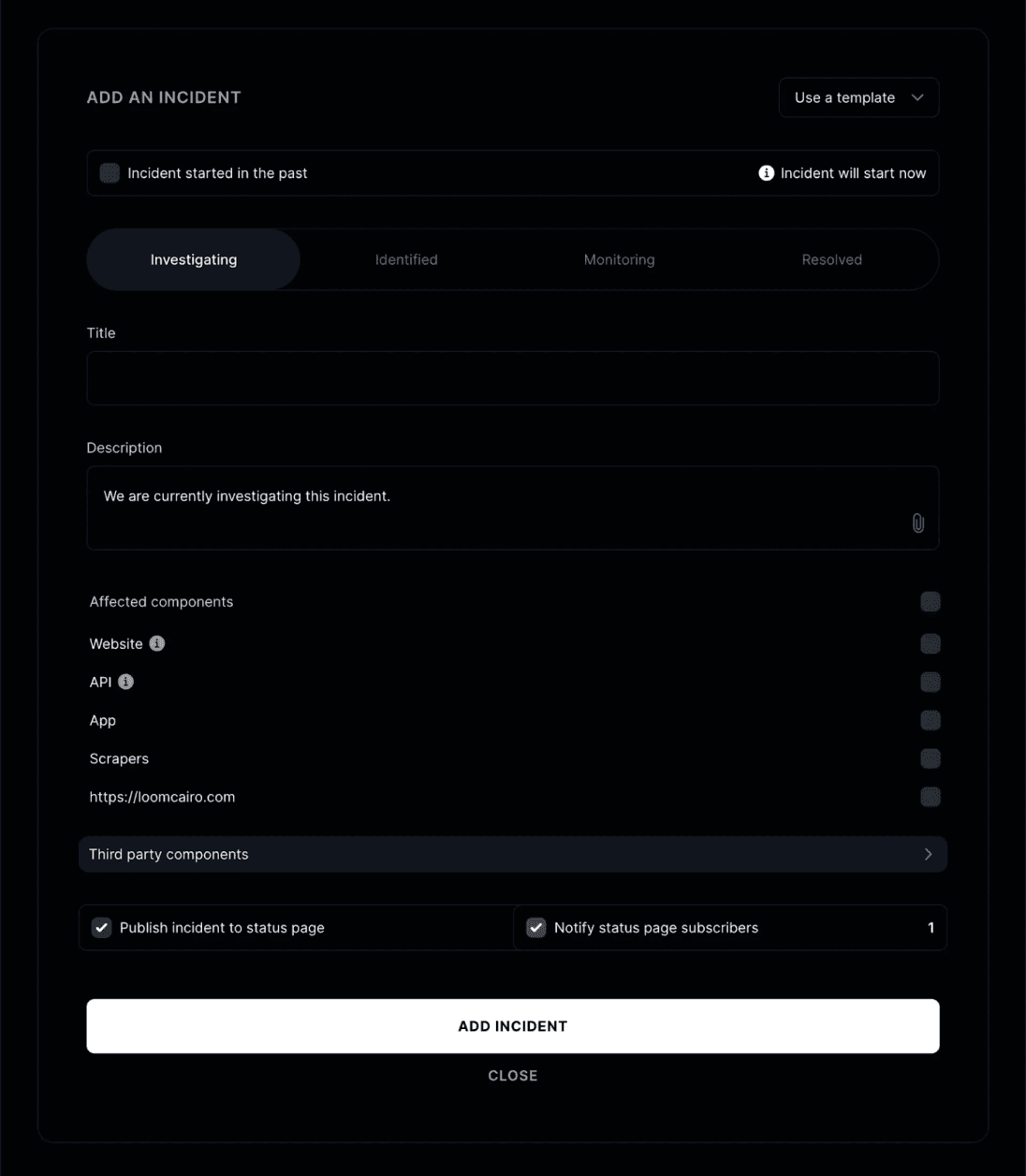
It works like posting a status update and can notify customers automatically as the incident evolves.
4. Create Clear Response, Escalation, and Communication Steps
Now define exactly what happens after an incident starts. This section is the operational core of the playbook. It should guide responders from the first alert to mitigation without hesitation or debate.
Strong playbooks replace ad-hoc responses with repeatable actions. Teams should know how to triage, escalate, and coordinate response work within minutes of detection.
Start with a clear response flow. Many DevOps teams follow a structured lifecycle:
detect the issue > assess severity > coordinate responders > mitigate impact > restore service.
Communication must run through every stage of this process. Teams should acknowledge the incident, share impact updates, and confirm that systems are stable before closing the incident.
Your playbook should clearly document steps like:
- Detection and Acknowledgment so that on-call engineers can confirm alerts quickly
- Triage and Impact Assessment to determine severity and affected services
- Escalation Rules that bring in additional responders when needed
- Coordination Channels like a dedicated Slack or incident war room
- Customer Communication through a public status page or incident update channel
At Instatus, our notifications feature helps teams automatically send incident and status updates to subscribers through channels like email or webhooks, so that users receive real-time alerts during outages or maintenance.
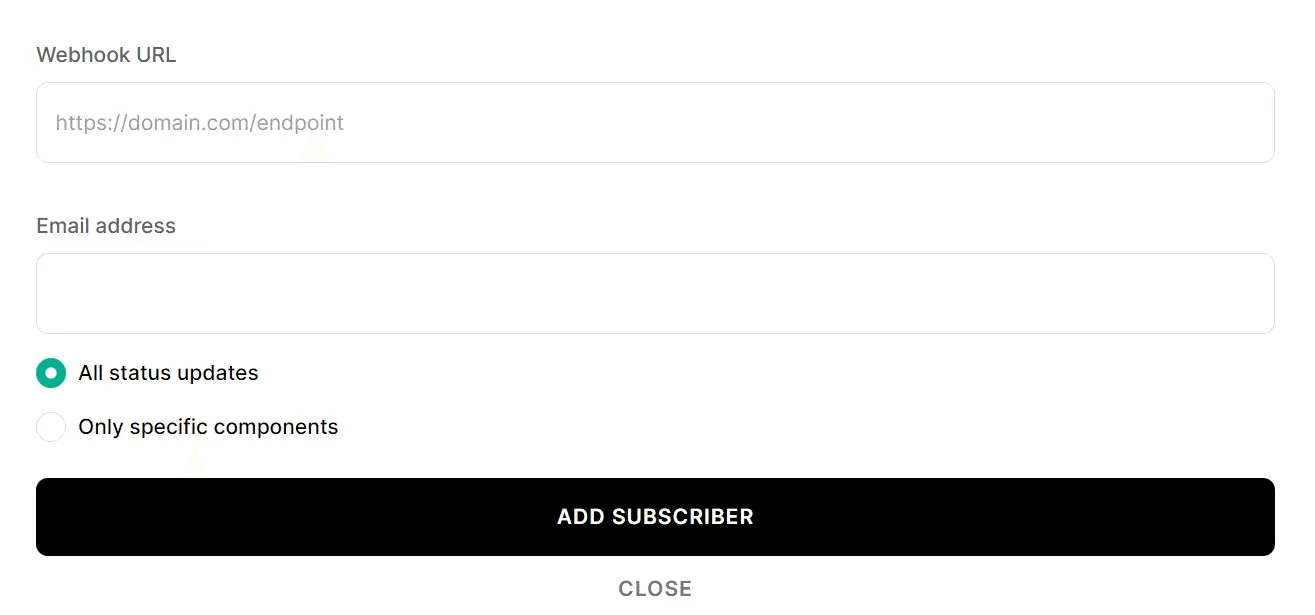
Subscribers can choose how they want to receive updates, so teams can communicate quickly while keeping customers informed as incidents evolve.
Finally, create short templates for common updates. Writing messages during an outage wastes time. Prewritten updates keep communication fast, clear, and consistent. For ready-made examples, check our outage notification templates.
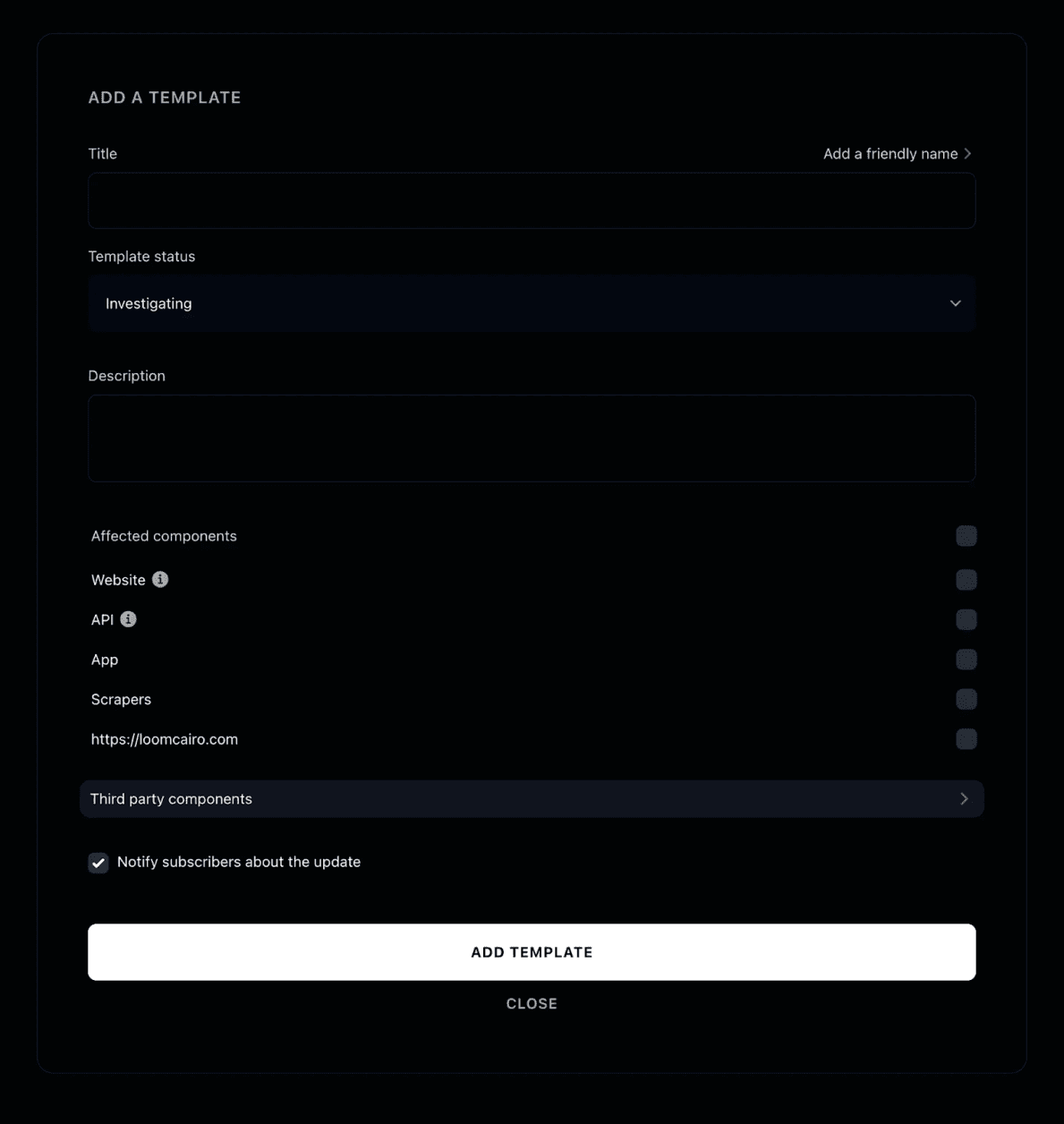
Instatus helps with this too. Our incident response templates let teams create predefined templates for incident creation and resolution, helping responders publish consistent updates quickly during outages.
5. Document Mitigation and Recovery Procedures
Now document how your team actually stops the problem and restores service. Clear mitigation steps help engineers move quickly from diagnosis to containment and recovery.
Start with containment. When an incident starts to spread, the first goal is to limit damage. That may mean disabling a failing service, isolating infrastructure, or rolling back a risky deployment.
After containment, move to root cause analysis and mitigation. Engineers identify the failing component and apply a fix. The faster teams move through this stage, the lower the impact on users and revenue.
Your playbook should outline actions such as:
- Immediate Containment, like disabling services, isolating systems, or rolling back releases
- Root Cause Investigation using logs, monitoring dashboards, and system traces
- Mitigation Actions such as scaling infrastructure or patching configuration issues
- Service Recovery through redeployments, restores, or infrastructure rebuilds
- Verification Checks to confirm systems return to normal performance
Keep the instructions practical. Link to dashboards, commands, or scripts that responders should open immediately.
Recovery is not complete until systems stabilize. Teams should confirm key metrics, monitor traffic patterns, and verify dependencies are healthy before closing the incident.
When recovery steps are documented clearly, responders spend less time guessing and more time fixing.
6. Review, Test, and Continuously Improve the Playbook
A playbook should never sit untouched. Systems change, traffic grows, and new failure patterns appear. Teams that revisit their playbooks regularly respond faster and avoid repeating the same mistakes.
Start with a post-incident review after every major outage. Focus on learning, not blame. The goal is to understand what happened and improve the response process.
Look closely at the incident timeline. When did the problem start? When was it detected? How quickly did responders react? These answers reveal gaps in monitoring, escalation, or documentation.
Use what you learn to update the playbook immediately. Small improvements after every incident build stronger response processes over time.
Track a few key metrics to measure progress:
- Mean Time To Detect (MTTD) to measure detection speed
- Mean Time To Resolve (MTTR) to track recovery time
- Escalation Accuracy to confirm the right responders joined quickly
- Communication Timing to ensure users receive updates early
Testing matters just as much as reviews. Run incident simulations and response drills regularly. These exercises help engineers practice the playbook and fix unclear steps before a real outage happens.
Communication workflows should also be tested. During drills, verify that alerts trigger correctly and that updates reach users without delays.
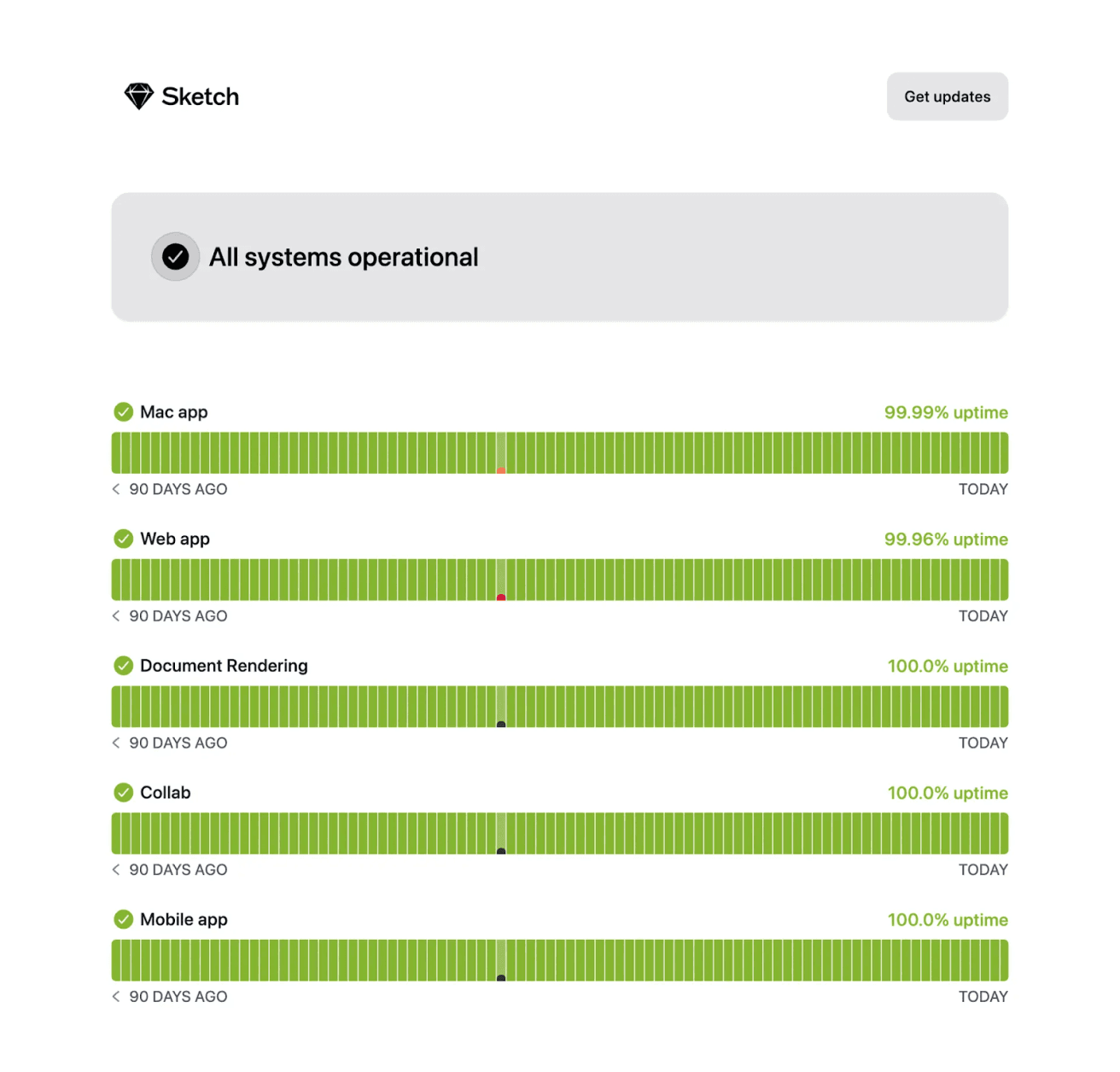
SaaS teams can run these exercises using Instatus. Our public status page gives customers a single place to check your service status, incident updates, and maintenance announcements in real time. It also lets users subscribe for updates so they stay informed whenever your system status changes.
Schedule periodic reviews as well. A quarterly check aligns your playbook with system changes.
Best Practices for Building and Using an Incident Response Playbook
Design Playbooks Around Real Failure Patterns
Base your playbook on real incidents, not assumptions. Review outages, failed deployments, and bottlenecks, then build workflows around those patterns so responders can quickly recognize issues and act without hesitation.
Reduce Cognitive Load During Incidents
Incidents are high-pressure, so clarity matters. Use short steps, simple language, and clear order so engineers can scan quickly, make decisions faster, and respond without confusion or unnecessary back-and-forth.
Automate Repeatable Response Tasks
Automate tasks that happen in every incident, like alert routing or diagnostics. This reduces manual effort, speeds up response time, and lets engineers focus on resolving the core issue instead of routine actions. For a deeper dive, see our guide on automated incident response.
Treat Post-Incident Learning as a Core Process
Every incident offers insight. Review timelines, decisions, and gaps after resolution, then update your playbook. Continuous improvement helps teams respond faster, fix issues more effectively, and avoid repeating the same mistakes.
Align Playbooks with System Architecture
Your playbook should reflect your actual system setup. Document services, dependencies, and ownership clearly so responders can trace issues faster, isolate failures accurately, and prevent problems from spreading across systems.
Build a Reliable Incident Response Playbook with Instatus
A strong incident response playbook helps teams respond faster, reduce downtime, and keep users informed during outages. Clear roles, structured workflows, and continuous improvement turn stressful incidents into manageable processes. And the right tool makes this coordination even easier.
Instatus helps SaaS and DevOps teams monitor services, manage incidents, and publish real-time updates through customizable status pages. Our tool gives teams one place to communicate outages, reduce support tickets, and keep users informed while engineers restore service.
Create a status page with Instatus today and keep your users informed when it matters most.

Get ready for downtime
Monitor your services
Fix incidents with your team
Share your status with customers