

Website Maintenance: What It Is, How It Works, Costs, Best Practices, and Why It Matters

Quick Summary
Website maintenance keeps your site secure, fast, and reliable so users always get the experience they expect. This guide covers what website maintenance includes, the different types, key steps, costs, and best practices for keeping your site running smoothly. For more insights on uptime monitoring, incident communication, and keeping users informed during outages, explore the Instatus blog.
Is Poor Website Maintenance Quietly Costing You?
Your website goes down at 11 PM on a Friday. A key landing page shows a 404 error, and your SSL certificate expired days ago. By the time your team notices, customers have already left, trust is damaged, and your support inbox is flooding.
Poor website maintenance shows up in missed updates, unchecked errors, and gaps in monitoring that quietly build until something breaks at the worst possible moment. The good news is that most of these issues can be prevented with the right approach.
This Instatus guide covers everything you need to know about website maintenance: what it is, what it includes, how to manage it, what it costs, and the tools that help. You will also learn how to keep your site more reliable, reduce downtime, and avoid common maintenance mistakes.
Why Listen to Us?
At Instatus, we work with DevOps, SaaS, and engineering teams managing uptime and incident communication across thousands of status pages worldwide. Organizations like Harvard, Sketch, and Dovetail use Instatus to keep users informed during outages and maintenance windows, giving us clear insight into what effective website maintenance looks like and where it fails.
What Is Website Maintenance?
Website maintenance is the ongoing process of keeping a website healthy, secure, and performing well. It includes updating software, fixing broken links, monitoring uptime, optimizing page speed, and communicating with users during planned or unplanned downtime.
Think of it like servicing a car. You do not wait for the engine to fail before you change the oil. Regular, proactive maintenance keeps things running smoothly and helps catch small issues before they become expensive problems.
For businesses, website maintenance is not optional. According to the Milliseconds Make Millions study commissioned by Google and conducted with Deloitte and 55, a 0.1 second improvement in mobile site speed can increase conversion rates by about 8% for retail sites. Without active maintenance, performance degrades, security vulnerabilities build up, and users feel the impact before you do.
What Does Website Maintenance Entail?
Website maintenance covers more than most realize. A well-rounded maintenance program includes six key areas:
- Security Management: Keeps your CMS, plugins, themes, and server software up to date to protect against vulnerabilities. It also includes renewing SSL certificates and running regular security scans to catch issues early.
- Performance Optimization: Covers page speed, server response times, image compression, caching, and Core Web Vitals that directly impact user experience and SEO performance.
- Content and Link Hygiene: Regularly audits pages for outdated content, broken links, missing metadata, and duplicate pages that can confuse search engines and frustrate users.
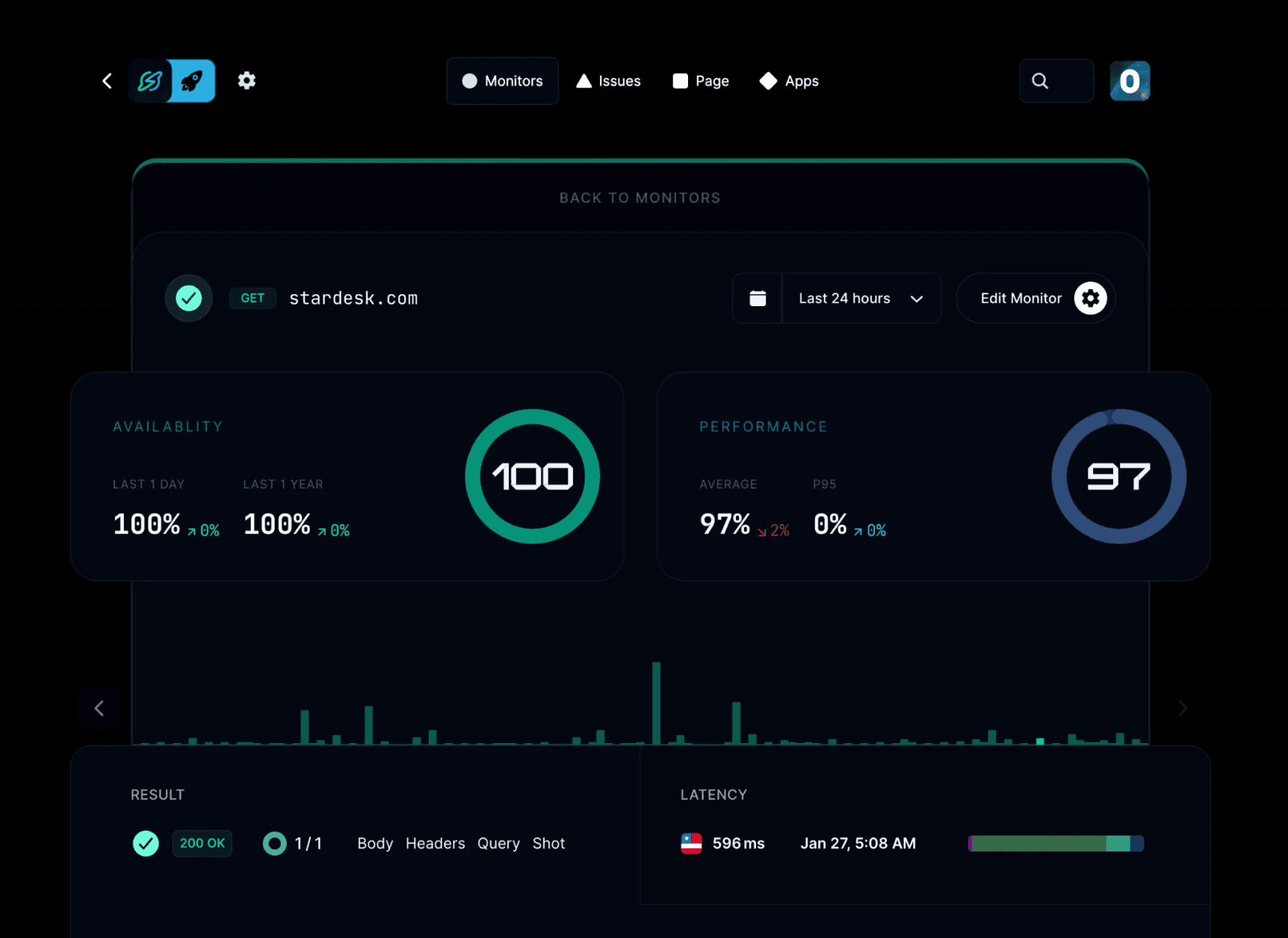
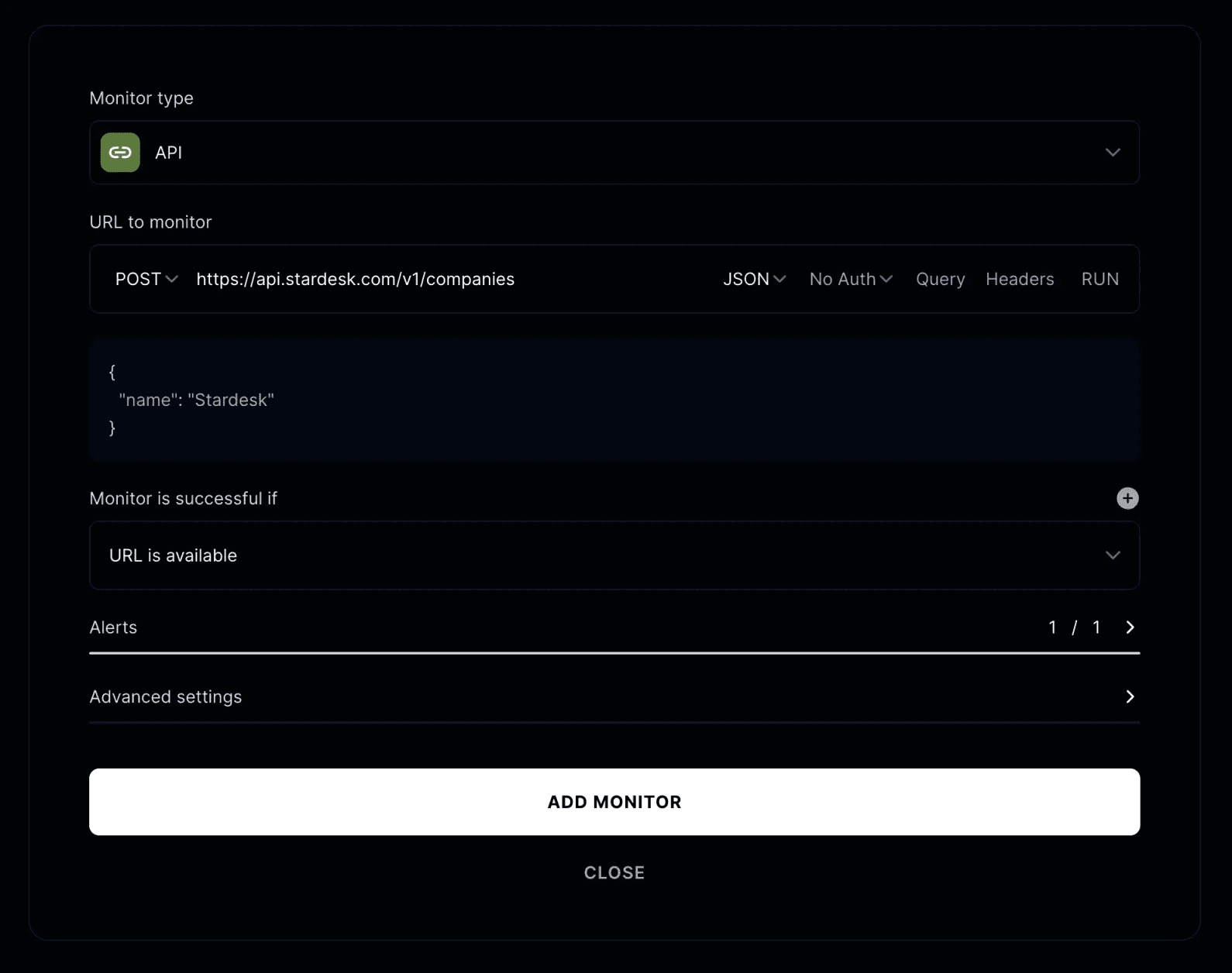
- Uptime Monitoring: Ensures your site is monitored for availability from multiple global locations, with alerts when something goes down. Instatus checks websites, APIs, SSL certificates, DNS, TCP, ping, and keywords every 30 seconds from global locations, sending instant alerts via email, SMS, Slack, Discord, and Microsoft Teams the moment something changes
- Backup and Recovery: Regular, tested backups that ensure quick recovery with minimal data loss and downtime when issues occur.
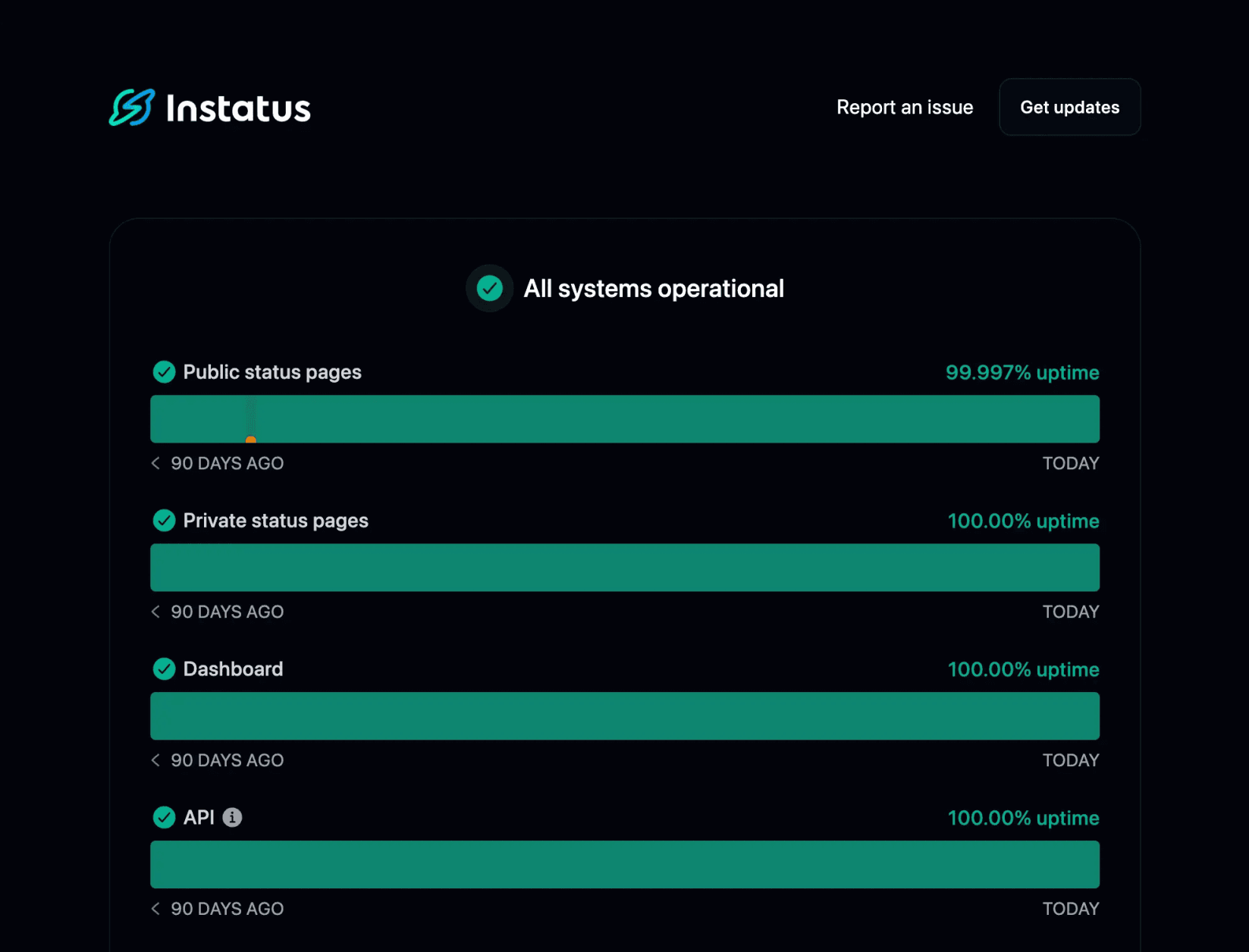
- User Communication: Often overlooked, but essential. Keeping users informed during downtime or maintenance through a public status page helps reduce support tickets and maintain trust. Dovetail, for example, uses Instatus to provide real-time updates, freeing up their support team to focus on critical issues. Instatus status pages stay available during outages and support subscriber notifications across email, SMS, and Slack, so users are informed automatically without your team having to respond to every individual inquiry.
Types of Website Maintenance
- Preventive Maintenance: Regular updates and check-ups to prevent issues. This includes plugin updates, security patches, performance audits, and backups. Investing here reduces time and costs spent on emergencies.
- Corrective Maintenance: Addresses issues like broken forms, failed integrations, or server errors. The goal is to minimize user impact and restore functionality quickly. A clear incident response process and public status page reduce chaos during these events.
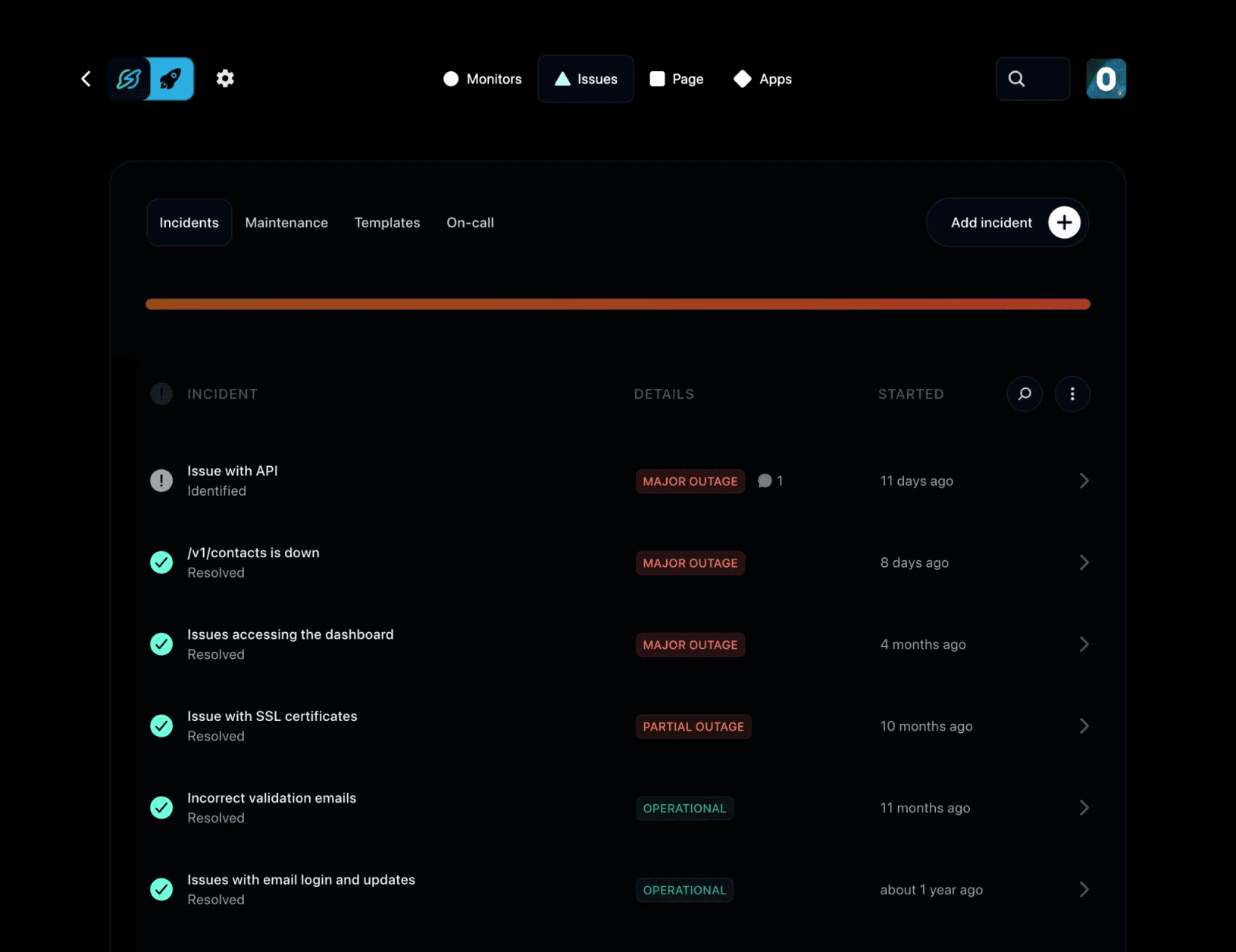
- Adaptive Maintenance: Your website does not exist in a vacuum. Adaptive maintenance keeps it compatible with a changing environment. As browsers update, APIs evolve, and user behavior shifts, your site must adapt to remain functional and compliant with new standards.
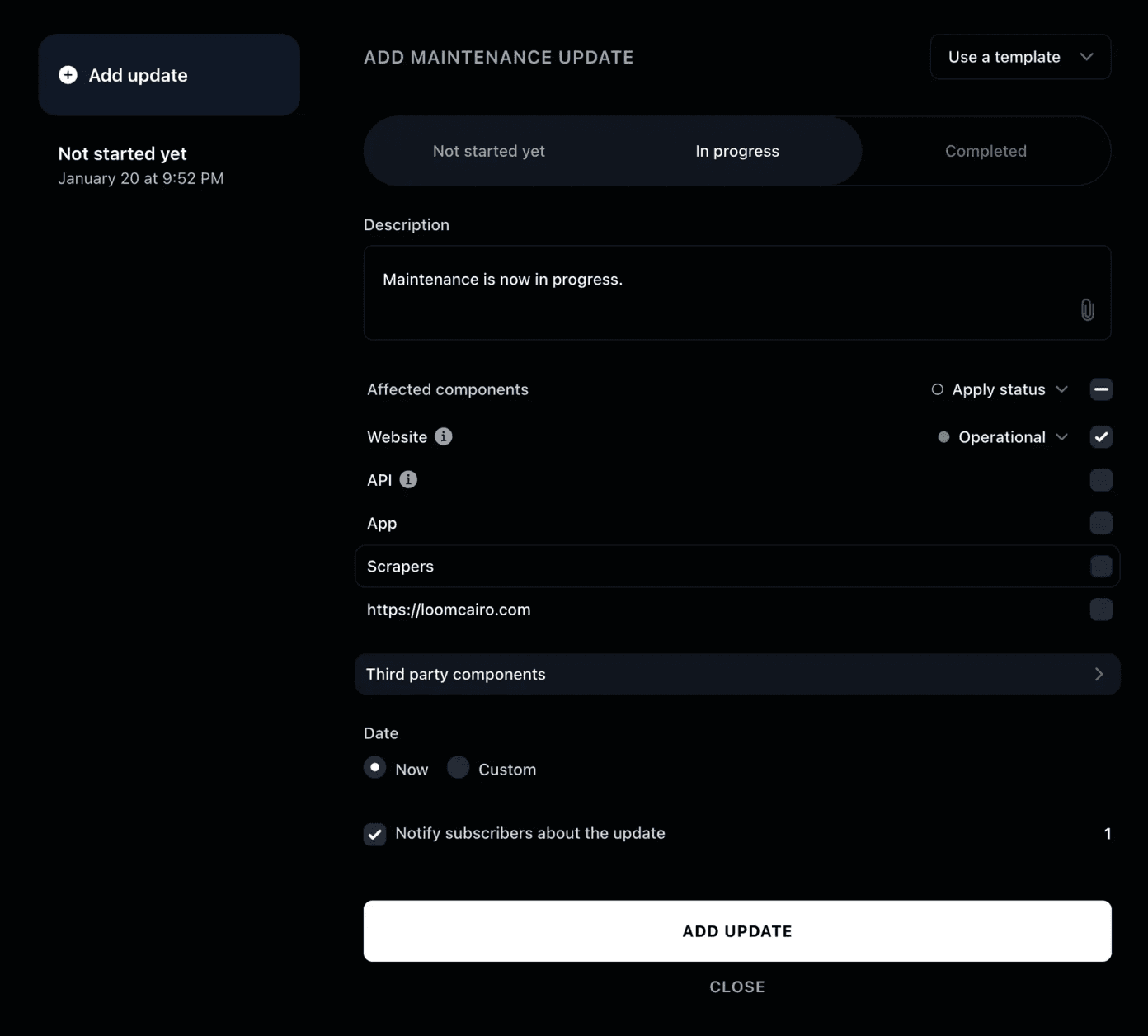
- Perfective Maintenance: Focuses on improving how the website performs for users rather than fixing issues. It includes refining page layouts for better user experience, improving user flows, enhancing accessibility, and using analytics insights to continuously optimize performance and engagement over time.
Website Maintenance Steps: A Practical Checklist
Structure prevents things from slipping through the cracks. Here is how to organize your maintenance tasks across different time frames:
Weekly
- Review uptime monitoring reports and address any flagged issues promptly.
- Check error logs for spikes or recurring failures.
- Test key user flows (signup, checkout, login), either manually or with scripts.
- Ensure contact forms, CTAs, and integrations are working correctly.
Monthly
- Update CMS core, plugins, and themes in staging before deploying live.
- Run a full site backup and confirm restoration works as expected.
- Review page speed metrics and Core Web Vitals in Google Search Console.
- Check SSL certificate expiry dates and renew anything within 30 days.
- Audit high-traffic pages for outdated content or broken links.
Quarterly
- Conduct a full security audit, including vulnerability scans and access control reviews
- Review and update your disaster recovery and incident response plan
- Audit your status page and maintenance communication workflows to make ensure they match your current setup
- Evaluate third-party integrations and remove any that are unused or outdated
- Review site analytics for drop-offs, underperforming pages, and crawl errors
How Much Does Website Maintenance Cost?
Costs vary depending on your site’s complexity, team size, and whether maintenance is handled in-house or outsourced.
- DIY / In-House: Direct tool costs typically range from $50 to $300 per month, depending on your monitoring, security, and backup needs. The biggest cost is staff time, which can range from a few hours to several days per month depending on your setup.
- Freelance Support: Hiring a freelance developer for ongoing maintenance typically costs $500 to $1,500 per month for a mid-sized site. This usually includes updates, bug fixes, and basic performance work.
- Managed Maintenance Plans: Agency or managed service provider plans range from $150 to $5,000+ per month. Basic plans cover security updates and backups, while premium plans include performance optimization, content updates, and priority support.
- Emergency Fixes: Neglected maintenance can become expensive. Emergency developer rates range from $100 to $250 per hour. When you factor in revenue loss, support costs, and reputational impact, proactive maintenance is often far cheaper than reactive recovery. Teams using Instatus's 30-second uptime checks typically catch infrastructure issues before they escalate to emergencies, reducing the frequency of unplanned outages and the reactive costs that come with them.
Best Practices for Website Maintenance
Automate Monitoring
Free your team from constantly watching dashboards. Set up uptime monitoring that checks your site every 30 seconds from multiple global locations and sends instant alerts when something goes wrong.
Test Updates in Staging
Always test updates in staging before going live. A plugin update that breaks your checkout in production is far more costly than catching it in staging first. Make this step non-negotiable.
Maintain a Log of Changes
Keep a maintenance log. Record every change, update, and fix with timestamps and clear descriptions. When something breaks, a detailed history speeds up root cause analysis.
Proactively Communicate During Downtime
Use a public status page to share real-time incident updates, reduce support tickets, and keep users informed while issues are being resolved. Instatus lets teams publish branded status pages with custom domains, incident timelines, and subscriber notifications — all on flat-rate pricing that does not scale per seat.
Schedule Maintenance During Low-Traffic Periods
Use analytics to identify low-traffic windows, typically late at night or on weekends, and schedule updates during those periods. Post a maintenance notice in advance on your status page.
5 Top Tools to Help With Website Maintenance
- Instatus
- ManageWP
- Sucuri
- Google Search Console
- UptimeRobot
1. Instatus
Instatus is an all-in-one platform that combines uptime monitoring, incident management, and customer communication, making it a comprehensive tool for website maintenance.
Key Features
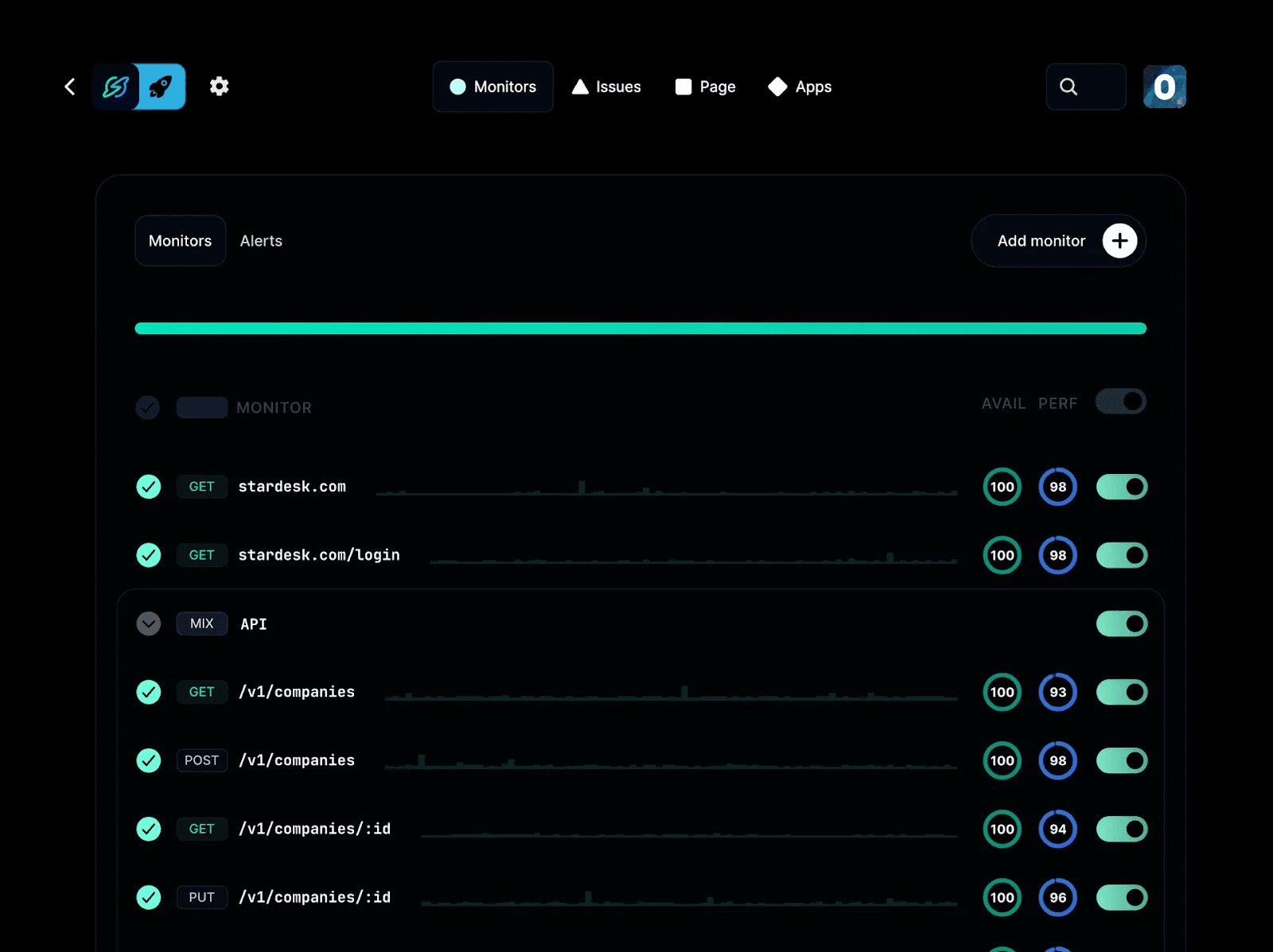
- Real-time monitoring: Performs real-time monitoring of websites, APIs, SSL certificates, TCP, DNS, ping, and keywords every 30 seconds from global locations.
- Instant alerts: Notifies your team via email, SMS, calls, Slack, Discord, or Microsoft Teams when an issue is detected.
- Customizable status pages: Branded public or private pages for communicating outages and planned maintenance.
- Incident management: Create on-call schedules, set escalation rules, assign incidents, and collaborate on resolutions.
- Seamless integrations: Connect tools like Pingdom, Datadog, and Site24x7 to centralize monitoring across systems.
Pricing
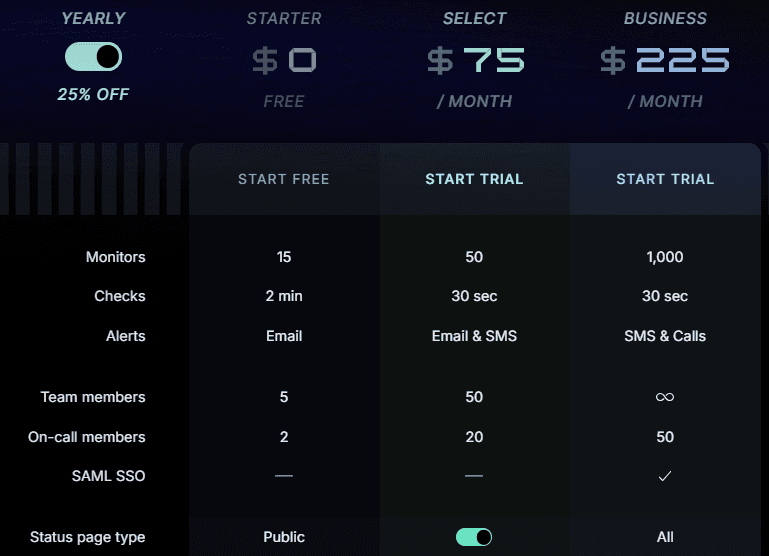
- Starter (Free): 15 monitors with 2-minute check intervals, email alerts, up to 5 team members, 200 subscribers, and 1 public status page.
- Pro ($20/month): 50 monitors with 30-second checks, email and SMS alerts, up to 50 team members, 20 on-call members, 5000 subscribers, and a public status page. Upgrade to Private Pro ($37.50/month) for a private status page, or Select ($75/month) for an audience-specific status page.
- Business ($300/month): Up to 1,000 monitors with 30-second checks, SMS and calls, SAML SSO, all status page types, 3+ custom domain, 25,000 subscribers, and unlimited team members.
- Enterprise (Custom): For teams needing more than 3 upgraded status pages, with custom limits and enterprise-grade features.
Annual billing available at reduced rates.
Pros
- Flat-rate pricing is more affordable than per-user alternatives
- Built-in uptime monitoring without requiring third-party tools
- Combines monitoring, incident management, and communication in one platform
Cons
- Private status pages and SSO are only available on higher-tier plans
2. ManageWP
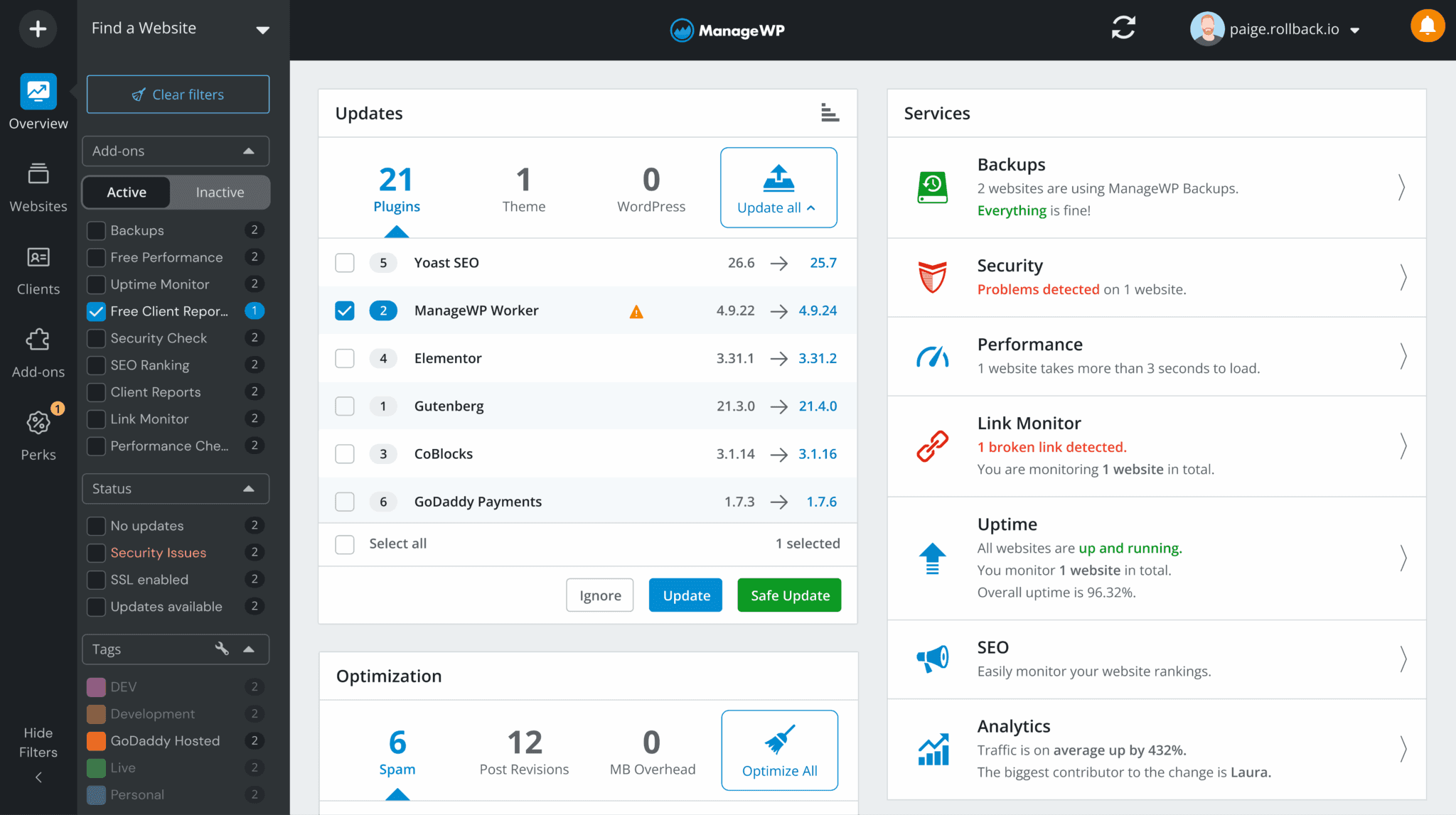
ManageWP centralizes WordPress site management, including updates, backups, security scans, and performance checks, across multiple sites in one dashboard.
Key Features
- Bulk updates: Apply CMS, plugin, and theme updates across all sites simultaneously
- Automated backups: Schedule backups with one-click restoration
- Performance checks: Run speed and SEO audits from the dashboard
Pricing
- Free: Core management for unlimited sites
- Premium add-ons: From $2/month per site for backups, security, and performance tools

Pros
- Excellent for agencies managing multiple WordPress sites
- Free tier is useful without purchasing add-ons.
- Centralized dashboard reduces time spent switching between sites.
Cons
- WordPress-only, not compatible with non-WordPress stacks.
- Per-site add-on costs increase at scale.
3. Sucuri
Sucuri is a dedicated website security platform that provides continuous malware scanning, firewall protection, and blacklist monitoring for any CMS.

Key Features
- Web application firewall: Blocks malicious traffic before it reaches your server.
- Malware scanning: Automated scanning with alerts when threats are detected.
- Blacklist monitoring: Tracks your domain across major security blacklists.
Pricing
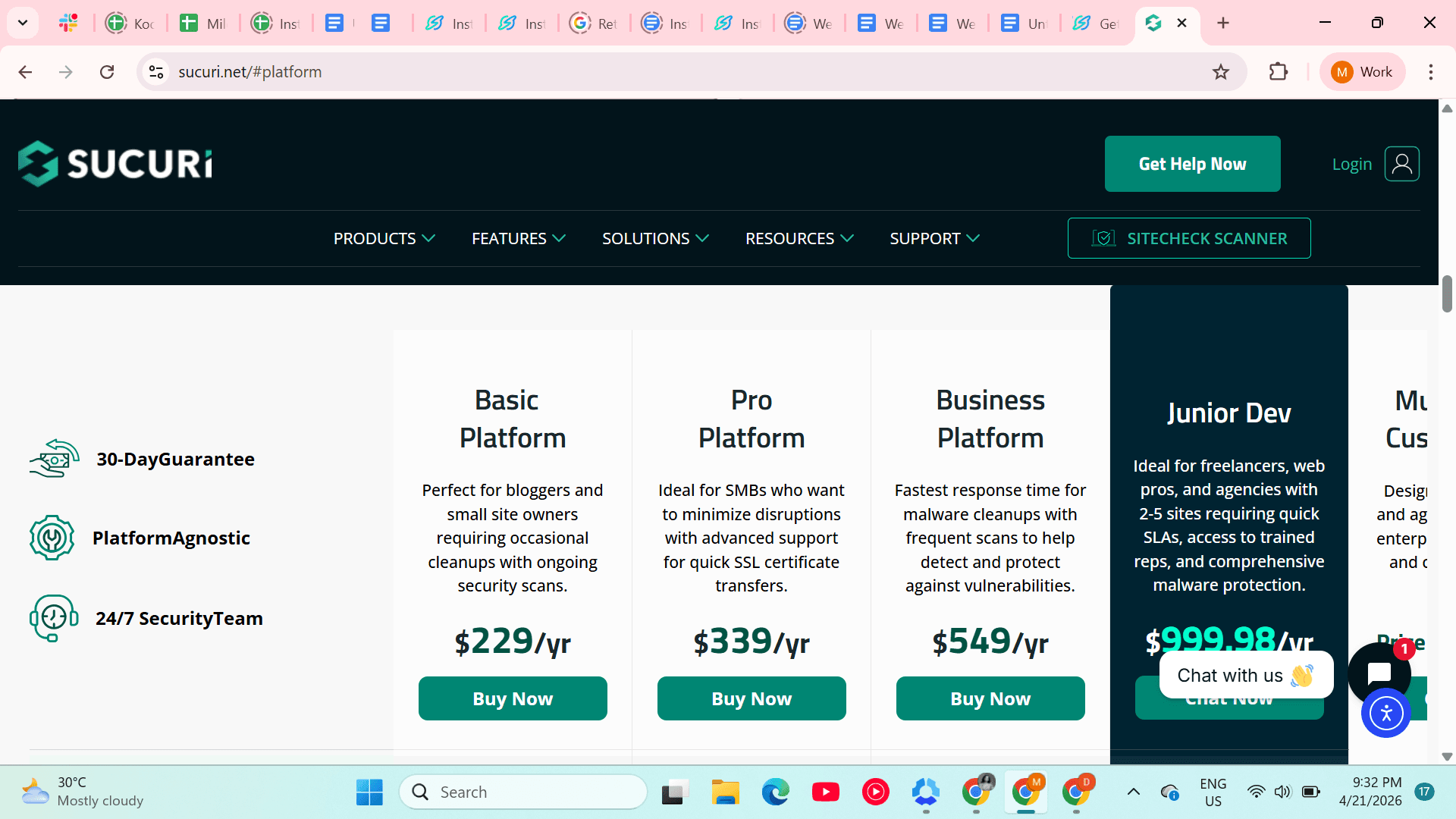
- Basic Platform: From $229/year
- Pro and Business plans: From $339 to $549/year with faster response SLAs
Pros
- Widely used website security platform
- Works across WordPress, Joomla, Drupal, and custom-built sites
- Includes malware removal services on paid plans.
Cons
- Higher price point than general-purpose alternatives.
- Firewall setup may require technical knowledge for non-WordPress environments.
4. Google Search Console
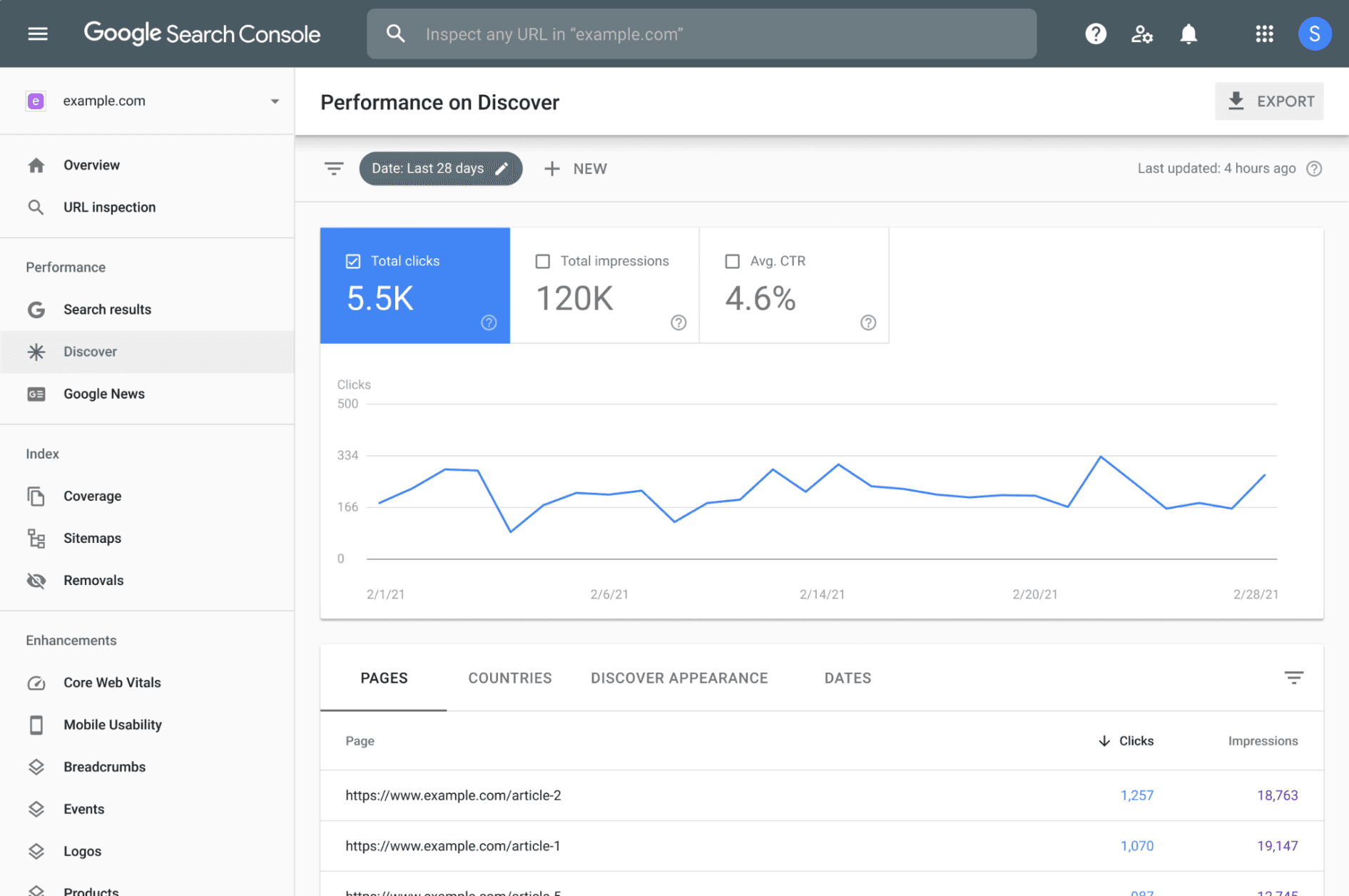
Google Search Console is a free tool that provides data on crawl errors, indexing issues, Core Web Vitals, and manual actions that affect site health and SEO performance.
Key Features
- Coverage reports: Shows which pages Google can and cannot index
- Core Web Vitals: Provides real-world performance data from Google
- Security alerts: Notifies you if Google detects malware or compromised content
Pricing
- Free to use
Pros
- Direct visibility into how Google crawls and evaluates your site
- Helps identify technical SEO and performance issues early
- Provides historical data for tracking performance over time
Cons
- Data can lag by several days, making real-time diagnosis difficult
- Provides diagnosis only; no built-in tools to fix identified issues
5. UptimeRobot
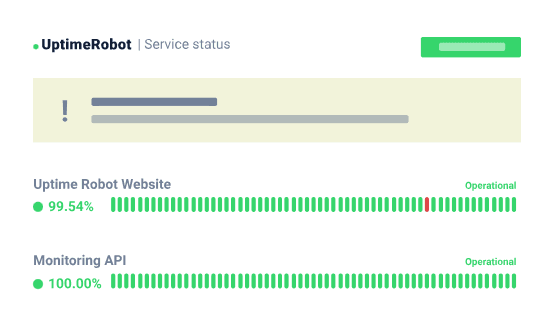
UptimeRobot is an uptime monitoring tool that checks website availability at regular intervals and sends alerts when downtime is detected.
Key Features
- HTTP/HTTPS monitoring: Checks website availability and response times
- Keyword monitoring: Alerts you when specific text appears or disappears on a page
- Multi-channel alerts: Sends notifications via email, SMS, Slack, Microsoft Teams, and webhooks
Pricing
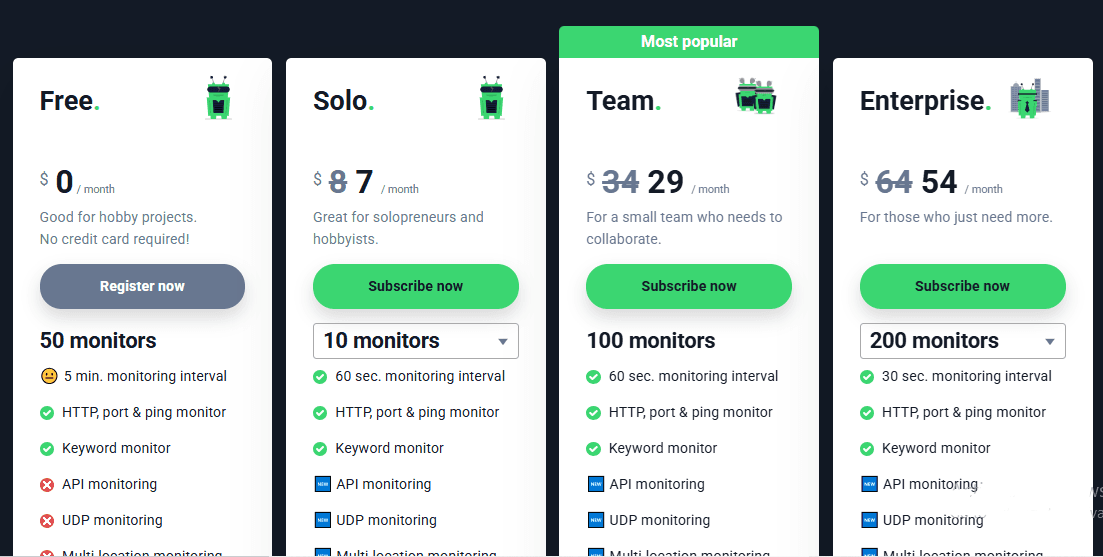
- Free: 50 monitors, 5-minute check intervals
- Solo ($7/month): 10 monitors, 1-minute checks
- Team ($29/month): 100 monitors with additional features
- Enterprise ($54/month): 200 monitors plus other features
Pros
- Generous free tier for small teams and solo developers.
- Simple setup with no technical complexity.
- Supports a wide range of notification channels, including Slack and Microsoft Teams.
Cons
- No built-in status page or incident management features
- Five-minute check intervals on the free plan may be too slow for production environments
Streamline Website Maintenance and User Communication With Instatus
Website maintenance is an ongoing process that supports site performance, security, and reliability across user experiences. Effective teams monitor proactively, communicate clearly during incidents, and treat maintenance as a core operational responsibility.
Instatus combines uptime monitoring, incident alerts, and status pages to help teams detect issues early and communicate updates in real time. It reduces time spent reacting to incidents so teams can focus on product work.
Try Instatus free today and start managing website health with real-time visibility and incident updates.

Get ready for downtime
Monitor your services
Fix incidents with your team
Share your status with customers