
Sentry Pricing Explained: Plans, Event Costs, and When to Add a Status Page
Quick Summary
Sentry pricing is usage based. Team and Business plans include unlimited users and monthly allowances for errors, logs, application metrics, spans, replays, uptime monitors, and cron monitors. Costs rise when your app sends more data than your plan includes. That works for debugging code, but teams that also need uptime monitoring and customer updates may benefit from a dedicated status page tool.
Is Sentry Pricing Built for What Your Team Actually Does?
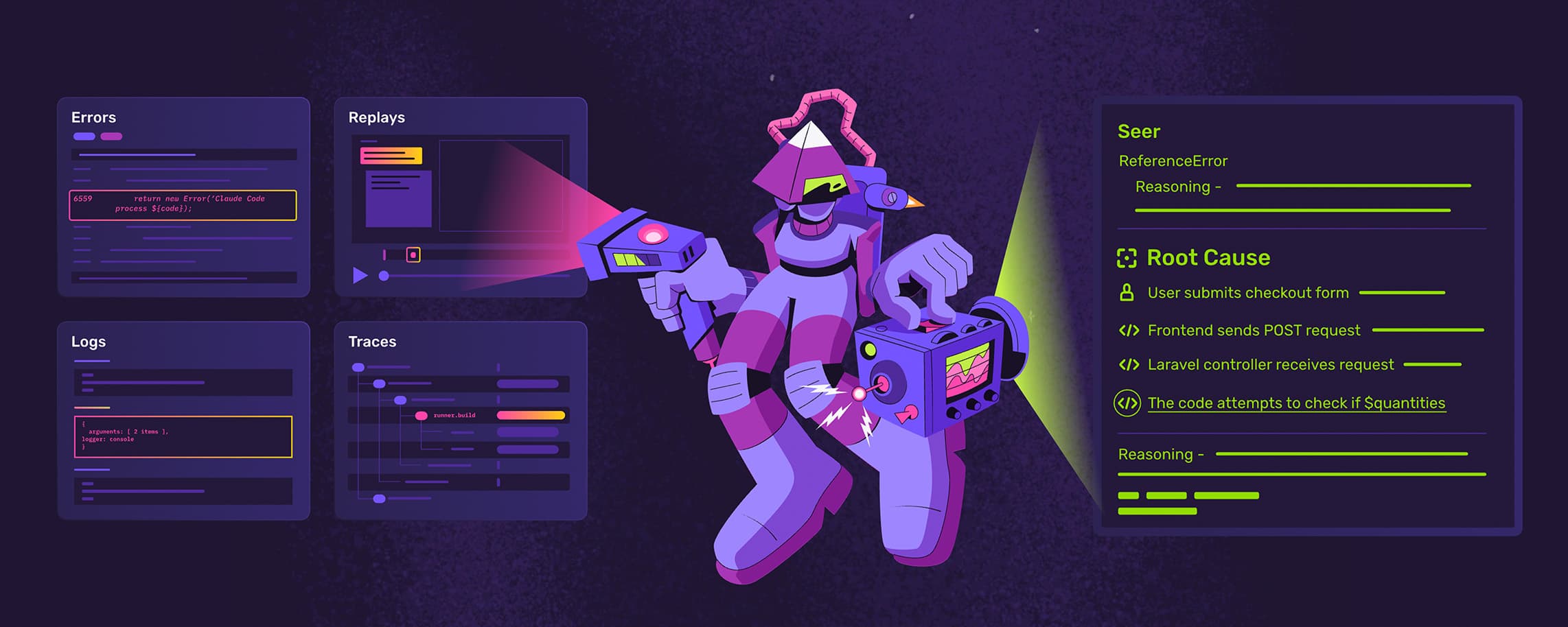
Sentry is built for error tracking, tracing and debugging. It helps engineers catch exceptions, inspect stack traces, group related issues and understand what changed in the code.
Its pricing follows that job. On paid plans, you are not paying per seat. You are paying for processed data across errors, logs, spans, replays, profiles and monitors. That is easy to manage when usage is steady, but harder when traffic spikes or a bad release floods Sentry with events. Sentry provides spike protection and quota controls to reduce this risk, although usage across billable categories still affects cost.
This Instatus guide explains Sentry pricing, the real cost drivers and when teams using Sentry mainly for uptime monitoring and customer updates add a simpler status page tool.
Why Listen to Us?
We built Instatus for teams that monitor services, fix incidents and share status with customers. Companies like Sketch, Airbyte, Harvard, Deno, Wistia, and Modern Treasury use Instatus, rated 4.8 on Capterra. We know where debugging tools help and where teams need a focused uptime and incident communication workflow.
How Sentry Pricing Works
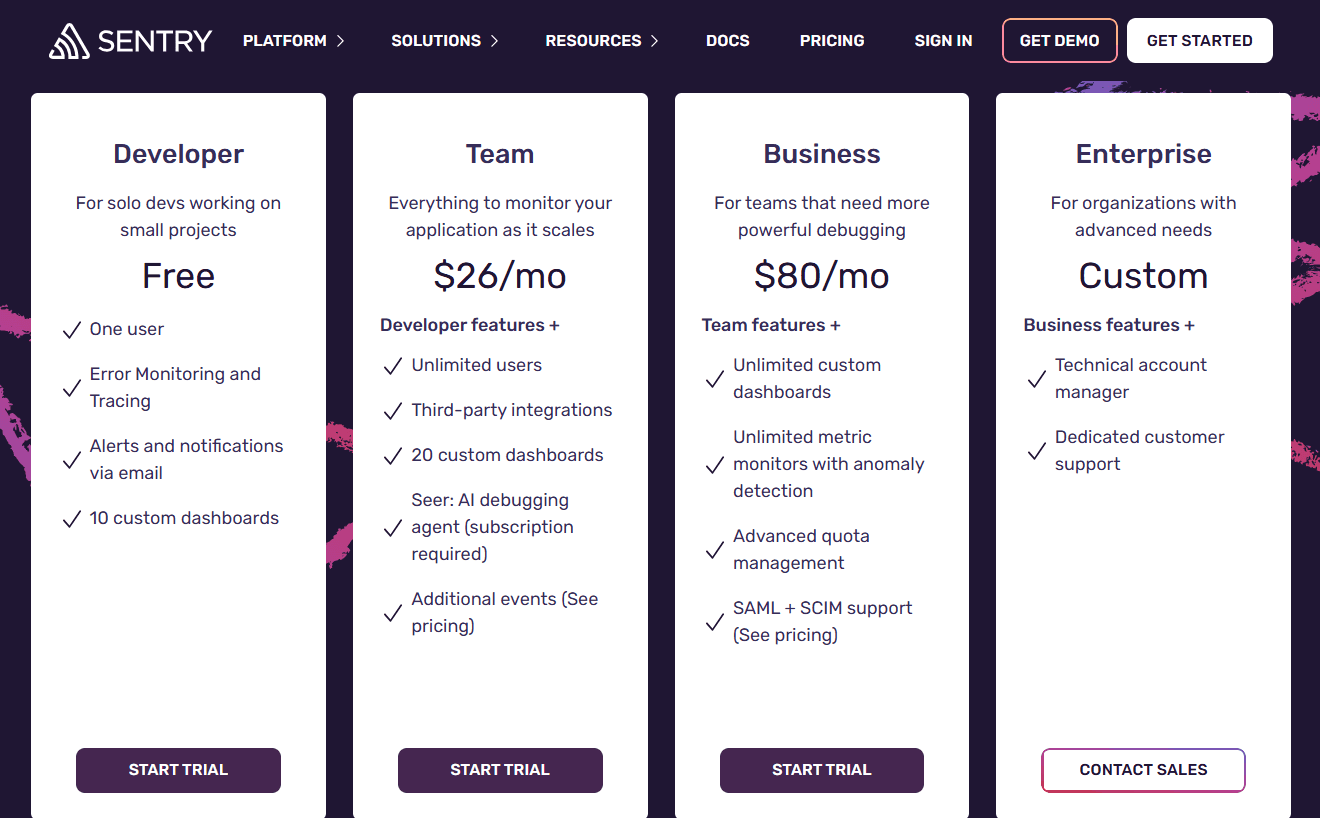
Sentry has four plans: Developer, Team, Business and Enterprise. Paid plans include 50,000 errors, 5GB logs, 5GB application metrics, 5 million spans, 50 replays, one uptime monitor, one cron monitor, 100 size analysis builds and 1GB of attachments.
Usage above those limits runs through reserved volume or pay-as-you-go budgets.
Developer, Free
The Developer tier is best for one person. It includes one user, 5,000 errors, error monitoring and tracing, email alerts, 10 custom dashboards and 30 days of history.
Team, $26 per Month
Team costs $26 per month billed annually, or $29 monthly, with default prepaid data. It adds unlimited users, third-party integrations, 20 custom dashboards and more event volume. Seer AI Debugger is available as an add-on subscription.
Business, $80 per Month
For teams that want more control, $80 billed annually, or $89 monthly. It carries everything in Team, plus unlimited dashboards, metric monitors with anomaly detection, advanced quota management, and SAML with SCIM.
Enterprise, Custom
Enterprise is for advanced security, support and compliance needs. It adds custom usage limits, a technical account manager, dedicated support and custom pricing.
What Makes Your Sentry Bill Jump
The base plan is only part of the cost. Your bill moves when usage grows across different data categories:
- Errors: Paid plans include 50,000 errors. On Team, the first pay-as-you-go tier after that is $0.0003625 per error.
- Logs and Application Metrics: Sentry includes 5GB of logs and 5GB of application metrics. Extra log usage is $0.50 per GB.
- Spans: Tracing is billed through spans, so high-traffic services and detailed traces can add up.
- Session Replays: Paid plans include 50 replays, with extra replays billed separately.
- Uptime and Cron Monitors: Every plan includes one uptime monitor and one cron monitor. Extra uptime monitors cost $1 per month, and extra cron monitors cost $0.78 per month.
- Seer AI Debugger: Seer is an add-on priced at $40 per active contributor per month.
That is the mismatch for uptime and status page teams. Sentry costs follow debugging and event volume, while your daily need may only be uptime checks, responder alerts and customer updates.
Sentry Finds the Problem. Instatus Keeps Customers Informed.
Sentry earns its place when engineers need to find and fix bugs, but customer-facing incident communication is a different job.
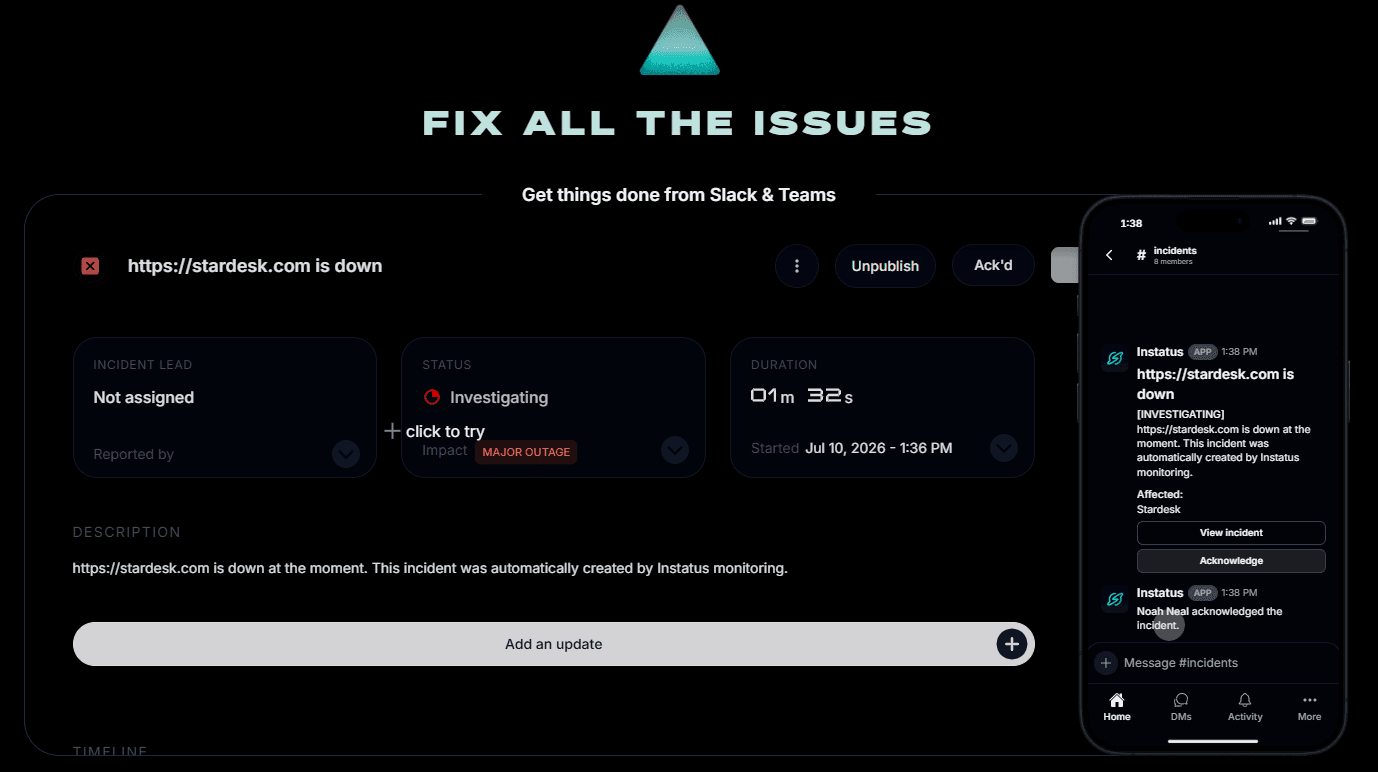
That is where Instatus fits. Use Sentry for code-level debugging, then use Instatus to monitor key services, notify the right people and keep customers updated through a branded status page.
Instatus Pricing
Instatus uses flat monthly plans, so teams can plan monitoring, alerts, on-call and status pages without event-based charges. Paying yearly gives you three months free.
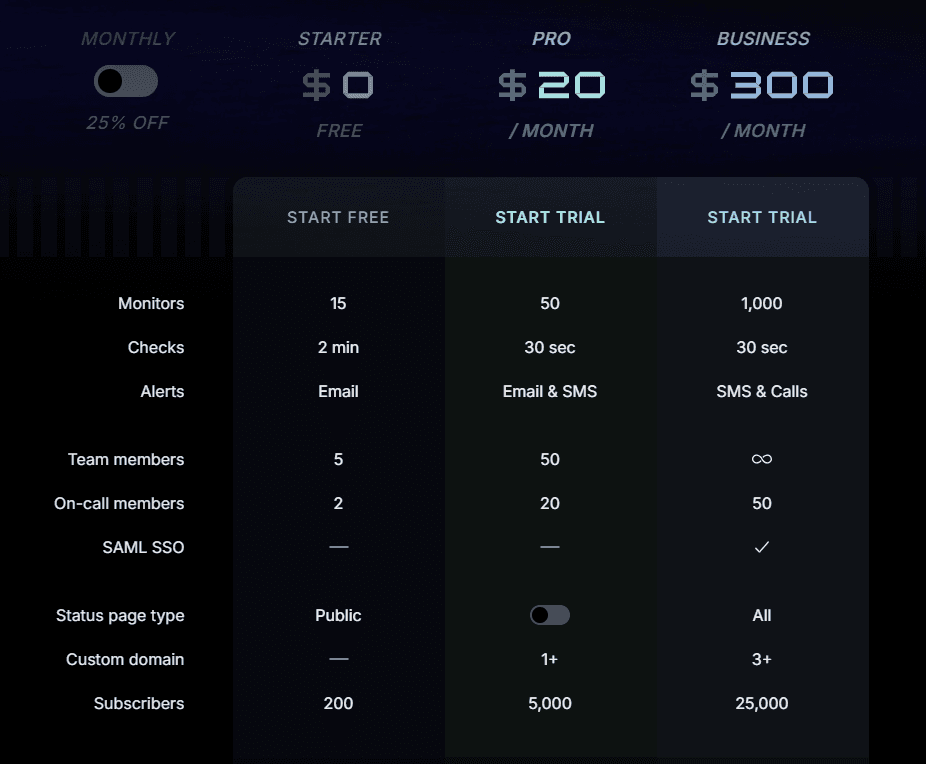
- Starter, Free: 15 monitors, 2-minute checks, email alerts, 5 members, 2 on-call, public page and 200 subscribers.
- Pro, $20/month: 50 monitors, 30-second checks, email/SMS alerts, 50 members, 20 on-call, 1+ custom domain and 5,000 subscribers.
- Business, $300/month: 1,000 monitors, 30-second checks, SMS/call alerts, 50 on-call, SAML SSO, all page types, 3+ custom domains and 25,000 subscribers.
- Enterprise, Custom: SCIM sync, priority support, 99.99% uptime SLA, multiple SSO, custom contracts and custom policies.
Why Teams Add Instatus for Uptime and Status Pages
Instatus helps teams handle what customers see when a service is down. It checks websites and APIs from multiple locations every 30 seconds, then alerts the right people when there is downtime, a slow response or unexpected content.
Teams can send alerts through email, SMS, Slack, Discord, Microsoft Teams, phone calls, webhooks or push notifications. They can also publish updates on public, private or select-audience status pages, so customers have one place to check incidents and maintenance instead of opening repeat tickets.
Instatus vs. Sentry
| Capability | Sentry | Instatus |
|---|---|---|
| Core job | Error tracking and debugging | Uptime monitoring and status pages |
| Uptime monitoring | 1 monitor included, then PAYG | 15 to 1,000 monitors by plan |
| Monitor types | Uptime, cron, metric, and build monitors, plus error monitoring | Website, API, Cron, Ping, TCP, UDP and DNS |
| Status pages | Not a dedicated status page product | Public, private and select-audience pages |
| Alert channels | Email and integrations | Email, SMS, calls, Slack, Discord and Microsoft Teams |
| Pricing model | Usage based across errors, logs, spans, replays and monitors | Flat plans |

Match the Tool to the Job
Sentry is stronger when engineers need to catch bugs, inspect errors and debug performance issues. But if your main need is uptime monitoring, alerts and customer-facing updates, Instatus gives you that workflow on a simpler flat plan.
Start for free with Instatus and get your status page, monitoring and incident response workflow ready before the next outage.

Get ready for downtime
Monitor your services
Fix incidents with your team
Share your status with customers