

Switch from Sentry
Import your Sentry uptime alerts and cron monitors into Instatus:
- Uptime alerts
- Cron monitors
How the import works
- Log in to Instatus or create a free account. The Sentry importer opens automatically in your dashboard.
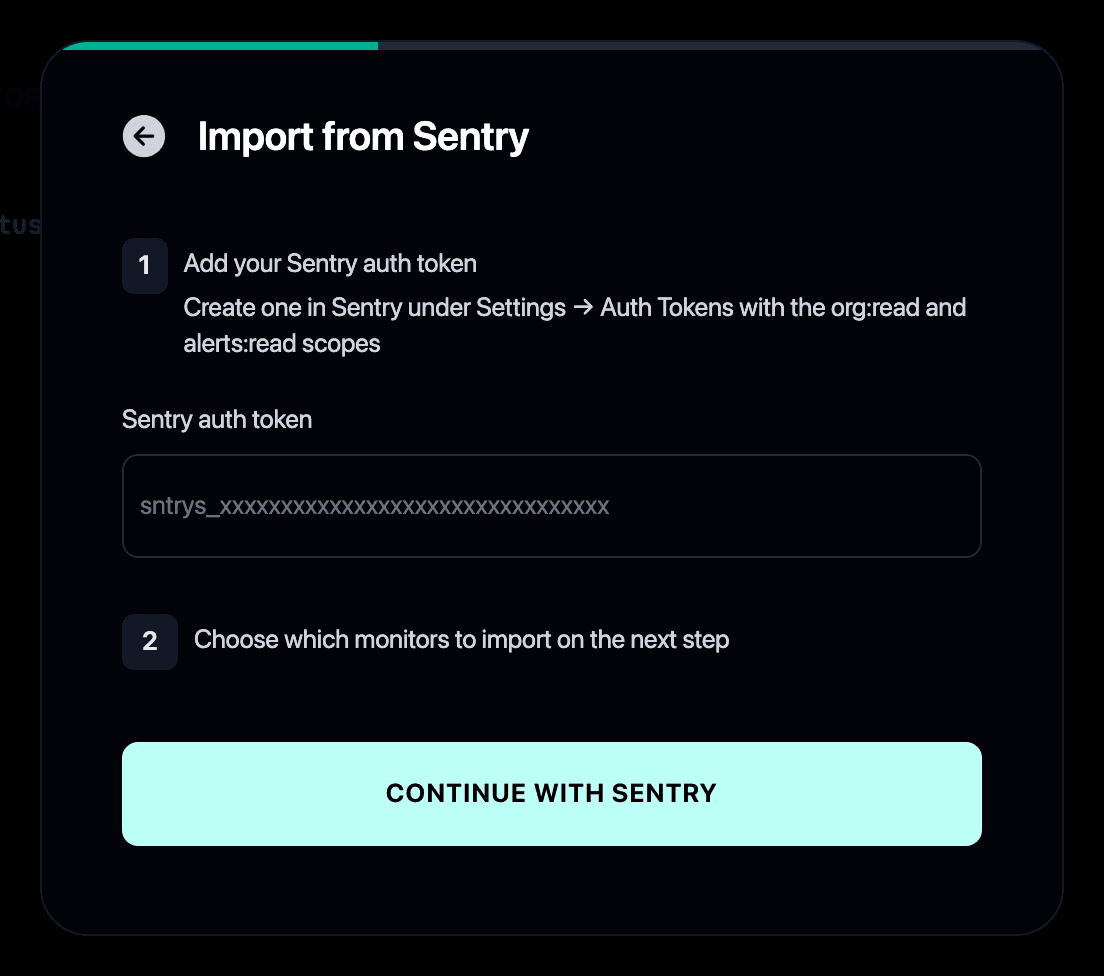
- Paste a Sentry auth token. Create one in Sentry under Settings → Auth Tokens with the org:read and alerts:read scopes.
- Select the alerts and cron monitors you want to import.
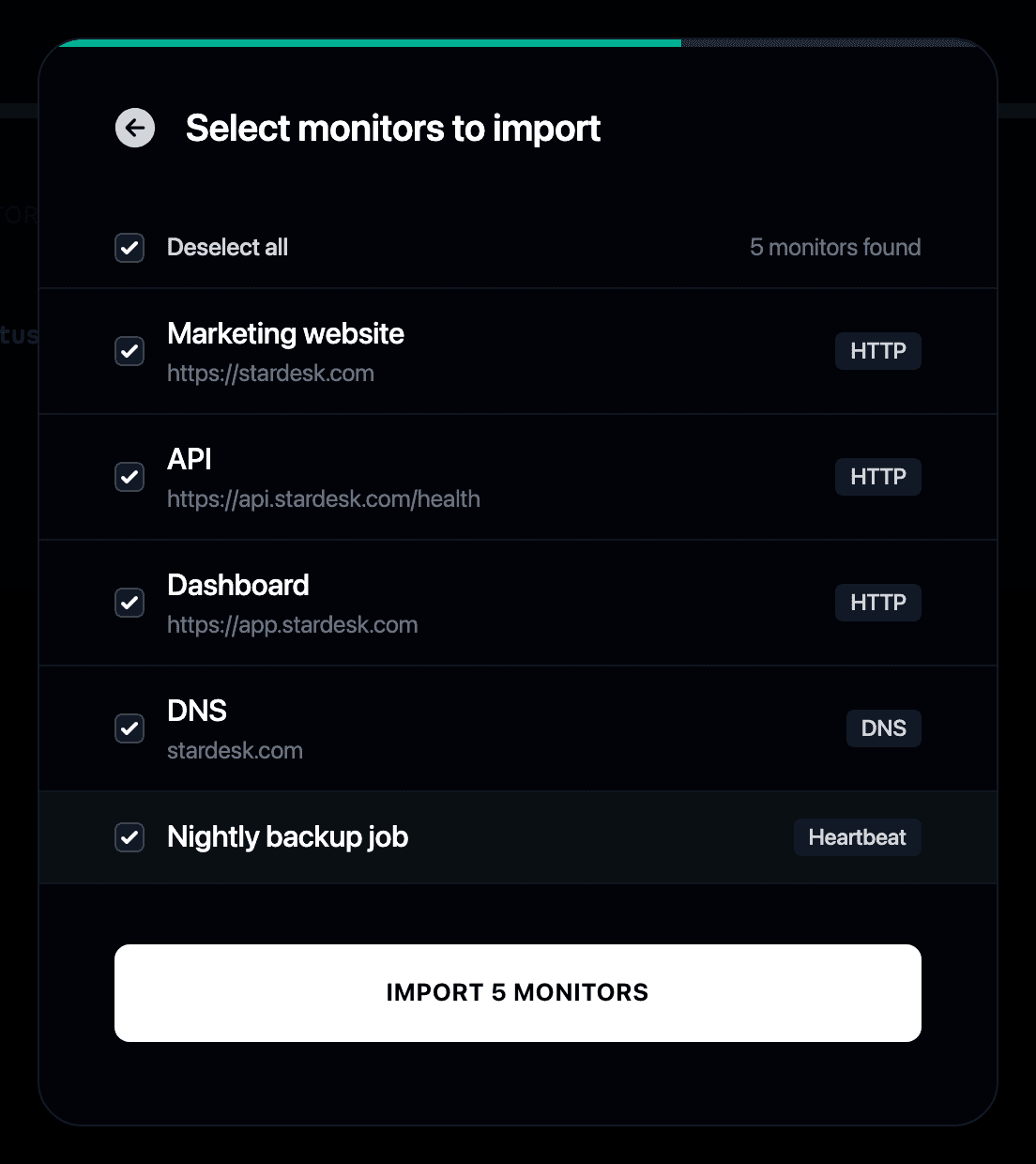
- Your monitors start checking immediately and can update your status page automatically.
Why switch from Sentry to Instatus?
- Sentry tells your team when something breaks, Instatus tells your users
- Your Sentry uptime alerts and cron monitors become Instatus monitors
- The same checks that page your team keep your public status page honest
- See the full Instatus vs Sentry comparison
- If Sentry is your only monitoring today, our Sentry alternatives roundup covers the wider field