

PagerDuty Pricing: Plans, Costs, and a Simpler Alternative
Quick Summary
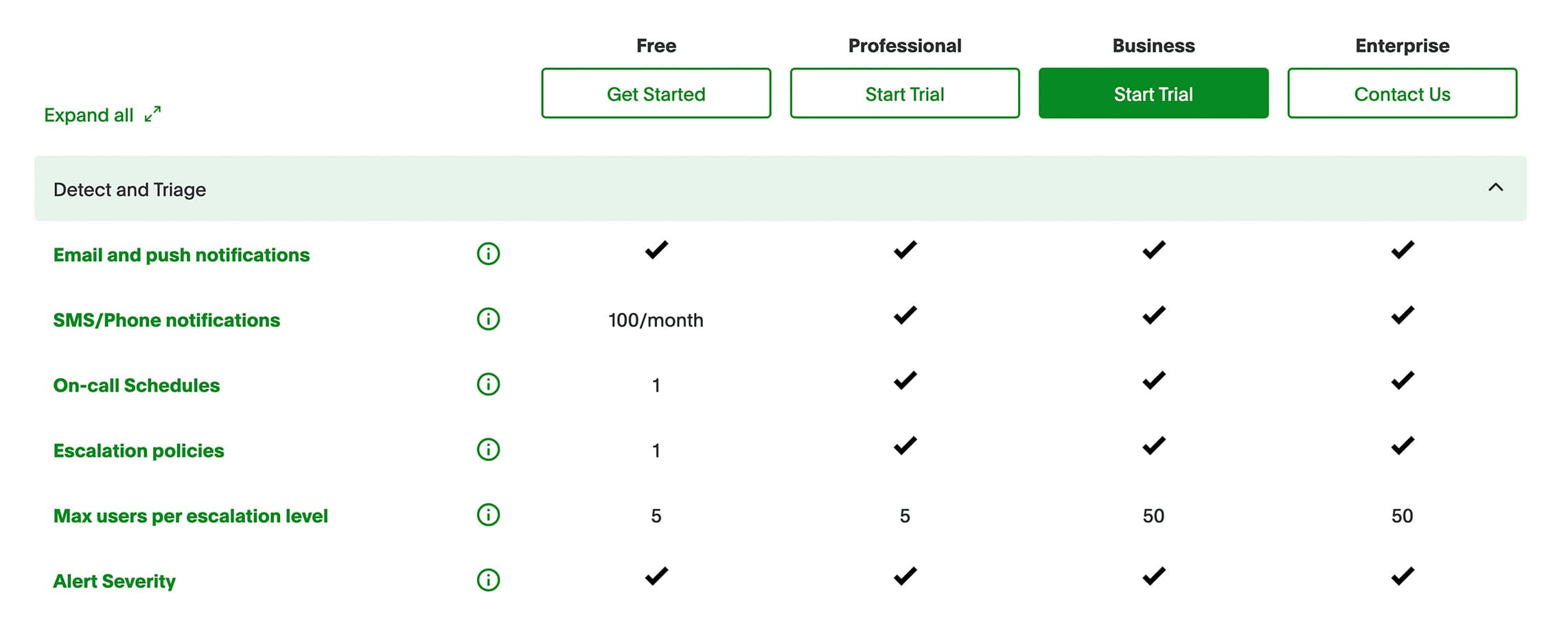
PagerDuty pricing starts with a free plan, then moves into paid per-user plans for incident response. The real cost depends on users, schedules, add-ons, status pages, and AI needs. For SaaS teams that need uptime monitoring, alerts, incident response, and customer updates, Instatus is a simpler fit.
Wondering What PagerDuty Actually Costs?
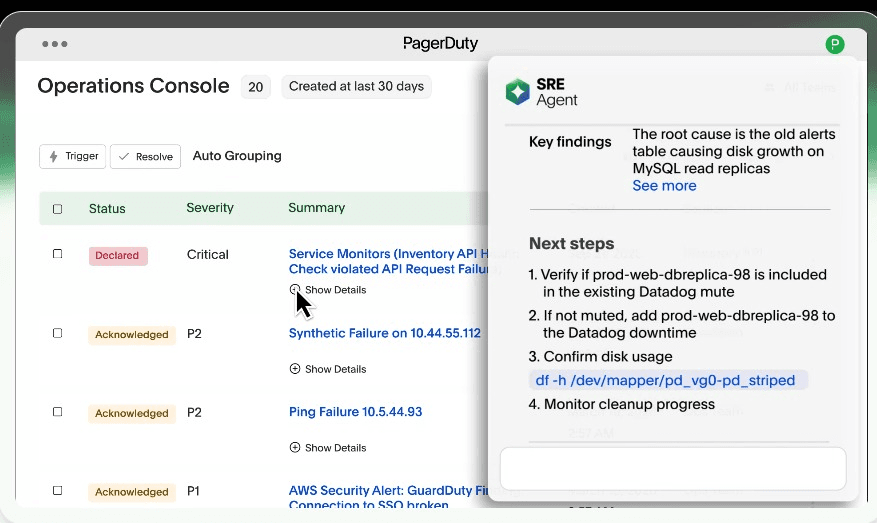
PagerDuty is a well-known incident management and on-call tool for teams that need escalation, automation, and enterprise workflows. But the real pricing question is not only what PagerDuty costs. It is how many people need access, which features you need, and what extra tools sit around it.
This Instatus guide breaks down PagerDuty pricing, common cost drivers, and when a simpler monitoring, alerting, incident response, and status page platform fits better.
Why Listen to Us?
We build Instatus, a status page and incident communication tool for teams that need to stay reliable when something breaks. Our customers include Sketch, Airbyte, Harvard, Deno, Wistia, and Modern Treasury, who rely on it during real incidents. That gives us a practical view of what SaaS teams need before, during, and after an incident.

PagerDuty Incident Management Pricing Plans
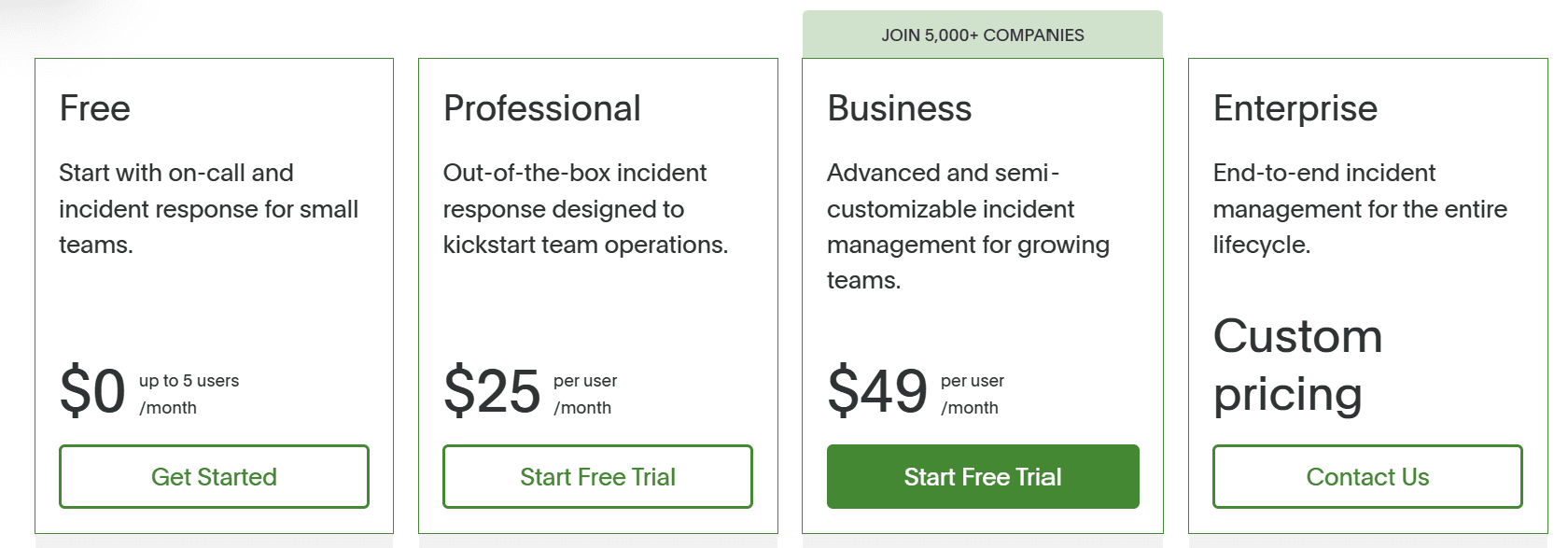
PagerDuty helps engineering, DevOps, ITOps, and support teams manage incidents from detection to resolution. It currently offers four incident management plans with monthly pricing:
Free: Best for Small Teams Testing On-Call Response
The Free plan is for small teams that want to try PagerDuty without paying upfront. It includes:
- Up to 5 users
- 100 international phone/SMS notifications per month
- 1 on-call schedule and 1 escalation policy
- Included API calls
- 750+ monitoring and chat integrations
- No maintenance windows
Professional: Best for Teams Starting Formal Incident Response
The Professional plan costs $25 per user/month and is built for teams moving beyond basic alerting. It includes everything in Free, plus:
- Basic Slack and Microsoft Teams chat experience
- More phone/SMS notifications, schedules, and escalation policies
- Major incident workflow template with limited triggers and actions
- External status page for up to 250 subscribers
- 2 predefined incident roles and 3 predefined incident types
- 2 teams
- SSO
- Basic ticketing integrations
- Email support
- Post-incident reviews
- PagerDuty Advance with 1,000 one-time credits
Add-ons include AIOps, Stakeholder License, Status Pages, Live Call Routing, and more PagerDuty one-time AI Actions.
Business: Best for Growing Teams with Advanced Workflows
The Business plan costs $49 per user/month and gives growing teams more control over workflows, admin settings, and incident data. It includes everything in Professional, plus:
- Custom fields
- Up to 3 custom incident types
- Expanded incident workflow triggers and actions
- Advanced admin features and advanced ITSM integrations
- Multi-year historical data access
- Internal status pages
- External status page for up to 500 subscribers
- PagerDuty Advance with 5,000 one-time credits
The same main add-ons are available, including AIOps, Stakeholder License, Status Pages, Live Call Routing, and more one-time AI Actions.
Enterprise: Best for Large Organizations
Enterprise is custom-priced and built for complex incident operations across many teams and services. It includes everything in Business, plus advanced features for end-to-end incident management for the entire lifecycle.
What Affects the Real Cost of PagerDuty?
The seat price is only the starting point. Most responders require paid seats, while PagerDuty also offers lower-cost stakeholder licenses for read-only business users. That matters because incident response is rarely one-person work.
A SaaS team may start with five engineers, then add support, customer success, and engineering leads for visibility. The bill reflects the full response workflow, not only the people fixing the bug.
Before choosing a plan, calculate:
- Engineers on call
- Escalation schedules
- Stakeholders who need access
- SMS and phone alert needs
- Status page requirements
- AI or AIOps needs
- Monitoring tools you still need
PagerDuty's AIOps product is listed from $799/month. That can help teams with noisy alerts and complex operations, but it should still be counted in your total cost.
PagerDuty is strongest for large engineering and mature SRE teams that already have monitoring, observability, and customer communication tools. It may be too much if you mainly need uptime checks, alerts, and fast customer updates.
Instatus: A Simpler PagerDuty Alternative for SaaS Teams
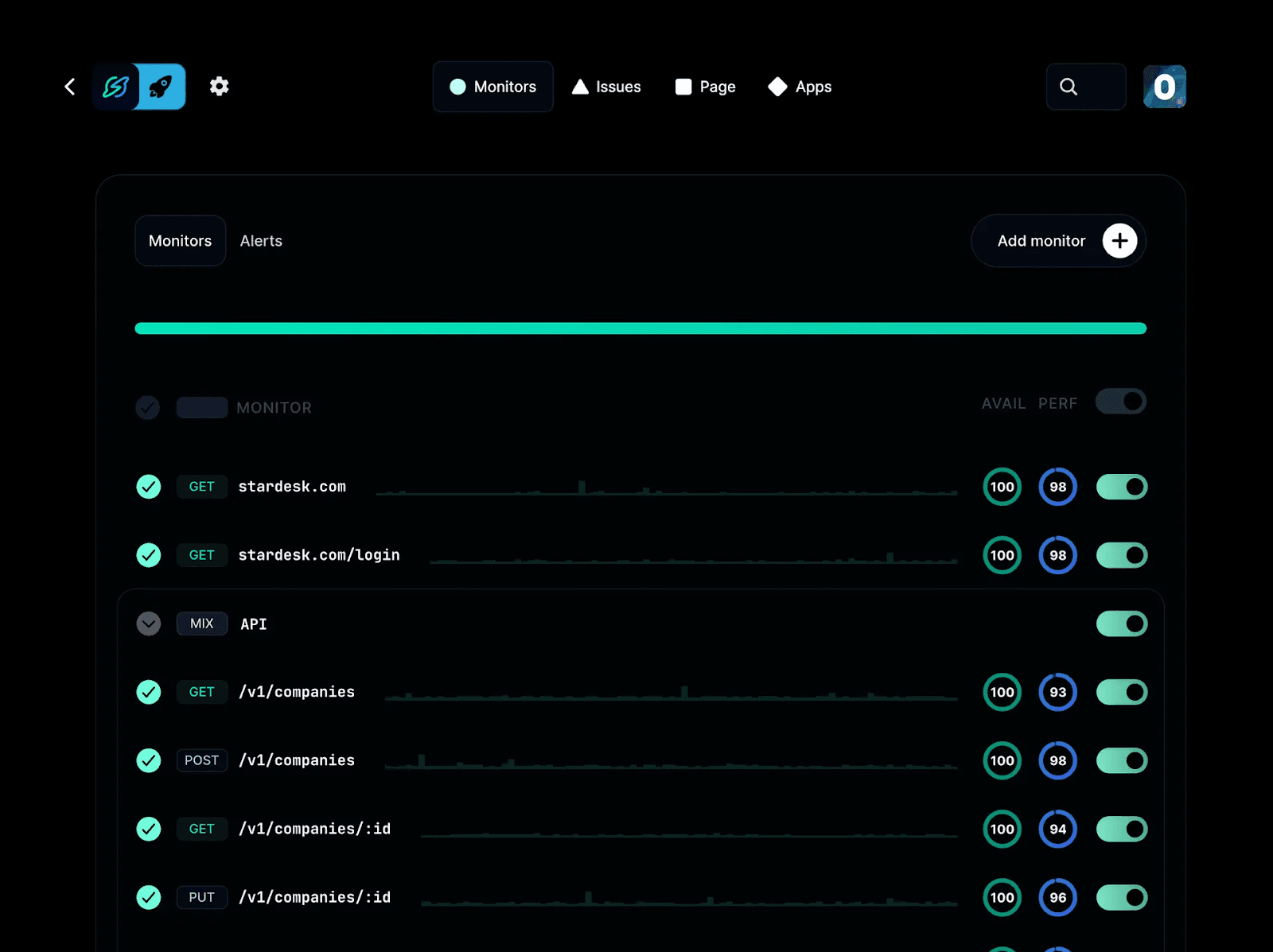
Unlike PagerDuty, Instatus pricing is easier to plan around because we do not price every responder as a separate paid seat. Instead, our plans bundle the core pieces teams need to monitor services, alert responders, manage incidents, and keep customers updated.
| Plan | Monthly Cost | Best For | What You Get |
|---|---|---|---|
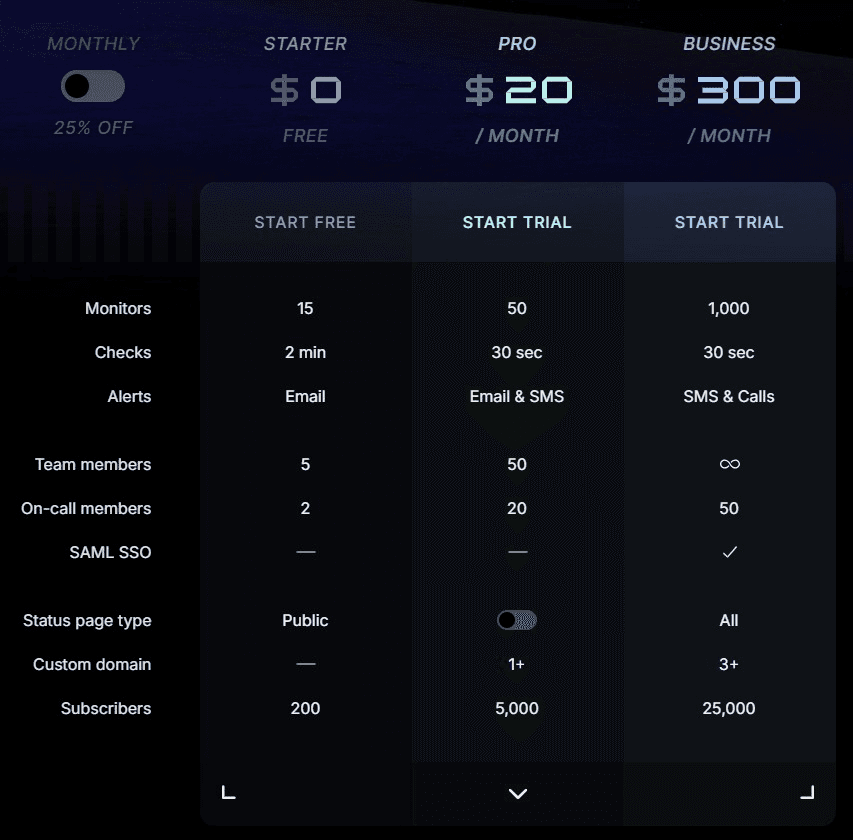
| Starter | $0 | Small teams getting started for free | 15 monitors, 2-minute checks, email alerts, 5 team members, 2 on-call members, public status page, and 200 subscribers |
| Pro | $20 | Growing teams that need faster checks and more alerts | 50 monitors, 30-second checks, email and SMS alerts, 50 team members, 20 on-call members, 1+ custom domain, and 5,000 subscribers |
| Business | $300 | Larger teams that need more capacity | 1,000 monitors, 30-second checks, SMS and call alerts, 50 on-call members, SAML SSO, all status page types, 3+ custom domains, and 25,000 subscribers |
| Enterprise | Custom | Organizations with advanced security and support needs | SCIM directory sync, priority support, 99.99% uptime SLA, multiple SSO connections, custom contracts, and custom policies |
Why Choose Instatus?
PagerDuty is great if you need enterprise operations, deep workflow automation, and a central incident hub for a large engineering organization. However, Instatus shines when your team wants a simpler way to monitor uptime, alert responders, manage incidents, and keep customers updated from one place.
Instead of paying per responder and stitching together separate tools for monitoring, on-call alerts, and status pages, Instatus gives SaaS teams a more predictable setup.
We bundle native uptime monitoring, email/SMS/call alerts, on-call members, incident workflows, and public or private status pages into clear plans.
That makes Instatus a strong fit if you want to:
- Monitor websites, APIs, SSL, TCP, ping, DNS, and keywords
- Run checks as fast as every 30 seconds on paid plans
- Alert teams through email, SMS, calls, Slack, Discord, and Microsoft Teams
- Manage incidents through Slack and Microsoft Teams workflows
- Publish updates to customers through a branded status page
- Avoid per-user pricing that grows every time more people need incident visibility
This gives your team one place to catch issues, coordinate the fix, and keep customers informed without adding pricing surprises every time your response team grows.
Start Free With Instatus Before Your Next Incident
If your goal is to detect issues early, respond quickly, and communicate clearly during downtime, Instatus gives you the essential features without turning incident management into another complex project.
Start free with Instatus and get your monitoring, status page, and incident response workflow ready.

Get ready for downtime
Monitor your services
Fix incidents with your team
Share your status with customers