

Downtime vs Uptime: What They Mean and Why Both Matter for Your Business

Quick Summary
Uptime tracks how long your service is operational, while downtime measures how long it is not. The key difference between teams that handle outages effectively and those that do not is how quickly they detect issues and how clearly they communicate when problems arise. This guide covers both, including the costs and how to stay ahead of them. For more on incident communication and uptime monitoring, explore the Instatus blog.
What 99% Uptime Really Costs Your Business
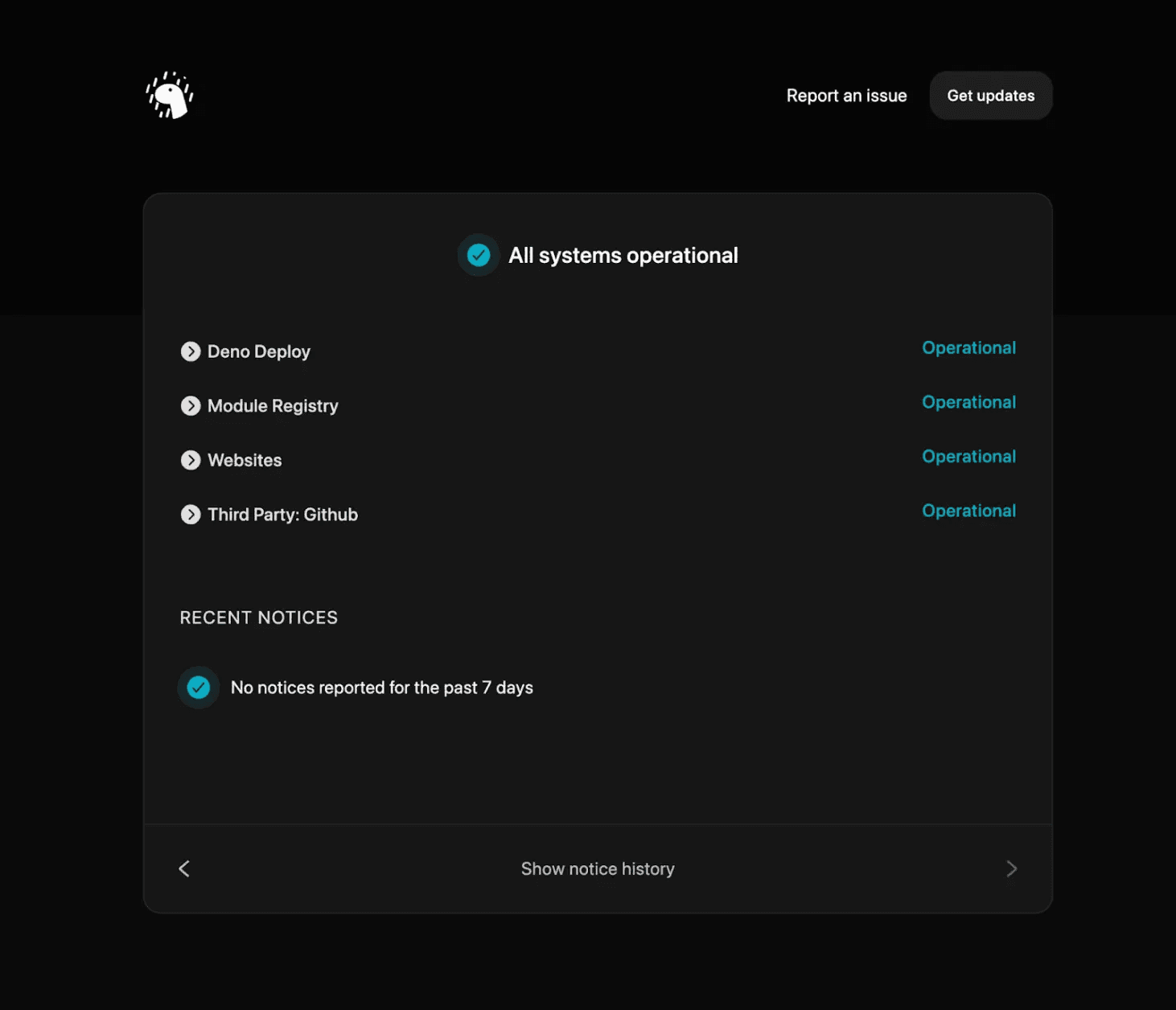
In the debate of downtime vs uptime, uptime often looks like the winner on paper. Many teams celebrate 99% uptime as a success metric, but when you break it down, it tells a different story. At 99%, your service is still down for more than 87 hours a year, nearly 3.6 days of customers facing errors, delays, and disruption.
The difference between downtime and uptime is not just a percentage. Uptime reflects availability, while downtime reflects real user impact. What matters most is not the number on a dashboard, but how quickly issues are detected, how fast teams respond, and how effectively customers are informed during outages.
This Instatus guide breaks down downtime vs uptime, what each really means, the true cost of downtime, and how high-performing teams manage both more effectively.
Why Listen to Us?
At Instatus, we support DevOps and SaaS teams across 10,000+ status pages globally, including those at Deno, Harvard University, Wistia, and Sketch. We are embedded in their incident workflows, giving us a firsthand view of what makes the difference between a well-managed outage and one that erodes customer trust.
Downtime vs Uptime: An Overview
In simple terms, uptime and downtime describe the same system from opposite perspectives. Uptime refers to the amount of time a service is available and functioning as expected, while downtime measures the periods when that same service is unavailable or disrupted. Together, they form the foundation of how businesses measure reliability and system performance.
Understanding the difference between downtime and uptime is essential because it directly reflects user experience. High uptime suggests stability and reliability, while downtime highlights interruptions that can impact customers, revenue, and trust. In practice, no system has perfect uptime, which makes monitoring both metrics critical for maintaining service quality and responding quickly when issues occur.
What Is Uptime?
Uptime refers to the percentage of time a system, service, or website is fully operational and accessible to users. It’s a key metric in Service Level Agreements (SLAs) and signals to both customers and your team how reliable your product is.
A 99.9% SLA commits to no more than 8.76 hours of downtime per year, while enterprise services often aim for 99.99%, just 52.56 minutes annually.
Though the gap seems small, achieving this level of reliability requires significant investment in redundant systems, automated failovers, and global load balancing, a fundamentally different infrastructure approach.
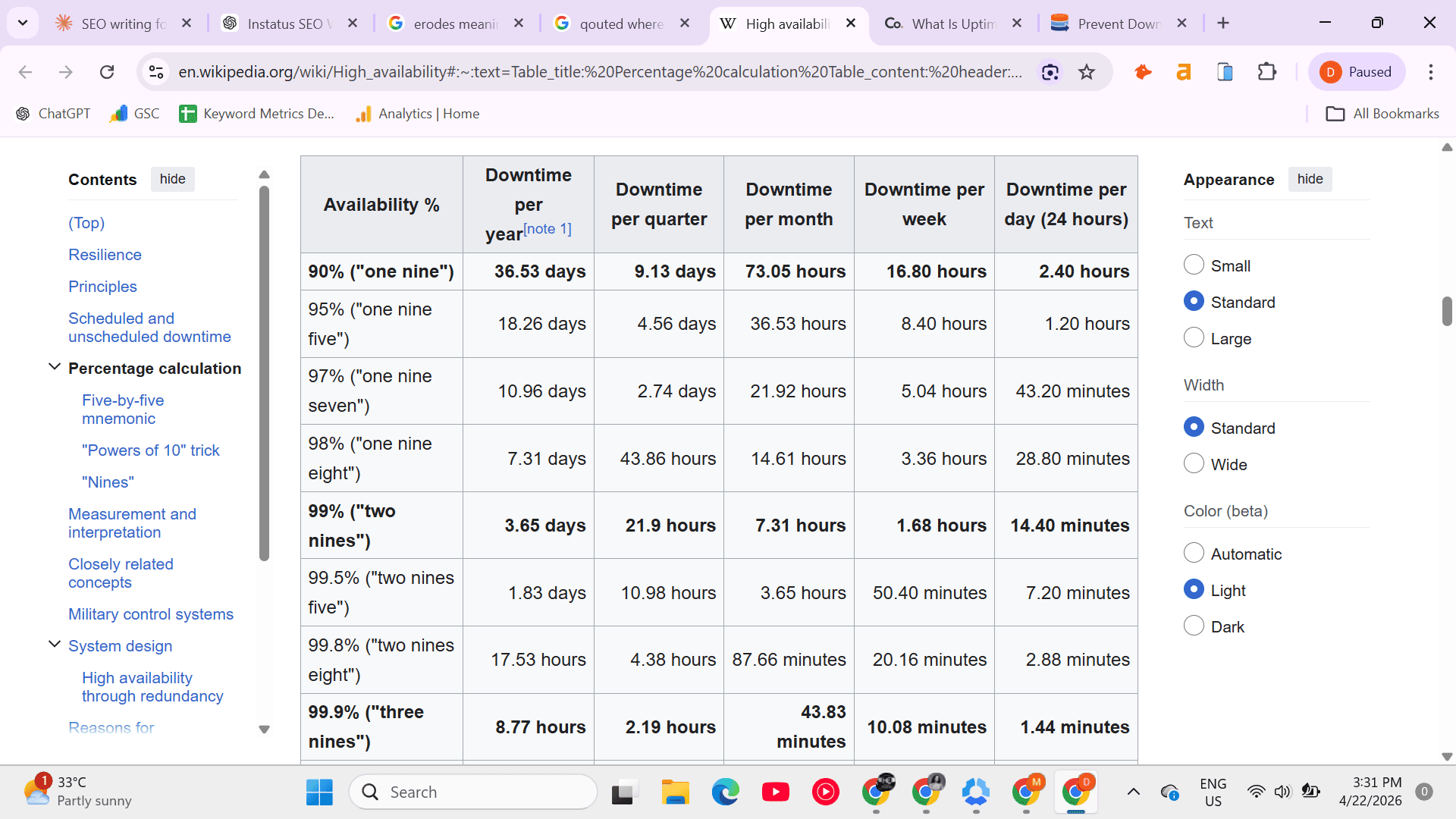
For SaaS products, uptime is also a sales tool. Teams like Deno publish historical uptime publicly on their status pages because transparency about reliability builds confidence before a demo ever gets scheduled. Buyers notice when you show your numbers. They notice even more when you hide them. Instatus makes this straightforward. Teams can publish branded public status pages with historical uptime data, incident timelines, and real-time service health, giving buyers the visibility they expect before they ever speak to sales.
The Nines: What Uptime Percentages Actually Mean in Real Time
The industry uptime targets are often referred to as "the nines." Here’s what each level actually costs in downtime over the course of a year:
- 99% uptime: more than 87 hours 36 minutes down per year / 7 hours 12 minutes per month
- 99.9% uptime: 8 hours 45 minutes 36 seconds down per year / 43 minutes 12 seconds per month
- 99.95% uptime: 4 hours 22 minutes 48 seconds down per year / 21 minutes 36 seconds per month
- 99.99% uptime: 52 minutes 36 seconds down per year / 4 minutes 23 seconds per month
- 99.999% uptime: 5 minutes 15 seconds down per year / 26 seconds per month
Most SaaS products fall between 99.9% and 99.99% uptime. The leap from 99% to 99.9% alone reduces downtime by nearly 79 hours annually. The key is understanding the uptime tier you are actually achieving, not just the one listed in your SLA.
What Is Downtime?
Downtime is any period during which a service is unavailable or performing outside acceptable parameters. It comes in two forms, and treating them the same is where most teams go wrong.
- Planned Downtime (intentional): This includes scheduled maintenance, deployments, and database migrations, events your team controls and communicates in advance. Handled well, planned downtime barely registers with users because they already knew it was coming.
- Unplanned Downtime: According to Splunk's State of Observability 2023 report, 76% of organizations report that unplanned downtime can cost up to $500,000 per hour. While smaller SaaS teams may face lower direct costs, the reputational damage can be just as significant.
Planned downtime requires clear communication ahead of time. Meanwhile, unplanned downtime demands speed, fast detection, rapid response, and transparent updates to users while the issue is being resolved.
What Causes Downtime?
Most outages can be traced back to a few common causes:
- Infrastructure Failures: System failures, software or hardware issues, cloud provider outages, and network disruptions can cause this. Even major providers like AWS, GCP, and Azure have experienced regional incidents that affected thousands of services at once. Instatus monitors websites, APIs, SSL certificates, DNS, TCP, and more every 30 seconds from global locations, so your team is alerted the moment something changes before users start reporting it.
- Bad Deployments: A misconfigured environment variable or an untested migration can bring a service offline seconds after going live.
- Third-Party Dependencies: Services like payment gateways, authentication providers, and CDNs can cause downtime. When platforms like Stripe or Cloudflare go down, every service built on them feels the impact.
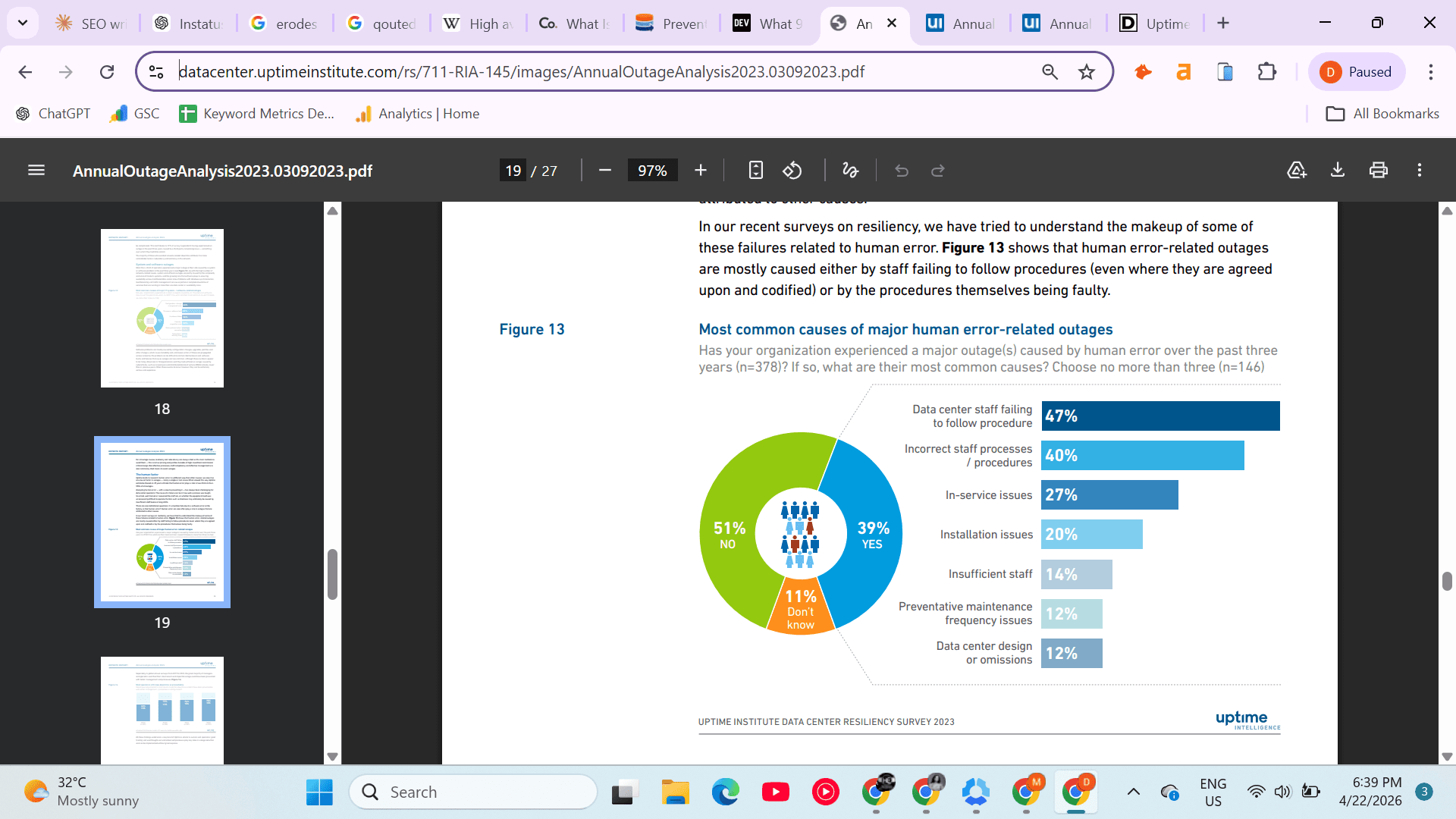
- Human Error: According to the Uptime Institute’s 2023 Annual Outage Analysis, human error and management or process failures play a major role in outages, contributing to roughly two-thirds to four-fifths of incidents.
- Traffic Spikes: Unanticipated surges from product launches or viral moments can overwhelm infrastructure that is not built to scale automatically.
How Downtime Actually Hurts Your Business
Downtime is not just an inconvenience. It impacts your revenue, reputation, and team all at once.
Here’s how:
- Direct Revenue Loss: Every minute of downtime during peak hours means missed transactions. A checkout failure on a billing renewal day is much more costly than an outage at 3 AM.
- Customer Trust Erosion: Downtime quickly erodes customer trust. The reputational impact often outweighs the financial loss, making it harder to regain confidence over time.
- Support Overload: Without clear communication, support tickets can spike 3–5x in the first hour. A live status page reduces this by giving users a place to check updates. Instatus status pages stay available even during outages, and subscriber notifications via email, SMS, Slack, and Microsoft Teams mean users are informed automatically, without your support team having to field every individual inquiry.
- Lost Opportunities: Downtime leads to missed opportunities, such as customers being unable to sign up, complete purchases, or access essential features when they need them most.
- SEO and Ranking Impact: Frequent downtime may negatively affect SEO rankings. Search engines may reduce crawl frequency and rankings if a site is regularly unavailable, impacting organic traffic over time.
How to Reduce Downtime and Protect Uptime
With the right strategies, you can minimize downtime through:
- Automated Monitoring: Instatus monitors websites, APIs, SSL certificates, and more every 30 seconds, sending instant alerts via email, SMS, Slack, Discord, and Microsoft Teams.
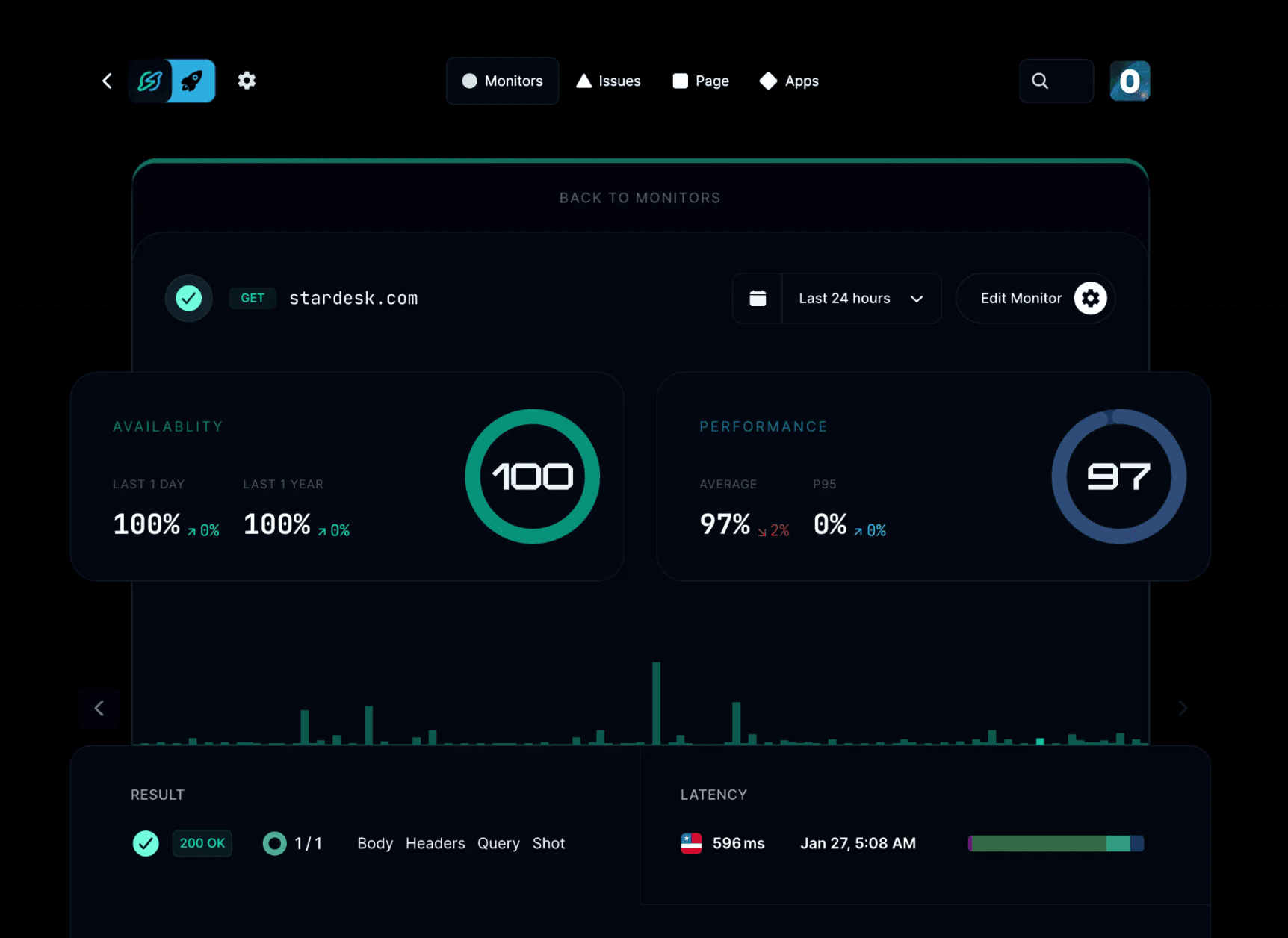
- Staging First: Always test deployments in staging first. This simple step prevents most avoidable outages.
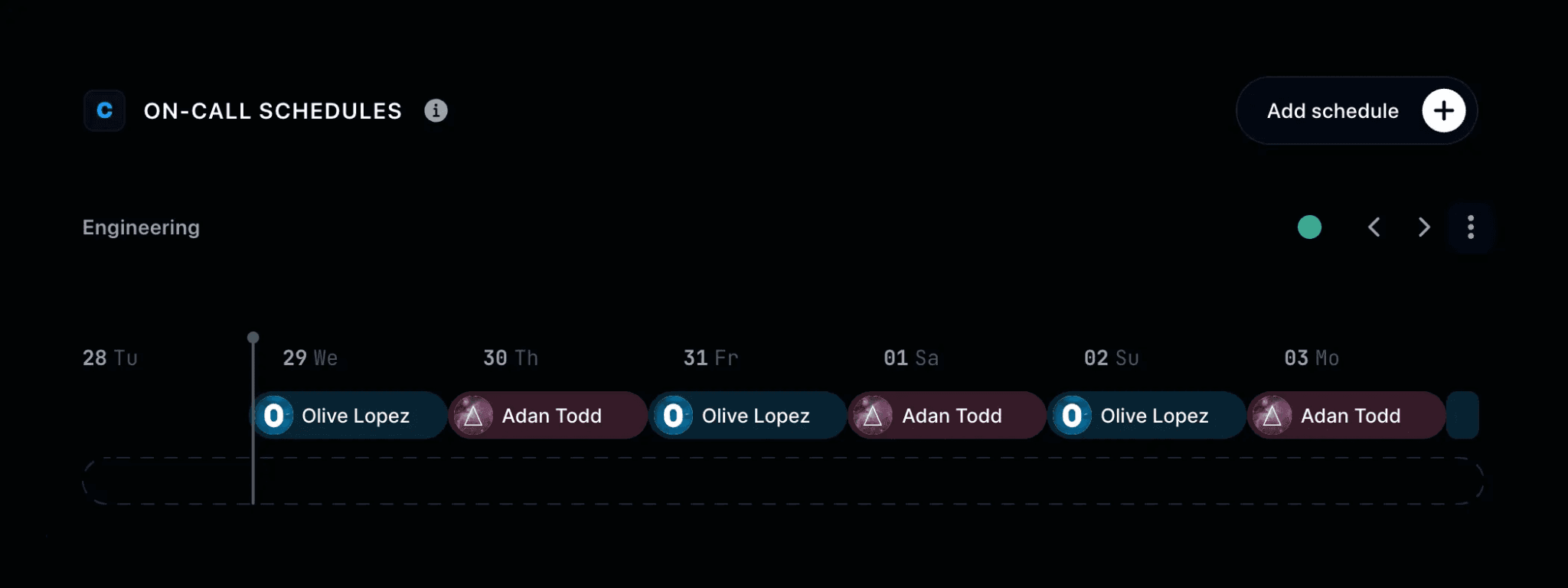
- Build On-Call Schedules: Set up on-call rotations, escalation rules, and Slack or Teams workflows to ensure fast response, even at 2 AM.
- Communicate Before Users Ask: Acknowledge incidents quickly and update your status page in real time to reduce support tickets and build trust.
- Use Automated Backups: Regular backups ensure fast recovery and minimize downtime when issues arise.
Key Differences Between Uptime and Downtime
Continuous Metric vs Discrete Event Tracking
Uptime is measured as a continuous ratio of operational time over a period (e.g., 99.9% availability over a month). It’s a statistical performance metric.
Downtime, however, is tracked as specific interruption events, minutes or hours when a system is unavailable, whether planned or unplanned.
In practice: uptime smooths reality into a percentage, while downtime logs the actual failure moments.
SLA Compliance vs Failure Accounting
Uptime is commonly used in SLAs (Service Level Agreements) to define reliability targets like “99.9% availability.”
Downtime is what determines whether that SLA is violated and whether penalties, credits, or breach conditions apply.
In practice: uptime is contractual; downtime is what triggers legal/business consequences.
System State vs User Interruption Reality
Uptime can still be recorded even when users experience degraded performance, as long as the system is technically “up.”
Downtime, by contrast, reflects actual interruption, when users cannot access the service or complete actions. This is why teams pair monitoring tools with a public status page, so the gap between system state and user experience is communicated clearly the moment an interruption is detected.
In practice: uptime may say “system is running,” while downtime says “users are blocked.”
Business Signal vs Operational Symptom
Uptime is used as a high-level reliability signal for leadership, customers, and procurement decisions (e.g., “five nines reliability”).
Downtime is an operational symptom, used by engineering teams to diagnose outages, failures, and infrastructure weaknesses.
In practice: uptime is what the business reports; downtime is what engineering investigates.
Protect Your Uptime and Communicate Downtime With Instatus
Uptime and downtime are not separate challenges. They are two sides of the same operational reality. The best teams manage both seamlessly, never letting users discover issues on their own and always keeping communication open when incidents occur.
Instatus provides your team with the monitoring, alerts, and communication tools to manage downtime effectively. From the first alert to the final resolution, your users stay informed, your support team remains focused, and your uptime history builds trust, helping you handle the next incident with confidence.
Get started with Instatus for free and turn your next downtime into an opportunity to build credibility.

Get ready for downtime
Monitor your services
Fix incidents with your team
Share your status with customers