

Switch from Freshstatus
Import your Freshstatus export into Instatus and migrate everything that matters:
- Components
- Incident history with updates
- Scheduled maintenances
- Subscribers
How the import works
- In Freshstatus, export your status page data as a ZIP file.
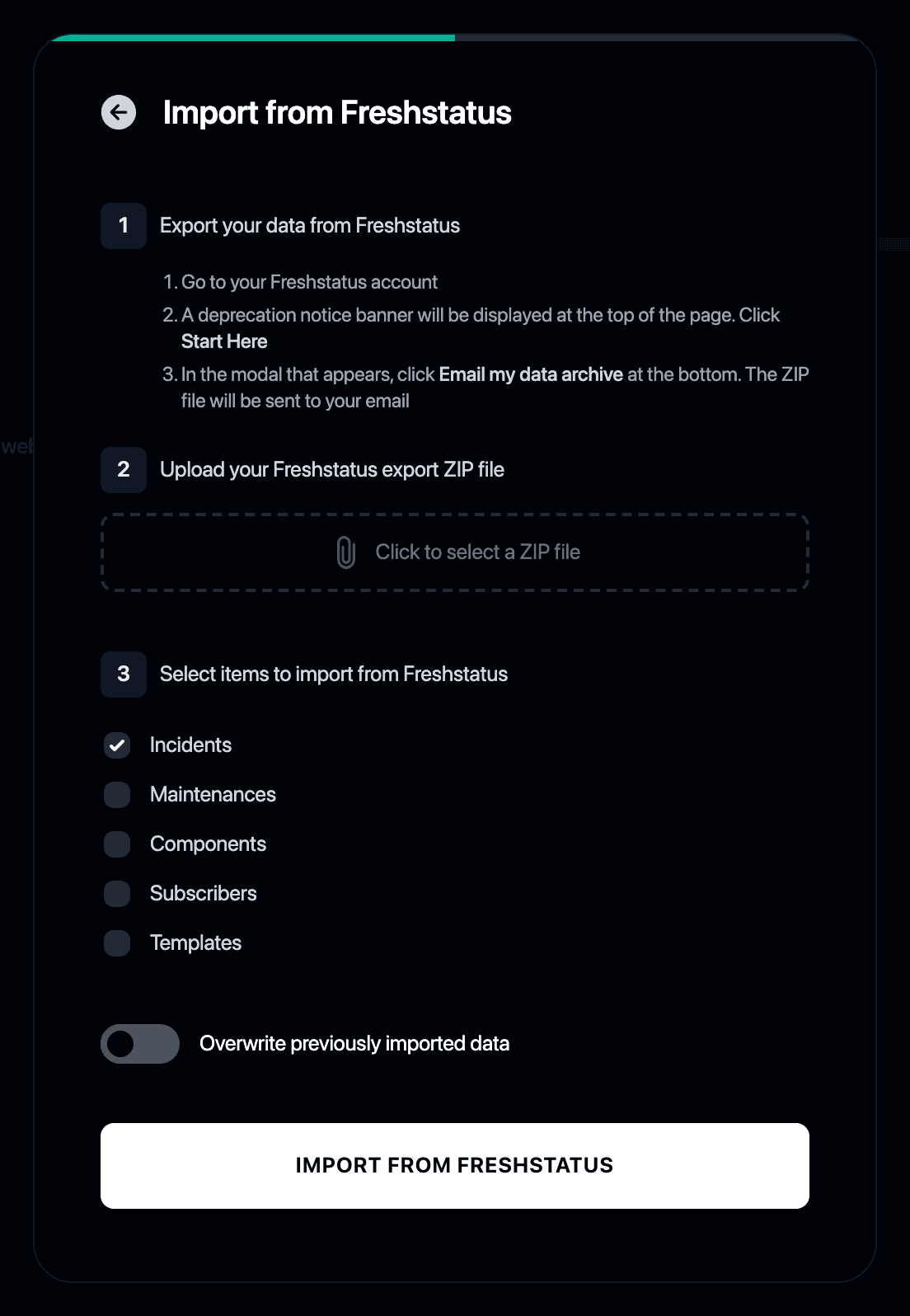
- Log in to Instatus or create a free account. The Freshstatus importer opens automatically in your dashboard.
- Upload the export ZIP file.
- Choose what to bring over: incidents, maintenances, components and subscribers.
- Review your new Instatus page. Everything from Freshstatus is in place.
Why switch from Freshstatus to Instatus?
- Freshstatus by Freshworks lets you export your entire status page as a ZIP file, and Instatus reads it directly
- No API keys needed, just upload the export
- Your history, components and subscribers move over in one go
- Freshstatus is one of the tools we cover in our roundup of free and open source status page tools