

Switch from UptimeRobot
Move your UptimeRobot monitors and status page into Instatus without starting over:
- Uptime monitors of every type, with their settings, groups and email, webhook and Microsoft Teams alert contacts
- The monitors on your status page, as components
- Incident history from announcements and the last 90 days of downtime
- Maintenance windows and notices
How the import works
- Log in to Instatus or create a free account. The UptimeRobot importer opens automatically in your dashboard.
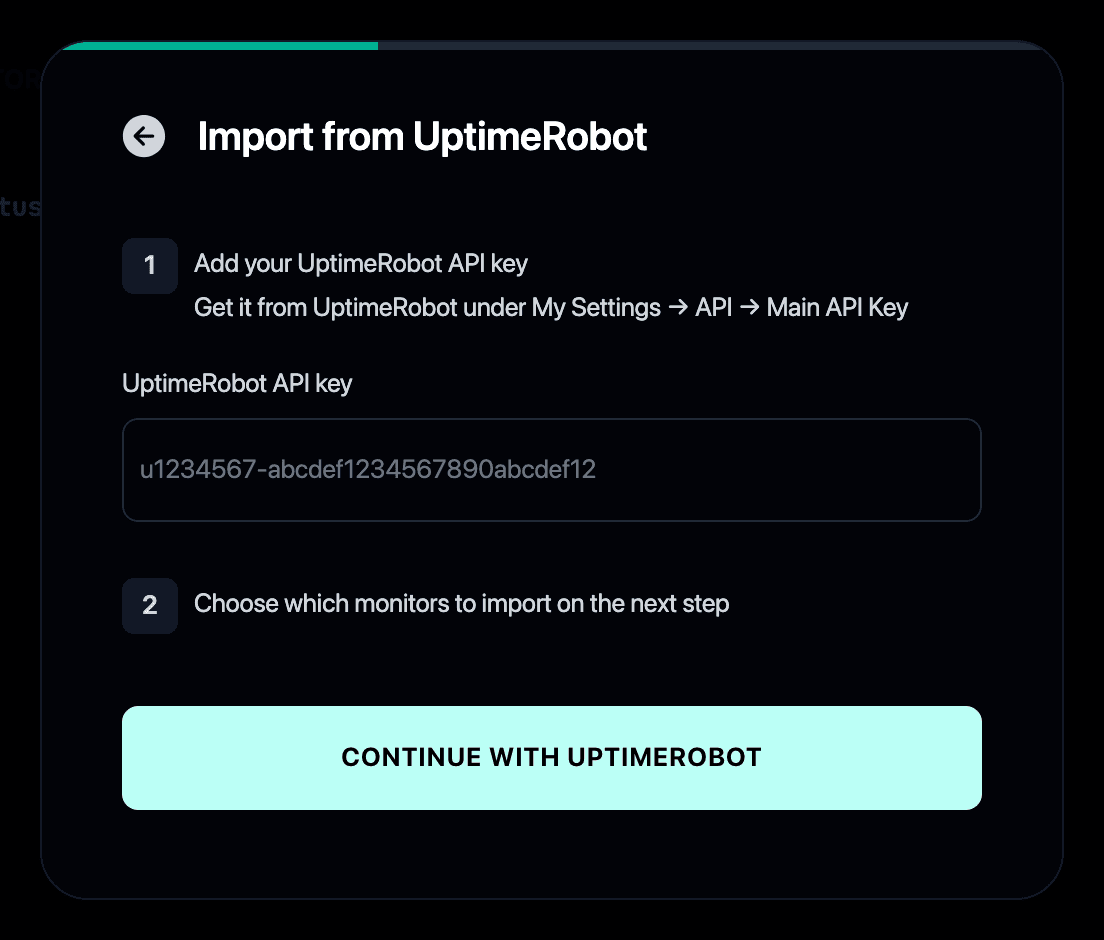
- Paste your UptimeRobot Main API Key. Find it in UptimeRobot under My Settings → API.
- Select the monitors you want to import.
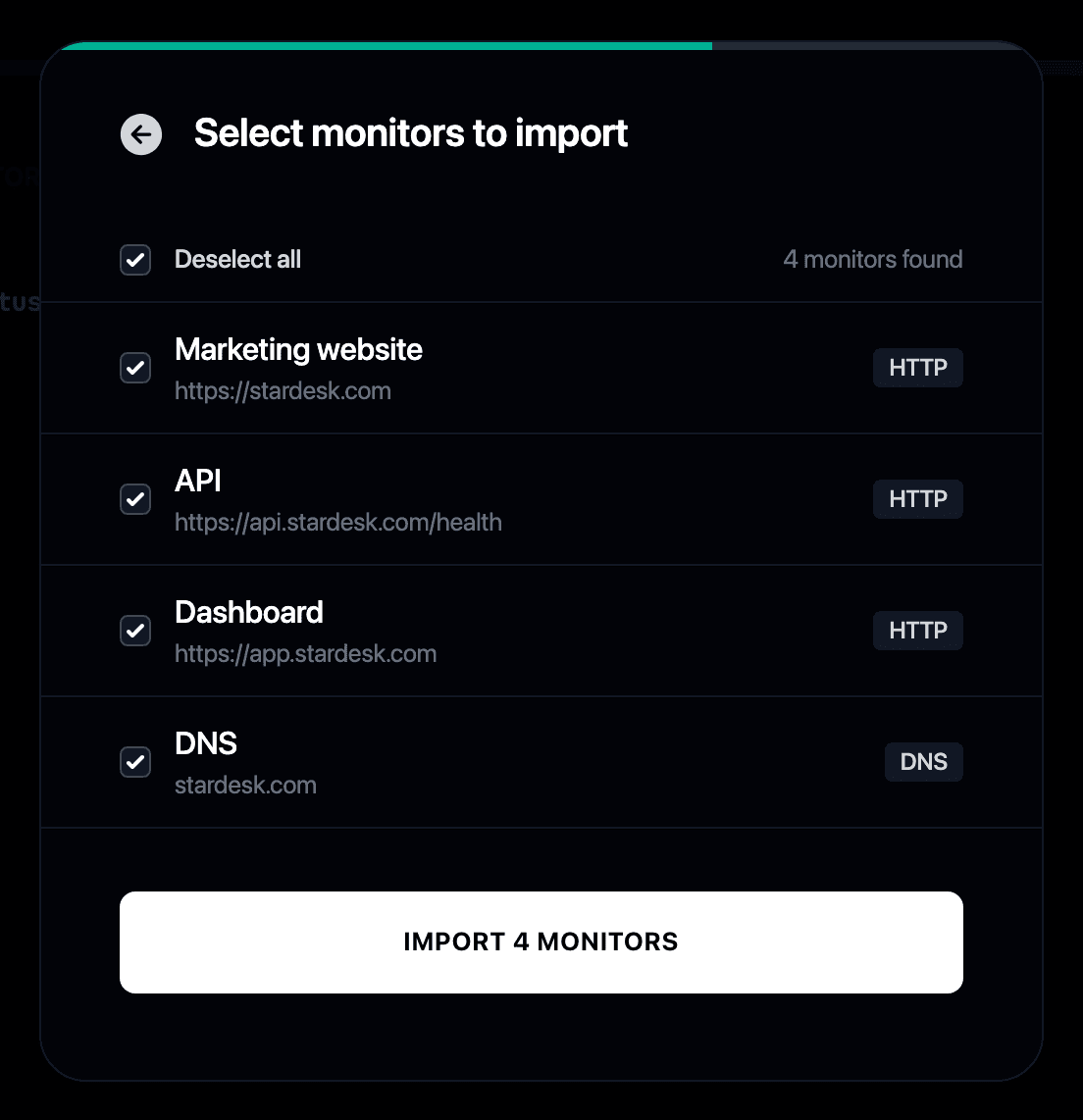
-
Your monitors start checking immediately and can update your status page automatically. Other alert contact types, such as Slack and SMS, and API checks joined by OR don’t carry over, so review those monitors after importing.
-
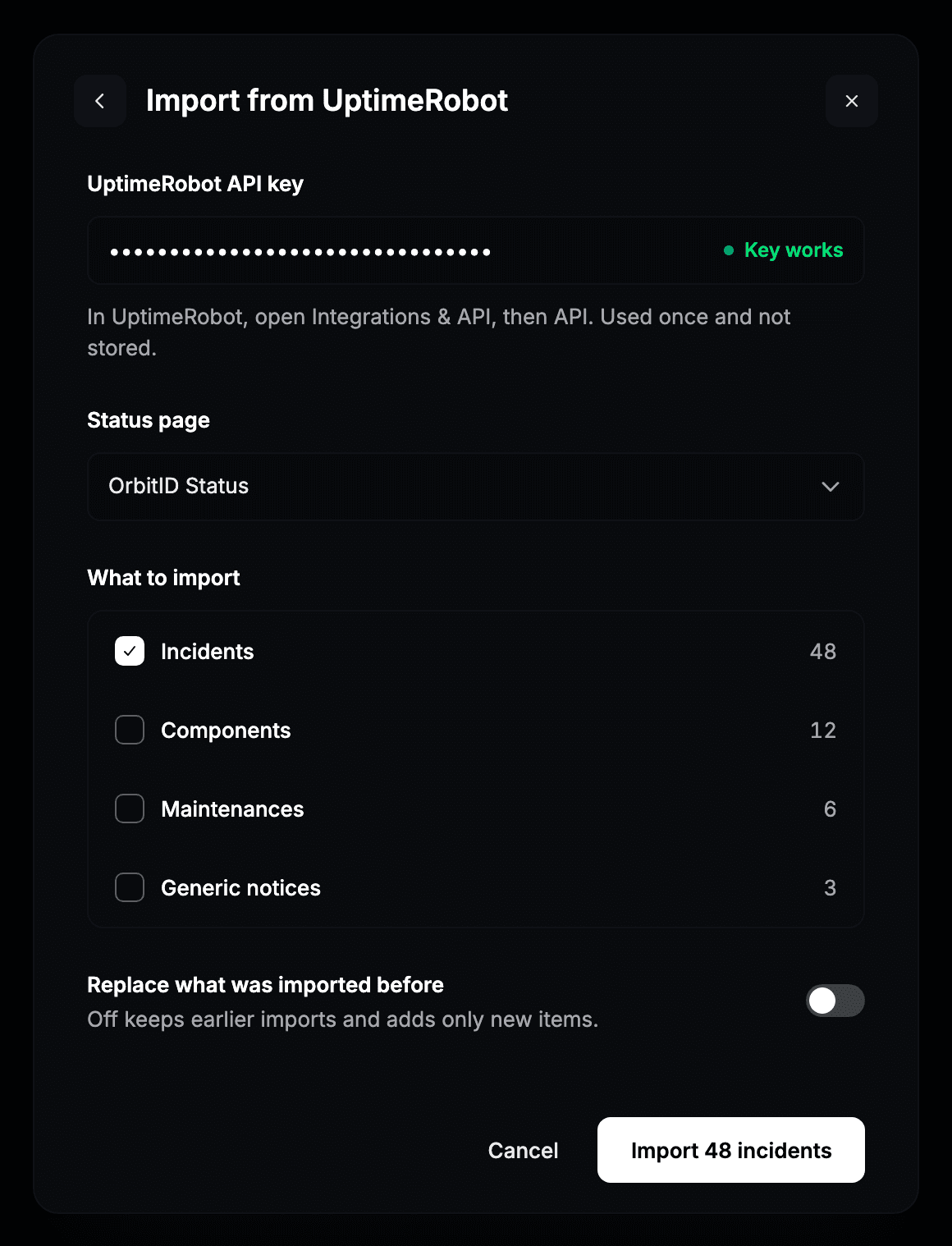
To bring your status page too, open Components and import from UptimeRobot with the same key.
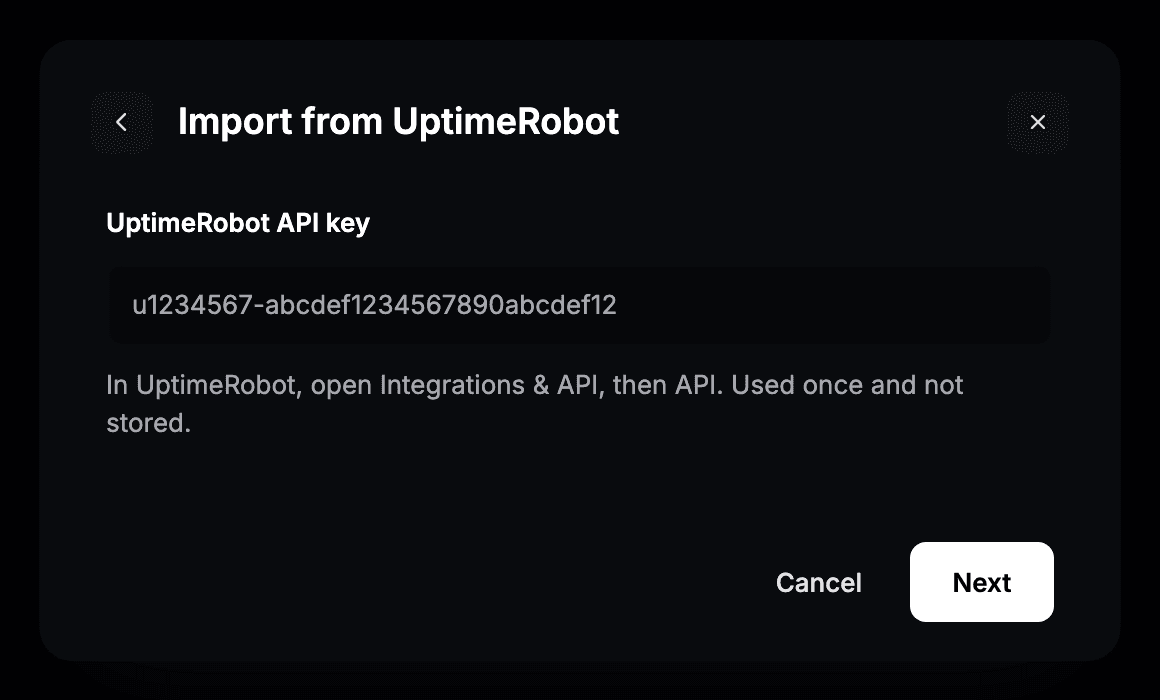
- Pick the status page and choose what to bring over: components, incidents, maintenances and notices.
Why switch from UptimeRobot to Instatus?
- UptimeRobot plus a separate status page tool means two subscriptions and two dashboards
- Instatus combines 30-second uptime checks with a beautiful status page
- The importer moves your monitors and your status page so you don’t set anything up twice
- Compare the two in detail in Instatus vs UptimeRobot
- We also tested the field in our UptimeRobot alternatives roundup, and broke down what the plans really cost in UptimeRobot pricing
Spočítejte si úsporu
Monitoring
Řešení incidentů
Stavová stránka
50 monitorů
30 s kontrol
SMS a hovory
členů týmu
20 členů v pohotovosti
Eskalace incidentů
50 členů týmu
5 000 odběratelů
Vlastní doména
Začít zdarma
/ mo