

Switch from Pingdom
Bring your Pingdom uptime checks over to Instatus as uptime monitors and keep everything that matters.
How the import works
- Log in to Instatus or create a free account. The Pingdom importer opens automatically in your dashboard.
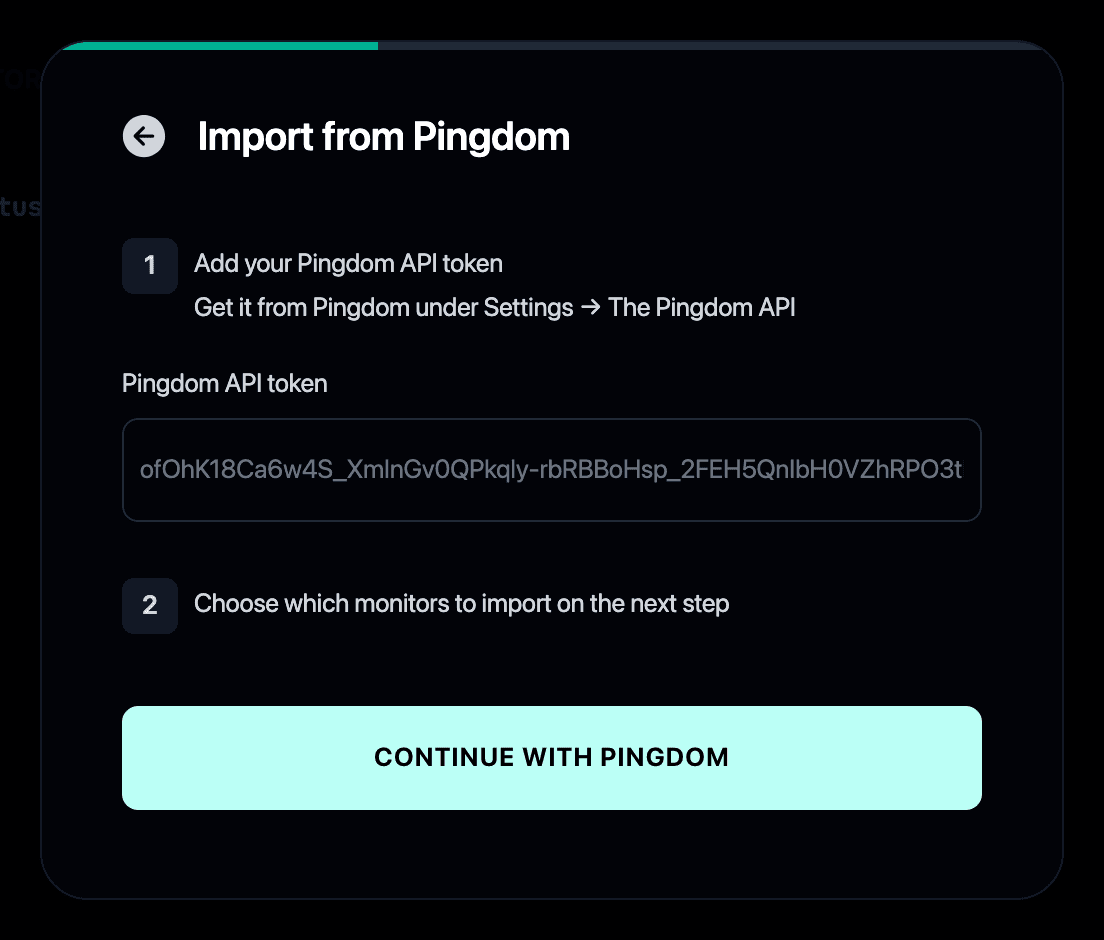
- Paste your Pingdom API token. Get it in Pingdom under Settings → The Pingdom API.
- Select the checks you want to import.
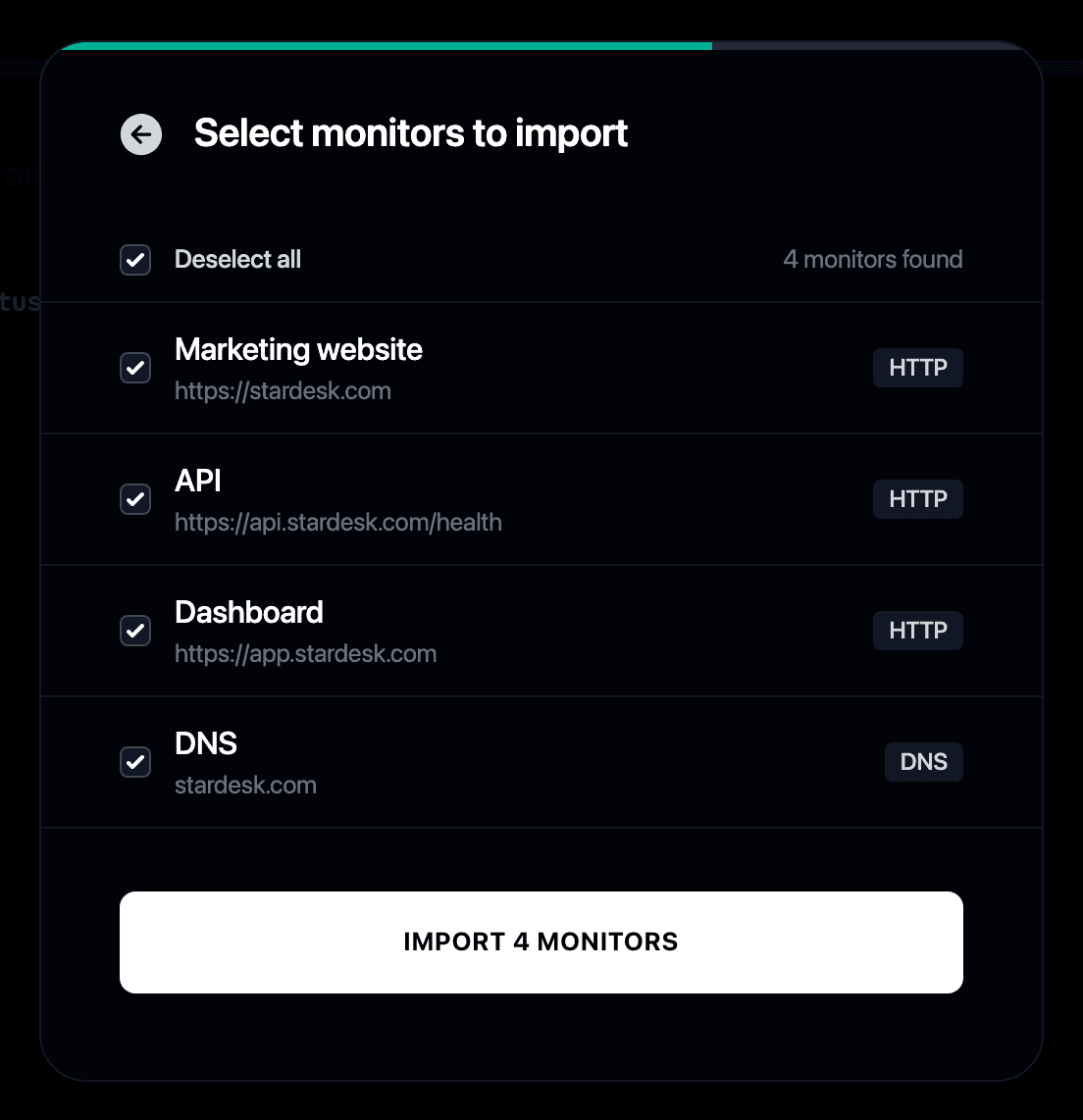
- Your monitors start checking immediately and can post to your status page when they fail or recover.
Why switch from Pingdom to Instatus?
- Pingdom charges per check, while Instatus includes uptime monitoring with your status page
- Your uptime checks become Instatus monitors that run every 30 seconds
- Monitors can update your status page automatically when something fails or recovers
- For a feature-by-feature breakdown, see Instatus vs Pingdom
- Still weighing options? Our guide covers the best Pingdom alternatives
Beregn din besparelse
Overvågning
Hændelseshåndtering
Statusside
50 monitorer
30 sek tjek
SMS og opkald
teammedlemmer
20 vagtmedlemmer
Hændelseseskaleringer
50 teammedlemmer
5.000 abonnenter
Eget domæne
Start gratis
/ mo