

Switch from Pingdom
Bring your Pingdom uptime checks over to Instatus as uptime monitors and keep everything that matters.
How the import works
- Log in to Instatus or create a free account. The Pingdom importer opens automatically in your dashboard.
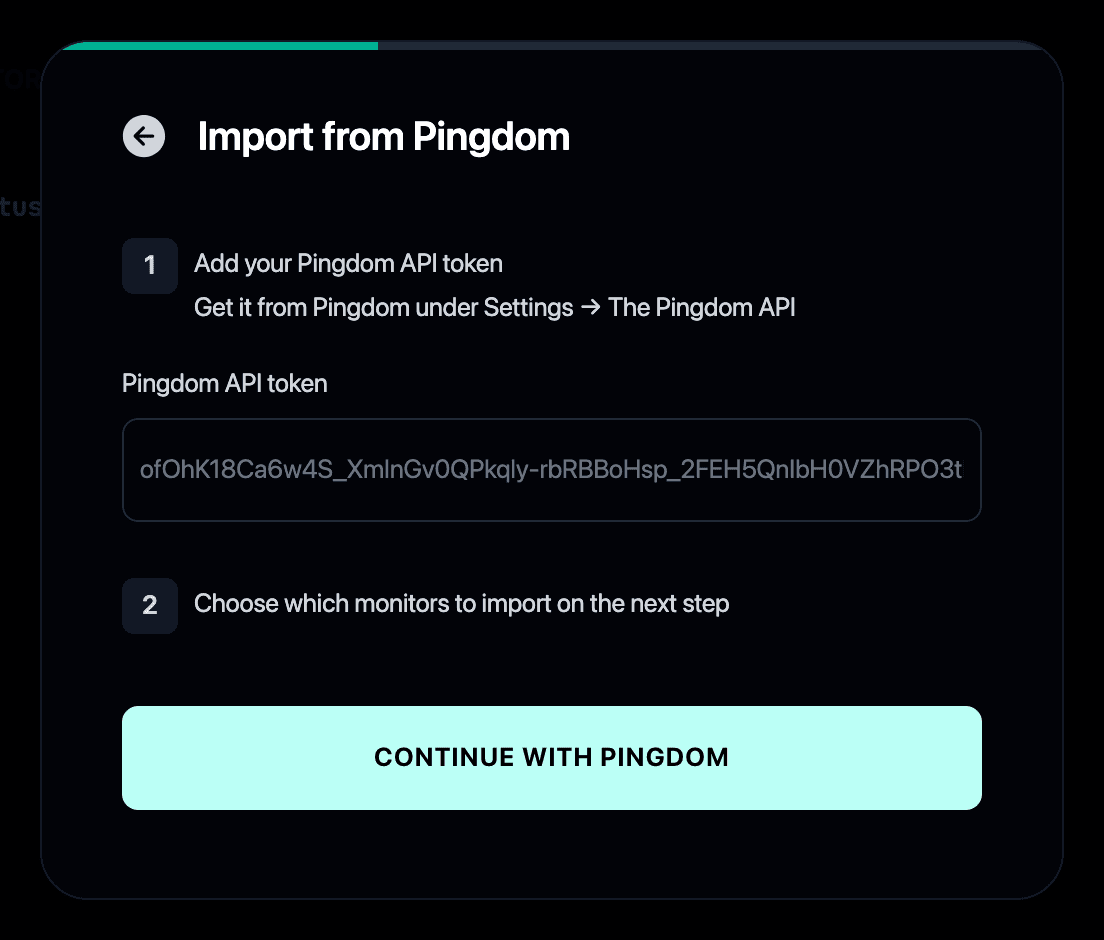
- Paste your Pingdom API token. Get it in Pingdom under Settings → The Pingdom API.
- Select the checks you want to import.
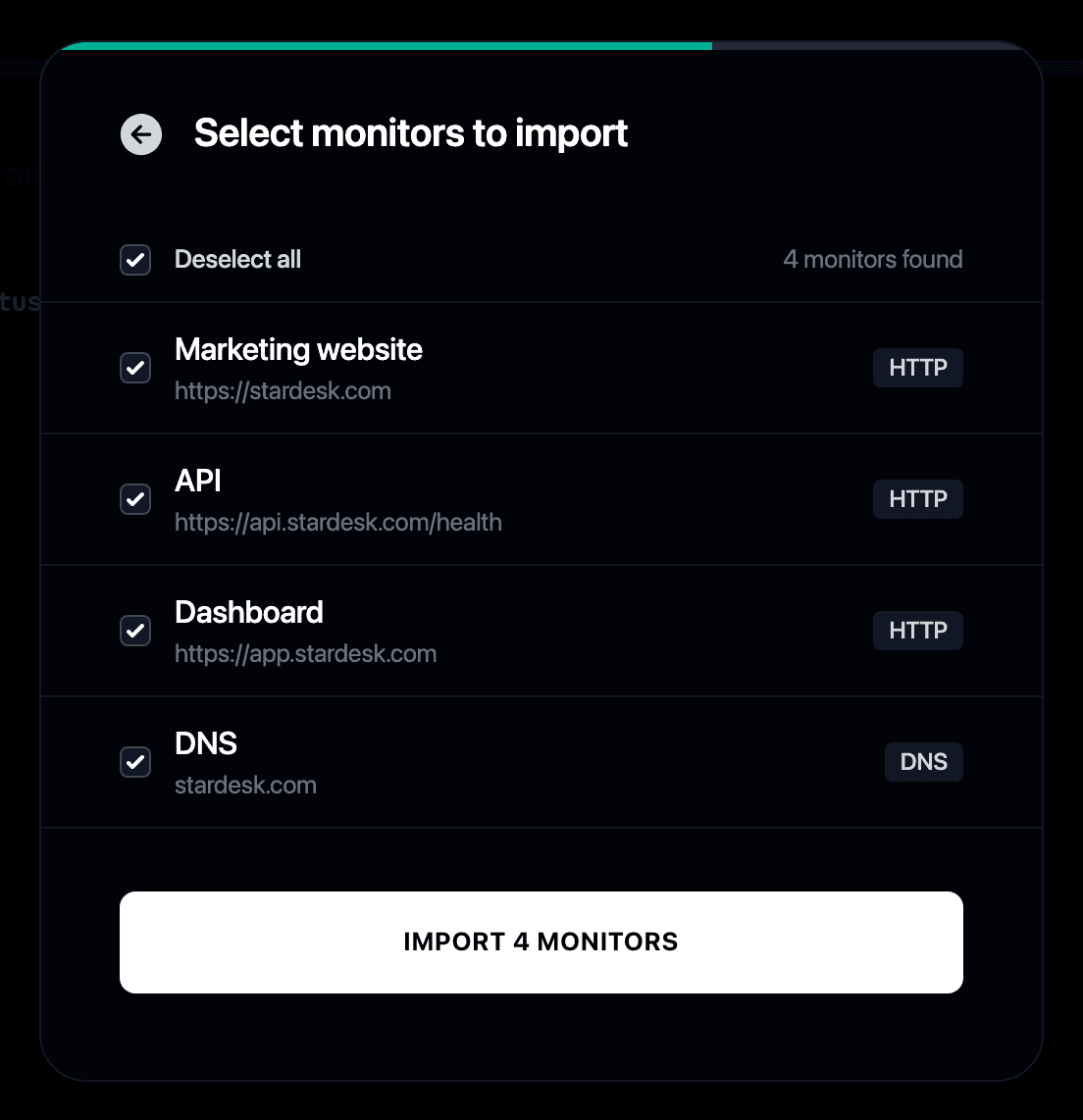
- Your monitors start checking immediately and can post to your status page when they fail or recover.
Why switch from Pingdom to Instatus?
- Pingdom charges per check, while Instatus includes uptime monitoring with your status page
- Your uptime checks become Instatus monitors that run every 30 seconds
- Monitors can update your status page automatically when something fails or recovers
- For a feature-by-feature breakdown, see Instatus vs Pingdom
- Still weighing options? Our guide covers the best Pingdom alternatives
Spočítejte si úsporu
Monitoring
Řešení incidentů
Stavová stránka
50 monitorů
30 s kontrol
SMS a hovory
členů týmu
20 členů v pohotovosti
Eskalace incidentů
50 členů týmu
5 000 odběratelů
Vlastní doména
Začít zdarma
/ mo