

Freshping
用 Freshping 自动更新你的状态页
向专属邮箱发送主题

你的状态页已更新

用模板自定义更新内容
- 创建 Freshping Webhook
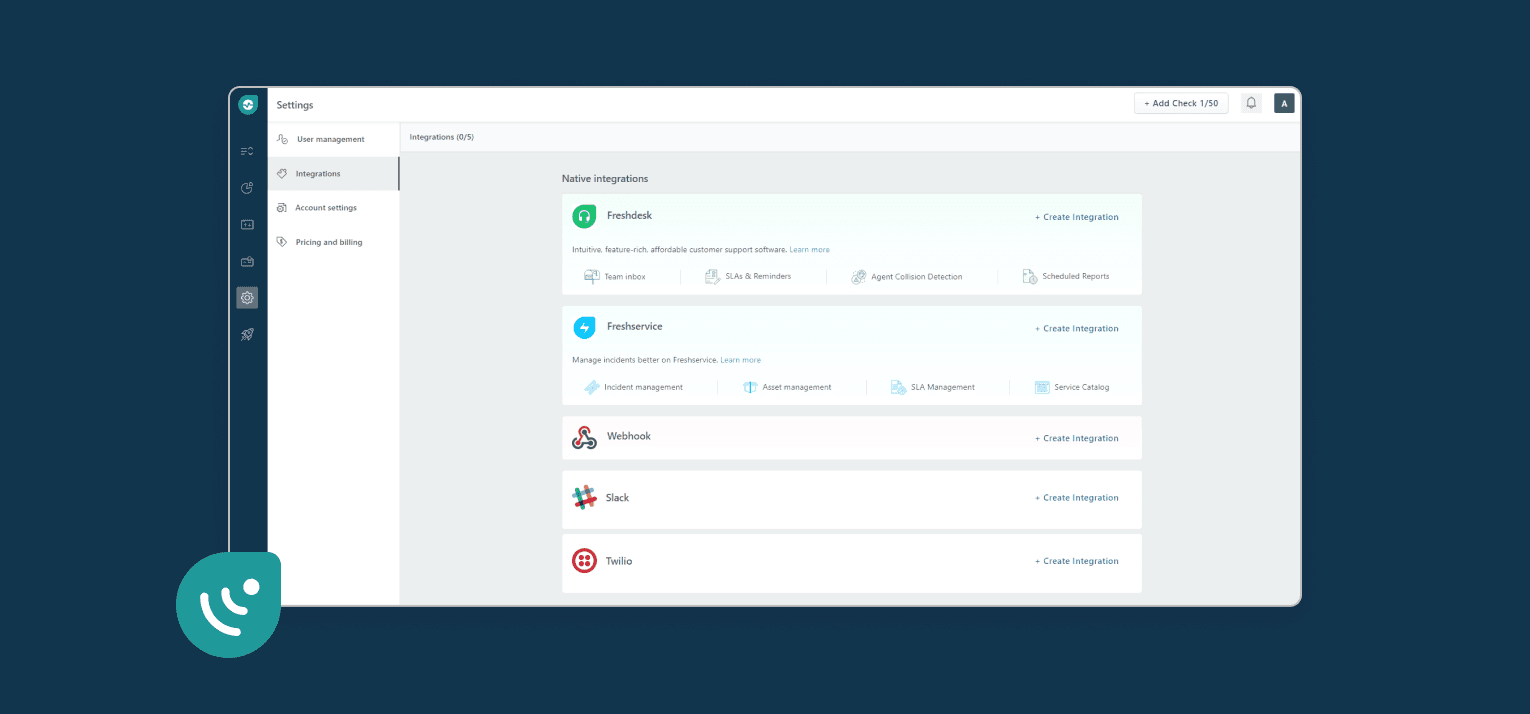
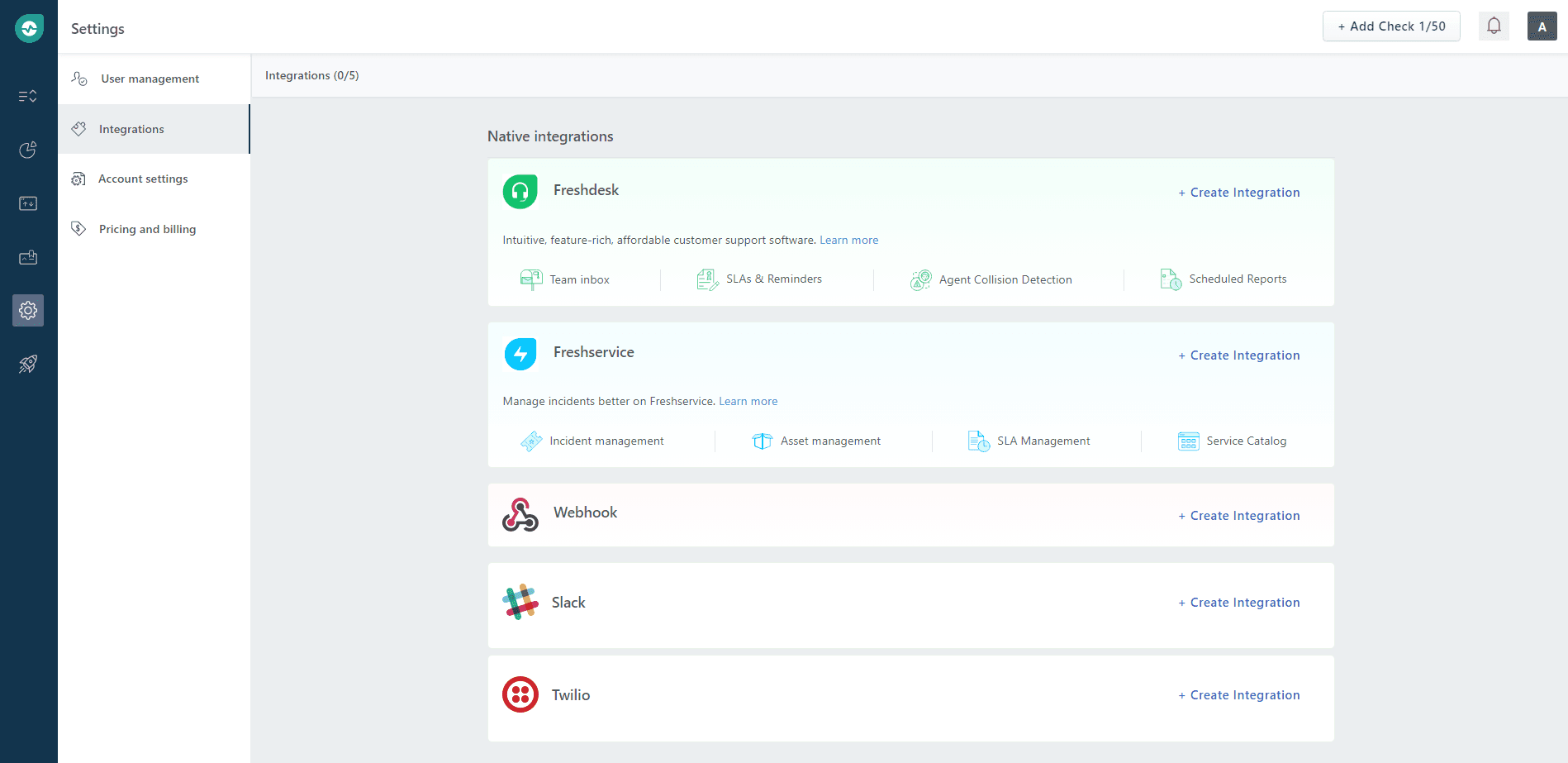
- 打开你的 Freshping 控制台。点击 Settings → Integrations,然后在 Webhook 区域点击 Create Integration。
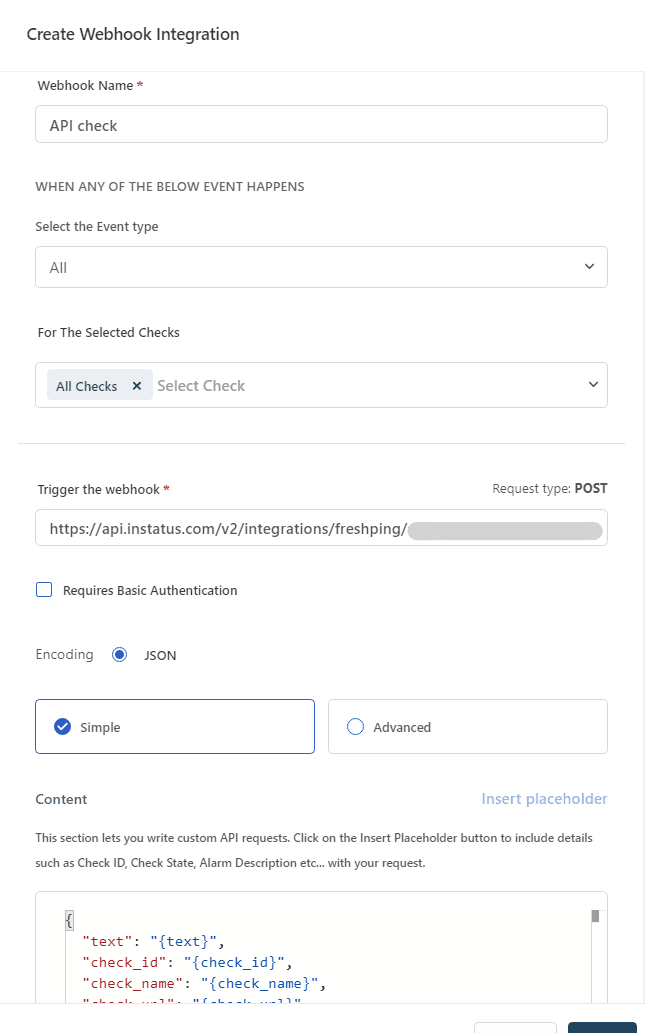
- 为 Webhook 取个名字,选择事件类型 Up/Down,勾选需要触发它的检查,粘贴你的 Webhook 地址,然后点击 Save。
- 完成!🍪
用 Freshping 自动更新你的状态页