Zendesk

讓客戶了解你的事件狀況

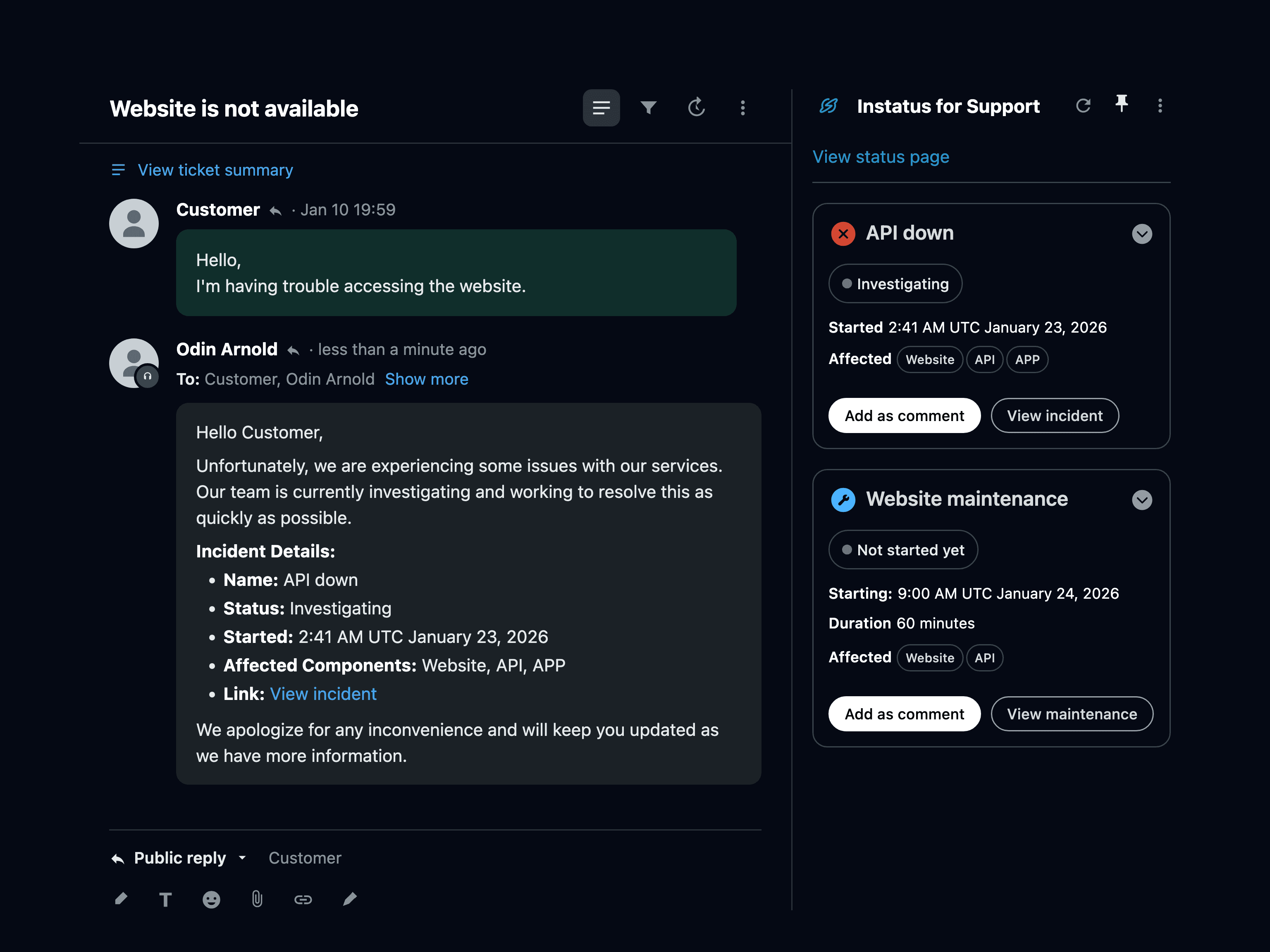
Zendesk 側邊欄顯示 Instatus 應用程式
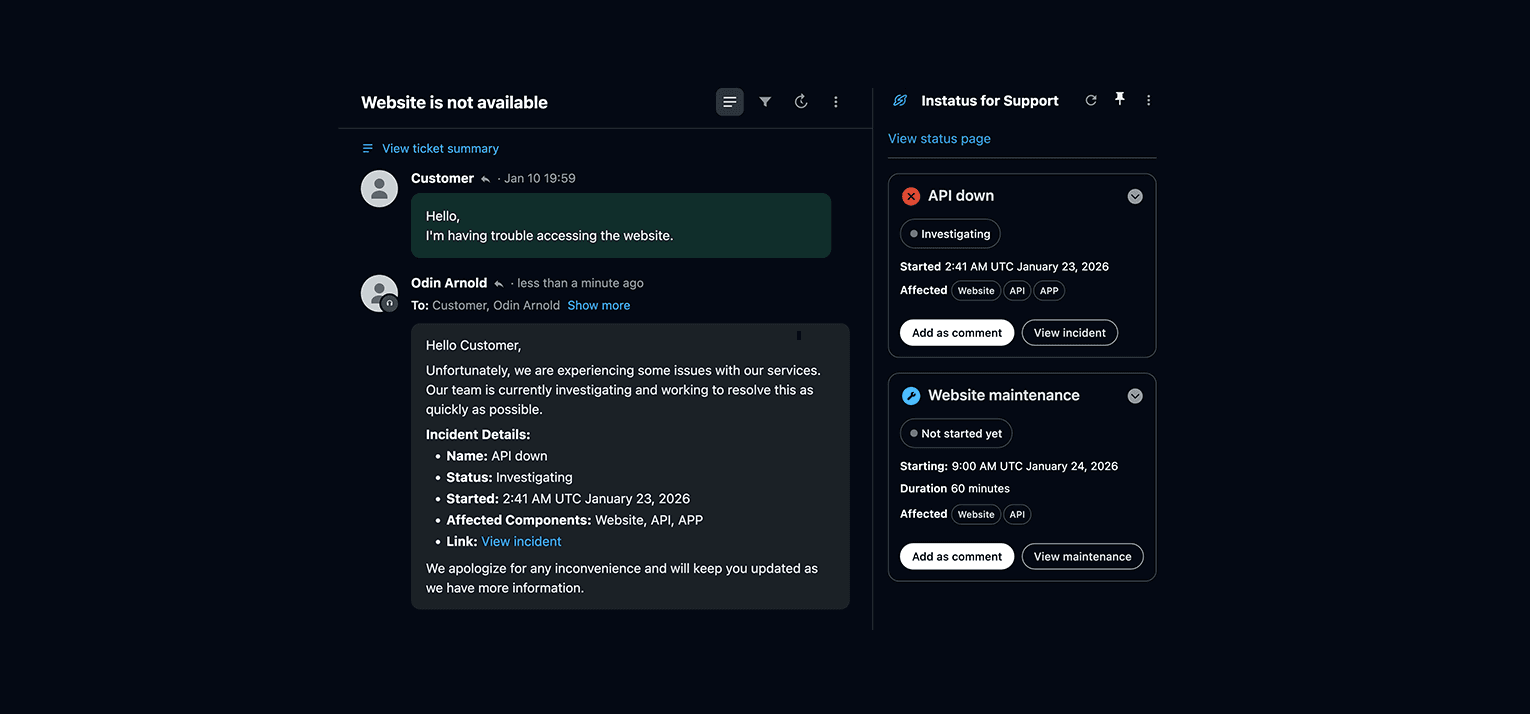
Zendesk 工單畫面中的 Instatus 應用程式,顯示目前的事件與維護

    Integration for Zendesk Support

    We will integrate by adding a custom app in the support dashboard that displays current incidents and maintenances to inform customers through their tickets

  1. Go to our custom app on the Zendesk marketplace here and click install
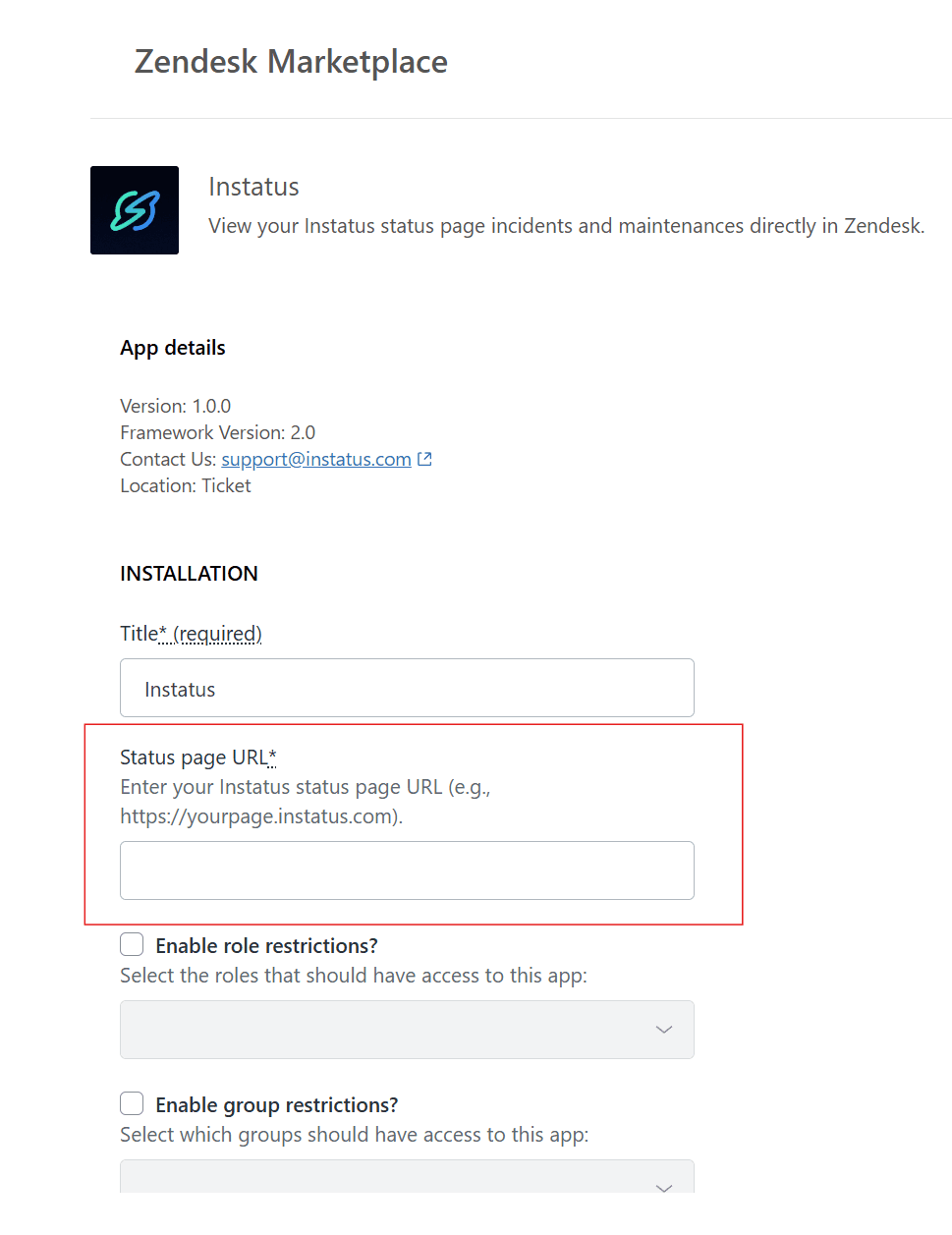
  2. After clicking install, you will be redirected to the app's settings page. Make sure to enter your page URL under Status page URL and then finally click Install
    Instatus app installation page in Zendesk Marketplace showing Status page URL configuration field
  3. Now that the app is uploaded successfully to your Zendesk dashboard, you can use it when you view tickets
    Zendesk ticket view showing Instatus app sidebar with current incidents and maintenances displayed
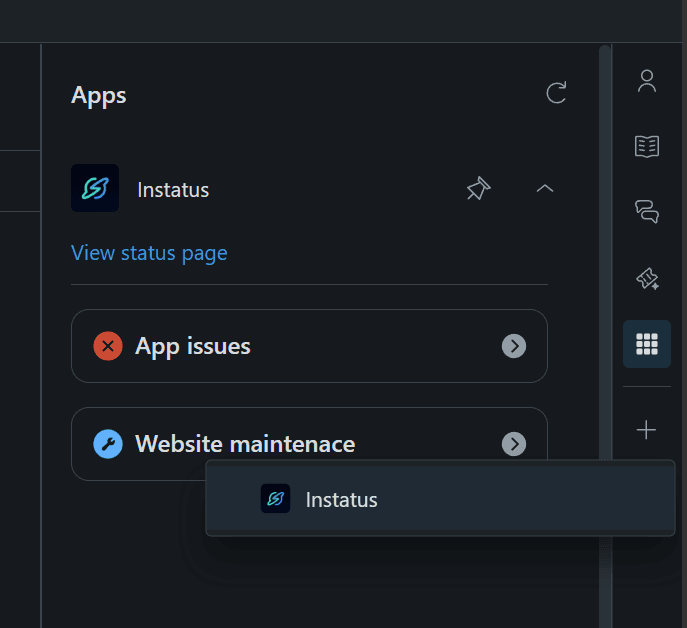
  4. If the app doesn't show up, make sure to click on the Apps icon on the right side → and make sure to pin the app like so:
    Zendesk Apps sidebar showing how to pin the Instatus app for easy access in ticket view
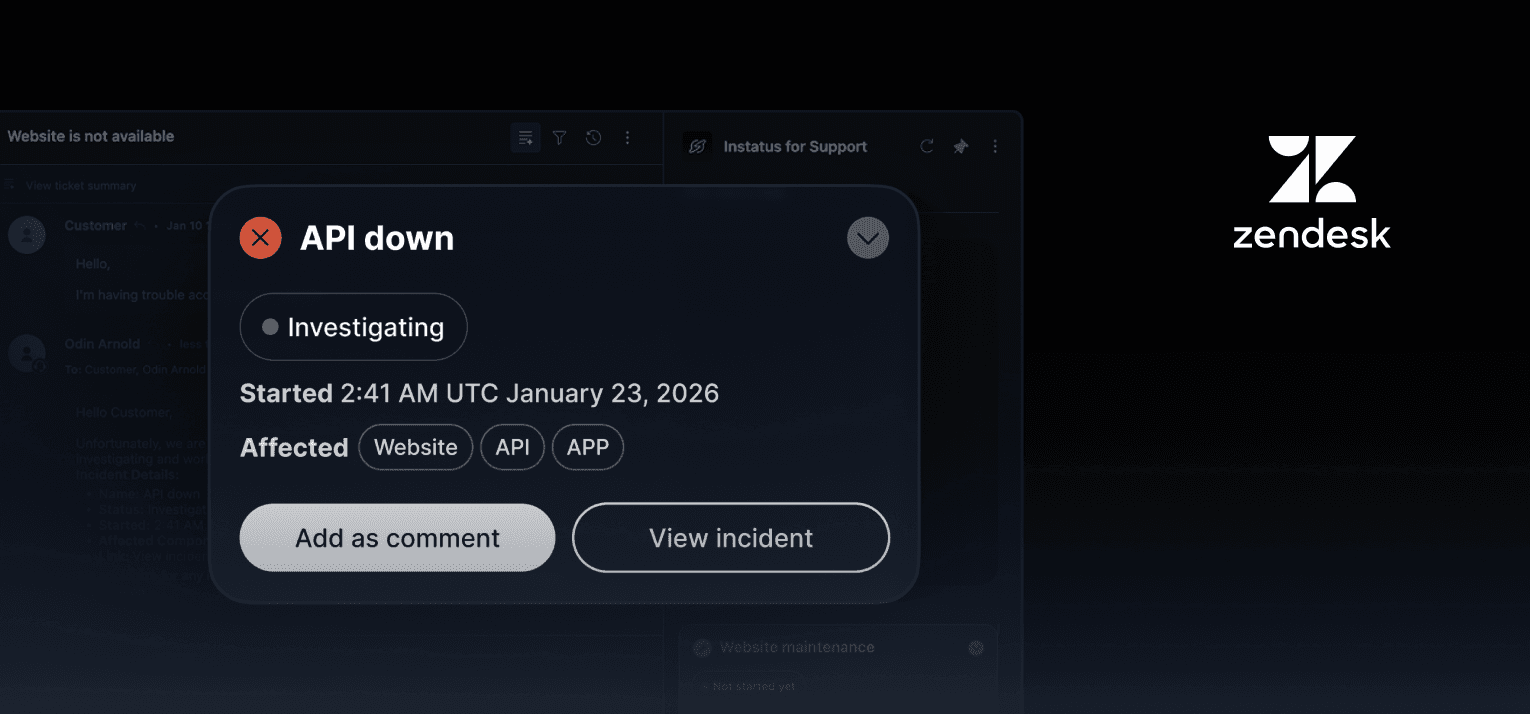
  5. While using the app you can click on the Add as comment button to prepare a template reply message for the open ticket
    Add as comment button in Zendesk ticket view
  6. You're done! 👏