Pingdom
Tự động hóa trang trạng thái bằng Pingdom
Cập nhật trang khi một bài kiểm tra thất bại hoặc phục hồi

Trang trạng thái của bạn được cập nhật

Tùy chỉnh cập nhật bằng mẫu có sẵn
- Tạo webhook Pingdom
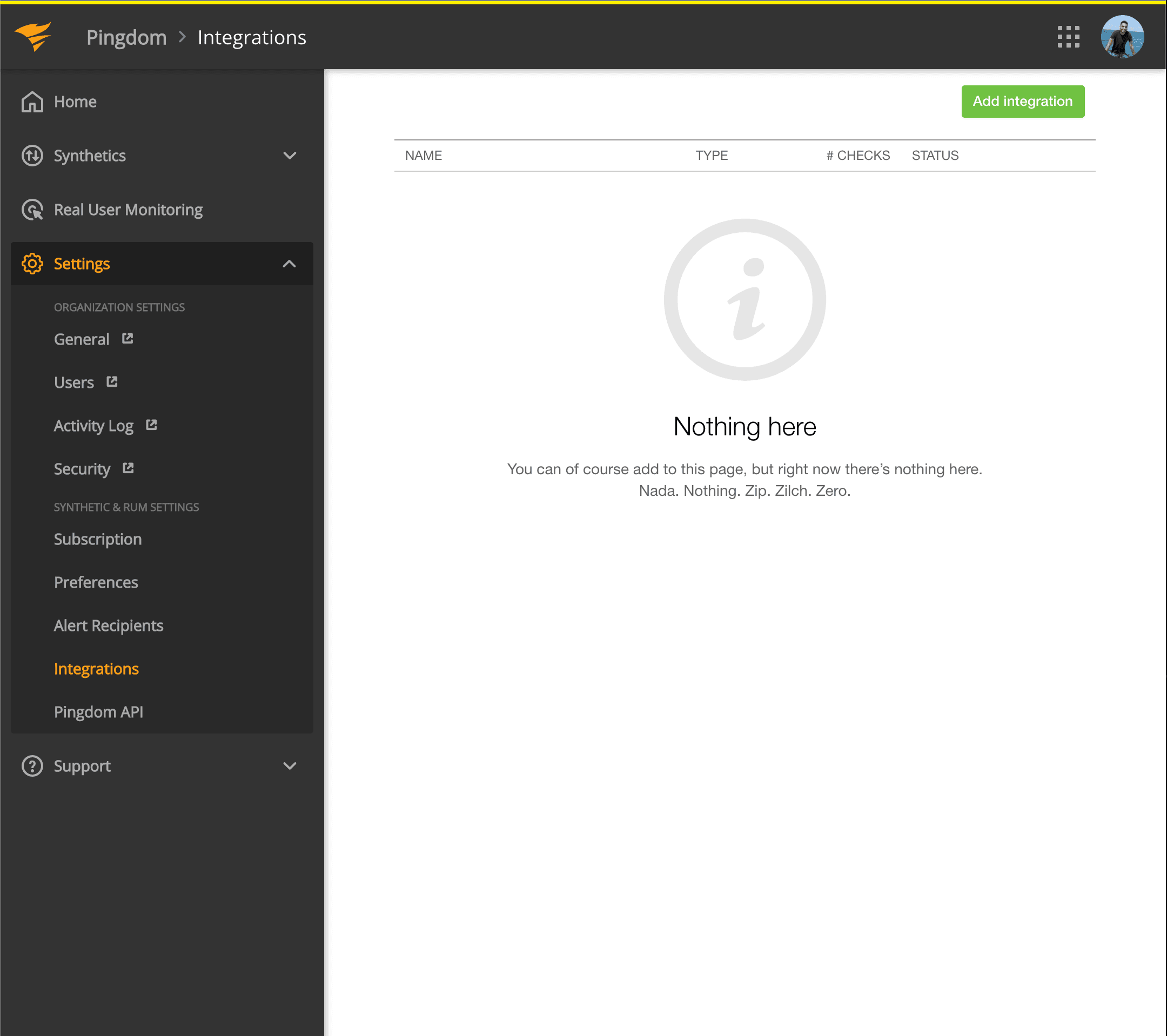
- Mở bảng điều khiển Pingdom. Nhấp Settings → Integrations
- Nhấp nút Add integration
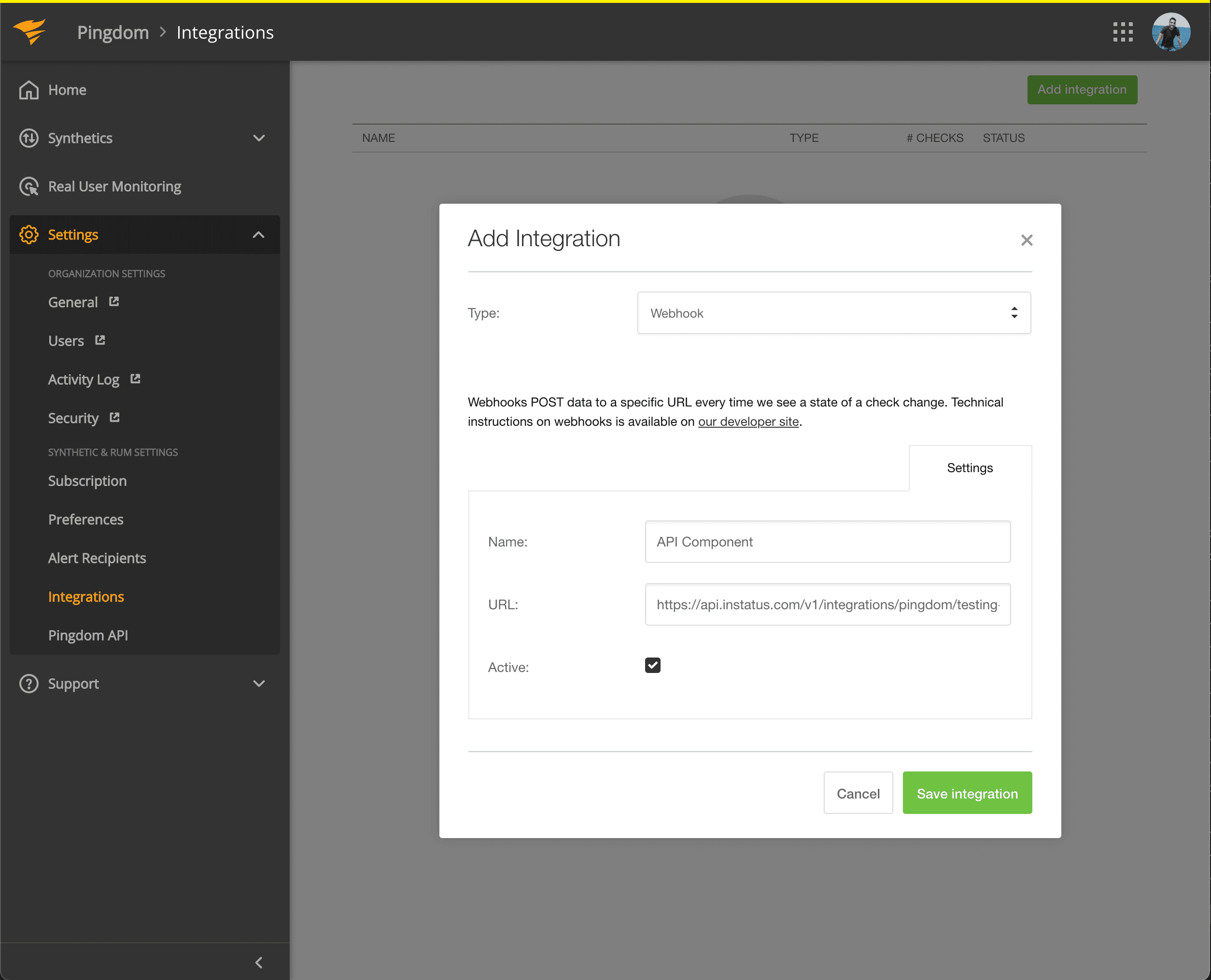
- Chọn loại Webhook, thêm tên và URL webhook của thành phần bạn vừa sao chép.
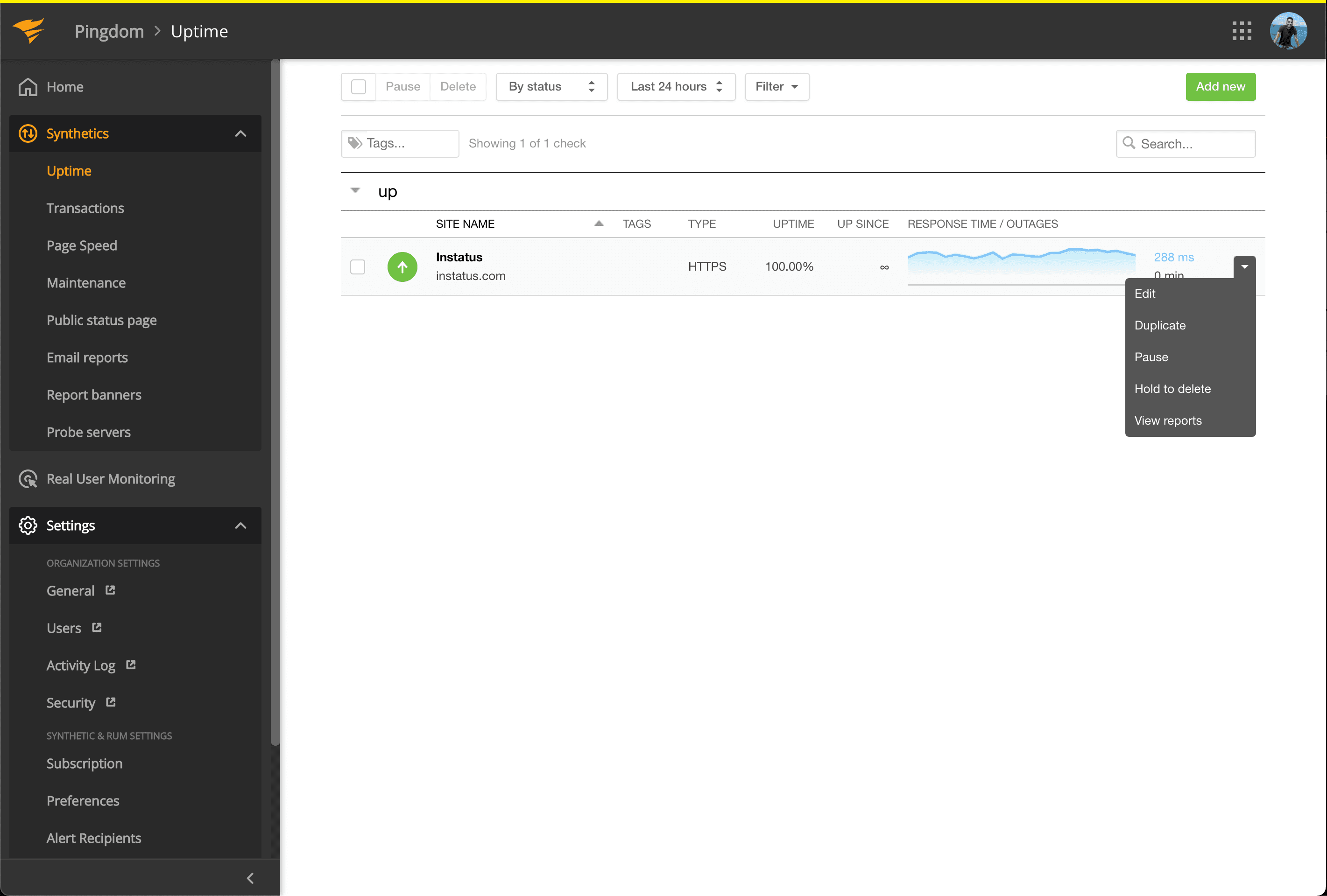
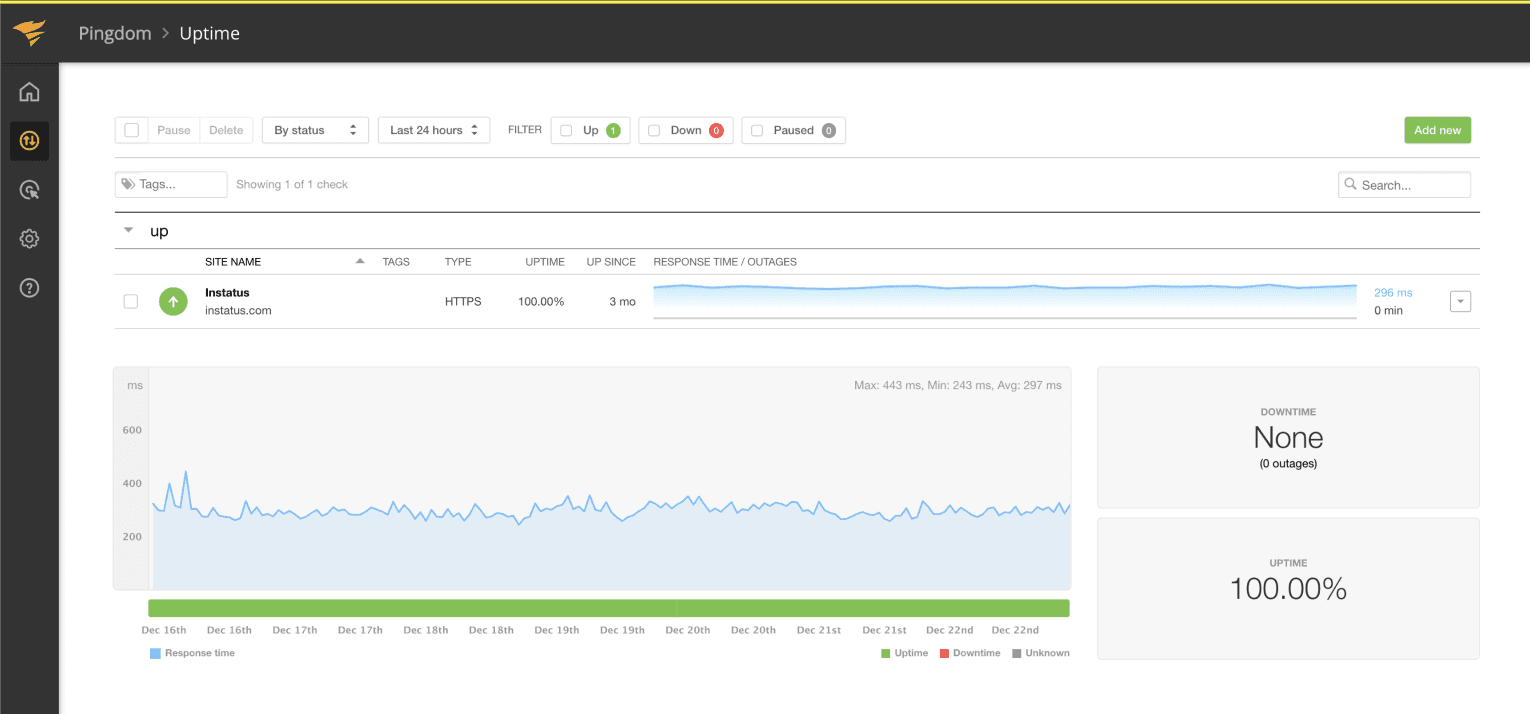
- Vào Synthetics → Uptime
- Chỉnh sửa kiểm tra Uptime liên quan đến thành phần bạn muốn tự động hóa.
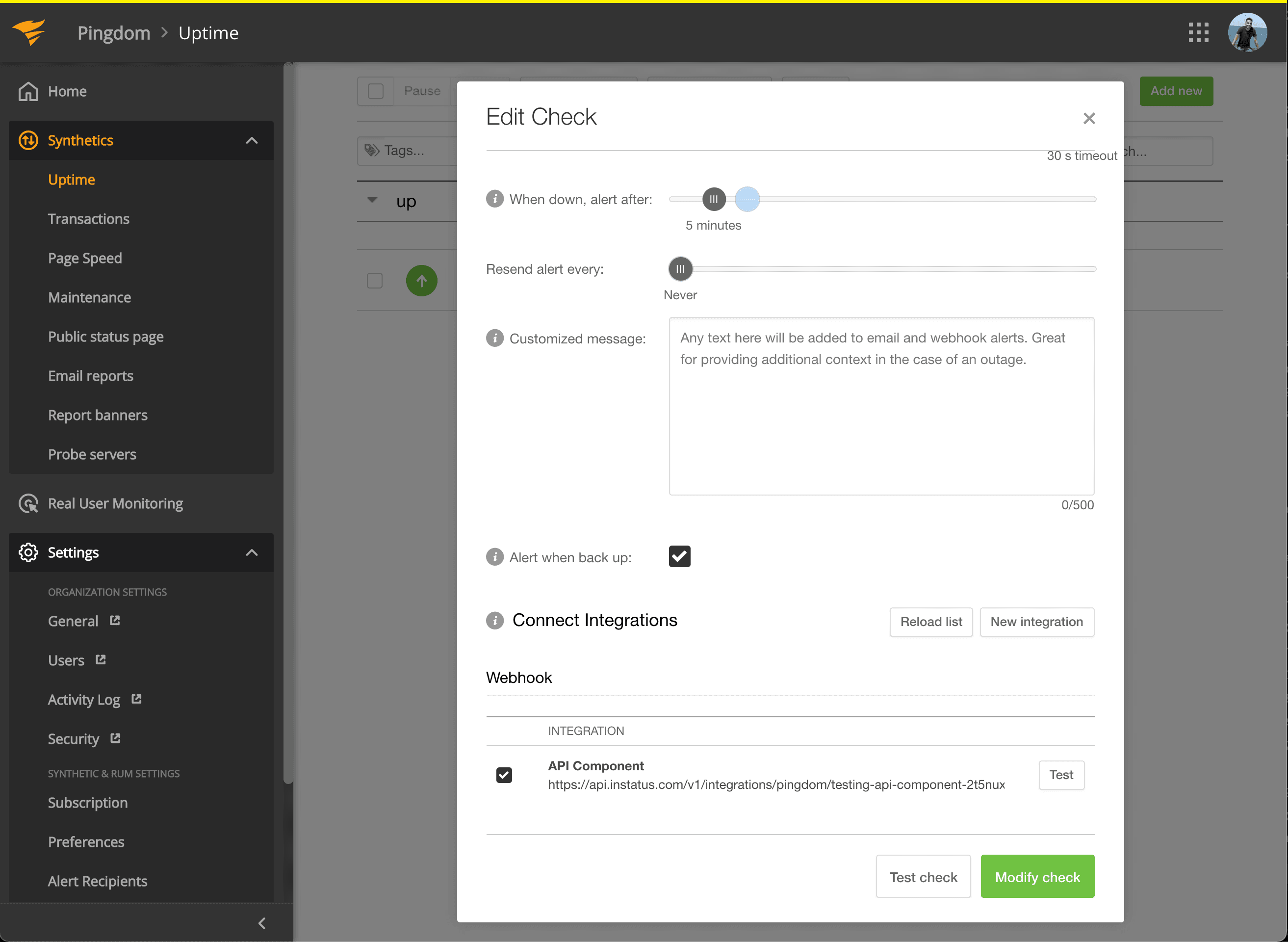
- Trong Connect Integrations, tích chọn tích hợp bạn vừa tạo rồi nhấp modify check!
- Xong! 🍪