Pingdom
Pingdom ile durum sayfanızı otomatikleştirin
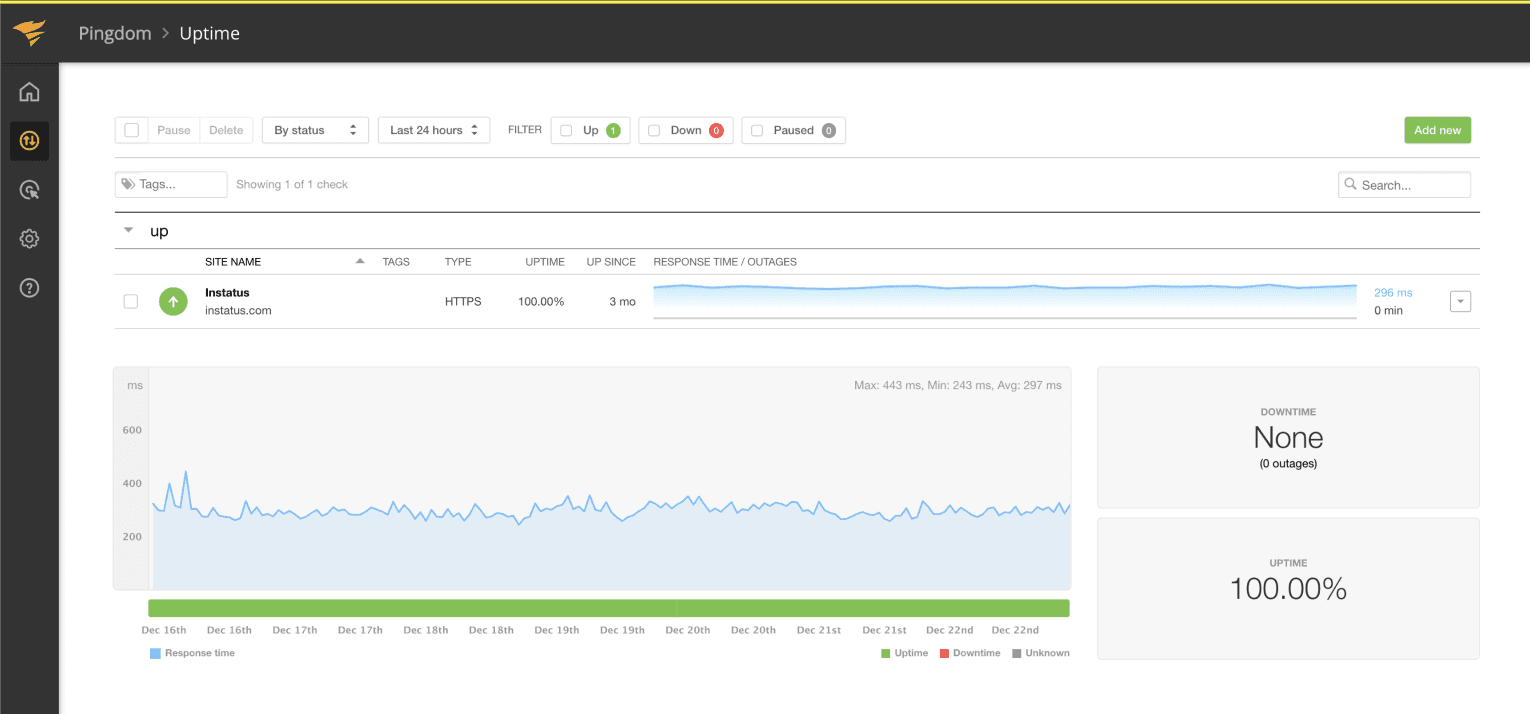
Bir kontrol başarısız olduğunda veya düzeldiğinde sayfanızı güncelleyin

Durum sayfanız güncellenir

Şablonlarla güncellemeleri özelleştirin
- Pingdom webhook’u oluşturun
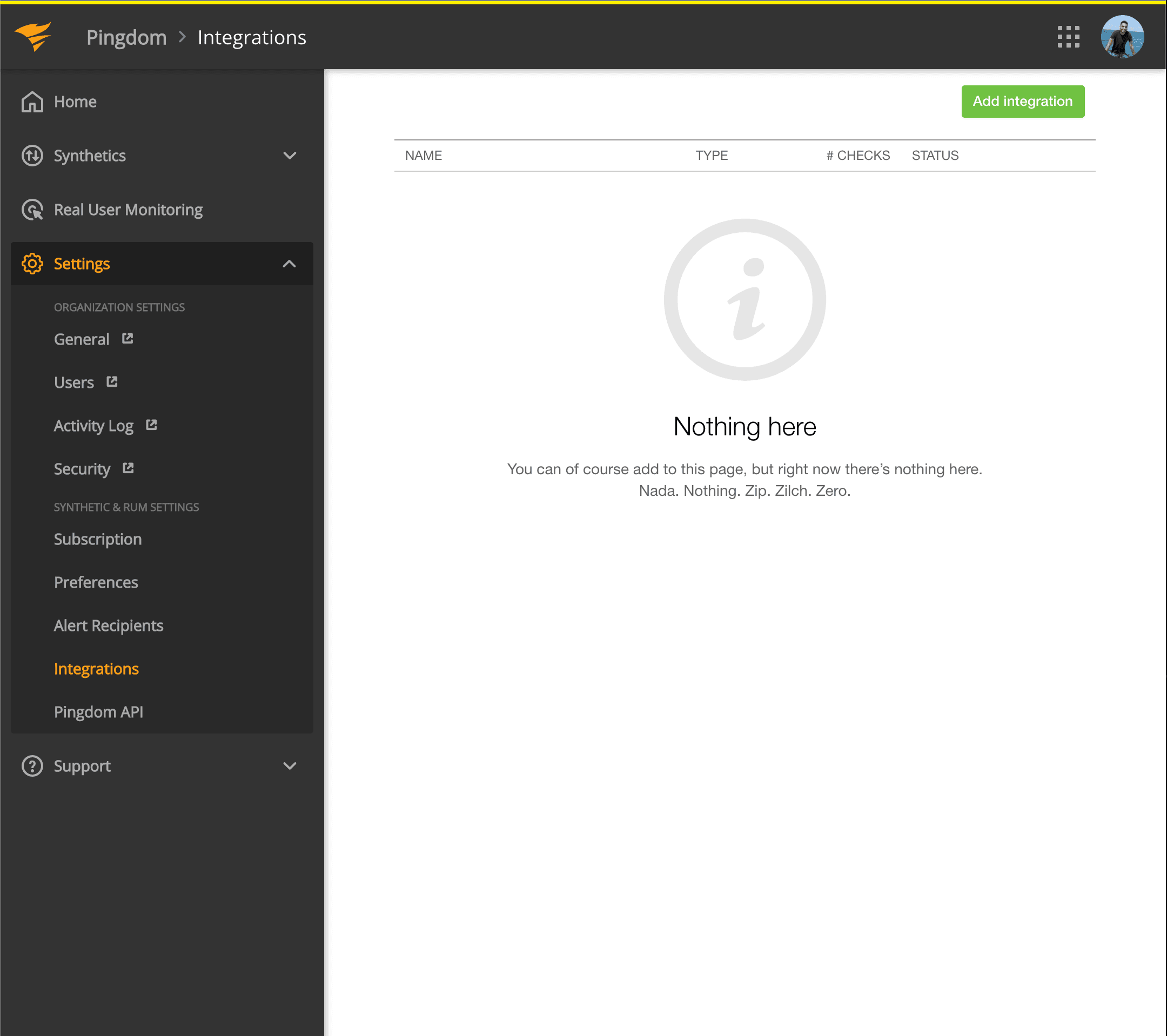
- Pingdom kontrol panelinizi açın. Settings → Integrations yolunu izleyin
- Add integration düğmesine tıklayın
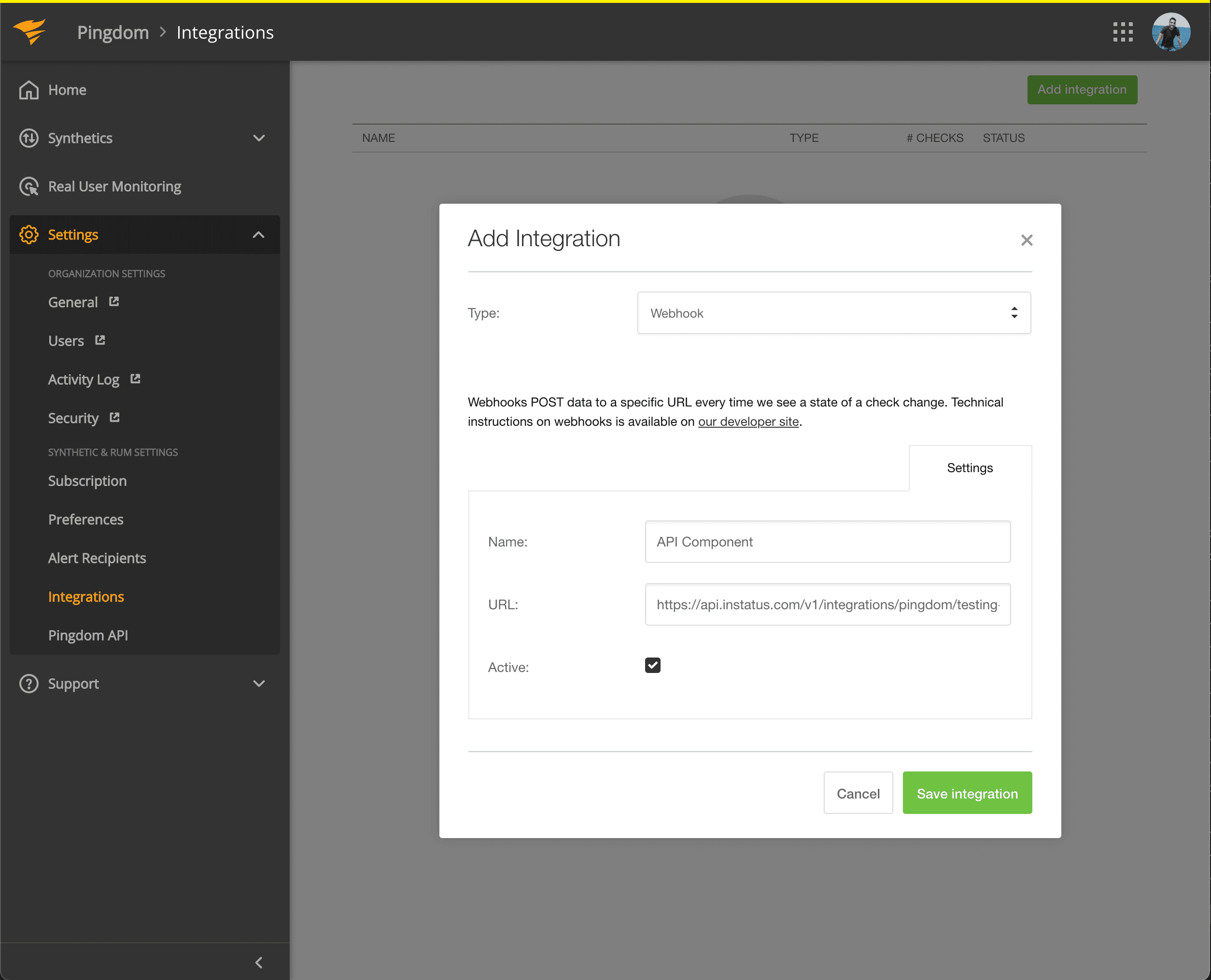
- Webhook türünü seçin, bir ad ve az önce kopyaladığınız bileşenin webhook URL’sini ekleyin.
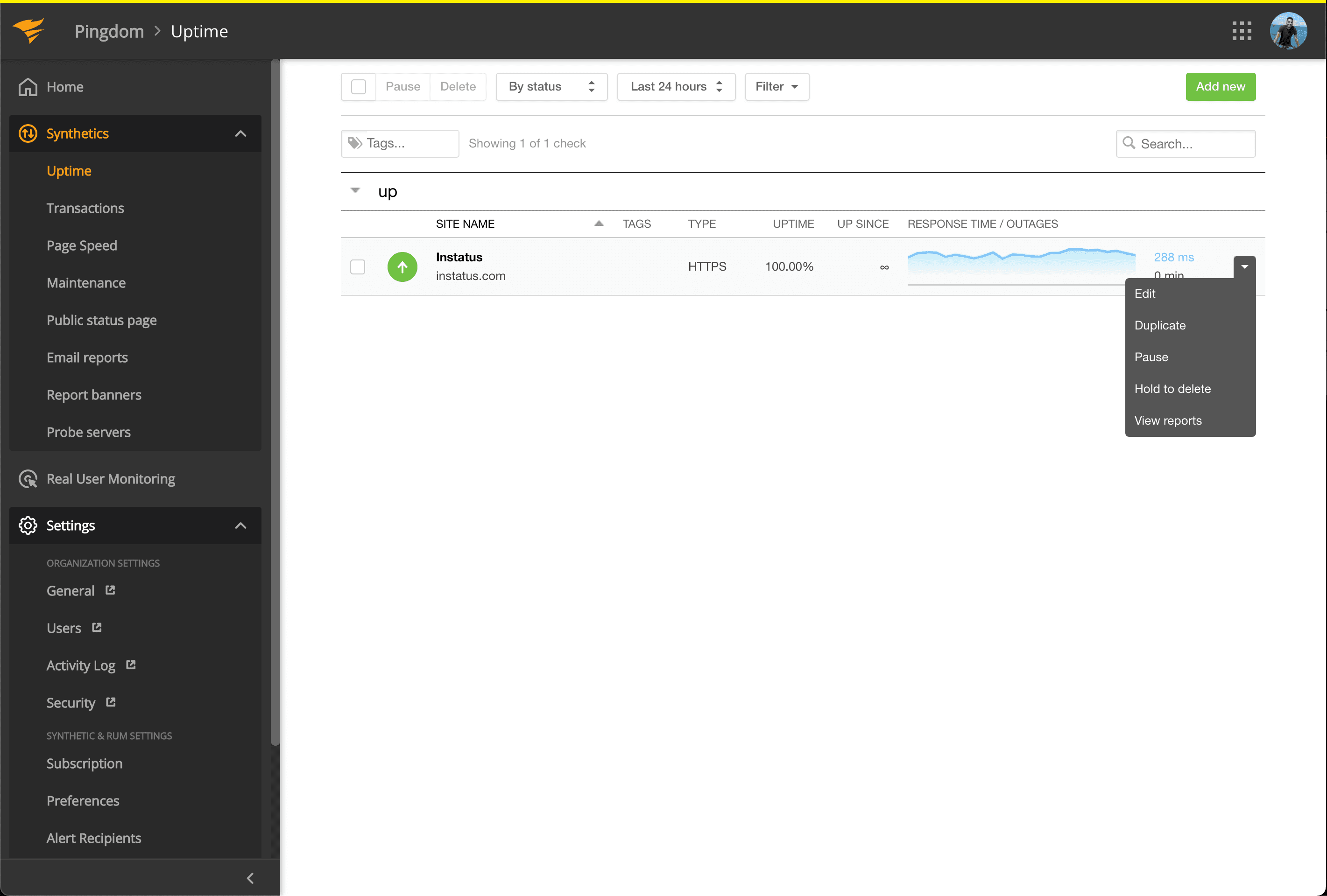
- Synthetics → Uptime bölümüne gidin
- Otomatikleştirmek istediğiniz bileşenle ilişkili Uptime kontrolünü düzenleyin.
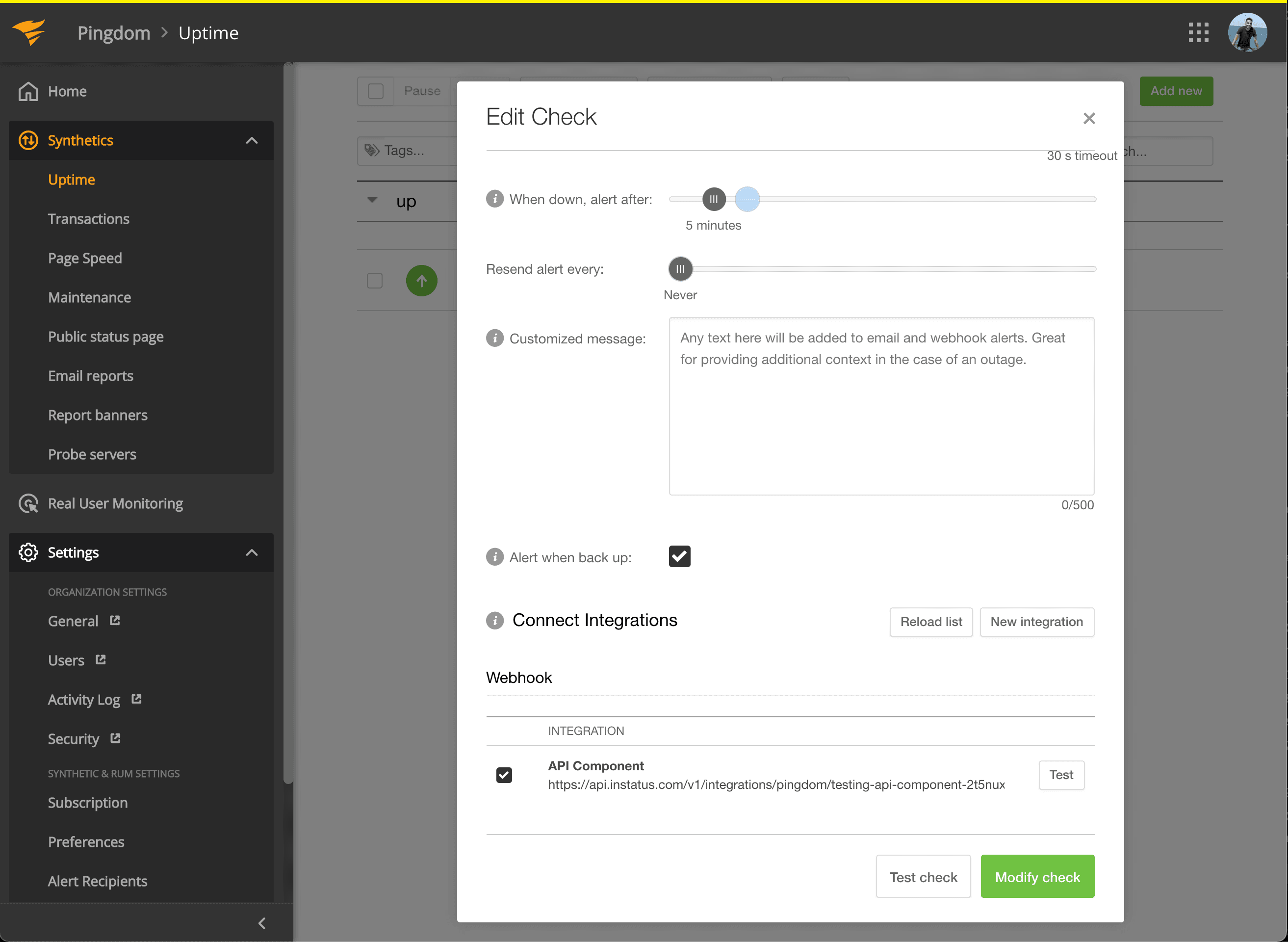
- Connect Integrations altında az önce oluşturduğunuz entegrasyonu işaretleyin ve modify check’e tıklayın!
- Bitti! 🍪