Pingdom
Automatizează-ți pagina de stare folosind Pingdom
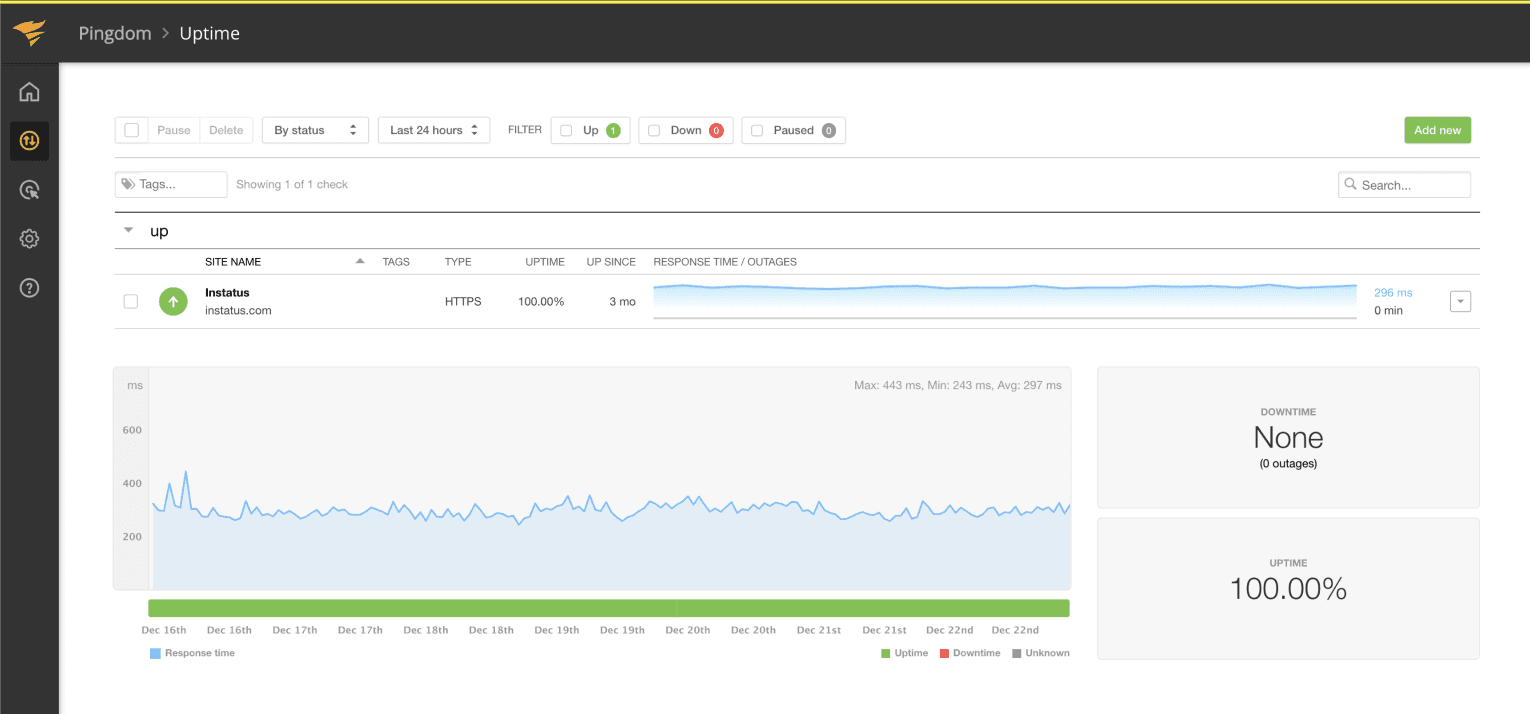
Actualizează-ți pagina când o verificare eșuează sau își revine

Pagina ta de stare se actualizează

Personalizează actualizările folosind șabloane
- Generați un webhook Pingdom
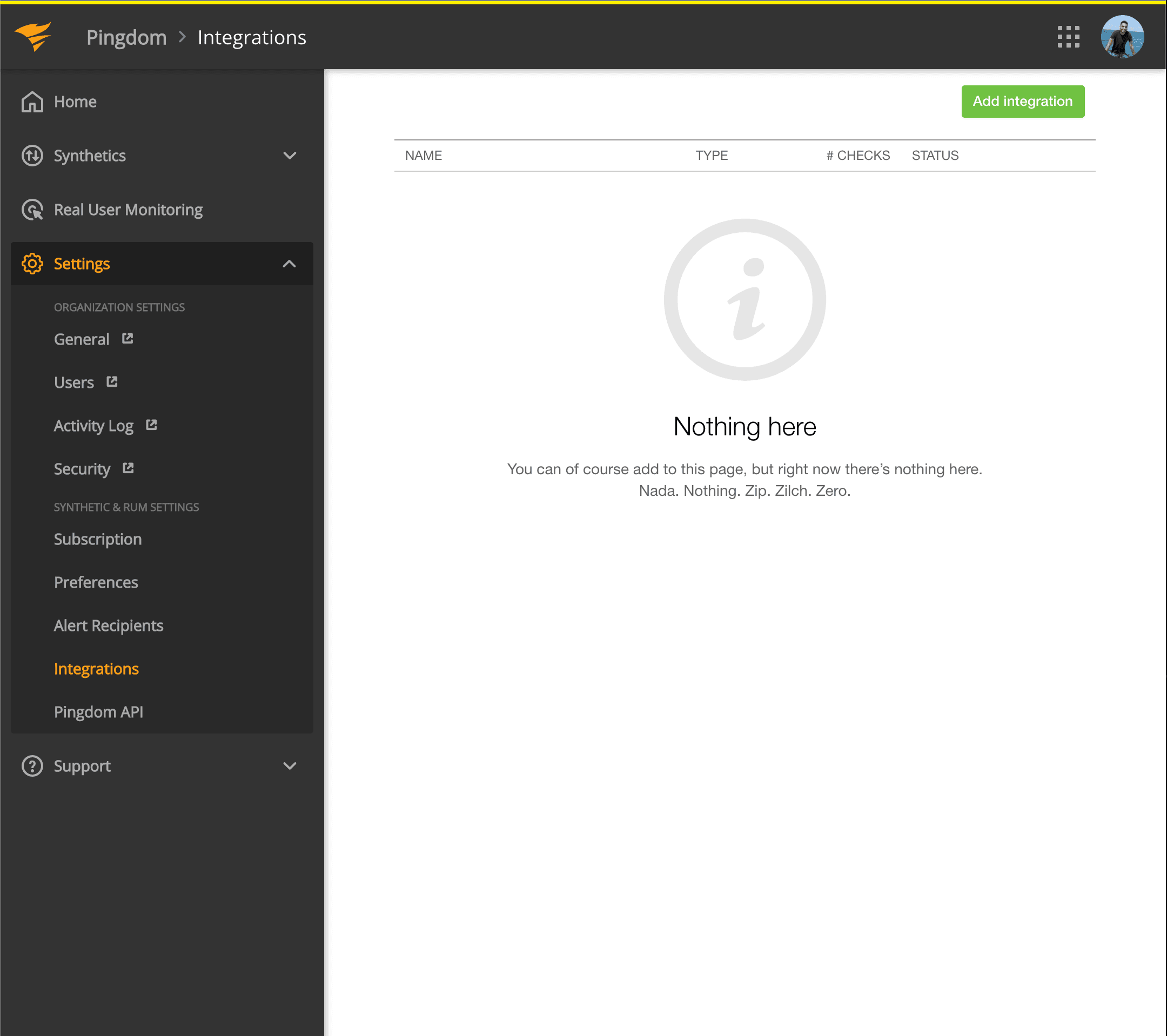
- Deschideți panoul Pingdom. Faceți clic pe Settings → Integrations
- Faceți clic pe butonul Add integration
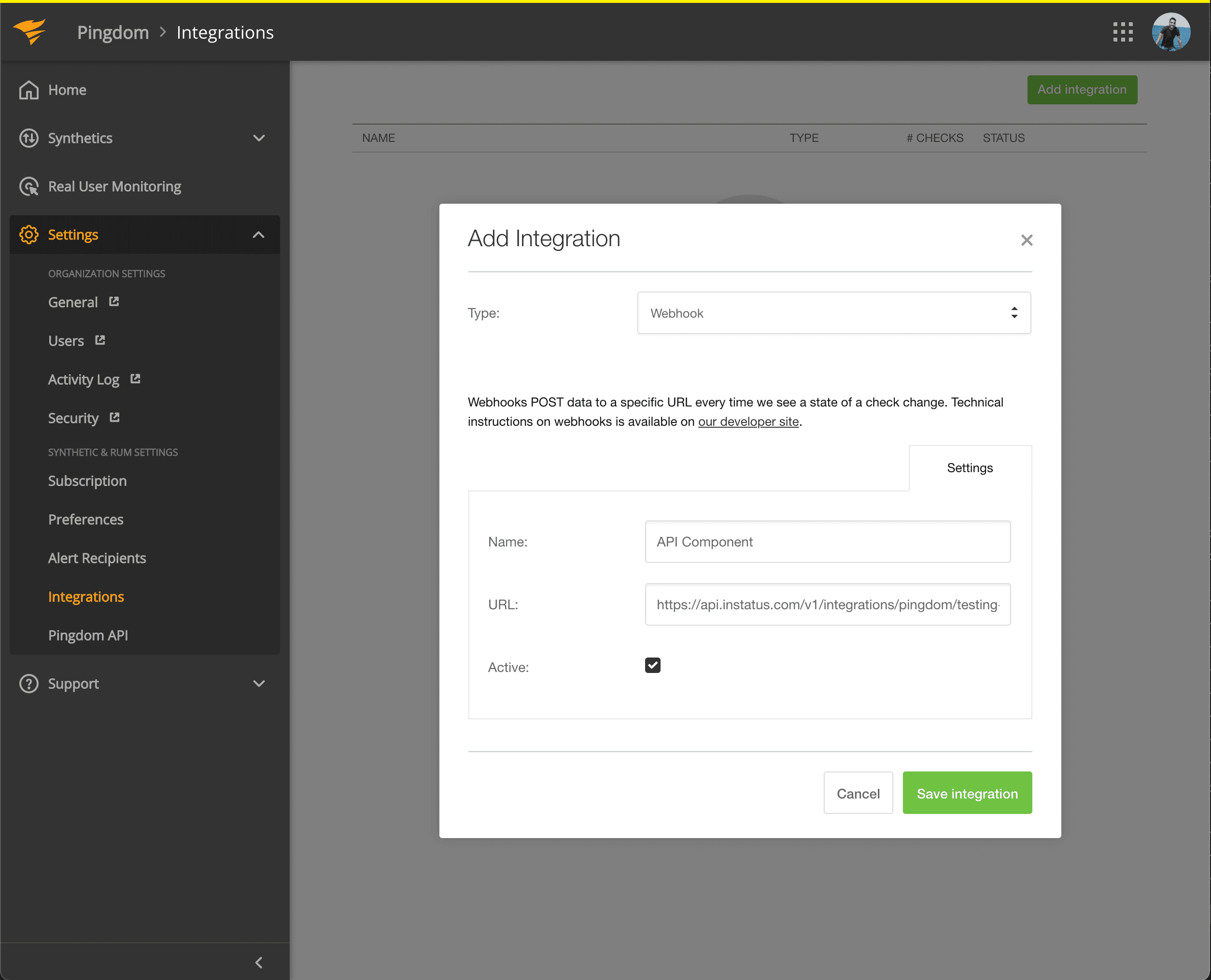
- Selectați tipul Webhook, adăugați un nume și adresa webhook a componentei pe care tocmai ați copiat-o.
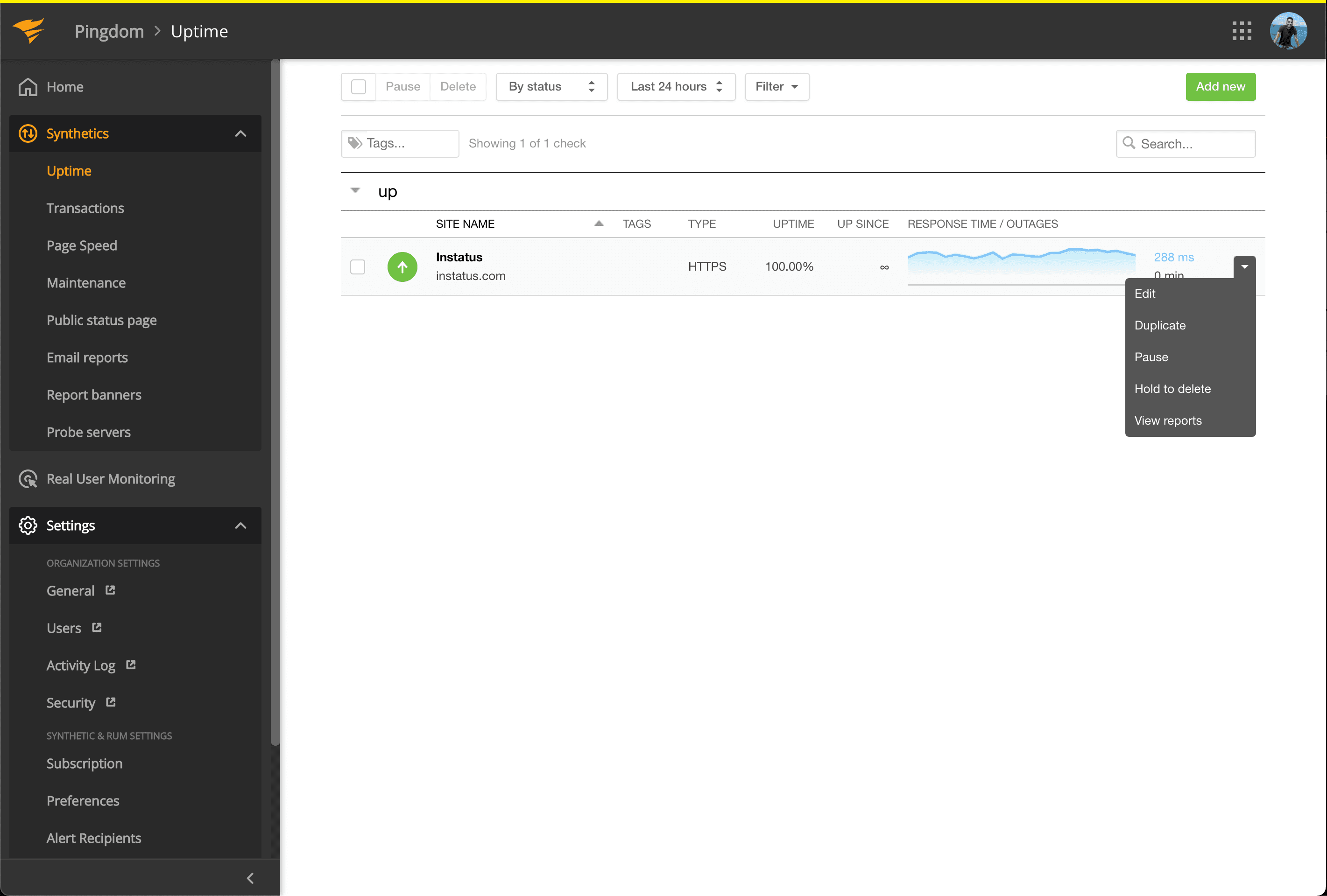
- Accesați Synthetics → Uptime
- Editați verificarea Uptime asociată componentei pe care doriți să o automatizați.
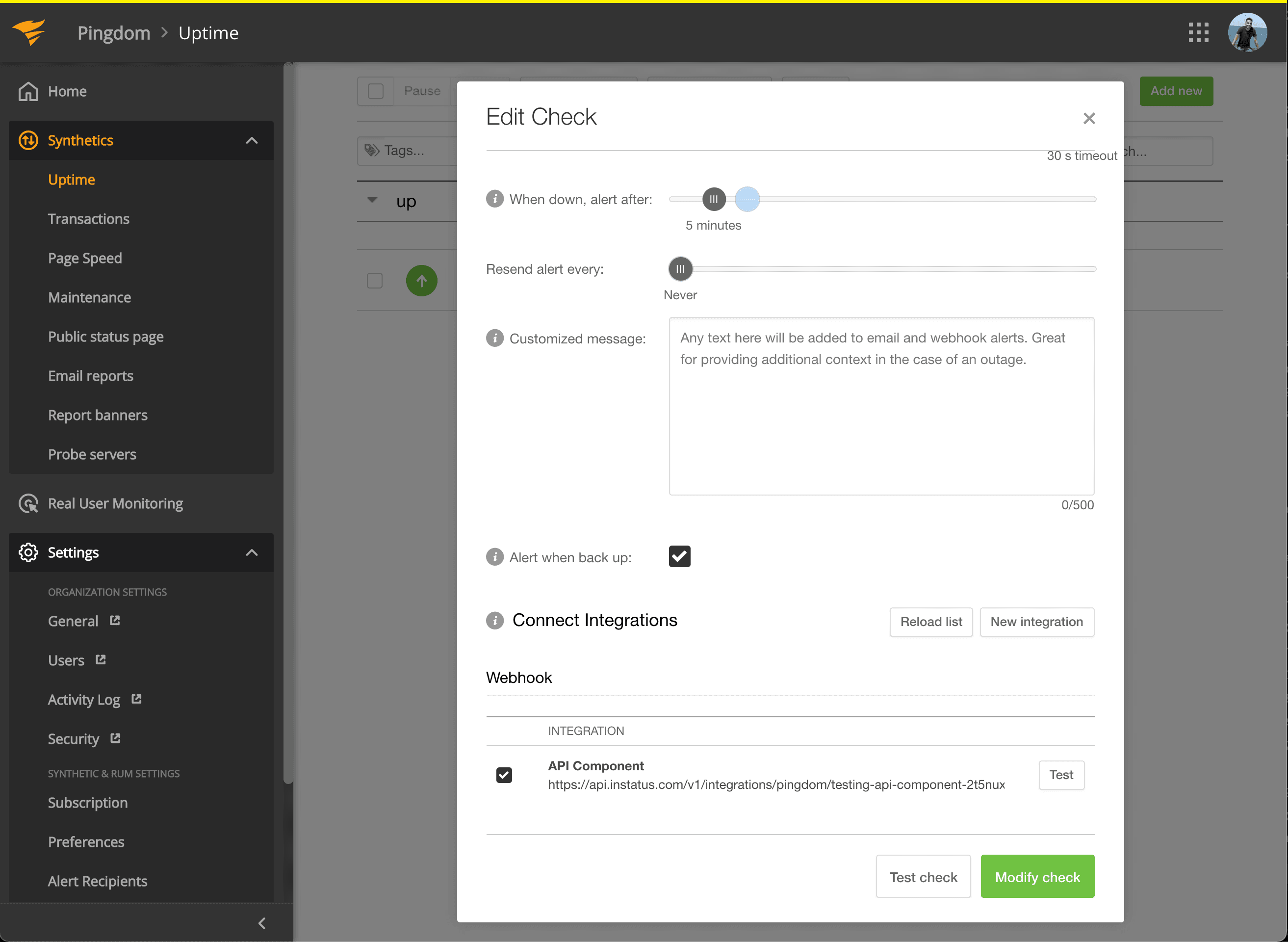
- În Connect Integrations, bifați integrarea creată și faceți clic pe modify check!
- Gata! 🍪