Uptime Robot
Zautomatyzuj swoją stronę statusu z Uptime Robot
Aktualizacja strony, gdy sprawdzenie zawiedzie lub wróci do normy

Twoja strona statusu zostaje zaktualizowana

Dostosowywanie aktualizacji za pomocą szablonów
- Utwórz webhook Uptime Robot
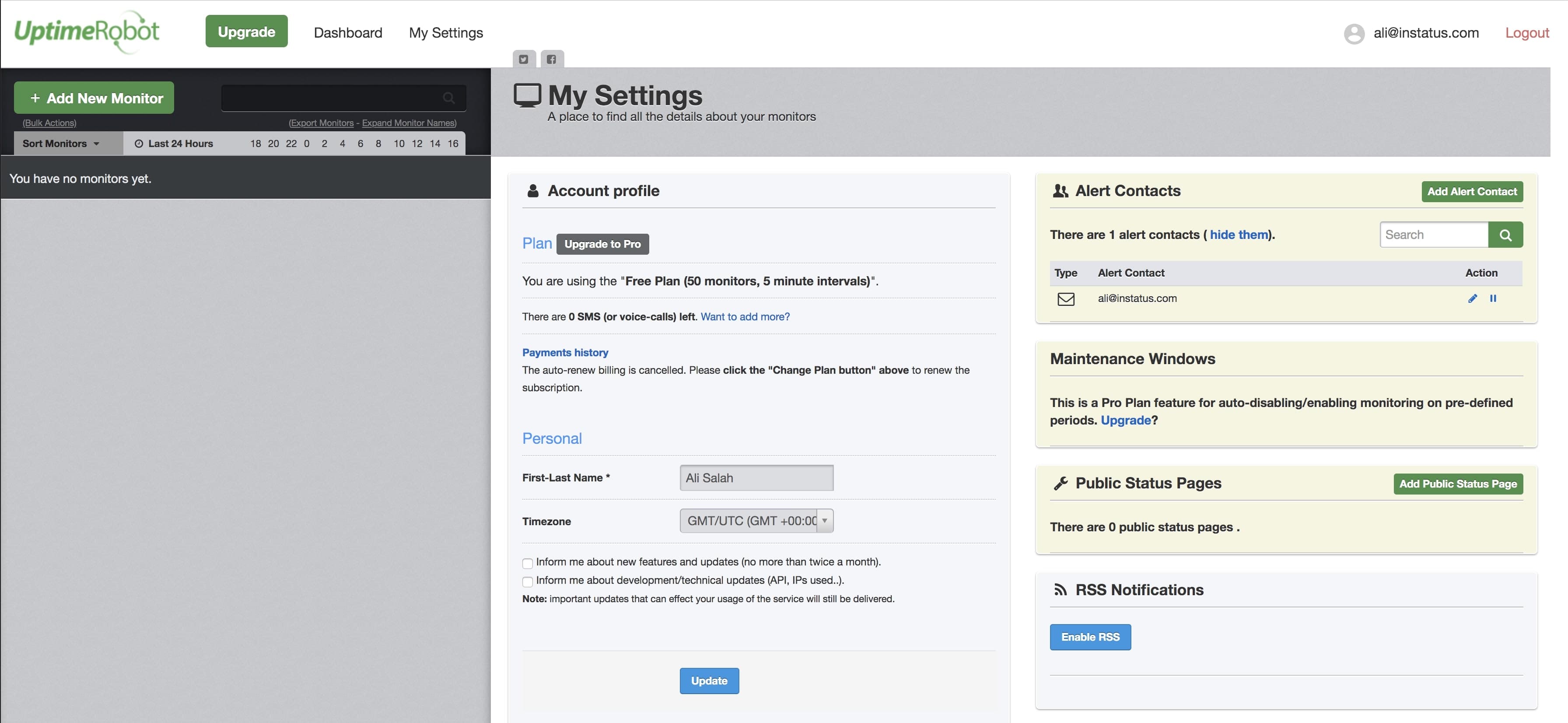
- Otwórz panel Uptime Robot. W nawigacji kliknij My Settings.
- Kliknij Add Alert Contact.
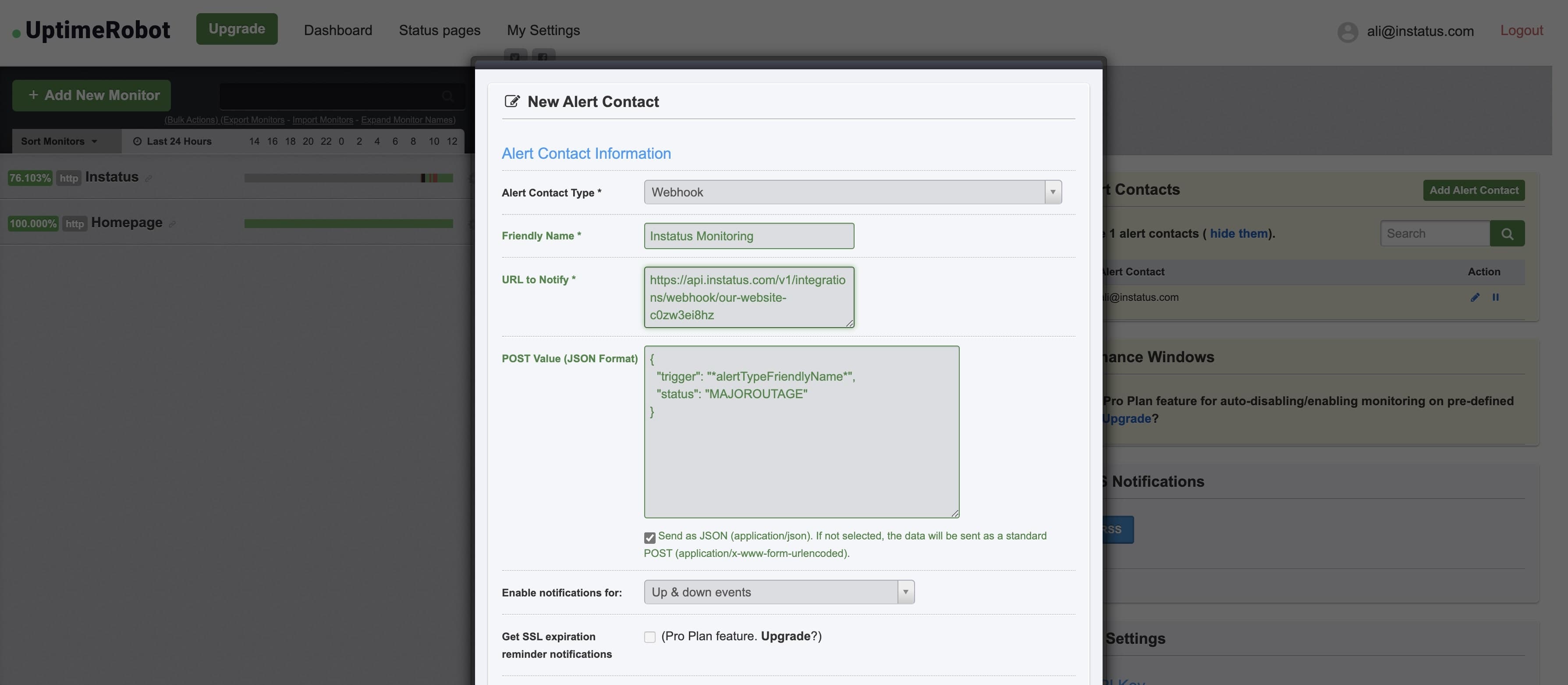
- Wybierz typ kontaktu „Webhook” i wklej skopiowany adres URL webhooka.
- Dodaj tę wartość POST:{"trigger": "*alertTypeFriendlyName*","status": "MAJOROUTAGE"}
statusto pole opcjonalne. - ✅ Zaznacz Send as JSON
- Gotowe! 👌