

Microsoft Teams
Ilmoita tiimikavereille tilapäivityksistä
Overview
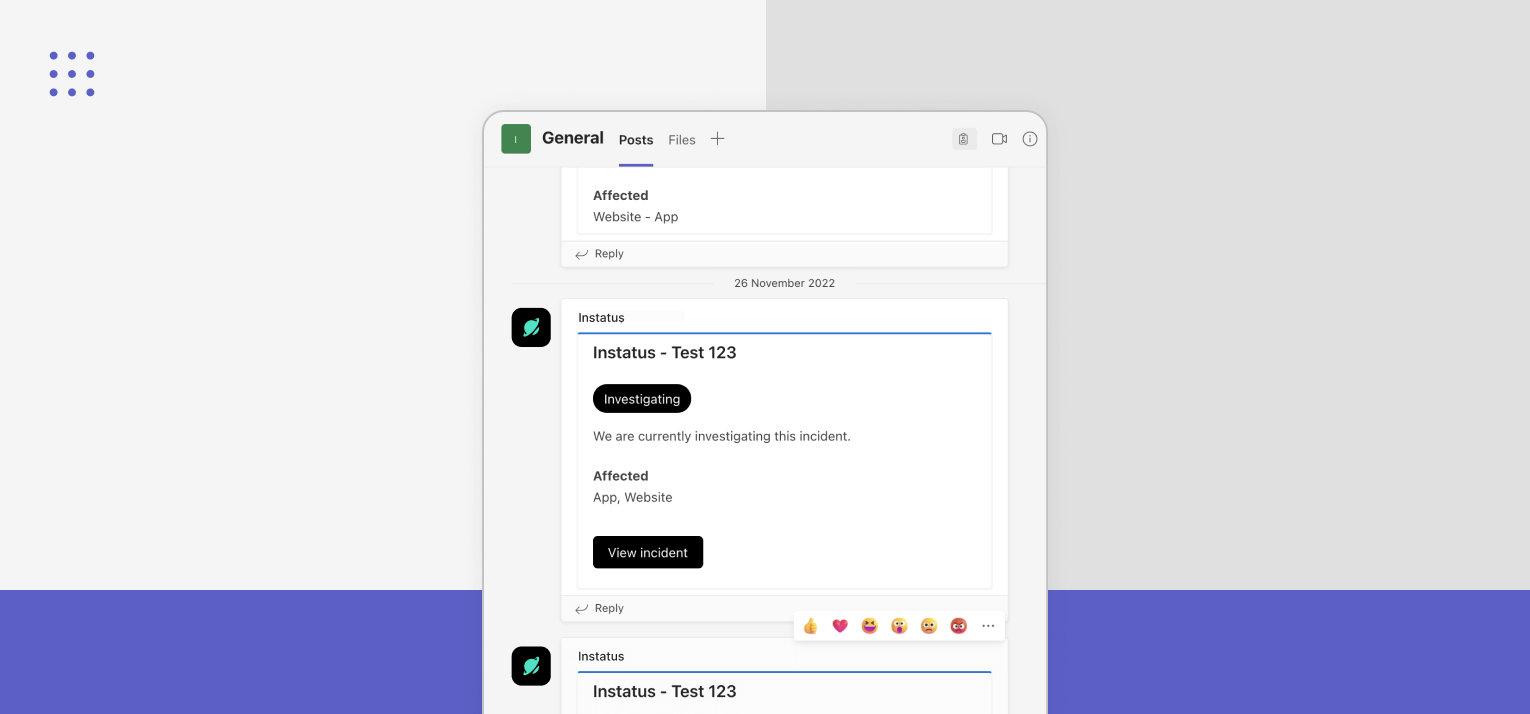
Install the Instatus bot in Microsoft Teams and run incidents where your team already lives. Every incident spins up its own channel with a pinned Instatus tab and a welcome card. Responders ack with one click. Your announcement channel gets a 1-liner per incident with threaded updates, plus maintenances and monitor alerts, so the rest of the company stays informed without flooding the incident channel.
- Auto-created incident channel with pinned incident tab
- Welcome card with severity, status, lead, description, and Ack + Add update buttons
- One-click Ack for paged responders, with ephemeral feedback for non-responders
- Announcement channel digest: incidents, maintenances, and monitor alerts in one place, with threaded updates
- Personal Create Incident tab for opening incidents without leaving Teams
Setup
- Sign in to Instatus and open your status page.
- Go to Integrations and select Microsoft Teams.
- Click Add to Instatus — your Teams admin will be prompted to approve the install and grant permissions.
- Pick an announcement channel and decide which incidents auto-create their own channels.
The bot replaces the legacy Office 365 Connector webhook as the default delivery path. Existing webhook setups keep working until Microsoft retires connector URLs — but new installs should use the bot.
Permissions
The bot is installed with the minimum permissions needed to create incident channels, post welcome cards and updates, pin the incident tab, and resolve Teams members to Instatus responders for the ack flow. No message history is read.